Introducere
The HMD Pulse Pro is an advanced unlocked smartphone designed for global use, featuring a powerful 50 MP dual rear camera and an equally impressive 50 MP front camera. It runs on Android 14, offers extended battery life, and boasts a repair-at-home design for user convenience. This manual provides essential information for setting up, operating, maintaining, and troubleshooting your device.
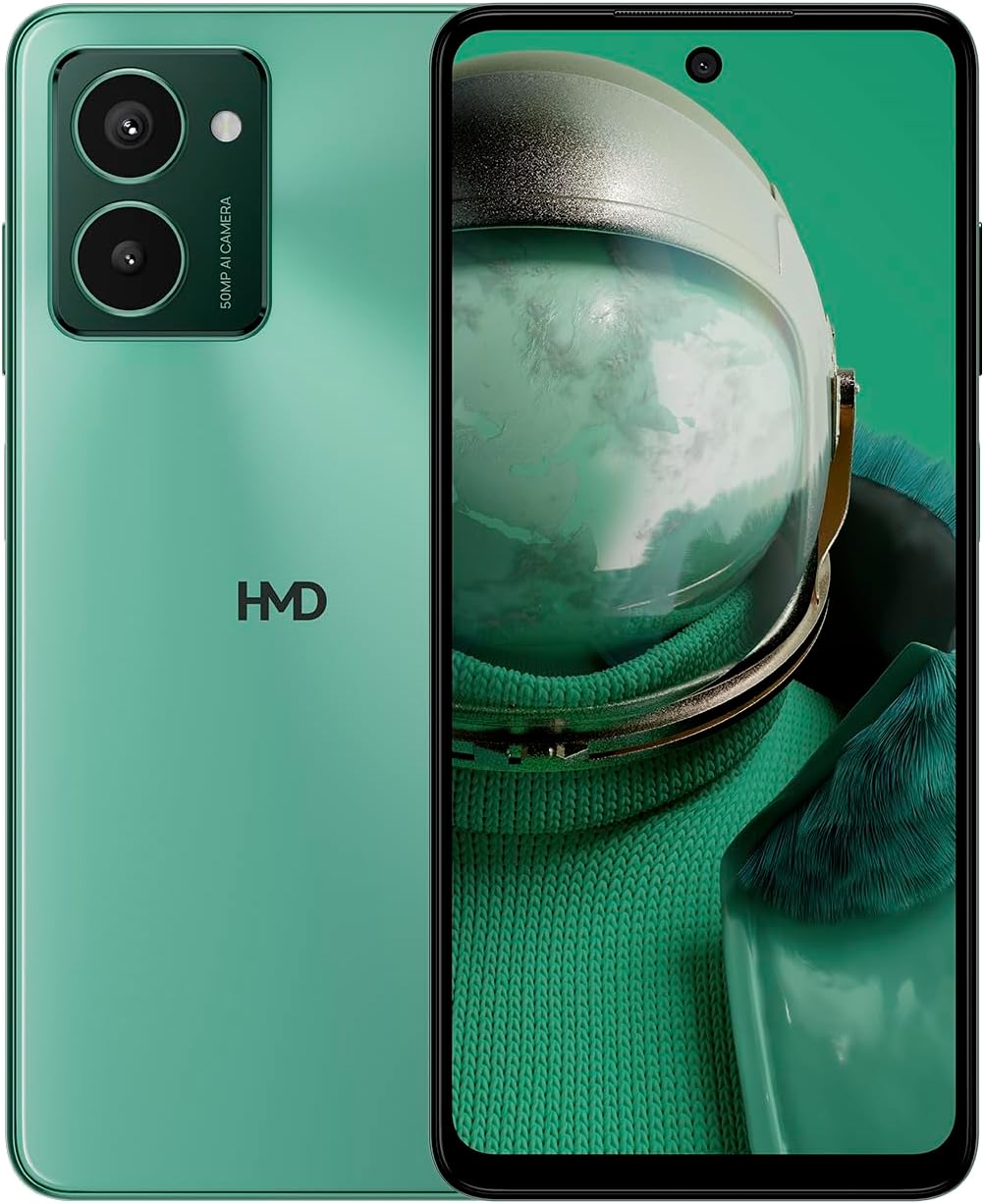
The HMD Pulse Pro smartphone in Glacier Green, showcasing its sleek design and dual camera system on the rear, alongside its vibrant display.
Caracteristici cheie:
- Striking design with refined lines and a cutting-edge aesthetic.
- Equipped with 50 MP rear and 50 MP front cameras for balanced and high-quality photography.
- Innovative selfie gesture function for easier and more dynamic self-portraits.
- Extended battery life providing up to 59 hours of usage on a single charge.
- International version, unlocked for compatibility with various carriers worldwide.
Ce este în cutie
Upon unboxing your HMD Pulse Pro, please ensure all the following items are present:
- Smartphone HMD Pulse Pro
- Cablu USB
- Instrument de ejectare a tăvii SIM
- Ghid de pornire rapidă (poate fi separat sau integrat)
Înființat
1. Încărcarea inițială
Before first use, it is recommended to fully charge your HMD Pulse Pro. Connect the provided USB cable to the phone's charging port and the other end to a compatible USB power adapter (not always included) or a computer USB port. The device supports fast charging.
2. Introducerea cartelelor SIM și a cardului MicroSD
The HMD Pulse Pro supports dual SIM cards and expandable memory via a microSD card.
- Localizați suportul pentru cartela SIM pe lateralul telefonului.
- Introduceți instrumentul de ejectare a tăvii SIM în orificiul mic de lângă tavă și împingeți ușor până când tava iese afară.
- Introduceți cartelele Nano-SIM în sloturile desemnate. Asigurați-vă că contactele aurii sunt orientate în jos.
- If using a microSD card for additional storage, place it into its dedicated slot on the tray.
- Împingeți cu grijă tava înapoi în telefon până când se fixează în poziție cu un clic.
3. Pornire și configurare inițială
Press and hold the Power button until the HMD logo appears. Follow the on-screen instructions to complete the initial setup, including language selection, Wi-Fi connection, Google account setup, and security settings.
Instrucțiuni de operare
Navigare de bază
- Touch screen: Navigate by tapping, swiping, pinching, and spreading on the 6.65-inch display.
- Buton de alimentare: Apăsați pentru a activa/dezactiva ecranul. Apăsați și mențineți apăsat pentru a opri sau a reporni.
- Butoane de volum: Reglați volumul media, volumul apelurilor și volumul notificărilor.
Utilizarea camerei
The HMD Pulse Pro features a 50 MP dual rear camera and a 50 MP front camera, enhanced with AI capabilities.

A user demonstrating the innovative selfie gesture feature of the HMD Pulse Pro, allowing for hands-free photo capture.

Un prim plan view of the HMD Pulse Pro's 50 MP front-facing camera, highlighting its AI-powered capabilities for enhanced selfies.
- Lansarea camerei: Tap the Camera app icon or use a quick gesture (if enabled in settings).
- Realizarea de fotografii: Tap the shutter button. Use pinch-to-zoom for optical or digital zoom.
- Selfie Gestures: Utilize pre-defined hand gestures to trigger the front camera shutter without touching the screen. Refer to the in-app camera settings for available gestures.
- Moduri: Switch between various modes like Portrait, Night, Panorama, and Video.
Managementul bateriei
The HMD Pulse Pro is equipped with a 5000 mAh battery, offering up to 59 hours of usage.

Two HMD Pulse Pro smartphones standing upright, with text emphasizing the impressive battery life of up to 59 hours.
- Încărcare: Use the provided USB cable. A full charge takes approximately 2.5 hours.
- Economizor baterie: Enable Battery Saver mode in Settings > Battery to extend usage time.
- Optimizarea utilizării: Reduce screen brightness, disable unused connectivity (Bluetooth, Wi-Fi, GPS), and close background apps to conserve battery.
Întreţinere
Curățarea dispozitivului
To keep your HMD Pulse Pro in optimal condition:
- Folosiți o lavetă moale, fără scame, pentru a șterge ecranul și carcasa.
- Evitați utilizarea substanțelor chimice dure, a agenților de curățare abrazivi sau a spray-urilor cu aerosoli.
- The device is water resistant; however, avoid submerging it in water.
Actualizări de software
Verificați și instalați periodic actualizări de software pentru a vă asigura că dispozitivul are cele mai recente funcții, corecții de securitate și îmbunătățiri de performanță. Accesați Setări > Sistem > Actualizare sistem.
Managementul stocării
With 256 GB of internal storage, you have ampspațiu. Totuși, gestionați-vă în mod regulat files and apps to maintain performance. You can also expand storage using a microSD card.
Depanare
This section addresses common issues you might encounter with your HMD Pulse Pro.
| Problemă | Soluție posibilă |
|---|---|
| Dispozitivul nu se pornește | Ensure the battery is charged. Connect to a charger for at least 30 minutes. Try holding the Power button for 10-15 seconds. |
| Aplicațiile se blochează sau se blochează | Clear the app's cache (Settings > Apps > [App Name] > Storage > Clear cache). Restart the phone. Update the app or the phone's software. |
| Durată slabă a bateriei | Check background app usage (Settings > Battery). Reduce screen brightness. Disable unused connectivity features (Wi-Fi, Bluetooth, GPS, NFC). Enable Battery Saver mode. |
| Nu se poate conecta la Wi-Fi/Bluetooth | Toggle Wi-Fi/Bluetooth off and on. Restart your phone and the router/device. Forget the network/device and reconnect. |
| Cartela SIM nu a fost detectată | Ensure the SIM card is correctly inserted in the tray. Restart the phone. Check with your carrier for network issues. |
Resetare din fabrică
Dacă apar probleme persistente, poate fi necesară o resetare la setările din fabrică. Atenție: Această acțiune va șterge toate datele de pe telefon. Faceți o copie de rezervă a datelor importante înainte de a continua.
- Accesați Setări > Sistem > Opțiuni de resetare.
- Selectați „Ștergeți toate datele (resetare din fabrică)”.
- Confirmați decizia și introduceți codul PIN/modelul/parola dacă vi se solicită.
- Telefonul va reporni și va începe procesul de resetare.
Specificații
Detailed technical specifications for the HMD Pulse Pro smartphone:

The HMD Pulse Pro highlighting its stylish and cutting-edge design, dual SIM support, and 6.56" HD+ HID display with a 90Hz refresh rate. Note: While the image mentions 8GB/128GB, this specific model features 8GB RAM and 256GB internal storage.
| Caracteristică | Detaliu |
|---|---|
| Numele modelului | Pulse Pro (TA-1606) |
| Sistem de operare | Android 14 |
| Dimensiunea afișajului | 6.65 inchi |
| Rezoluţie | 720 x 1612 |
| Rata de reîmprospătare | 90 Hz |
| Memoria RAM | 8 GB |
| Capacitate de stocare | 256 GB (extensibil) |
| Camera spate | 50 MP Dual Camera |
| Cameră frontală | 50 MP |
| Capacitatea bateriei | 5000 mAh |
| Timp de încărcare | Aproximativ. 2.5 ore |
| Viteza procesorului | 1.6 GHz |
| Conectivitate | Bluetooth, Wi-Fi, USB, NFC |
| Caracteristici speciale | Fast Charging Support, Dual SIM, Expandable Memory, Built-In GPS, Water Resistant |
| Dimensiuni | 6.43 x 2.95 x 0.34 inci |
| Greutatea articolului | 0.249 uncii (7.06 grame) |
| Jack audio | 3.5 mm |
| Culoare | Glacier Green |
Garanție și suport
Garantia producatorului
Your HMD Pulse Pro smartphone is covered by a manufacturer's warranty against defects in materials and workmanship. The specific terms and duration of the warranty may vary by region. Please refer to the warranty card included with your product or visit the official HMD website pentru informații detaliate despre garanție.
Asistență pentru clienți
For technical assistance, troubleshooting beyond this manual, or warranty claims, please contact HMD customer support. You can typically find contact information (phone numbers, email, support portals) on the official HMD website sau prin secțiunea de asistență din setările dispozitivului.
Resurse online: For the latest FAQs, software downloads, and support articles, visit the official HMD support page. (Specific URL not provided in input, so a generic statement is used).


