1. Produs terminatview
The usogood 4K 48MP Trail Camera (Model TC40) is a high-performance, solar-powered game camera designed for wildlife monitoring, hunting, and outdoor security. It captures razor-sharp 48MP photos and 4K Ultra HD videos, day or night, thanks to its advanced CMOS image sensor and 36x 850nm IR LEDs for night vision up to 65 feet. With a rapid 0.2-second trigger speed and a 120° detection angle, it ensures no detail is missed. The camera features a robust IP66 waterproof casing, making it suitable for extreme weather conditions. It includes a built-in rechargeable lithium battery and an adjustable solar panel for continuous power, with an option for 4xAA backup batteries (not included). A 32GB memory card is pre-installed, supporting up to 128GB.

Figure 1: usogood 4K 48MP Trail Camera (Model TC40) with included 32GB memory card.
2. Ghid de instalare
2.1 Despachetare și inspecție inițială
Upon receiving your usogood Trail Camera, carefully unbox all components and inspect for any damage. The package includes the camera unit, a USB Type-C charging cable, a 32GB memory card (pre-installed), a binding strap, and a multi-language instruction manual.
Videoclip 1: Despachetare și prima utilizareview of the usogood 4K 48MP Trail Camera. This video demonstrates the contents of the package and the physical appearance of the camera.
2.2 Încărcarea bateriei
For optimal performance, fully charge the built-in lithium battery before the first use. Connect the provided USB Type-C cable to the camera's charging port (located inside the main compartment when opened) and to a suitable USB power source. The solar panel will automatically charge the built-in battery when exposed to sunlight after initial charging.
2.3 Memory Card Installation and Formatting
The camera comes with a 32GB standard SD memory card pre-installed. The camera supports up to 128GB SD cards. To access the memory card slot, open the camera's main compartment. It is recommended to format the memory card through the camera's menu settings before first use to ensure compatibility and optimal performance.
2.4 Configurarea setărilor de bază
To access the settings menu, slide the power switch from 'OFF' to 'TEST'. Use the navigation buttons (MENU, UP, DOWN, OK, MODE) to set the device language, date, and time. Ensure these settings are accurate for proper timestamping of your recordings.
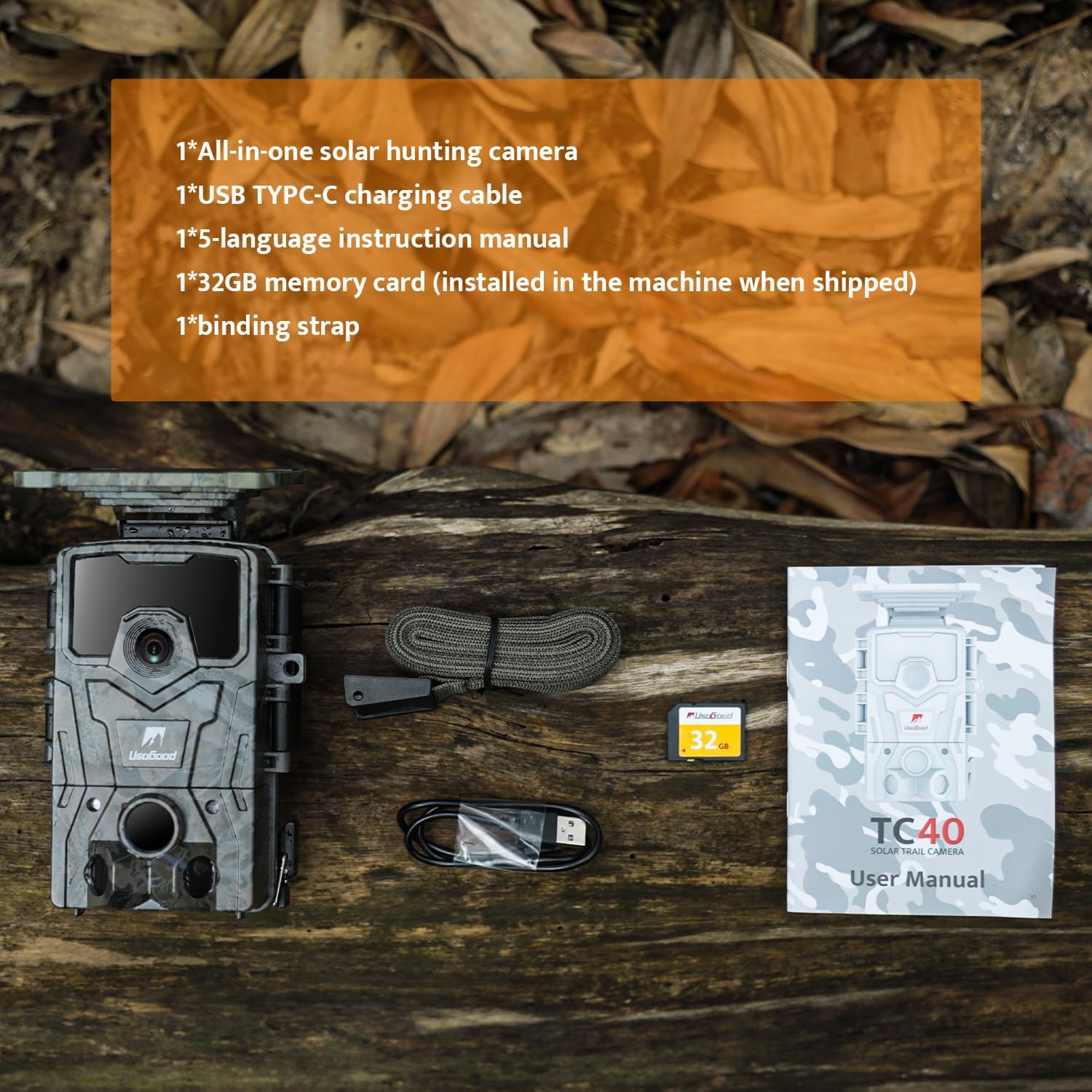
Figura 2: Intern view of the camera showing the control panel and display for settings adjustment.
3. Operarea camerei
3.1 Selecting Shooting Mode and Resolution
In the 'TEST' mode, navigate to the 'Mode' setting in the menu to select your desired shooting mode: Photo, Video, or Time-Lapse. You can also adjust the photo resolution (up to 48MP) and video resolution (up to 4K Ultra HD) to suit your needs.

Figura 3: Example of 4K 48MP HD image quality captured by the camera.
3.2 Detectarea mișcării și viteza de declanșare
The camera features a rapid 0.2-second trigger speed to capture fast-moving subjects. Its 120° PIR (Passive Infrared) detection angle ensures a wide coverage area, minimizing missed events. The motion sensors are strategically placed to detect movement effectively.

Figure 4: Illustration of the 120° PIR detection angle.
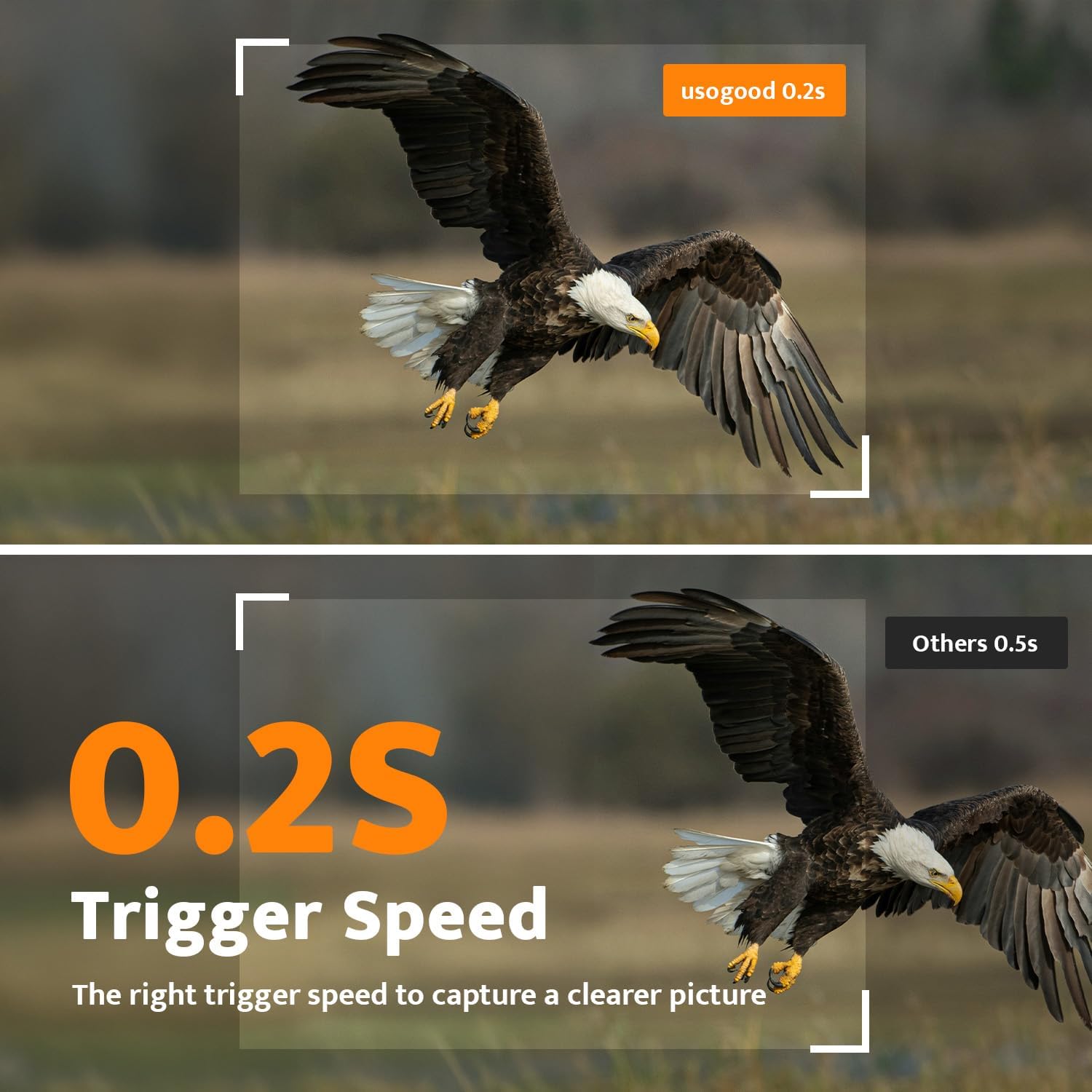
Figure 5: Demonstration of the camera's fast 0.2-second trigger speed.
3.3 Capacități de vedere nocturnă
Equipped with 36x 850nm IR LEDs, the camera provides clear HD night vision up to 65 feet, allowing for effective monitoring in low-light or nighttime conditions without disturbing wildlife.

Figura 6: Example of 65FT HD Night Vision capturing a raccoon at night.
3.4 Deployment and Activation
Once settings are configured, slide the power switch from 'TEST' to 'ON'. The screen will black out, indicating the camera has entered working mode. Use the included binding strap to securely mount the camera to a tree or other suitable location. Ensure the solar panel is positioned to receive maximum sunlight for continuous charging.
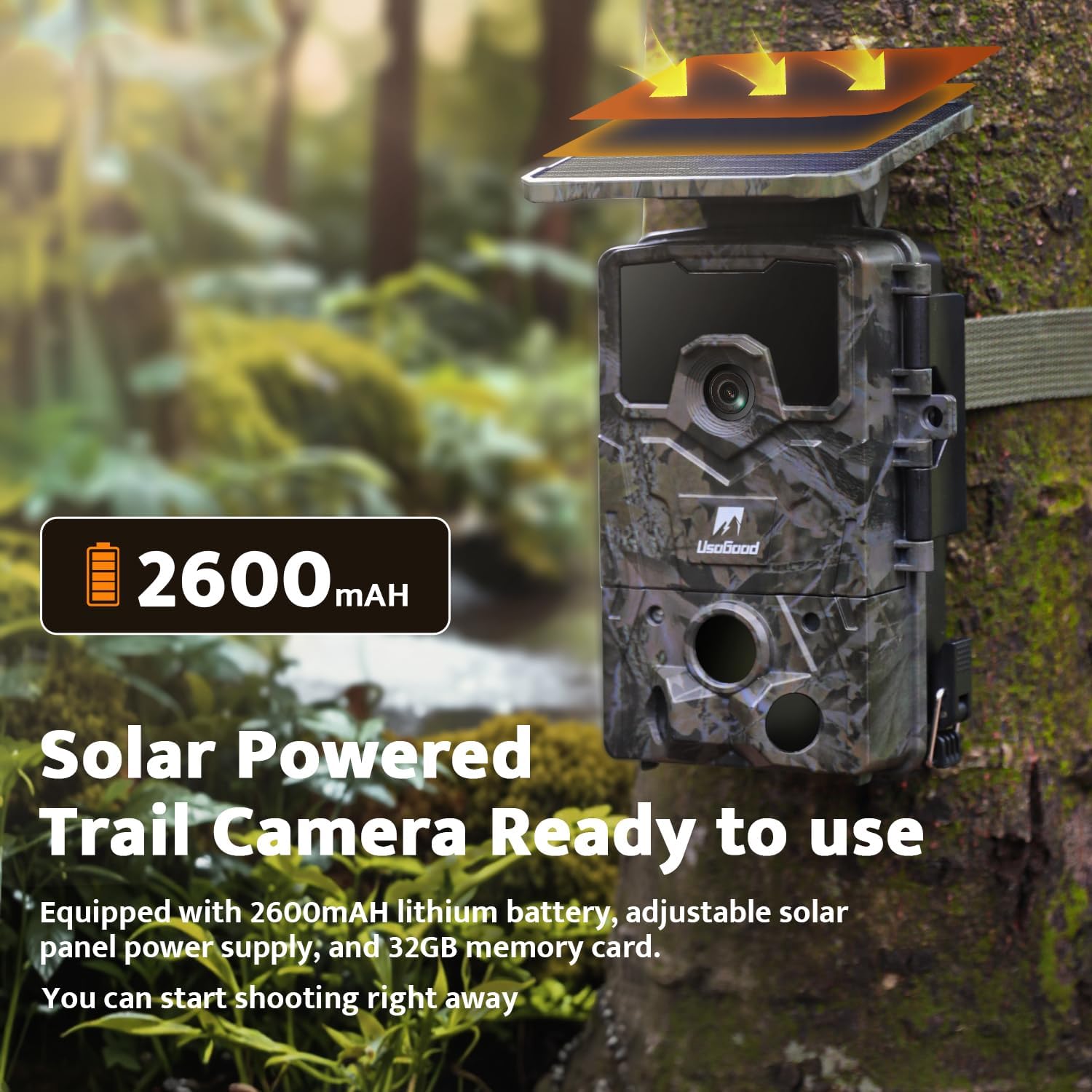
Figure 7: The usogood Solar Powered Trail Camera ready for use, mounted on a tree.
4. Întreținere
The usogood TC40 Trail Camera is built with an IP66 waterproof rugged casing, designed to withstand harsh environmental conditions including rain, wind, snow, and ice. Regular maintenance should include:
- Periodically cleaning the solar panel and camera lens to ensure optimal performance.
- Checking the battery level, especially during prolonged periods of low sunlight, and replacing AA backup batteries if necessary.
- Regularly checking the memory card for capacity and transferring data to prevent overwriting.

Figure 8: The camera's IP66 waterproof rating ensures durability in various weather conditions.
5. Depanare
| Problemă | Cauza posibila | Soluţie |
|---|---|---|
| Camera nu pornește | Low battery; incorrect battery installation; power switch in 'OFF' position. | Fully charge the built-in battery; ensure AA batteries (if used) are correctly inserted; slide switch to 'TEST' or 'ON'. |
| Calitate slabă a imaginii/videoului | Dirty lens; incorrect resolution settings; insufficient lighting (for color images). | Clean the lens; adjust photo/video resolution in settings; ensure adequate light or rely on night vision. |
| Camera nu detectează mișcare | PIR sensitivity too low; obstructions in detection area; incorrect placement. | Increase PIR sensitivity in settings; clear obstructions; reposition camera for optimal detection angle. |
| Eroare card de memorie | Card not formatted; incompatible card; full card. | Format the memory card via camera settings; ensure card is standard SD (not micro SD) and within 128GB capacity; transfer/delete files to free space. |
6. Specificații
| Caracteristică | Caietul de sarcini |
|---|---|
| Numărul de model | TC40 |
| Rezoluție foto | 48MP |
| Rezoluție video | 4K Ultra HD |
| Viteză de declanșare | 0.2 secunde |
| Unghiul de detectare PIR | 120° |
| Gama de vedere nocturnă | Up to 65 feet (36x 850nm IR LEDs) |
| Evaluare rezistentă la apă | IP66 |
| Alimentare electrică | Built-in rechargeable lithium battery, adjustable solar panel, optional 4xAA backup batteries (not included) |
| Suport card de memorie | Standard SD card, up to 128GB (32GB pre-installed) |
| Dimensiuni (L x l x H) | 4.09 x 3.65 x 6.6 inci |
| Greutatea articolului | 1.32 lire sterline |
| Material | Acrilonitril Butadien Stiren (ABS) |
7. Garanție și asistență
The usogood 4K 48MP Trail Camera comes with a two-year warranty, ensuring peace of mind. For any support inquiries, troubleshooting assistance beyond this manual, or warranty claims, please visit the official usogood store on Amazon or contact customer service directly via the contact information provided in your product packaging.
Visit the usogood Store: https://www.amazon.com/stores/Usogood/page/EBDD3075-FCF1-4148-93F9-363A6BB89ECD


