1. Introducere
This manual provides comprehensive instructions for the installation, operation, and maintenance of your MOES 30W Power Delivery USB C Wall Electrical Outlet. This ETL Listed outlet features a 15 Amp capacity, an ultra-speed Type C receptacle, and is designed for efficient charging of various compatible devices.

Image 1: MOES 30W Power Delivery USB C Wall Electrical Outlet with its packaging.
2. Informații de siguranță
WARNING: Risk of electric shock. Improper installation can result in serious injury or death. Always turn off power at the circuit breaker before installation.
- Listat ETL: Acest produs este listat ETL, ceea ce garantează că respectă standardele de siguranță recunoscute.
- TampDesign rezistent la erori: Built-in shutters prevent foreign objects from being inserted into the receptacles, enhancing safety, especially in households with children.
- Protecție la supracurent: Designed to safeguard connected electronics from receiving excessive power.
- Voltage: Operates at 120 Volts. Ensure your electrical system is compatible.
- Consultați un electrician calificat dacă nu sunteți sigur de vreo parte a procesului de instalare.

Imaginea 2: Pesteview of the MOES outlet's safety features, including tamper-resistant design and various protections.
3. Conținutul pachetului
Verificați dacă toate articolele sunt prezente în colet:
- 1 x MOES 30W Power Delivery USB C Wall Electrical Outlet
- 1 x placă de perete
- 4 x șuruburi
- 1 x Manual de utilizare
4. Specificații
| Caracteristică | Detaliu |
|---|---|
| Marca | MOES |
| Model | Type 1C/1A 30WPD 15A Outlet |
| Voltage | 120 volți |
| Ampepoca | 15 Amp |
| Ieșire USB (total) | 30W Max |
| USB tip C | PD3.0 (Power Delivery) |
| USB tip A | QC2.0 (încărcare rapidă) |
| Material | Plastic |
| Culoare | Alb |
| Dispozitive compatibile | Smartphone, Tablet, Laptop (USB-C PD compatible) |
| Certificari | Listat ETL |

Image 3: Dimensions of the MOES USB C Wall Electrical Outlet for installation planning.
5. Configurare și instalare
- Opriți alimentarea: Locate your circuit breaker panel and turn off the power to the outlet you intend to replace. Use a voltage tester to confirm the power is off before proceeding.
- Eliminați priza veche: Unscrew and carefully remove the existing wall plate and outlet from the electrical box. Disconnect the wires from the old outlet.
- Pregătiți firele: If necessary, strip approximately 1/2 inch (12-15mm) of insulation from the ends of the electrical wires (Hot, Neutral, Ground).
- Conectează firele:
- Conectați Sarma fierbinte (usually black or red) to the brass screw terminal.
- Conectați Fir neutru (usually white) to the silver screw terminal.
- Conectați Fir de împământare (usually green or bare copper) to the green screw terminal.
- Mount New Outlet: Carefully push the wired outlet back into the electrical box. Secure it with the provided screws.
- Instalați placa de perete: Attach the screwless wall plate by first screwing the clear inner part to the outlet, then snapping the decorative outer plate into place.
- Restabiliți puterea: Return to your circuit breaker panel and turn the power back on. Use a voltage tester to confirm power is restored to the new outlet.
Ghid video de instalare:
Video 1: Step-by-step guide on how to install the MOES wall outlet.
6. Instrucțiuni de utilizare
The MOES 30W Power Delivery USB C Wall Electrical Outlet provides both traditional AC power and advanced USB charging capabilities.
- Prize AC: Use the two standard 15 Amp AC outlets for powering appliances and devices requiring 120V.
- USB Type-C Port (PD3.0): Plug in your USB-C compatible devices, such as iPhones (15 Series), MacBooks, iPads, and Samsung Galaxy phones, for rapid charging up to 30W via Power Delivery 3.0.
- USB Type-A Port (QC2.0): Connect devices that use a standard USB-A cable for charging, supporting Quick Charge 2.0 for faster charging where compatible.
- Tehnologia Smart Chip: The integrated smart chip automatically detects the connected device and delivers the optimal power level for fast and efficient charging.
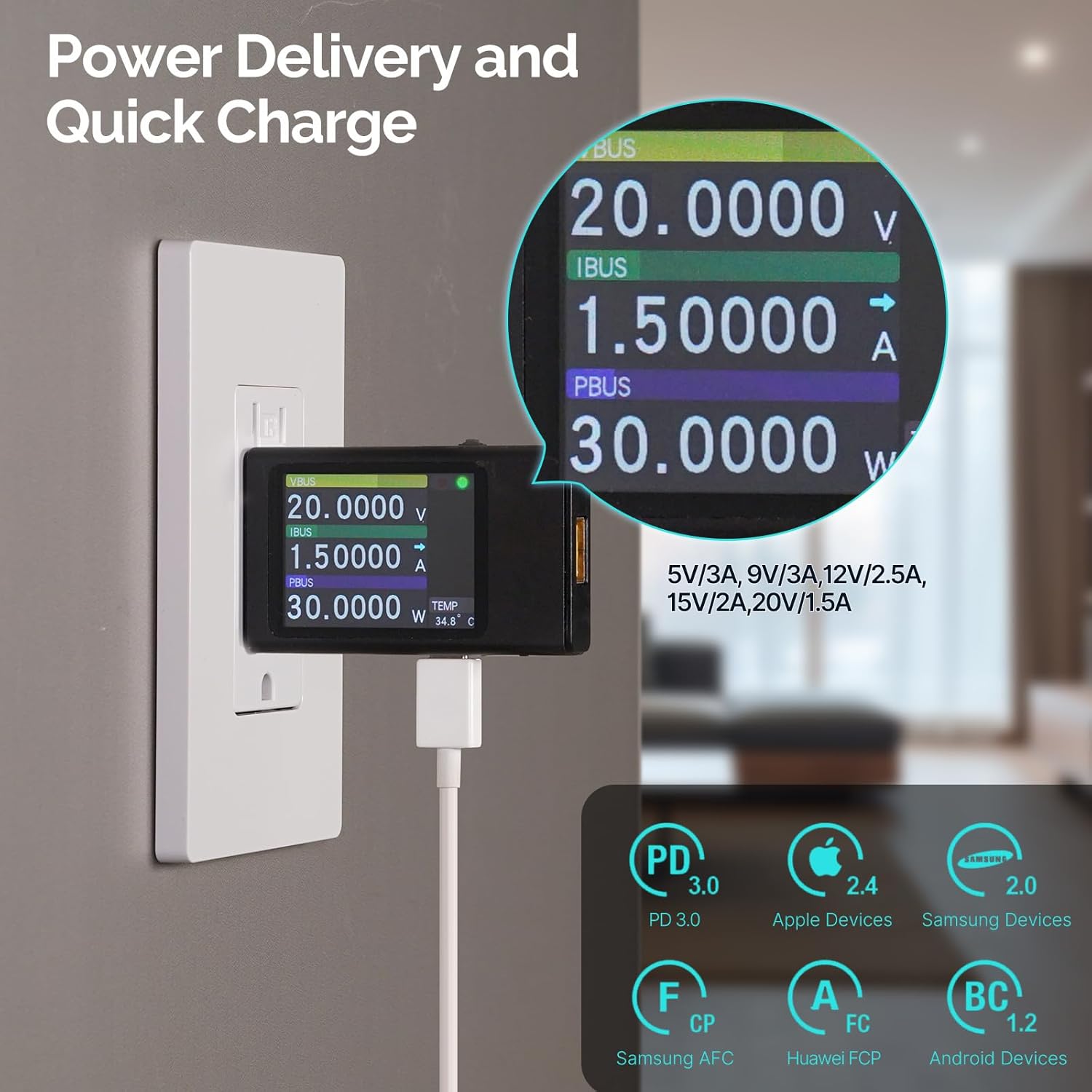
Image 4: Power Delivery and Quick Charge capabilities of the MOES outlet.

Image 5: Universal compatibility of the MOES outlet with various devices.
Produs terminatview Video:
Videoclipul 2: Terminatview of the MOES 30W PD USB Wall Outlet features and usage.
7. Întreținere
- curatenie: Disconnect power before cleaning. Use a soft, dry cloth to wipe the surface of the outlet and wall plate. Avoid using liquid cleaners or abrasive materials.
- Verificări regulate: Periodically inspect the outlet for any signs of damage, loose connections, or discoloration. If any issues are found, turn off power and consult a qualified electrician.
8. Depanare
| Problemă | Cauza posibila | Soluţie |
|---|---|---|
| No power from AC receptacles or USB ports. | Întrerupătorul de circuit s-a declanșat; conexiune slăbită a cablurilor. | Check and reset the circuit breaker. If issue persists, turn off power and check wiring connections. Consult an electrician if needed. |
| USB devices charging slowly. | Device not compatible with fast charging; faulty cable; multiple devices drawing power simultaneously. | Ensure your device supports PD3.0 (USB-C) or QC2.0 (USB-A). Try a different, high-quality charging cable. Disconnect other devices to test single-port performance. |
| Outlet feels warm. | Normal operation under heavy load; excessive load. | Slight warmth is normal. If it feels excessively hot, disconnect devices and reduce the load. Ensure proper ventilation. |
9. Garanție și asistență
For warranty information or technical support, please refer to the contact details provided in your product packaging or visit the official MOES website-ul. Păstrați chitanța de achiziție pentru cererile de garanție.


