1. Introducere
Thank you for choosing the CTOLITY AP1000 Portable Power Station. This device is designed to provide reliable and portable power for various applications, including outdoor camping, RV use, and home backup. Featuring a 1024Wh LiFePO4 battery and 1600W AC output, it offers fast charging capabilities and multiple output ports to meet your power needs.
This manual provides essential information for the safe and efficient operation of your power station. Please read it thoroughly before use and retain it for future reference.
2. Informații importante privind siguranța
Respectați întotdeauna următoarele măsuri de siguranță pentru a preveni vătămările corporale sau deteriorarea dispozitivului:
- Nu dezasamblați, reparați sau modificați unitatea.
- Țineți unitatea departe de foc, apă și temperaturi extreme.
- Nu utilizați și nu depozitați unitatea în lumina directă a soarelui sau în medii cu temperaturi ridicate.
- Asigurați o ventilație adecvată în timpul utilizării pentru a preveni supraîncălzirea.
- A nu se lăsa la îndemâna copiilor și a animalelor de companie.
- Folosiți doar accesorii și cabluri de încărcare aprobate.
- Evitați să scăpați unitatea sau să o supuneți la impacturi puternice.
- În caz de incendiu, folosiți un stingător cu pulbere uscată. Apa poate provoca electrocutare.
3. Ce se află în cutie
Verificați dacă toate următoarele articole sunt incluse în pachetul dumneavoastră:
- CTOLITY AP1000 Portable Power Station
- Cablu de încărcare AC (intrare)
- Car Input Charging Cable (Car to XT60 Input)
- Cablu de încărcare solar (intrare MC4 la XT60)
- Manual de utilizare

Image: Package contents of the CTOLITY AP1000 Portable Power Station.
4. Produs terminatview și Configurare
4.1. Dispozitiv Dispozitiv
Familiarize yourself with the ports and controls on your AP1000 power station:

Image: Front panel of the CTOLITY AP1000, highlighting various input and output ports and the LCD display.
- Power Button/Main Switch: Pornește / oprește unitatea.
- Display LCD: Shows input/output power, battery level, and warning icons.
- AC Output (110V): Two pure sine wave AC outlets (1600W total).
- Ieșire USB: Four QC3.0 USB-A ports (18W each).
- Ieșire tip C: One PD100W and one 22.5W USB-C port.
- Ieșire CC (12V/18A): Two DC output ports.
- Ieșire încărcător auto: One 12V/18A car charging output.
- Solar Panel Input (XT60): Up to 500W input for solar charging.
- AC Input (1000W): For fast wall charging.
- Protector de suprasarcina: Caracteristică de siguranță.
- Lumini LED: Integrated lighting with multiple modes.
4.2. Taxă inițială
Before first use, fully charge the power station. Connect the AC charging cable to the AC input port and plug it into a wall outlet. The LCD display will indicate charging status.
5. Funcționare
5.1. Încărcarea stației electrice
The AP1000 offers multiple charging methods:
- Priză AC de perete: Connect the AC charging cable to the AC input. The unit can fully recharge in approximately 1.2 hours (1000W input).
- Panou solar: Connect compatible solar panels (up to 500W) to the XT60 solar input port using the provided solar charging cable. The built-in MPPT controller optimizes charging. Full charge can be achieved in approximately 2 hours under optimal sunlight.
- Încărcător auto: Use the car charging cable to connect the unit to your vehicle's 12V outlet.

Image: Illustration of the three charging methods: solar, AC, and car charging.
5.2. Powering External Devices
To power your devices:
- Press the main power button to turn on the power station.
- Press the corresponding output button (AC, USB, DC) for the port you wish to use. The icon for the activated output will appear on the LCD.
- Conectați dispozitivul la portul de ieșire corespunzător.
- When finished, turn off the output ports and then the main power button to conserve battery.

Image: The CTOLITY AP1000 powering various devices simultaneously.
5.3. Informații afișate LCD
The intuitive LCD display provides real-time status updates:
- Putere de intrare: Current power being drawn for charging.
- Putere de iesire: Current power being supplied to devices.
- Nivelul rămas al bateriei: Procenttage de taxă rămasă.
- Pictograme de avertizare: Indicators for overload, high/low temperature, fan operation, etc.
- Remaining Charging/Discharging Time: Estimated time until full or empty.

Image: Close-up of the LCD display with explanations of each indicator.
5.4. LED Lighting Function
The power station includes an integrated LED light with multiple modes:
- Luminozitate scăzută: Pentru iluminare generală.
- High Brightness: For stronger light.
- Modul stroboscopic: Lumină intermitentă pentru semnalizare.
- Modul SOS: International Morse code for distress.

Image: The CTOLITY AP1000's LED light illuminating a campsite-ul.
6. Întreținere și depozitare
6.1. Îngrijirea bateriei
The AP1000 uses LiFePO4 (Lithium Iron Phosphate) battery cells, known for their longevity and safety. The advanced Battery Management System (BMS) provides comprehensive protection:
- Protecție la supraîncărcare
- Protecția împotriva descărcării
- Protecție la supracurent
- Peste Voltage Protecție
- Protecție la scurtcircuit
- Protecție la suprasarcină
- Protecție termică
- Battery Failure Protection
To maximize battery lifespan (rated for 3,000 cycles to 80% capacity):
- Evitați descărcarea completă frecventă a bateriei.
- Store the unit with at least 50% charge if not used for extended periods.
- Recharge the unit every 3-6 months if stored, even if unused.
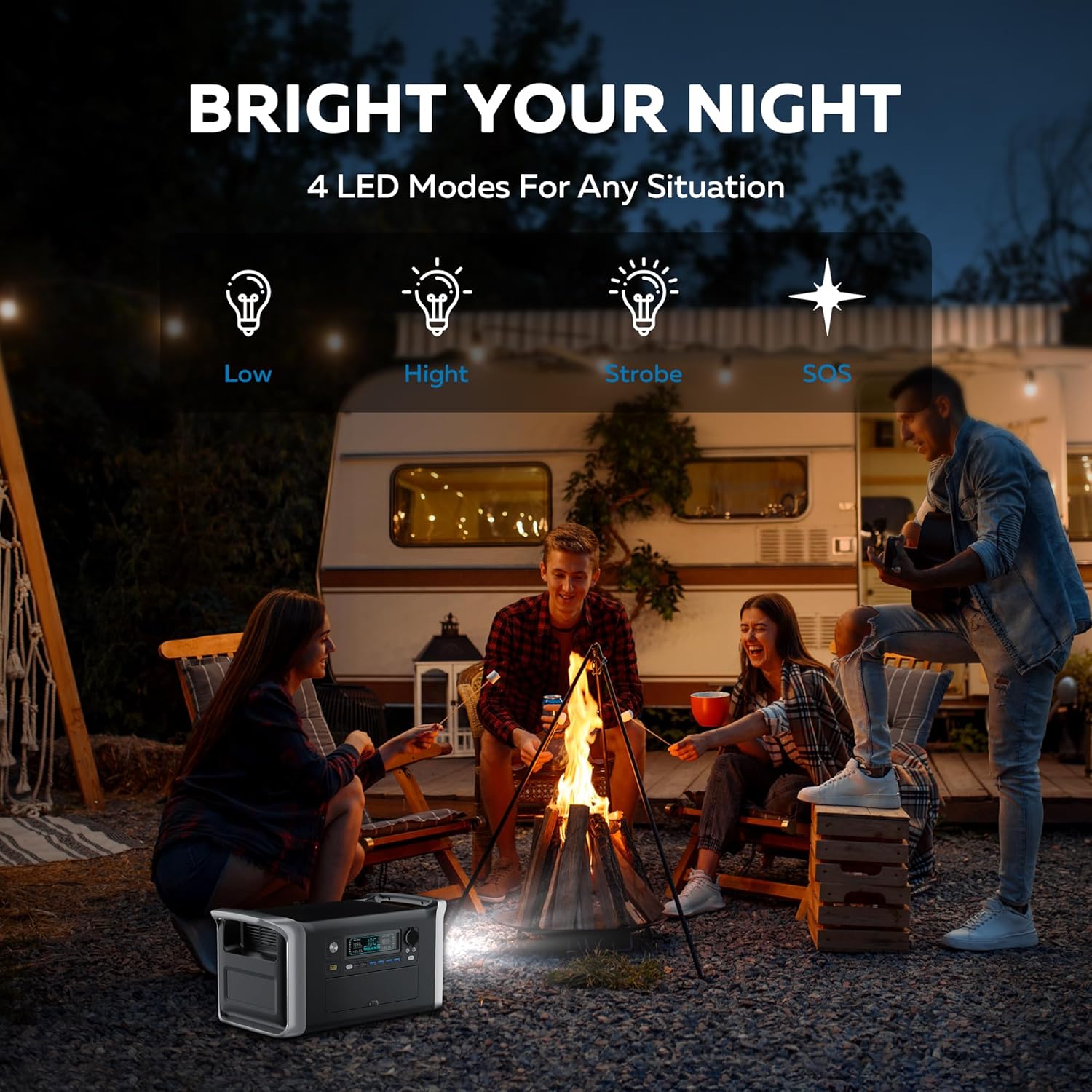
Image: Diagram showing the LiFePO4 battery structure and BMS protection features.
6.2. Curățare și depozitare
- Curățați unitatea cu o lavetă uscată și moale. Nu utilizați substanțe de curățare abrazive sau solvenți.
- A se păstra într-un loc răcoros, uscat, ferit de lumina directă a soarelui și umiditate.
- Asigurați-vă că unitatea este oprită înainte de depozitare.
- The unit is designed to operate in temperatures from -20°C to 40°C.

Image: The CTOLITY AP1000 operating in cold temperatures.
7. Specificații
| Caracteristică | Detaliu |
|---|---|
| Marca | CTOLITATE |
| Numele modelului | Apower1000 Portable Power Station |
| Tip baterie | LiFePO4 (fosfat de litiu de fier) |
| Capacitate | 1024Wh |
| Puterea de ieșire AC | 1600W (Nominal), 1800W (Vârf) |
| Ieșire CA Voltage | 110 volți |
| Putere de intrare AC | 1000W (Fast Charge) |
| Intrare solară (XT60) | Până la 500W |
| Ieșire USB-A | 4 x QC3.0 (18W each) |
| Ieșire USB-C | 1 x PD100W, 1 x 22.5W |
| Ieșire continuă | 2 x 12V/18A |
| Ieșire încărcător auto | 1 x 12V/18A |
| Timp de încărcare (AC) | Aproximativ. 1.2 ore |
| Timp de încărcare (solară) | Approx. 2 hours (500W input) |
| Cicluri de viață | 3,000 de cicluri la 80%+ capacitate |
| Dimensiuni | 17.6 cm L x 9.2 cm l x 8.6 cm Î |
| Greutatea articolului | 36.4 lire sterline |
| Temperatura de operare | -20°C până la 40°C |
| Material | ABS |
| Nivel de sunet | 40 dB |
8. Depanare
If you encounter issues with your CTOLITY AP1000, please refer to the following common problems and solutions:
- Unitatea nu pornește: Ensure the power button is pressed firmly. Check if the battery is completely depleted; if so, connect to an AC outlet for charging.
- Nicio ieșire din porturi: Ensure the specific output button (AC, USB, DC) for the desired port is activated. Check if the device you are trying to power exceeds the power station's output limits (1600W AC).
- Încărcare lentă:
- Încărcare AC: Verify the AC cable is securely connected and the wall outlet is functioning.
- Încărcare solară: Ensure solar panels are in direct sunlight and free from obstructions. Check cable connections. Cloudy weather or incorrect panel angle will reduce charging speed.
- Încărcarea mașinii: Confirm the car engine is running for optimal charging.
- Avertizare de suprasarcină: If an overload icon appears on the LCD, disconnect some devices to reduce the total power draw. The unit will automatically reset after a few seconds.
- Avertizare de temperatură: If high or low temperature icons appear, move the unit to an environment within the recommended operating temperature range (-20°C to 40°C) and allow it to cool down or warm up before resuming use.
Dacă problema persistă, vă rugăm să contactați serviciul de asistență pentru clienți.
9. Garanție și asistență pentru clienți
Stația de alimentare portabilă CTOLITY AP1000 este dotată cu un 1 an garanție de producător de la data achiziției. Această garanție acoperă defectele de materiale și de fabricație în condiții normale de utilizare.
Garanția nu acoperă:
- Daune cauzate de utilizare greșită, abuz sau modificare neautorizată.
- Daune cauzate de dezastre naturale sau accidente.
- Uzură normală.
For warranty claims, technical assistance, or any questions regarding your product, please contact CTOLITY customer support through the retailer where you purchased the product or visit the official CTOLITY website pentru informații de contact.
CTOLITY Official Website: Visit the CTOLITY Store on Amazon


