1. Introducere
This manual provides essential information for the safe and efficient use of your Google Pixel 9 Pro smartphone. Please read these instructions carefully before using your device to ensure optimal performance and longevity. The Google Pixel 9 Pro is an advanced Android smartphone featuring a triple rear camera system, a 24-hour battery, and a 6.3-inch Super Actua Display.
2. Ce se află în cutie
Verificați dacă toate articolele sunt prezente în ambalajul produsului:
- Smartphone-ul Google Pixel 9 Pro
- Ejector tavă SIM
- Cablu USB
3. Dispozitiv terminatview
Familiarize yourself with the physical components of your Google Pixel 9 Pro.

Imaginea 3.1: Fata si spate view of the Google Pixel 9 Pro. The front displays the Super Actua screen with a punch-hole camera, while the rear shows the distinctive camera bar housing the triple camera system and the Google logo.
The device features a 6.3-inch Super Actua Display on the front. The rear includes a triple camera system integrated into a horizontal bar, along with the Google logo. Physical buttons for power and volume are located on the side, and a USB-C port is at the bottom for charging and data transfer.
4. Ghid de instalare
4.1. Introducerea cartelei SIM
- Locate the SIM card tray on the side of your Pixel 9 Pro.
- Introduceți instrumentul de ejectare a tăvii cartelei SIM furnizat în orificiul mic de lângă tavă. Apăsați ferm până când tava iese afară.
- Introduceți cartela nano-SIM în tavă cu contactele aurii orientate în jos.
- Reintroduceți cu grijă suportul cartelei SIM în telefon până când se fixează în poziție cu un clic.
4.2. Pornirea dispozitivului
Press and hold the Power button located on the side of the device until the Google logo appears on the screen. Follow the on-screen prompts to complete the initial setup, including connecting to Wi-Fi, signing in with your Google account, and setting up security features.
4.3. Încărcarea bateriei
Connect the USB cable to the USB-C port at the bottom of your phone and plug the other end into a compatible power adapter. The device supports fast charging. Ensure the battery is sufficiently charged before first use.
5. Instrucțiuni de utilizare
5.1. Navigare de bază
The Google Pixel 9 Pro operates on Android 14. Navigate the interface using touch gestures:
- Robinet: Selectați un element sau deschideți o aplicație.
- Beţivan: Derulați prin ecrane sau liste.
- Ciupire: Măriți sau micșorați imaginile și web pagini.
- Apasare prelungită: Accesați meniurile contextuale sau mutați pictogramele aplicațiilor.
5.2. Sistem de camere
The Pixel 9 Pro features a triple rear camera system designed for high-quality photography and videography. Open the Camera app to access various modes, including:
- Fotografie: Standard image capture.
- Portret: Creează un efect de adâncime cu fundaluri neclare.
- Vedere nocturnă: Îmbunătățește fotografiile realizate în condiții de lumină slabă.
- Video: Records high-resolution videos.

Imaginea 5.1: The Pixel 9 Pro camera interface displaying options for Focus, Shutter Speed, and ISO, allowing for manual adjustments to capture pro-level photos.
5.3. Caracteristici ale inteligenței artificiale
Your Pixel 9 Pro integrates Google's AI capabilities to enhance user experience:
- Gemini: Utilize Gemini for assistance with tasks, information retrieval, and creative suggestions. For example, take a photo of ingredients in your fridge and ask Gemini for recipe ideas.

Imaginea 5.2: Un example of Gemini AI in action, analyzing the contents of a refrigerator and suggesting meal ideas based on available ingredients.
- Încercuiți pentru a căuta: Quickly search for information about anything on your screen. Simply circle an image or text, even within a video, and AI will provide relevant search results.

Imaginea 5.3: The 'Circle to Search' feature demonstrated, where a user circles an object on the screen (a red handbag) to instantly find related search results.
- Capturi de ecran Pixel: The device helps organize and retrieve information from your screenshots, using Gemini to find what you need when you need it.

Imaginea 5.4: An illustration of Pixel Screenshots, showing how the phone can help save and retrieve information from various screenshots, such as events or gift ideas.
6. Întreținere
6.1. Actualizări software
Your Google Pixel 9 Pro receives regular software and security updates for up to 7 years. Ensure your device is connected to Wi-Fi and has sufficient battery life before initiating any updates. You will be notified when an update is available, or you can manually check in Settings > System > Software updates.
6.2. Curățarea dispozitivului
To clean your phone, use a soft, lint-free cloth. Avoid abrasive materials, sprays, or harsh chemicals that could damage the screen or finish. For stubborn smudges, slightly dampro pânza cu apă.
6.3. Îngrijirea bateriei
To maximize battery life, avoid exposing your phone to extreme temperatures. While the Pixel 9 Pro is designed for 24-hour battery life, heavy usage of demanding applications or features like GPS and high-brightness settings can reduce this. Consider enabling battery saver mode when needed.
7. Depanare
If you encounter issues with your Google Pixel 9 Pro, try the following common troubleshooting steps:
- Dispozitivul nu răspunde: Apăsați și țineți apăsat butonul de pornire timp de aproximativ 30 secunde pentru a forța o repornire.
- Probleme de conectivitate (Wi-Fi/Celular): Toggle Wi-Fi or cellular data off and on. Restart your device. For Wi-Fi, try forgetting the network and reconnecting.
- Blocarea aplicației: Clear the app's cache (Settings > Apps > [App Name] > Storage & cache > Clear cache). If the issue persists, try clearing data or reinstalling the app.
- Se descarcă rapid bateria: Check battery usage in Settings to identify power-hungry apps. Reduce screen brightness, disable unnecessary features like Bluetooth/GPS when not in use, and ensure apps are updated.
- Calitate slabă a apelurilor: Ensure you have good network signal. Try restarting your phone. If using Wi-Fi calling, check your Wi-Fi connection.
For more complex issues, refer to Google's official support resources or contact customer service.
8. Specificații
Key technical specifications for the Google Pixel 9 Pro (Model GR83Y):
| Caracteristică | Caietul de sarcini |
|---|---|
| Numele modelului | Pixel 9 Pro |
| Numărul de model al articolului | GR83Y |
| Sistem de operare | Android 14 |
| Dimensiunea ecranului | 6.3 inchi |
| Rezoluţie | 3840 x 2160 |
| Model CPU | Snapdragon |
| Capacitate de stocare a memoriei | 128 GB (conform variantei actuale a produsului) |
| Tehnologia de conectivitate | Bluetooth, NFC, Wi-Fi, 5G |
| Putere nominală a bateriei | 4700 mAh |
| Timp de convorbire telefonică | 24 de ore |
| Dimensiunile produsului | 6.02 x 0.34 x 2.83 inci |
| Greutatea articolului | 6.7 uncii |
9. Garanție și asistență
This Google Pixel 9 Pro is a renewed product. Amazon Renewed products are inspected, undergo full diagnostic tests, thorough cleaning, and are refurbished as necessary to be fully functional. Your purchase is eligible for Amazon Renewed coverage in conjunction with Amazon's Return Policy and the A-to-z Guarantee.
9.1. Garanție reînnoită Amazon
Amazon Renewed products come with a 90-day refund or replacement policy. This ensures that if your device does not work as expected within 90 days of purchase, you can return it for a full refund or a replacement.
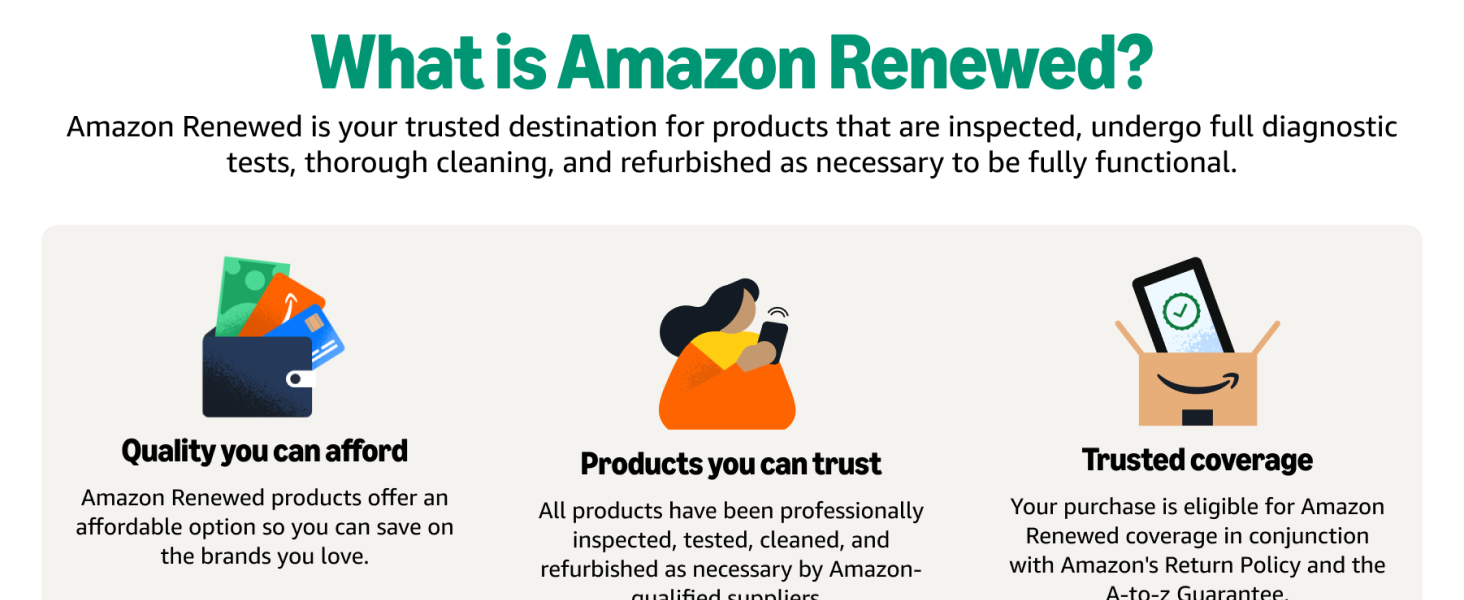
Imaginea 9.1: An infographic explaining Amazon Renewed, highlighting quality, trusted products, and comprehensive coverage.
9.2. Condiții de renovare
All Amazon Renewed refurbished products are fully functional and come with generic or original accessories and packaging. They are guaranteed to have at least 80% of the original battery life.
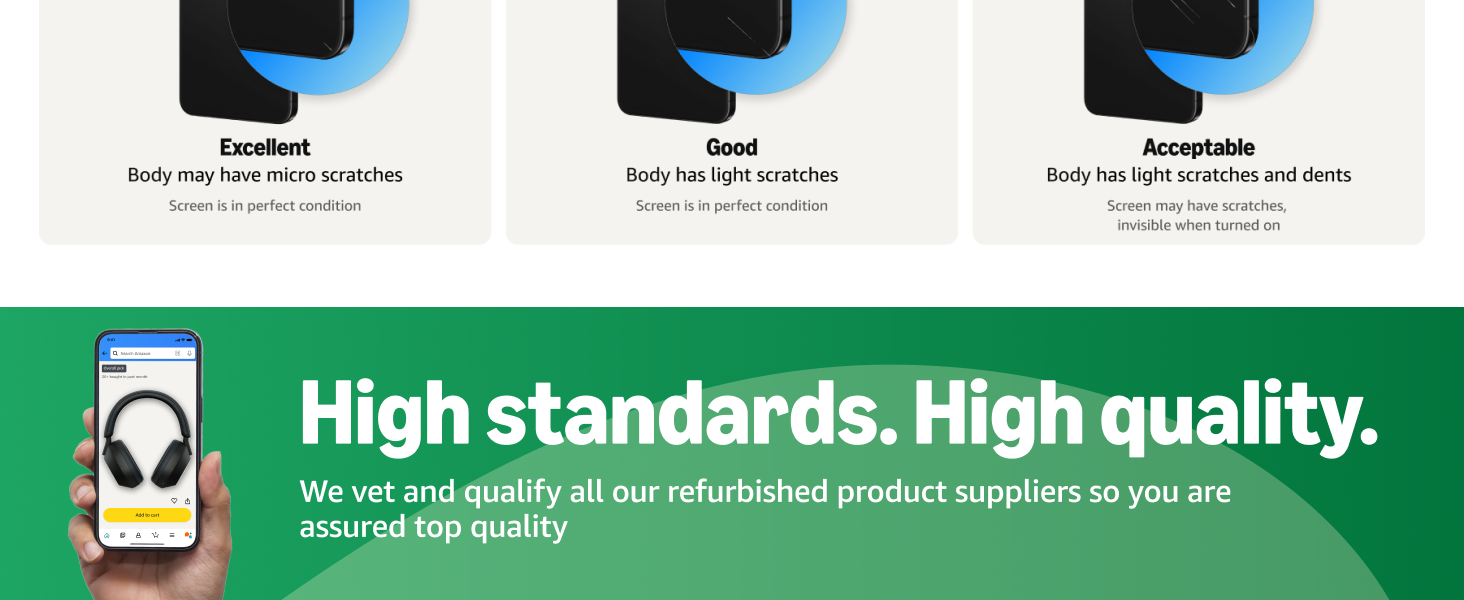
Imaginea 9.2: A chart detailing the different refurbished conditions (Excellent, Good, Acceptable) for Amazon Renewed products, describing potential cosmetic imperfections.
9.3. Contactați asistența
For further assistance, please visit the Amazon Renewed Store or contact Amazon customer service directly. For device-specific support, you can also refer to Google's official support website-ul.


