1. Introducere
Welcome to the Kidywolf Multifunction Flashlight user manual. This guide provides essential information on how to set up, operate, and maintain your flashlight. Please read these instructions carefully to ensure safe and optimal use of the product.
2. Produs terminatview
The Kidywolf Multifunction Flashlight is a versatile lighting device designed for children, offering three distinct functions: a standard flashlight, an ambient light, and a pendant light. It features adjustable warm light intensity and a durable, ergonomic design, making it a perfect companion for various activities.
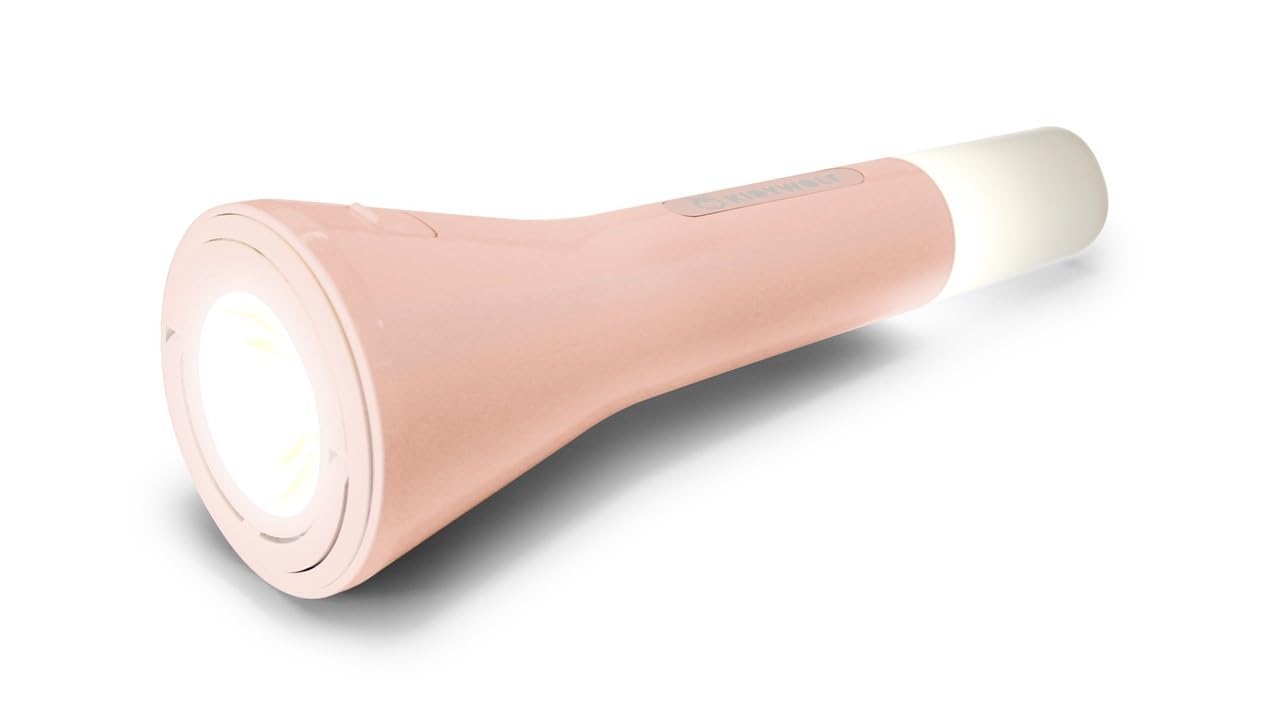
This image displays the Kidywolf Multifunction Flashlight in its packaging. The packaging highlights the three primary functions of the device: a standard flashlight for direct illumination, an ambient light when placed upright, and a pendant light when hung by its integrated ring. The flashlight itself is shown in a nude/pink color.
3. Caracteristici cheie
- Funcționalitate 3 în 1: Operates as a flashlight, ambient light, or pendant light.
- Adjustable Warm Light: Three intensity levels (100%, 60%, 20%) with 3000°K warm light.
- Baterie reîncărcabilă: Equipped with a 3.7V/1200 mAh battery for extended use.
- Încărcare USB-C: Convenient and fast charging via USB-C cable.
- Design durabil: Features a matte finish for a practical and elegant look.
- Portabil: Lightweight and easy to handle, suitable for travel and indoor use.
4. Configurare
Upon first use, it is recommended to fully charge the Kidywolf Multifunction Flashlight. Connect the provided USB-C cable to the charging port on the device and plug the other end into a compatible USB power source (e.g., computer, wall adapter). The charging indicator will show the charging status.
5. Instrucțiuni de utilizare
5.1 Pornire/Oprire
To turn the flashlight on or off, press and hold the power button located on the side of the device for approximately 2 seconds.
5.2 Moduri de funcționare
The flashlight offers three distinct modes:
- Modul lanternă: For direct illumination. Hold the device in hand.
- Mod lumină ambientală: For creating a soft atmosphere. Place the flashlight upright on a flat surface.
- Pendant Light Mode: For hanging and broader illumination. Use the integrated ring to suspend the device.
To cycle through the modes, short press the power button once the device is on.
5.3 Reglarea intensității luminii
While the flashlight is on, short press the power button repeatedly to cycle through the three intensity levels: 100% (brightest), 60% (medium), and 20% (dimmest). The light will adjust with each press.
6. Încărcarea dispozitivului
The Kidywolf Multifunction Flashlight is equipped with a rechargeable battery. When the battery is low, the light intensity may decrease, or the device may turn off. To recharge:
- Localizați portul de încărcare USB-C de pe dispozitiv.
- Connect the provided USB-C to USB cable to the flashlight.
- Conectați capătul USB-A al cablului la un adaptor de alimentare USB standard (nu este inclus) sau la portul USB al unui computer.
- Allow the device to charge until the charging indicator shows a full charge. A full charge provides up to 12 hours of continuous use.
7. Îngrijire și întreținere
- curatenie: Ștergeți dispozitivul cu o lavetă moale și uscată. Nu utilizați substanțe de curățare abrazive sau solvenți.
- Depozitare: Păstrați lanterna într-un loc răcoros și uscat, ferit de lumina directă a soarelui și de temperaturi extreme.
- Îngrijirea bateriei: Pentru a prelungi durata de viață a bateriei, evitați descărcarea completă frecventă a bateriei. Încărcați dispozitivul în mod regulat, chiar dacă nu îl utilizați pentru perioade lungi de timp.
- Rezistenta la apa: Acest dispozitiv nu este impermeabil. Evitați expunerea la apă sau umiditate ridicată.
8. Depanare
| Emisiune | Cauza posibila | Soluţie |
|---|---|---|
| Lanterna nu se aprinde. | Bateria este epuizată. | Încărcați dispozitivul folosind cablul USB-C. |
| Light intensity is low. | Battery is low or set to lowest intensity. | Recharge the battery or cycle through intensity levels by short pressing the power button. |
| Dispozitivul nu se încarcă. | Problemă cu cablul sau sursa de alimentare. | Ensure the USB-C cable is properly connected and try a different USB power source. |
9. Specificatii tehnice
- Functii: Flashlight, Ambient Light, Pendant Light
- Light Intensity Levels: 3 (100%, 60%, 20%)
- Temperatura de culoare: 3000°K (Warm Light)
- Baterie: 3.7 V/1200 mAh
- Încărcare: USB-C / USB cable
- Termina: Mate
10. Informații despre garanție
Kidywolf products are manufactured to high-quality standards. For specific warranty terms and conditions, please refer to the warranty card included with your product or visit the official Kidywolf webPăstrați dovada achiziției pentru orice reclamații în garanție.
11. Asistență pentru clienți
If you have any questions, concerns, or require assistance with your Kidywolf Multifunction Flashlight, please contact Kidywolf customer support. Contact details can typically be found on the product packaging or the official Kidywolf website-ul.


