Introducere
This manual provides detailed instructions for the setup, operation, and maintenance of your ATTACK SHARK L80 Wireless Gaming Headset. Please read this manual thoroughly before using the product to ensure proper function and longevity.
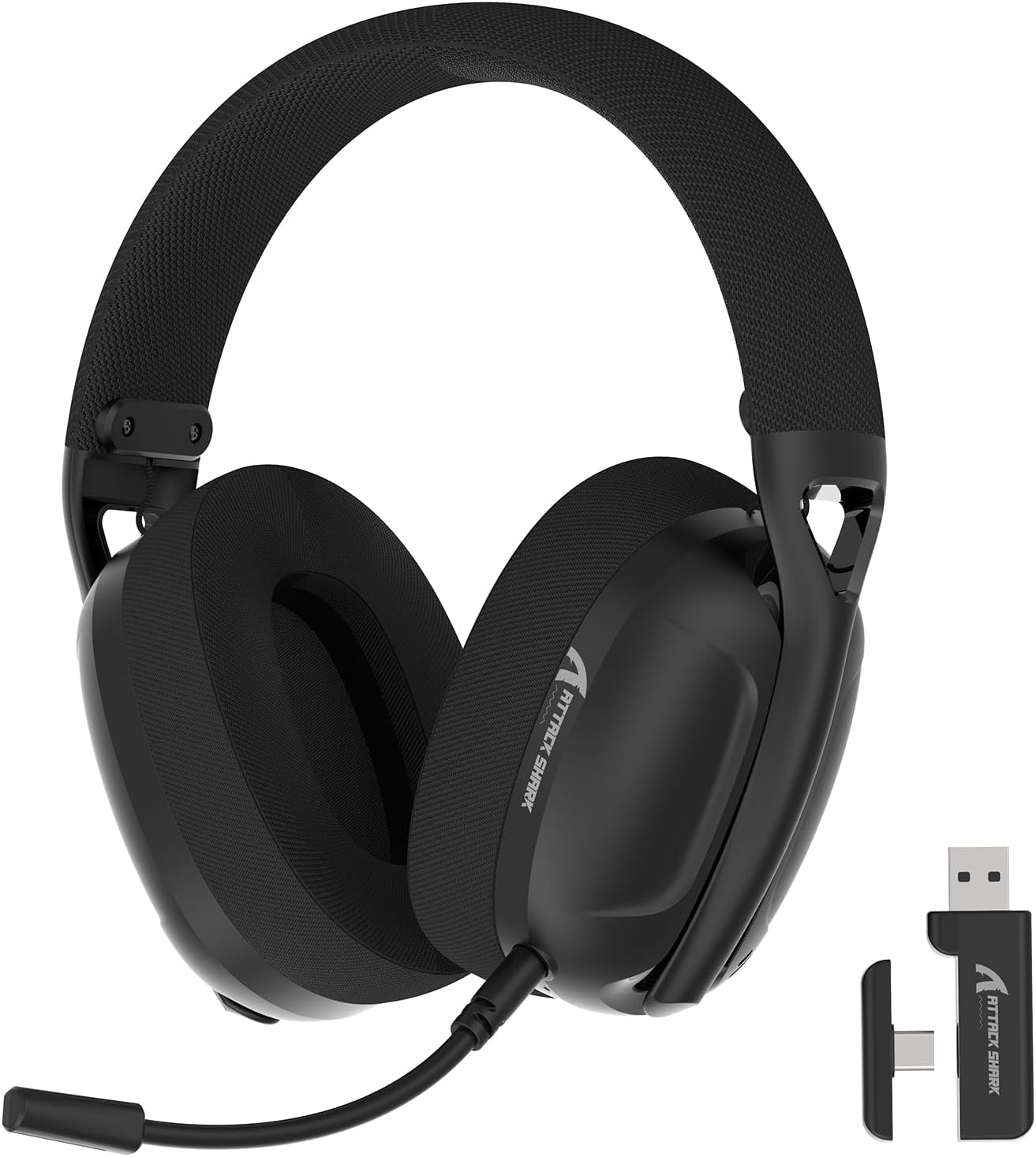
Image: The ATTACK SHARK L80 Wireless Gaming Headset, featuring over-ear cups, a flexible microphone, and a USB dongle.
Conținutul pachetului
Verificați dacă toate articolele sunt prezente în pachetul produsului:
- ATTACK SHARK L80 Wireless Gaming Headset
- Detachable Omni-directional Microphone
- 2.4GHz USB Wireless Dongle (USB-A)
- Cablu de încărcare USB-C la USB-A
- Cablu audio de 3.5 mm
- Manual de utilizare (acest document)

Image: All components included in the ATTACK SHARK L80 headset package: headset, detachable microphone, 2.4GHz USB dongle, USB-C charging cable, and 3.5mm audio cable.
Produs terminatview
Headset Controls and Ports
Familiarize yourself with the headset's controls and connection points:

Image: Close-up of the ATTACK SHARK L80 headset's left earcup, showing the power button, mode switch button, volume up/previous track button, volume down/next track button, and microphone mute button.
- Buton de alimentare: Press and hold for 3 seconds to power ON/OFF. Short press to answer/end calls or play/pause media.
- Buton de comutare a modului: Short press 3 times in succession to switch between Bluetooth and 2.4G wireless modes.
- Mărire volum / Melodia anterioară: Short press for Volume+, Long press for Previous Song.
- Reducere volum / Melodia următoare: Short press for Volume-, Long press for Next Song.
- Buton de dezactivare a microfonului: Short press to toggle microphone ON/OFF.
- Port microfon: Pentru conectarea microfonului detașabil.
- Mufă audio de 3.5 mm: Pentru conexiune prin cablu.
- Port de încărcare USB-C: Pentru încărcarea căștilor.
- Indicator luminos: Afișează starea conexiunii și nivelul bateriei.
Microfon detasabil
The L80 headset features a detachable, omni-directional microphone with noise reduction capabilities. It can be adjusted 360 degrees for optimal positioning.

Image: The ATTACK SHARK L80 headset with its detachable, 360-degree adjustable, noise-cancelling microphone attached.
Înființat
The ATTACK SHARK L80 headset offers three connection modes: 2.4GHz wireless, Bluetooth 5.2, and 3.5mm wired. Choose the appropriate method for your device.
1. 2.4GHz Wireless Connection (for PC, PS5, PS4, Nintendo Switch Docked)
- Insert the 2.4GHz USB wireless dongle into an available USB port on your PC, PS5, PS4, or Nintendo Switch dock.
- Power on the L80 headset by pressing and holding the Power Button for 3 seconds.
- The headset will automatically attempt to connect to the dongle. The indicator light will show a stable color once connected.
- On your device, ensure the audio output is set to "ATTACK SHARK L80" or similar.

Image: Diagram illustrating 2.4GHz USB dongle connection to a PS4 and a USB-C dongle connection to a portable device, alongside Bluetooth connectivity for phones.
2. Bluetooth 5.2 Connection (for Phones, Tablets, Laptops)
- Power on the L80 headset by pressing and holding the Power Button for 3 seconds.
- If not already in Bluetooth mode, short press the Mode Switch Button three times in quick succession to enter Bluetooth pairing mode. The indicator light will flash, indicating it is discoverable.
- Pe dispozitivul dvs. (telefon, tabletă, laptop), accesați setările Bluetooth și căutați dispozitivele disponibile.
- Select "ATTACK SHARK L80" from the list to pair. The indicator light will become stable once connected.
3. 3.5mm Wired Connection (for various devices)
- Connect one end of the 3.5mm audio cable to the 3.5mm audio jack on the L80 headset.
- Conectați celălalt capăt al cablului audio de 3.5 mm la portul de ieșire audio al dispozitivului.
- The headset will function in wired mode. Note that volume control via the headset buttons may not be available in wired mode, depending on the connected device.

Image: The ATTACK SHARK L80 headset displayed among various compatible platforms including PlayStation consoles, Nintendo Switch, Xbox, PC, tablets, and smartphones.
Instrucțiuni de operare
Pornire/Oprire
- Pornire: Press and hold the Power Button for approximately 3 seconds until the indicator light illuminates.
- Oprire: Press and hold the Power Button for approximately 3 seconds until the indicator light turns off.
Controlul volumului
- Creșteți volumul: Apăsați scurt butonul de creștere a volumului.
- Reduceți volumul: Apăsați scurt butonul de reducere a volumului.
Control redare media
- Redare/Pauză: Apăsați scurt butonul de pornire.
- Cântecul precedent: Apăsați lung butonul de creștere a volumului.
- Următorul cântec: Apăsați lung butonul de reducere a volumului.
Managementul apelurilor
- Răspundeți/Terminați apelul: Apăsați scurt butonul de pornire.
Utilizarea microfonului
- Atașați microfonul detașabil la portul prevăzut de pe căști.
- Reglați poziția microfonului pentru o captare optimă a vocii.
- Dezactivați/activați sunetul microfonului: Short press the Microphone Mute Button.
Comutarea modului
- To switch between 2.4GHz wireless mode and Bluetooth mode, short press the Mode Switch Button three times in quick succession.
Încărcarea setului cu cască
The headset provides up to 50 hours of playtime at 50% volume and takes approximately 3 hours for a full charge.
- Conectați capătul USB-C al cablului de încărcare la portul USB-C al căștilor.
- Connect the USB-A end of the charging cable to a USB power source (e.g., computer USB port, wall adapter).
- The indicator light will show charging status. A red light alert indicates battery level below 10%.

Image: Visual representation of the ATTACK SHARK L80 headset's battery features, including 45-50 hours gaming time, red light alert for low battery, 3 hours charging time, and electricity saving standby.
Întreţinere
- curatenie: Folosiți o lavetă moale și uscată pentru a curăța setul cu cască. Nu utilizați substanțe chimice dure sau materiale abrazive.
- Depozitare: Depozitați setul cu cască într-un loc răcoros și uscat, ferit de lumina directă a soarelui și de temperaturi extreme.
- Îngrijirea bateriei: Pentru a prelungi durata de viață a bateriei, evitați descărcarea completă frecventă a căștilor. Încărcați-le regulat, chiar dacă nu le utilizați pentru perioade lungi de timp.
- Organizare de cabluri: Evitați curbele sau îndoiturile ascuțite ale cablurilor pentru a preveni deteriorarea.

Image: Close-up of the headset's ultra-soft mesh earmuffs, highlighting their breathable and comfortable design for extended wear.
Depanare
| Problemă | Cauza posibila | Soluţie |
|---|---|---|
| Niciun sunet de la căști. | Headset not powered on, not connected, or volume too low. |
|
| Microfonul nu funcționează. | Microphone muted, not properly attached, or incorrect input device selected. |
|
| Cannot connect via 2.4GHz wireless. | Dongle not inserted, headset not in 2.4GHz mode, or interference. |
|
| Nu se poate conecta prin Bluetooth. | Headset not in pairing mode, Bluetooth off on device, or previously paired device interfering. |
|
| Căștile nu se încarcă. | Charging cable faulty, power source issue, or charging port obstruction. |
|
Specificații
| Caracteristică | Detaliu |
|---|---|
| Numele modelului | L80 headset |
| Tehnologia de conectivitate | 2.4Ghz Wireless, Bluetooth 5.2, 3.5mm Wired |
| Dimensiunea driverului audio | 40 mm |
| Gama de frecvente | 20 Hz - 20,000 Hz |
| Impedanta | 30 ohmi |
| Controlul zgomotului | Izolarea sunetului |
| Microfon | Detachable, Omni-directional, Noise-reduction |
| Durata de viață a bateriei | Până la 50 ore (la 50% volum) |
| Timp de încărcare | Aproximativ 3 ore |
| Greutate | 12 uncii (aproximativ 340 grame) |
| Material | Plastic |
| Dispozitive compatibile | PC, PS5, PS4, Nintendo Switch, Laptops, Tablets, Phones |

Imagine: Secțiune view of the ATTACK SHARK L80 headset's earcup, highlighting the powerful 40mm audio drivers responsible for high-fidelity sound.
Garanție și suport
Pentru informații despre garanție și asistență tehnică, vă rugăm să consultați pagina oficială ATTACK SHARK. website-ul lor web sau contactați serviciul lor de asistență pentru clienți. Păstrați bonul fiscal ca dovadă a achiziției pentru reclamațiile în garanție.
Producător: ATACA RECHINUL
Contact: Vă rugăm să vizitați ATTACK SHARK Store on Amazon for further assistance or to find contact information.


