1. Introducere
This manual provides detailed instructions for the installation, operation, and maintenance of your Anpviz 4K PoE Security Camera (Model IPC-D383WD-S). Please read this manual thoroughly before using the product to ensure proper functionality and safety.

Image 1.1: Anpviz 4K PoE Security Camera (Model IPC-D383WD-S). This image displays the front view of the white turret-style camera with its lens and the Anpviz logo.
2. Produs terminatview
2.1 Caracteristici cheie
- Rezoluție 4K Ultra HD: Captures video at 8MP (3840x2160) for clear and detailed images.
- Alimentare prin Ethernet (PoE): Simplifică instalarea prin furnizarea de energie și date printr-un singur cablu Ethernet.
- Viziune nocturnă de 100 de metri: Equipped with EXIR 2.0 Night Vision technology and a 1/2.5" Progressive Scan CMOS image sensor for clear images up to 100 feet in low-light conditions.
- Obiectiv cu unghi larg de 2.8 mm: Offers a 102° horizontal, 53° vertical, and 123° diagonal field of view.
- Microfon încorporat: Provides one-way audio recording for enhanced situational awareness.
- Clasificare de rezistență la intemperii IP67: Durable metal housing designed to withstand harsh outdoor weather conditions, including immersion in 1 meter of water.
- 120dB Wide Dynamic Range (WDR): Ensures clear imaging in scenes with strong backlighting.
- Compresie H.265+: Advanced video compression technology reduces bandwidth and storage requirements by up to 75% compared to H.264.
- Alerte de detectare a mișcării: Configurable motion detection triggers NVR recording and sends email alerts with snapshots.
- Stocare locală: Supports Micro SD card storage up to 256GB (card not included).
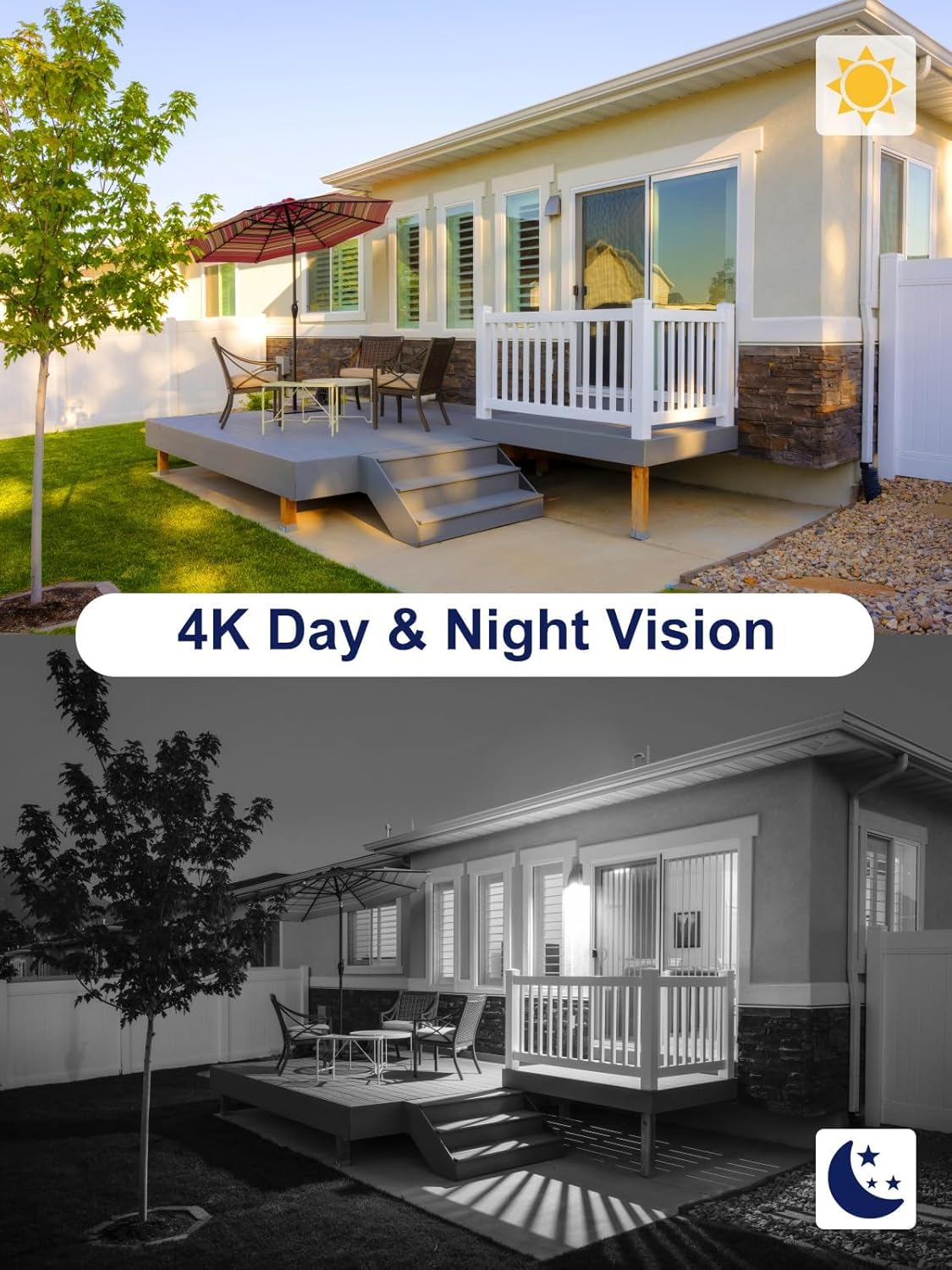
Image 2.1: Comparison of 4K Day and Night Vision. The top half shows a clear, colorful daytime view of a house, while the bottom half shows a black and white, detailed night vision view of the same house, demonstrating the camera's night vision capabilities.

Image 2.2: Demonstration of 120dB WDR Technology. This image shows two views of an indoor scene, one labeled 'WDR OFF' with strong backlighting causing dark foreground, and another labeled 'WDR ON' showing balanced exposure and clear details in both bright and dark areas.
2.2 Ce se află în cutie
- 1 x Anpviz 4K PoE Camera (Model IPC-D383WD-S)
- 1 x Manual de utilizare în limba engleză
- 1 x Screw Kits for mounting
- 1 x Waterproof Lid for cable connections
- 1 x After Sale Card
3. Configurare și instalare
3.1 Montarea camerei
The Anpviz 4K PoE camera can be mounted on ceilings or walls. Ensure the mounting surface is strong enough to support the camera's weight. Use the provided screw kit for secure installation.
3.2 Cablare și conectivitate
The camera supports Power over Ethernet (PoE) for simplified installation. It can be connected in several ways:
- Directly to a PoE Switch: Connect the camera to a PoE switch using an Ethernet cable. The switch provides both power and data.
- To an Anpviz H Series NVR: Plug and play with Anpviz H Series NVRs (8CH, 16CH, 32CH, 64CH) for optimal performance. Connect the camera to the NVR's PoE port.
- With a DC 12V Power Adapter and Router: If not using PoE, connect the camera to a DC 12V power adapter (not included) and then to a router via an Ethernet cable.
- Third-Party NVRs: Compatible with third-party NVRs and software (e.g., ISpy, Blue-Iris, Synology, Milestone) via the ONVIF protocol.
Nota: The camera needs to be activated before use with third-party NVRs. Refer to the video section for activation instructions if available.

Image 3.1: Diagram illustrating an Easy Plug & Play PoE System. This image shows a router connected to an NVR, which is then connected to a camera, all powered and transmitting data via a single Ethernet cable. A house diagram further illustrates the placement of the PoE camera and NVR.

Image 3.2: Various connectivity options for the PoE camera. This diagram shows how to connect the camera to a PoE switch, an H Series NVR, or directly to a router with a DC 12V power supply, illustrating the network path to a cell phone and PC.
4. Instrucțiuni de utilizare
4.1 Acces și monitorizare de la distanță
Access your camera feed and settings remotely using various platforms:
- Aplicație mobilă: Use the Guarding Vision app (available for iPhone, iPad, Android devices) for easy remote viewing.
- Client PC: Utilize the IVMS4200 software (for Windows/Mac) to access and manage your camera.
- Web Browser: View the camera feed on web browsers like Edge, Chrome, and Firefox (Windows only, may require a plugin).

Image 4.1: Remote Access Anytime & Anywhere. This image shows a laptop and a smartphone displaying live camera feeds, indicating support for Hik-Connect and Guarding Vision apps for remote monitoring.

Image 4.2: Remote access options for the camera. This image displays icons for PC Client (iVMS-4200), Mobile APP (Guarding Vision), and Web Browsers (Chrome, Edge, Firefox), along with screenshots of the camera feed on a laptop, tablet, and smartphone.
4.2 Detectarea mișcării și alertele
The camera can detect moving objects within designated areas. When motion is detected, it can trigger NVR recording and send instant email alerts with snapshots to your configured email address. This feature helps you stay informed of any activity.
4.3 Înregistrare audio
The built-in microphone captures audio, providing additional context to video recordings. This allows you to hear sounds from the camera's vicinity.
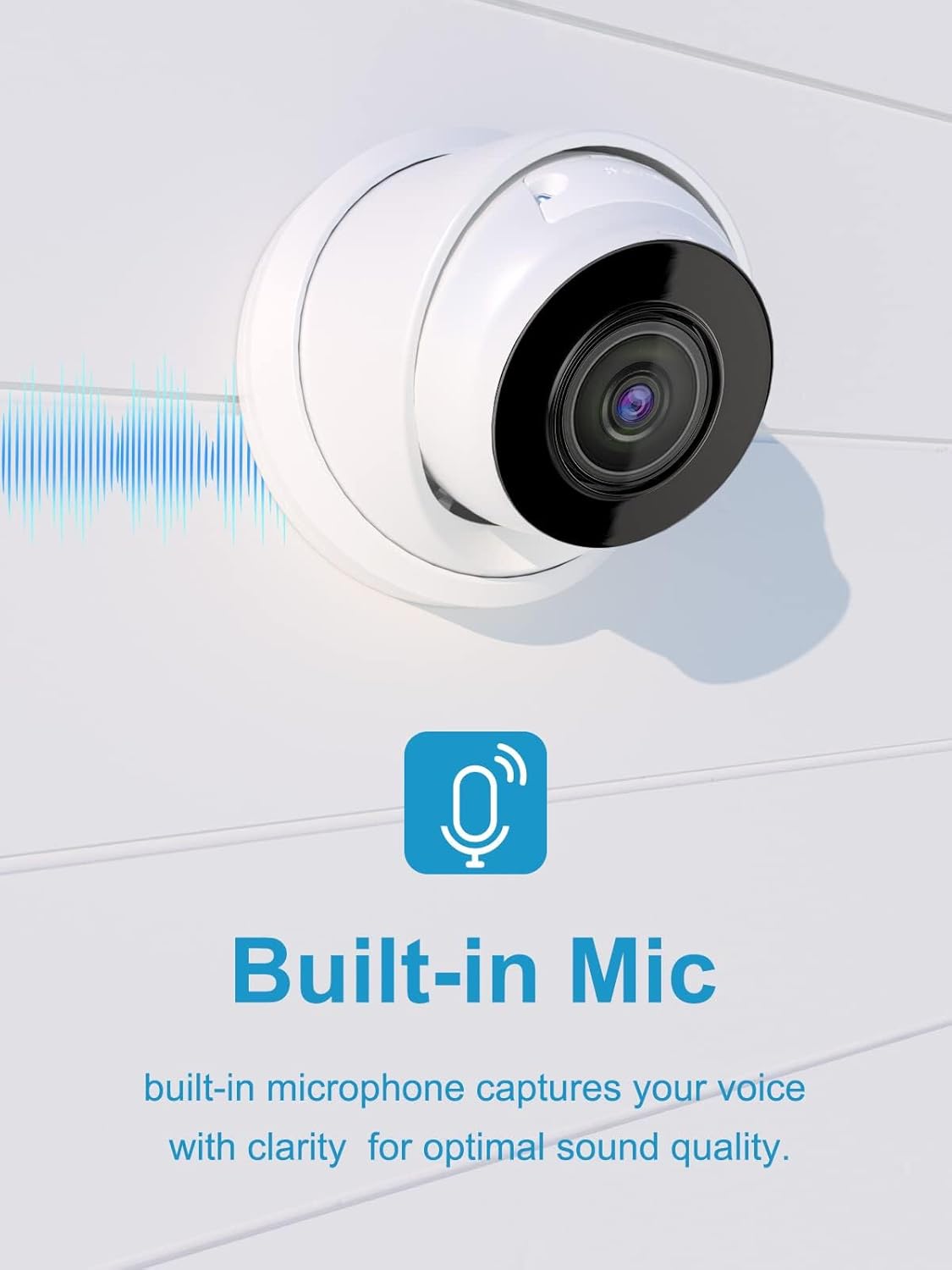
Image 4.3: Camera with Built-in Microphone. This image highlights the camera's built-in microphone feature, indicating its ability to capture clear audio.
4.4 Stocare video
The camera supports local storage via a Micro SD card (up to 256GB, not included). The advanced H.265+ compression technology optimizes storage space, allowing for longer recording times while maintaining video quality.

Image 4.4: Built-in Micro SD Card Slot. This image shows the camera with an illustration of a Micro SD card being inserted, highlighting its support for up to 256GB of local storage without monthly fees.
5. Întreținere
5.1 Rezistența la intemperii
The Anpviz IPC-D383WD-S camera features an IP67 weatherproof rating, indicating its robust design for outdoor use. It can operate effectively in temperatures ranging from -30°C (-22°F) to 60°C (140°F) and is protected against dust and temporary immersion in water.

Image 5.1: IP67 Weatherproof Rating. This image shows the camera mounted outdoors during rainfall, illustrating its ability to withstand various weather conditions and operate within a wide temperature range (-30°C to 60°C).

Image 5.2: Camera Withstanding Harsh Weather. This image depicts the camera in a rainy environment, emphasizing its IP67 rating and ability to function even when immersed in 1 meter of water, along with its operational temperature range.
5.2 Curățare
Curățați periodic obiectivul și carcasa camerei cu o lavetă moale șiamp cloth to remove dust and debris. Avoid using harsh chemicals or abrasive materials that could damage the lens or finish.
6. Depanare
6.1 Camera Not Powering On/Connecting
- Conexiune PoE: Ensure the Ethernet cable is securely connected to both the camera and a PoE-enabled switch or NVR port. Verify the PoE switch/NVR is powered on.
- Putere DC: If using a DC 12V adapter, ensure it is properly connected and providing power.
- Integritatea cablului: Check the Ethernet cable for any damage. Try a different cable if necessary.
6.2 Fără acces de la distanță
- Conexiune retea: Verify the camera has an active network connection.
- App/Software Configuration: Ensure the Guarding Vision app or IVMS4200 client is correctly configured with the camera's details.
- Conectivitate la internet: Confirm your mobile device or PC has a stable internet connection.
- Setări firewall/router: Check your router's firewall settings to ensure they are not blocking the camera's communication.
6.3 Camera Operation Without Internet
The camera can function in a local area network (LAN) without an internet connection. You can form a local network with the camera and a PC or mobile device. Preview and control the camera normally through the PC LAN, but remote access from outside the local network will not be available.
7. Specificații
| Caracteristică | Caietul de sarcini |
|---|---|
| Numele modelului | IPC-D383WD-S |
| Rezoluţie | 8 MP (3840x2160) |
| Obiectiv | 2.8mm |
| Câmpul de View (FOV) | 102° orizontală, 53° verticală, 123° diagonală |
| Gama de vedere nocturnă | Până la 100 de picioare (30 metri) |
| Audio | Microfon încorporat (unidirecțional) |
| Rezistență la intemperii | IP67 rezistent la intemperii |
| Temperatura de operare | -30°C până la 60°C (-22°F până la 140°F) |
| Compresie video | H.265+, H.265, H.264+, H.264 |
| Depozitare | Micro SD card slot, up to 256GB (card not included) |
| Conectivitate | Wired (PoE), On-vif compatible |
| Sursa de alimentare | PoE (48V-52V) or DC 12V (adapter not included) |
| Material | Metal |
| Dimensiuni (L x l x H) | 6.1 x 5.9 x 5.9 inci |
| Greutatea articolului | 1.61 lire sterline |
8. Garanție și asistență
Anpviz oferă o 2 ani garanție pentru acest produs. În plus, Suport tehnic pe viață este disponibil pentru a vă ajuta cu orice întrebări sau probleme pe care le-ați putea întâmpina.
Pentru asistență tehnică sau reclamații în garanție, vă rugăm să contactați serviciul de asistență Anpviz:
- E-mail: support@anpviz.com
- Ore de funcționare: Monday - Friday, 9:00 AM - 6:00 PM (Time Zone not specified, typically PST/EST for US support)

Image 8.1: Anpviz Customer Support Information. This image displays contact details for Anpviz support, including email and operating hours, emphasizing a 2-year warranty and lifetime technical support.


