1. Introducere
This manual provides essential information for the setup, operation, maintenance, and troubleshooting of your MINISFORUM MS-A1 Workstation Barebone Mini PC. The MS-A1 is designed as a high-performance barebone system, offering flexibility for users to customize components such as the CPU, RAM, SSD, and operating system.

Image: The MINISFORUM MS-A1 Workstation Mini PC, showcasing its compact design and various ports from front and side perspectives.
2. Informații de siguranță
- Deconectați întotdeauna alimentarea cu energie electrică înainte de a efectua orice instalare sau întreținere.
- Handle internal components with care to avoid electrostatic discharge. Use an anti-static wrist strap if available.
- Asigurați o ventilație adecvată în jurul dispozitivului pentru a preveni supraîncălzirea.
- Nu expuneți dispozitivul la umezeală sau la temperaturi extreme.
- Folosiți doar adaptorul de alimentare și cablul furnizate.
3. Conținutul pachetului
Verificați dacă toate articolele sunt prezente în colet:
- 1x MS-A1 Mini Workstation
- 1x adaptor de alimentare
- 1x cablu de alimentare
- 1x cablu HDMI
- 1x Manual (acest document)
4. Setup & Hardware Installation
As a barebone system, the MS-A1 requires user installation of the CPU, RAM, SSD, and operating system. Follow these steps for initial setup and component installation:
4.1. Component Installation (DIY)
The MS-A1 supports AMD AM5 Socket CPUs. For memory, it features two DDR5-5200 slots, allowing for up to 96GB of RAM. Storage options include one M.2 2280 PCIe4.0 SSD slot (compatible with RAID0 and RAID1) and three additional M.2 NVMe SSD slots for extensive storage capacity.
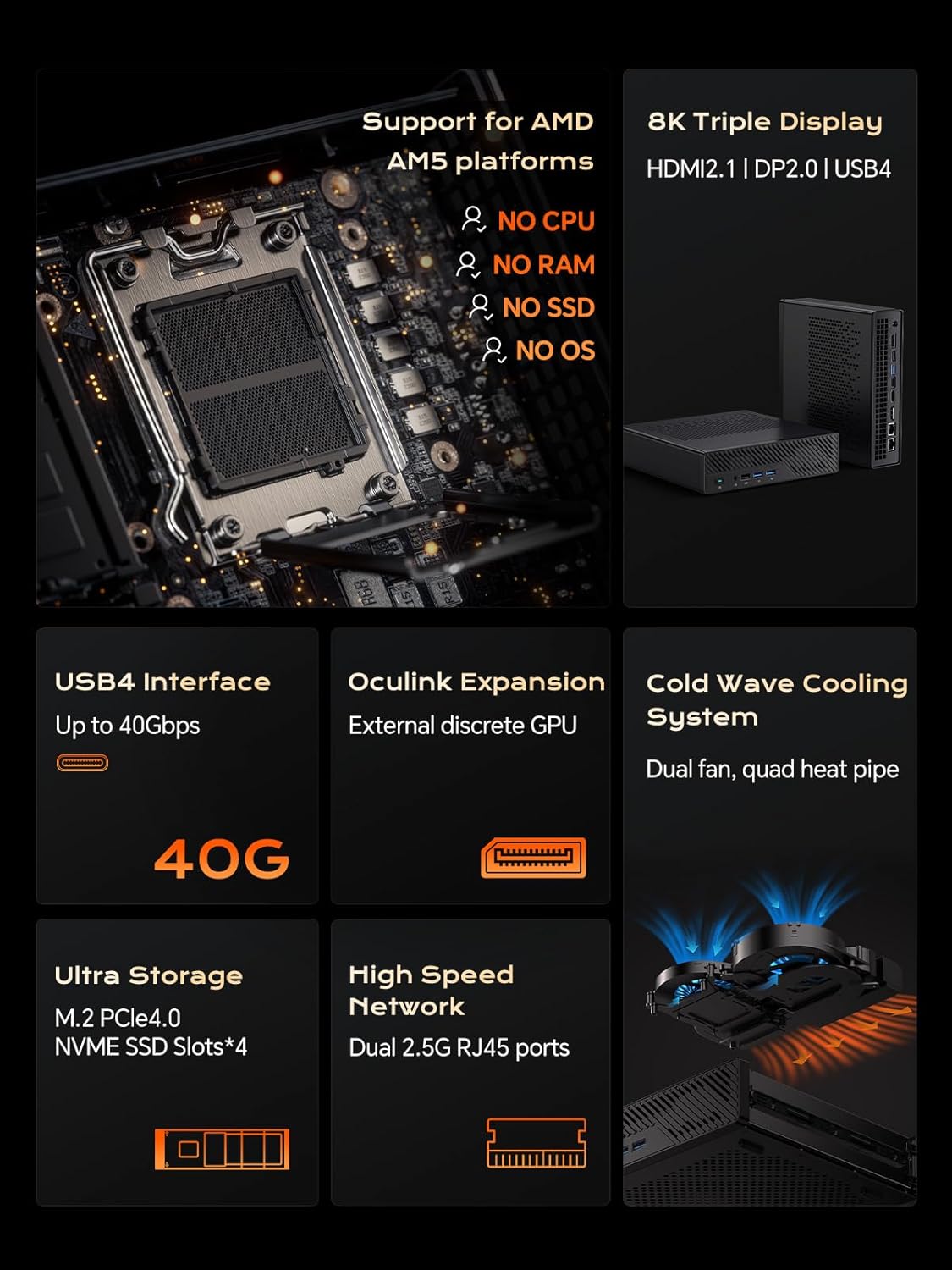
Imagine: Internă view of the MS-A1, highlighting the AMD AM5 CPU socket, DDR5 RAM slots, and M.2 SSD expansion slots.
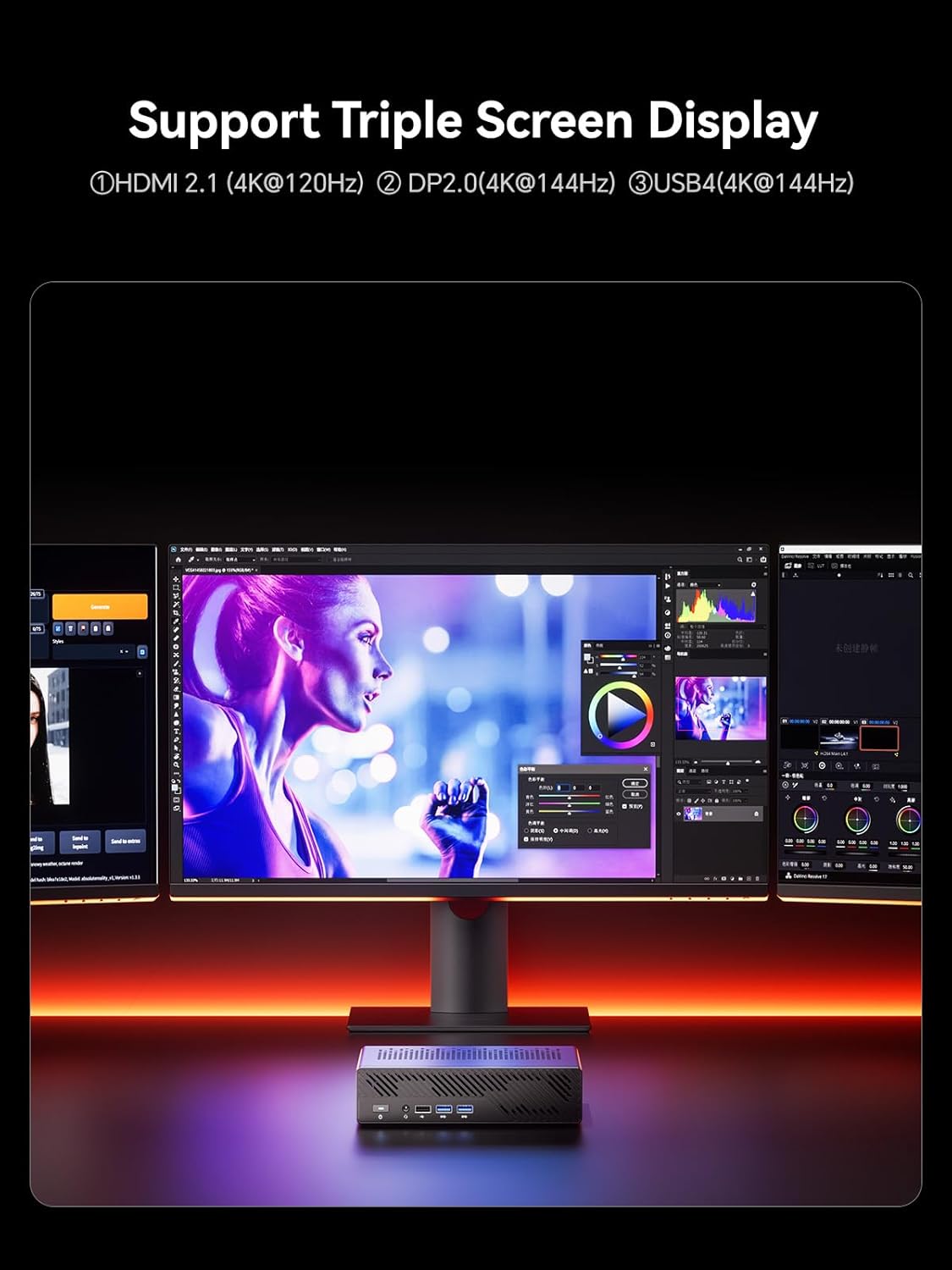
Imagine: Detaliată view of the MS-A1's storage capabilities, showing flexible expansion with multiple M.2 PCIe4.0 NVMe SSD slots.
4.2. Conexiuni externe
Connect your peripherals and displays to the available ports:
- Ieșiri afișate: 1x HDMI (4K@60Hz), 1x DP (4K@144Hz), 1x USB-C (Alt DP, 4K@144Hz) for triple display support.
- Porturi USB: Multiple USB 2.0 and USB 3.0 ports for connecting keyboards, mice, and other USB devices.
- Reţea: 2x 2.5G RJ45 LAN ports for high-speed wired network connections.
- Audio: 3.5mm Combo Jack for headphones/microphone.
- Putere: Connect the provided power adapter to the DC-in port.
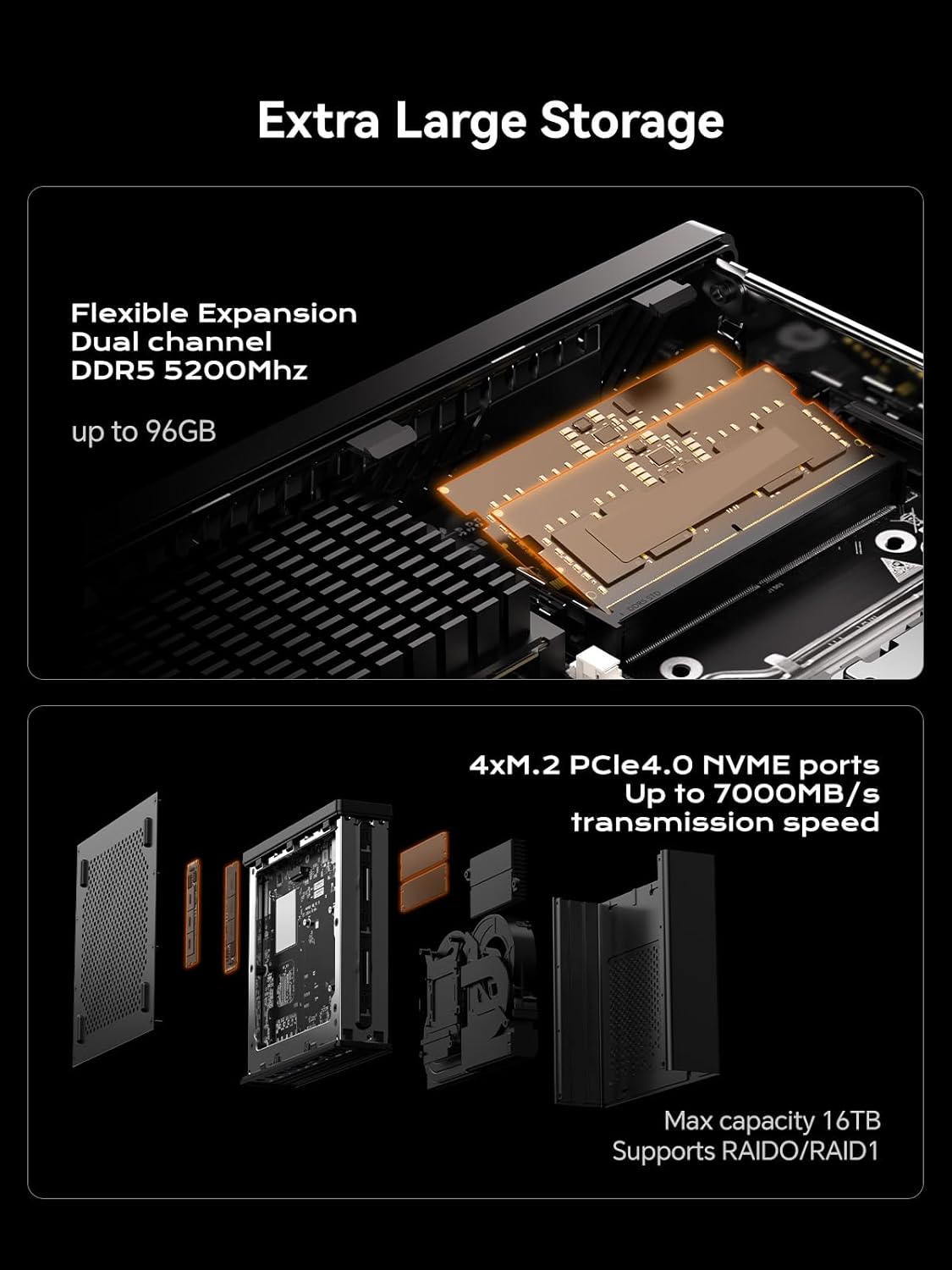
Image: A diagram illustrating the layout of all front and rear ports on the MINISFORUM MS-A1 Workstation.

Image: Close-up of the dual 2.5Gbps RJ45 Ethernet ports and a full-capacity USB4 Speed Port on the MS-A1.
Pentru o imagine vizuală pesteview of the workstation, refer to the following video:
Video: O scurtă prezentareview of the MINISFORUM MS-A1 Workstation, demonstrating its compact size and various connectivity options.
5. Operating Your MS-A1
5.1. Pornire/Oprire
Press the power button located on the front panel to turn the device on or off. A short press will initiate power-on, while a longer press (typically 5 seconds) will force a shutdown.
5.2. Configurarea afișajului
The MS-A1 supports up to three independent displays simultaneously, utilizing its HDMI, DisplayPort, and USB-C (Alt DP) outputs. This allows for an expanded workspace and improved multitasking capabilities.

Image: The MS-A1 connected to three monitors, demonstrating its triple display output capability for an expansive visual experience.
5.3. Conectivitate la rețea
Utilize the dual 2.5G RJ45 LAN ports for robust and high-speed wired network connections. The device also includes Dual Band WiFi and Bluetooth 5.2 for wireless connectivity to networks and peripherals.
6. Întreținere
Regular maintenance ensures the longevity and optimal performance of your MS-A1 Workstation.
- Îndepărtarea prafului: Periodically clean the ventilation grilles and internal components (if comfortable opening the chassis) to prevent dust buildup, which can hinder cooling performance.
- Sistem de racire: The workstation features an upgraded dual-fan 4-heat pipe cooling system. Ensure that the fans are not obstructed and are operating correctly.

Image: A diagram illustrating the internal components of the MS-A1's Cold Wave Pro Cooling System, featuring dual fans and four heat pipes.
7. Depanare
If you encounter issues with your MS-A1, consider the following common solutions:
- Fără putere: Ensure the power adapter is securely connected to both the device and a working power outlet. Verify the power cord is properly seated.
- Fără afișare: Check all display cable connections (HDMI, DP, USB-C). Ensure your monitor is set to the correct input source.
- Probleme cu driverul: After installing an operating system, ensure all necessary drivers are installed. MINISFORUM typically provides drivers on their official website-ul.
- SSD Speed: If experiencing slower-than-expected SSD performance, check the BIOS settings under "Advanced" -> "AMD PBS" to ensure M.2 NVMe SSD slots are configured for Gen4 speed if your SSD supports it. Note that setting Gen4 mode may increase heat.
- Overheating/Noise: Ensure the device has adequate airflow. Consider adjusting fan settings in the BIOS (e.g., "Quiet" or "Balance" mode) or disabling CPU boost if sustained high loads cause excessive heat or noise.
8. Specificații
| Caracteristică | Detaliu |
|---|---|
| Marca | MINISFORUM |
| Numele modelului | DeskMini (MS-A1) |
| Soclu CPU | AMD AM5 Socket (CPU not included) |
| Tip de memorie | DDR5 RAM (2x SODIMM slots, up to 96GB, 5200 MHz) |
| Depozitare | 1x M.2 2280 PCIe4.0 SSD slot (RAID0/RAID1), 3x additional M.2 NVMe SSD slots (Max 16TB) |
| Ieșire grafică | 1x HDMI (4K@60Hz), 1x DP (4K@144Hz), 1x USB-C (Alt DP, 4K@144Hz) |
| Reţea | 2x 2.5G RJ45 LAN Ports, Dual Band WiFi, Bluetooth 5.2 |
| Porturi USB | 2x USB 2.0, 3x USB 3.0, 1x USB-C (USB4, 40Gbps) |
| Sistem de racire | Dual-fan 4-heat pipe cooling (noise levels as low as 37 dB) |
| Dimensiuni | 9.92 x 9.92 x 7.64 inci (Pachet) |
| Greutate | 7.98 lire sterline (Articol) |
| Culoare | Negru |
9. Garanție și asistență
Pentru informații despre garanție și asistență tehnică, vă rugăm să consultați site-ul oficial MINISFORUM. website-ul lor web sau contactați direct serviciul lor de asistență pentru clienți. Păstrați bonul fiscal pentru reclamații în garanție.
MINISFORUM is committed to providing innovative products and customer satisfaction. For driver downloads or further assistance, visit the official MINISFORUM support page.
Documente conexe - MS-A1
 |
Manual de utilizare MINISFORUM MS-A1 Mini Workstation de nouă generație Manual de utilizare și ghid de instalare pentru seria MINISFORUM MS-A1 Mini Workstation de nouă generație. Acoperă configurarea, siguranța, interfața și instalarea componentelor. |
 |
Manual de utilizare și ghid de instalare pentru Minisforum Mini PC Manual de utilizare pentru Minisforum Mini PC-uri, detalii despre configurare, funcțiile porturilor (USB4, HDMI, DisplayPort, OCulink), instalarea DDR și SSD și ghiduri operaționale. Include informații despre conformitatea cu FCC. |
 |
Manual de utilizare pentru Minisforum UM760 Mini PC Manual de utilizare pentru Minisforum UM760 Mini PC, care detaliază conținutul pachetului, hardware-ul de mai susview, specificații ale interfeței, ghid de configurare, instalare DIY a memoriei RAM și a SSD-ului și instrucțiuni de montare. |
 |
Manual de utilizare și specificații pentru controlerul wireless Minisforum MGP01 Switch Ghid complet pentru controlerul wireless Minisforum MGP01, care detaliază caracteristicile sale, opțiunile de conectivitate pentru Switch, PC, Android și iOS, programarea macro, funcția Turbo, setările de vibrații și specificațiile tehnice. |
 |
Ghid de pornire rapidă pentru tastatura mecanică cu trei moduri MINISFORUM MKB i83 Ghid concis pentru tastatura mecanică MINISFORUM MKB i83, care acoperă configurarea, conectivitatea (Bluetooth, 2.4G, cu fir), tastele funcționale, iluminarea de fundal și specificațiile. |
 |
Manual de utilizare pentru mini PC-ul MINISFORUM Venus Series de nouă generație Manual de utilizare complet pentru mini PC-ul MINISFORUM New Gen Venus Series. Obțineți informații detaliate despre conținutul pachetului, sistemul...view, porturi, interfețe și instrucțiuni de siguranță pentru minicomputerul MINISFORUM. |