1. Introducere
This manual provides comprehensive instructions for the installation, operation, maintenance, and troubleshooting of your PowMr M25A-12V/24V 25A MPPT Solar Charge Controller. This device is designed to efficiently manage power flow from your solar panels to your 12V or 24V battery system, supporting various battery types including lead-acid and lithium batteries.

Figure 1: PowMr M25A-12V/24V 25A MPPT Solar Charge Controller. This image shows the front view of the solar charge controller with its LCD screen and four control buttons.
2. Instrucțiuni de siguranță
- Citiți cu atenție toate instrucțiunile înainte de instalare și utilizare.
- Ensure all power sources are disconnected before wiring to prevent electric shock.
- Folosiți unelte adecvate și purtați echipament de protecție în timpul instalării.
- Install the controller in a well-ventilated, dry environment, away from flammable materials.
- Ensure correct polarity when connecting batteries and solar panels. Incorrect wiring can damage the controller and other components.
- Nu dezasamblați și nu încercați să reparați singur controlerul. Contactați personal calificat pentru service.
- The controller is designed for 12V/24V battery systems. Do not connect to other voltagsisteme e.

Figure 2: Intelligent Protection Features. This image illustrates the nine built-in electronic protections of the PowMr solar controller, including over-discharging, overcharging, overload, short circuit, reverse current, temperature compensation, and reverse polarity protection.
3. Configurare și instalare
Follow these steps for proper installation of your solar charge controller. Adhering to the correct connection sequence is crucial for system safety and functionality.
3.1. Pregătire
- Panou solar: Ensure your solar panel's voltage and power output are compatible with the controller and battery system.
- Baterie: Use a compatible battery type (e.g., AGM, Gel, Flooded, Lithium) for your 12V or 24V system.
- Cabluri: Use appropriately sized cables to minimize power loss and prevent overheating. Ensure proper fusing for all connections.
3.2. Secvența de cablare
The correct wiring order is essential. Always connect the battery first, then the solar panels, and finally the load (if applicable).
- Connect the Battery to the Controller:
First, connect the positive (+) terminal of the battery to the battery positive (+) terminal on the charge controller. Then, connect the negative (-) terminal of the battery to the battery negative (-) terminal on the charge controller. Ensure correct polarity. The controller's display should illuminate, indicating a successful battery connection.
- Connect the Solar Panels to the Controller:
Connect the positive (+) lead from your solar panel array to the PV positive (+) terminal on the charge controller. Then, connect the negative (-) lead from your solar panel array to the PV negative (-) terminal on the charge controller. Ensure the solar panels are receiving sufficient sunlight for power generation.
- Conectați sarcina de curent continuu (opțional):
If you are using the DC load output, connect the positive (+) lead of your DC load to the load positive (+) terminal on the charge controller, and the negative (-) lead to the load negative (-) terminal. Refer to the operating section for load control settings.
Secvență de deconectare: To disconnect the system, reverse the order: first disconnect the load, then the solar panels, and finally the battery.

Figure 3: Basic Wiring Diagram. This diagram illustrates the connection of the solar charge controller to solar panels and a battery bank, showing the flow of power.

Figure 4: Simplified 2-Step Connection. This image provides a simplified visual guide for connecting the battery first, then the solar panels, and finally showing the charging process.
4. Funcționare
The PowMr M25A-12V/24V controller features an intuitive LCD screen and four buttons for easy monitoring and configuration.
4.1. Afișaj LCD și butoane
The backlit LCD screen displays real-time system status, including PV input, battery voltage, charging current, and load status. The four buttons (PV, BAT/▲, DC/▼, SET/⚙) allow navigation and parameter adjustment.

Figure 5: Backlit LCD Screen. This image shows the controller's LCD display, indicating PV input, battery status, and load output, along with the control buttons.
4.2. Battery Type Settings
The controller supports various battery types. To set the battery type:
- Apăsați lung pe BAT/▲ tasta pentru a intra în programul de setare.
- Utilizați BAT/▲ şi DC/▼ tastele pentru a comuta între opțiunile privind tipul de baterie.
- Apăsați tasta SETARE/⚙ tasta pentru a salva și confirma selecția.
Pre-set options include Sealed, Gel, Flooded, and Lithium (LFP). A "User customize" option is available for specific parameter adjustments.

Figure 6: Compatible Battery Types. This image displays the controller's compatibility with various battery types, including AGM, GEL, FLD (Flooded), LI (Lithium), and SLA (Sealed Lead-Acid).
4.3. Load Work Modes
The controller offers multiple load work modes to manage your DC output:
- 00H: Load Turn OFF (Load is always off).
- 24H: Load always Turn ON (Load is continuously on).
- 01H~23H: Time control (Set the duration for which the load remains ON).
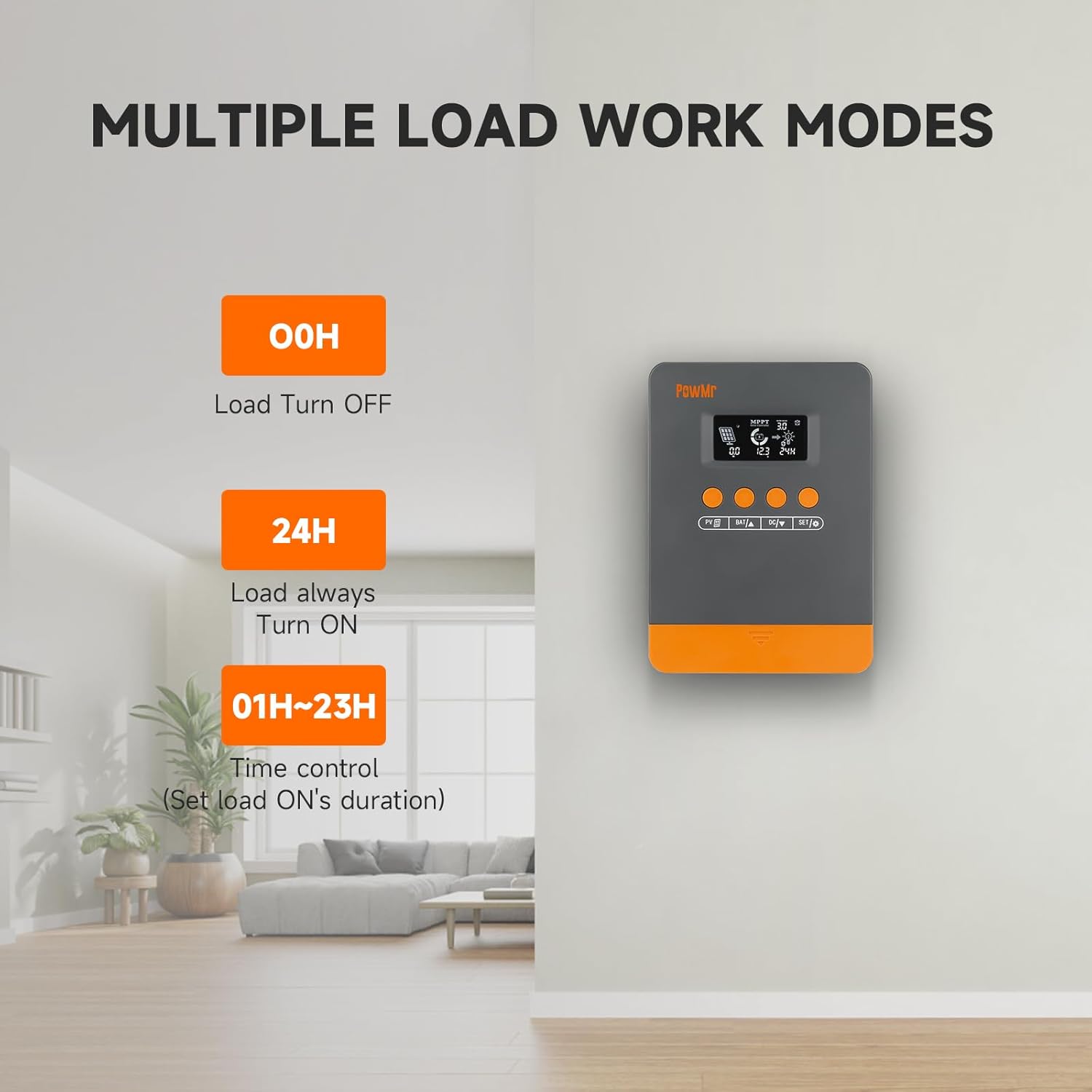
Figure 7: Load Work Modes. This image illustrates the different operational modes for the DC load output, including always off, always on, and time-controlled duration.
4.4. Calibrarea volumului baterieitage
Dacă există o discrepanță între volumul baterieitage monitored by the controller and a multimeter reading, you can calibrate the controller's voltage:
- Apăsați lung pe BAT/▲ tasta pentru a intra în programul de setare.
- Utilizați BAT/▲ şi DC/▼ tastele pentru a regla valoarea.
- Apăsați tasta SETARE/⚙ tasta pentru a salva și a confirma.

Figura 8: Vol. baterietage Calibration. This image shows the controller's display during the battery voltage calibration process, allowing users to adjust the displayed voltage to match an external measurement.
5. Întreținere
Regular maintenance ensures optimal performance and longevity of your solar charge controller and system.
- Inspectați conexiunile: Periodically check all wiring connections for tightness and corrosion. Loose connections can lead to power loss or damage.
- Curățare controler: Keep the controller clean and free from dust and debris. Use a dry cloth for cleaning. Ensure ventilation openings are not obstructed.
- Verificarea bateriei: Regularly inspect your batteries for signs of damage, leakage, or swelling. Ensure battery terminals are clean.
- Curățarea panourilor solare: Clean solar panels periodically to remove dirt, dust, or snow that may reduce efficiency.
- Monitorizarea performanței: Observe the controller's display for any unusual readings or error codes.
6. Depanare
This section provides guidance for common issues and their solutions. Refer to the LCD screen for specific error codes.
6.1. Error Codes and Solutions
| Cod de eroare | Cauza | Soluţie |
|---|---|---|
| 18 | Volum fotovoltaic de intraretage prea jos | Măriți numărul de panouri solare sau conectați-le în serie pentru a crește volumul de intrare fotovoltaictage. |
| 60 | Protectie la supratemperatura | Lăsați echipamentul să se răcească sub temperatura de recuperare pentru a relua încărcarea și descărcarea normală. |
| 63 | Volumul baterieitage prea sus | Măsurați pentru a confirma dacă volumul baterieitage depășește volumul nominaltagși deconectați întrerupătorul de circuit al panoului fotovoltaic. |
| 65 | Volumul baterieitage prea jos | Încărcați bateria până la voltage depaseste subvoltage recovery point. Refer to "3.7 Default/Parameters for Different Battery Types" for specific details. |
| 71 | Volum fotovoltaic de intraretage prea sus | Reduceți numărul de panouri fotovoltaice conectate la controler pentru a reduce puterea fotovoltaică sau ajustați conexiunile serie și paralele pentru a reduce volumul.tage sau valori curente. |
| 73 | Curent de supraîncărcare | Reduceți sarcina terminalului de ieșire pentru a vă asigura că sarcina totală se încadrează în limitele nominale ale controlerului și ale bateriei. |
| 72 | Curent de supradescărcare | Reduceți sarcina terminalului de ieșire pentru a vă asigura că sarcina totală se încadrează în limitele nominale ale controlerului și ale bateriei. |
6.2. Sfaturi generale de depanare
- Fără afișaj/alimentare: Check battery connections and ensure the battery has sufficient charge. Verify polarity.
- Bateria nu se încarcă:
- Ensure solar panels are connected correctly and receiving adequate sunlight.
- Verificați panoul solar voltage și curent.
- Verify battery type settings on the controller.
- Încărcarea nu funcționează:
- Check load connections and ensure the load is within the controller's rated capacity.
- Verify the load work mode setting (00H, 24H, or time control).
- Asigurați-vă că bateria are suficientă încărcare.
- Citiri inexacte: Calibrate battery voltage așa cum este descris în Secțiunea 4.4.
7. Specificații
| Caracteristică | Detaliu |
|---|---|
| Model | M25A-12V/24V (POW-M25-PRO) |
| Marca | Powdl |
| Sistem Voltage | 12V / 24V Auto |
| Max. PV Input Power (12V System) | 300W |
| Max. PV Input Power (24V System) | 600W |
| Max. PV Open-Circuit Voltage | <60V |
| Curent nominal de încărcare | 25A |
| Eficiența urmăririi | Pana la 98% |
| Eficiență maximă a conversiei | Pana la 97% |
| Tipuri de baterii acceptate | Sealed, Gel, Flooded, Lithium (LFP), User-defined |
| Dimensiuni produs (L x l x H) | 4.52" x 2" x 7" (11.48 cm x 5.08 cm x 17.78 cm) |
| Greutatea articolului | 1.1 lire sterline (500 grame) |
| Data primului disponibil | 3 septembrie 2024 |

Figure 9: System Wiring and Model Specifications. This image provides a detailed schematic for connecting solar panels, battery, and load, alongside a table outlining specifications for various PowMr MPPT controller models, including the M25A-12V/24V.
8. Garanție și asistență
Pentru informații despre garanție și asistență tehnică, vă rugăm să consultați site-ul oficial PowMr. website-ul lor web sau contactați direct serviciul lor de asistență pentru clienți. Păstrați bonul fiscal pentru reclamații în garanție.


