1. Introducere
The TIMBOOTECH Wireless HDMI Transmitter and Receiver system provides a solution for wireless video and audio transmission. This system features built-in screens and control buttons for real-time monitoring of pairing status, connected receivers, and channel selection, ensuring optimal signal quality. It supports up to four receivers simultaneously and offers an extended transmission range of up to 1000 feet (300 meters). Additional features include an HDMI loop-out port and an integrated cooling fan for enhanced performance and reliability.
This device is suitable for various applications, including home entertainment, business presentations, indoor and outdoor filming, live broadcasts, concerts, and gaming setups. It operates on dual-band 2.4GHz and 5.8GHz frequencies, providing stable, interference-free performance with an ultra-low latency of 0.06 seconds.
2. Conținutul pachetului
Vă rugăm să verificați dacă toate articolele enumerate mai jos sunt incluse în pachetul dumneavoastră:
- 1 x Transmițător HDMI wireless (TX)
- 2 x Receptor HDMI wireless (RX)
- 2 x cablu HDMI
- 2 x cablu de alimentare USB-C
- 1 x Adaptor mini HDMI
- 1 x Adaptor Micro HDMI
- 2 x suport pentru pantofi rece
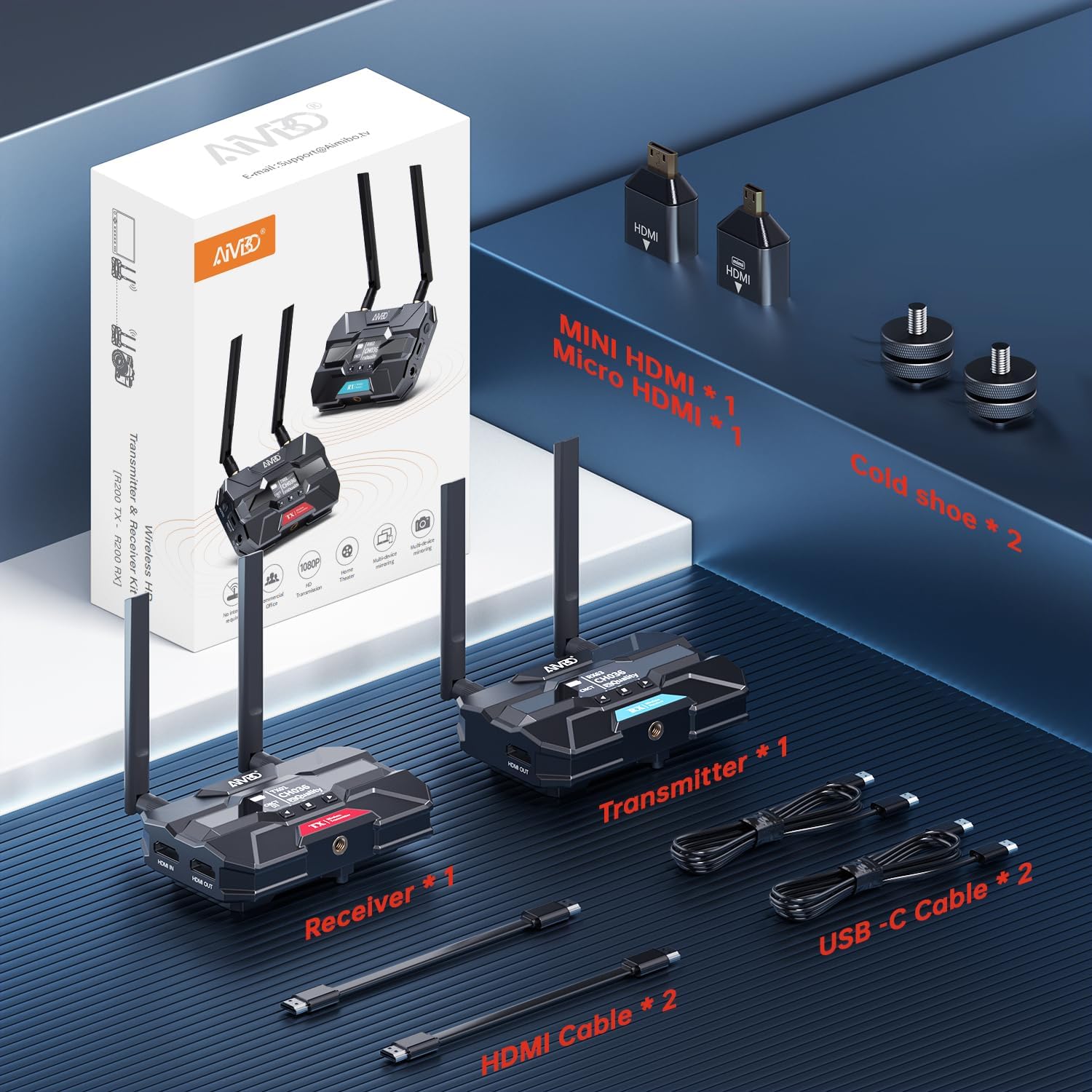
Image: Contents of the TIMBOOTECH Wireless HDMI system package, showing the transmitter, receiver, various cables (HDMI, USB-C), and adapters (Mini HDMI, Micro HDMI), along with cold shoe mounts.
3. Produs terminatview
The TIMBOOTECH Wireless HDMI system consists of a Transmitter (TX) and Receiver (RX) units, each equipped with essential features for reliable operation.
Transmitter (TX) Unit
- Afișaj OLED: Shows current status, channel, and signal quality.
- Butoane de control: For navigation and settings adjustment.
- Port HDMI IN: Connects to your video source (e.g., camera, laptop).
- HDMI OUT (Loop-Out) Port: Connects to a local monitor for simultaneous viewing.
- Intrare de alimentare DC 12V: Primary power connection.
- Intrare de alimentare USB-C: Alternative power connection.
- Ventilator de racire: Previne supraîncălzirea în timpul utilizării prelungite.
- antene: Pentru transmiterea semnalului fără fir.
Receiver (RX) Unit
- Afișaj OLED: Shows current status, channel, and signal quality.
- Butoane de control: For navigation and settings adjustment.
- Port HDMI OUT: Connects to your display device (e.g., TV, projector).
- Intrare de alimentare DC 12V: Primary power connection.
- Intrare de alimentare USB-C: Alternative power connection.
- Ventilator de racire: Previne supraîncălzirea în timpul utilizării prelungite.
- antene: Pentru recepția semnalului wireless.

Imagine: Un prim-plan view of the TIMBOOTECH Wireless HDMI Transmitter (red label) and Receiver (blue label) units, highlighting their OLED screens, control buttons, and antennas.

Image: A collage illustrating key features of the TIMBOOTECH Wireless HDMI system, including its triple power options, integrated OLED screen, 5.8G chip, cooling fan, and camera mount compatibility.
4. Instrucțiuni de configurare
Follow these steps to set up your TIMBOOTECH Wireless HDMI system:
- Conectați emițătorul (TX):
- Connect your HDMI video source (e.g., camera, laptop, Blu-ray player) to the HDMI-IN port on the Transmitter using an HDMI cable.
- (Opțional) Dacă vrei view the source on a local display, connect an HDMI cable from the HDMI OUT (Loop-Out) port on the Transmitter to your local TV or monitor.
- Conectați receptorul (RX):
- Conectați un cablu HDMI de la IEȘIRE HDMI port on each Receiver to your desired display device (e.g., TV, monitor, projector).
- Power On the Devices:
- Connect the provided DC 12V power adapters to the DC 12V input ports on both the Transmitter and all Receiver units, then plug them into a power outlet. Alternatively, you can use the USB-C power cables for power. (Note: For optimal performance, especially over long distances, using the DC 12V power adapter is recommended.)
- Press the power button on each unit to turn them on.
- Verificați conexiunea:
- Once powered on, the OLED screens on both the Transmitter and Receiver(s) will display their status. They should automatically pair. Look for indicators like "CNCT" (Connected) and matching channel numbers (e.g., TX CH036, RX CH036).
- If pairing does not occur automatically, refer to the "Operating Instructions" section for manual channel selection.

Image: A visual representation of the wireless HDMI setup, demonstrating how the Transmitter (TX) connects to a primary TV and TV Stick via loop-out, while a Receiver (RX) transmits the signal to a second TV in another room.
5. Instrucțiuni de utilizare
5.1 Pornire/Oprire
- Pentru a porni, apăsați tasta PUTERE button on each unit.
- Pentru a opri, țineți apăsat butonul PUTERE butonul până când unitatea se oprește.
5.2 Monitoring Status via OLED Screen
The built-in OLED screen provides real-time information:
- Indicator TX/RX: Identifies the unit as Transmitter or Receiver.
- Channel Number (CH): Displays the current operating channel. Ensure TX and RX units are on the same channel for connection.
- Connection Status (CNCT): Indicates if the unit is connected to its counterpart.
- Calitatea semnalului: Shows the strength and quality of the wireless signal.
5.3 Selectarea canalului
If you experience interference or connection issues, you can manually change the operating channel:
- On both the Transmitter and Receiver units, use the control buttons (usually up/down or menu buttons) to navigate to the channel selection option.
- Select a new channel. Ensure both the TX and all RX units are set to the same channel for proper communication.
- The system will attempt to re-establish connection on the new channel.
5.4 Using HDMI Loop-Out
The Transmitter's HDMI OUT (Loop-Out) port allows you to connect a local display while simultaneously transmitting the signal wirelessly to one or more Receivers. This is useful for monitoring the source content directly at the transmission point.
5.5 Multi-Receiver Setup
The system supports connecting a single Transmitter to up to four Receivers simultaneously. To add more Receivers:
- Ensure the additional Receiver(s) are powered on.
- Verify that the channel displayed on the new Receiver matches the channel of the active Transmitter. If not, adjust the channel on the Receiver.
- The new Receiver should automatically connect to the Transmitter.

Image: A stadium setting with multiple screens, illustrating the capability of the TIMBOOTECH system to transmit to up to four receivers over a range of 1000 feet, ideal for large-scale events.
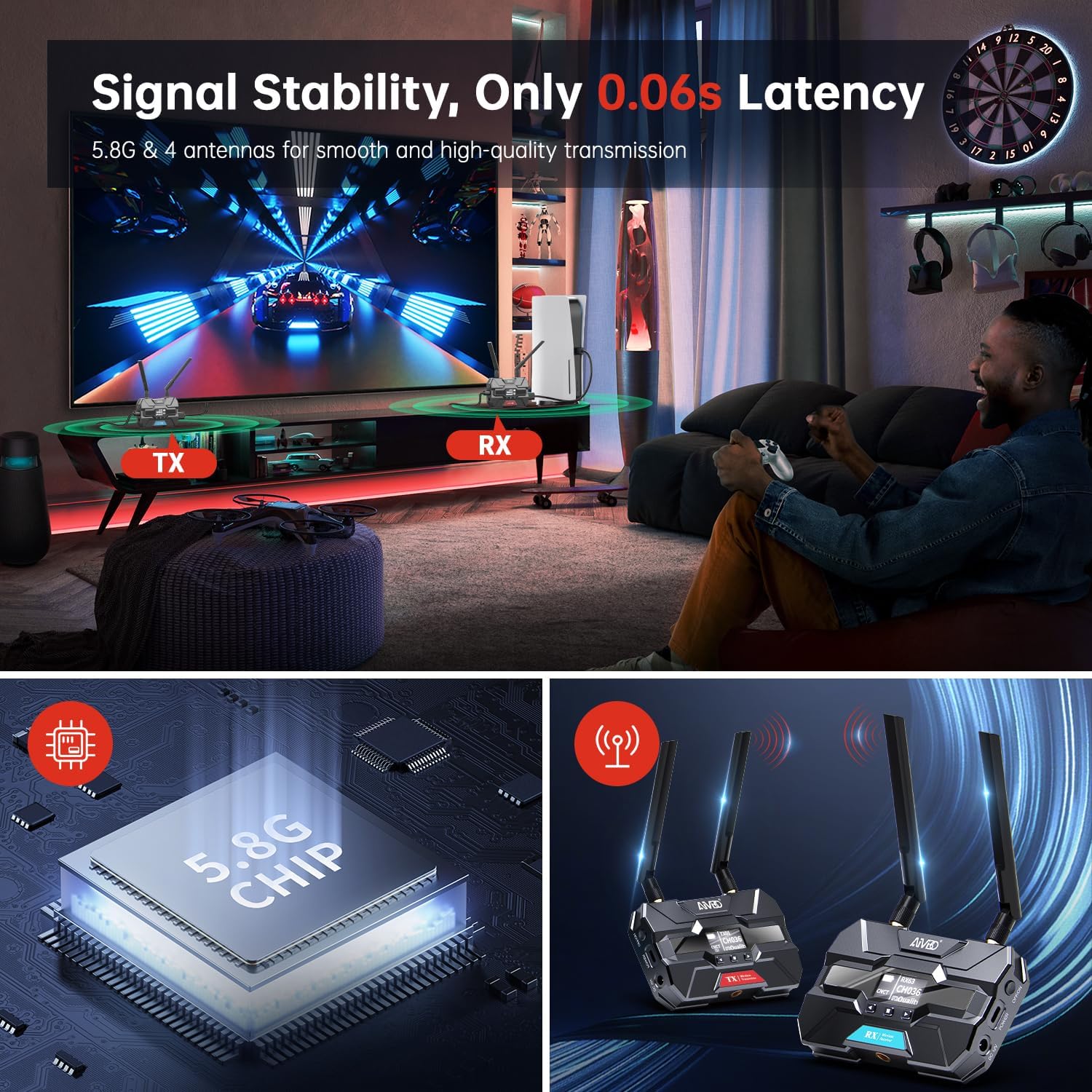
Image: A gaming environment demonstrating the TIMBOOTECH Wireless HDMI system's stable signal and ultra-low latency (0.06s), crucial for responsive gaming experiences.
6. Întreținere
- curatenie: Folosiți o lavetă moale și uscată pentru a curăța exteriorul unităților. Nu utilizați agenți de curățare lichizi sau solvenți.
- Ventilator de racire: The built-in cooling fan helps maintain optimal operating temperature. Ensure the fan vents are not obstructed to allow proper airflow.
- Depozitare: Când nu le utilizați pentru perioade lungi de timp, depozitați dispozitivele într-un loc răcoros și uscat, ferit de lumina directă a soarelui și de temperaturi extreme.
7. Depanare
If you encounter issues with your TIMBOOTECH Wireless HDMI system, please refer to the following troubleshooting tips:
| Problemă | Cauza posibila | Soluţie |
|---|---|---|
| Niciun semnal pe afișaj |
|
|
| Poor signal quality, flickering, or dropped connection |
|
|
| Units not pairing |
|
|
| Supraîncălzire |
|
|
8. Specificații
- Număr de model: c6e2f051-b1a5-4eb1-920e-7e082da52f8c
- Interval de transmisie: Până la 1000 ft (300 m)
- Latență: 0.06 secunde
- Frecvența fără fir: Dual-band 2.4GHz and 5.8GHz
- Maximum Receivers: 4 (one Transmitter to four Receivers)
- Tehnologie de conectivitate: HDMI
- Tip conector: HDMI
- Caracteristica speciala: Built-in Cooling Fan, OLED Display, HDMI Loop-Out
- Dispozitive compatibile: Televisions, Monitors, Projectors, Cameras, Laptops, Blu-ray players, Set-top boxes, PCs, DSLRs, Satellites, DVDs
- Putere de intrare: DC 12V (recommended), USB-C
- Producător: TIMBOOTECH
9. Garanție și asistență
For warranty information and technical support, please refer to the documentation provided with your purchase or contact TIMBOOTECH customer service through their official channels. Keep your purchase receipt for warranty claims.


