Introducere
Welcome to the user manual for your LTC Nimbleback NB981 95% Wireless Mechanical Keyboard. This manual provides detailed instructions for setting up, operating, maintaining, and troubleshooting your new keyboard.
The NB981 keyboard offers versatile connectivity options (2.4GHz, Bluetooth, USB-C wired), a comfortable typing experience with its 3-layer silicone dampening, and extensive customization through hot-swappable switches and dynamic RGB lighting.
Conținutul pachetului
Vă rugăm să verificați dacă toate articolele sunt prezente în coletul dumneavoastră:
- LTC Nimbleback NB981 Wireless Mechanical Keyboard
- Cablu USB-C la USB-A
- Extractor pentru chei
- Switch Puller (often combined with keycap puller)
- Comutatoare de rezervă
- Manual de utilizare
Unboxing Video
This video demonstrates the unboxing process and shows the contents typically included with the LTC Nimbleback NB981 keyboard.
Produs terminatview
The LTC Nimbleback NB981 is a high-performance mechanical keyboard designed for both gaming and everyday use. It features a 95% layout, combining functionality with a compact design.
Caracteristici cheie
- Flexible Tri-Mode Connectivity: Bluetooth, wired, and 2.4GHz options.
- Excellent Silicone Sound Dampening: Triple-layer silicone structure for reduced hollow sounds and quiet typing.
- Customizable Hot-Swap Design: Supports most 3-pin and 5-pin MX-style switches without soldering.
- Powerful Software Support: Key remapping, macro assignments, and personalized lighting effects for Windows, Android, iOS, and macOS.
- Dynamic RGB Illumination: 18 vibrant backlight modes with adjustable speed and brightness.
- Baterie de lungă durată de 4000 mAh: Extended usage with battery status monitoring (FN+backspace).
Keyboard Layout and Components
Refer to the images below for a visual guide to the keyboard's layout and internal structure.
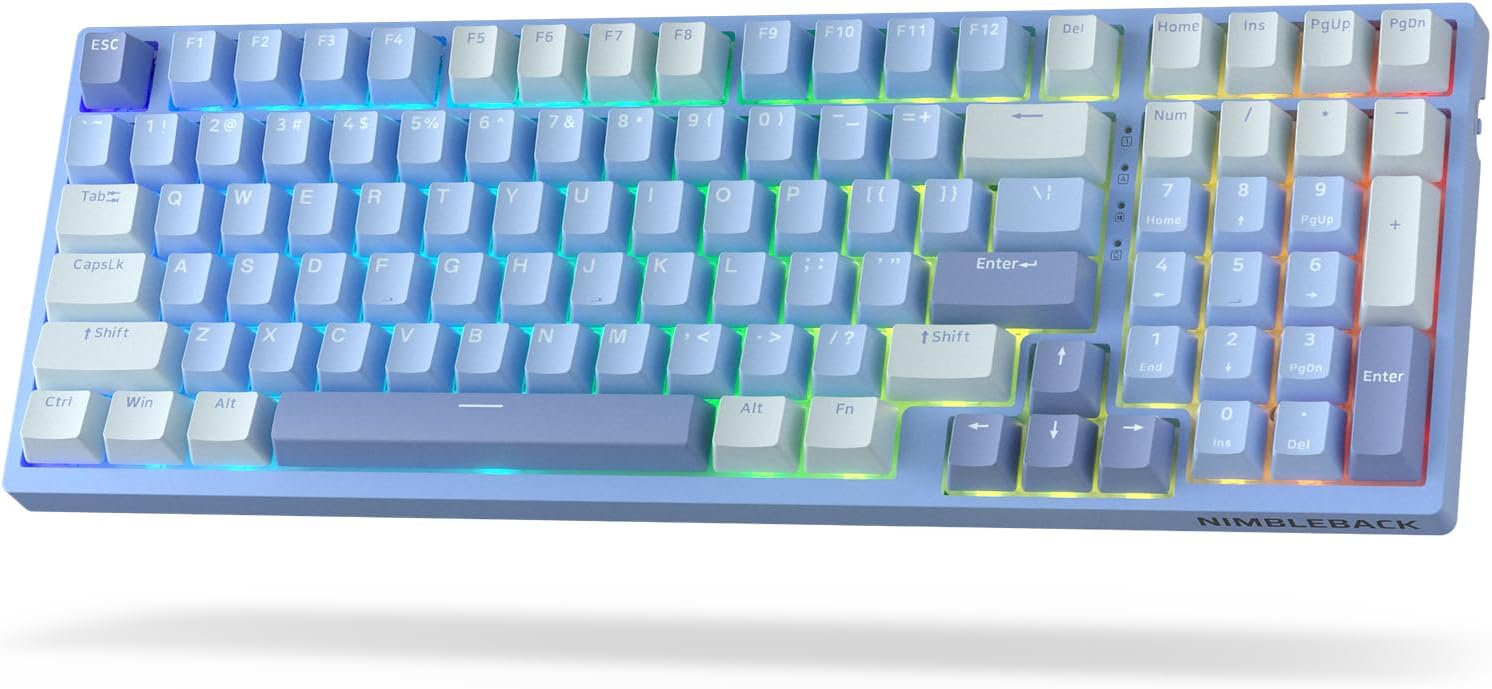
Imagine: De sus în jos view of the LTC Nimbleback NB981 keyboard in Sky Blue, showcasing its 95% layout with RGB backlighting.

Image: Diagram highlighting key features of the NB981 keyboard, including 3-layer silicone padding, 98-key layout, tri-mode connection, 4000mAh battery, hot-swap PCB, PBT keycaps, dynamic RGB, and software support.
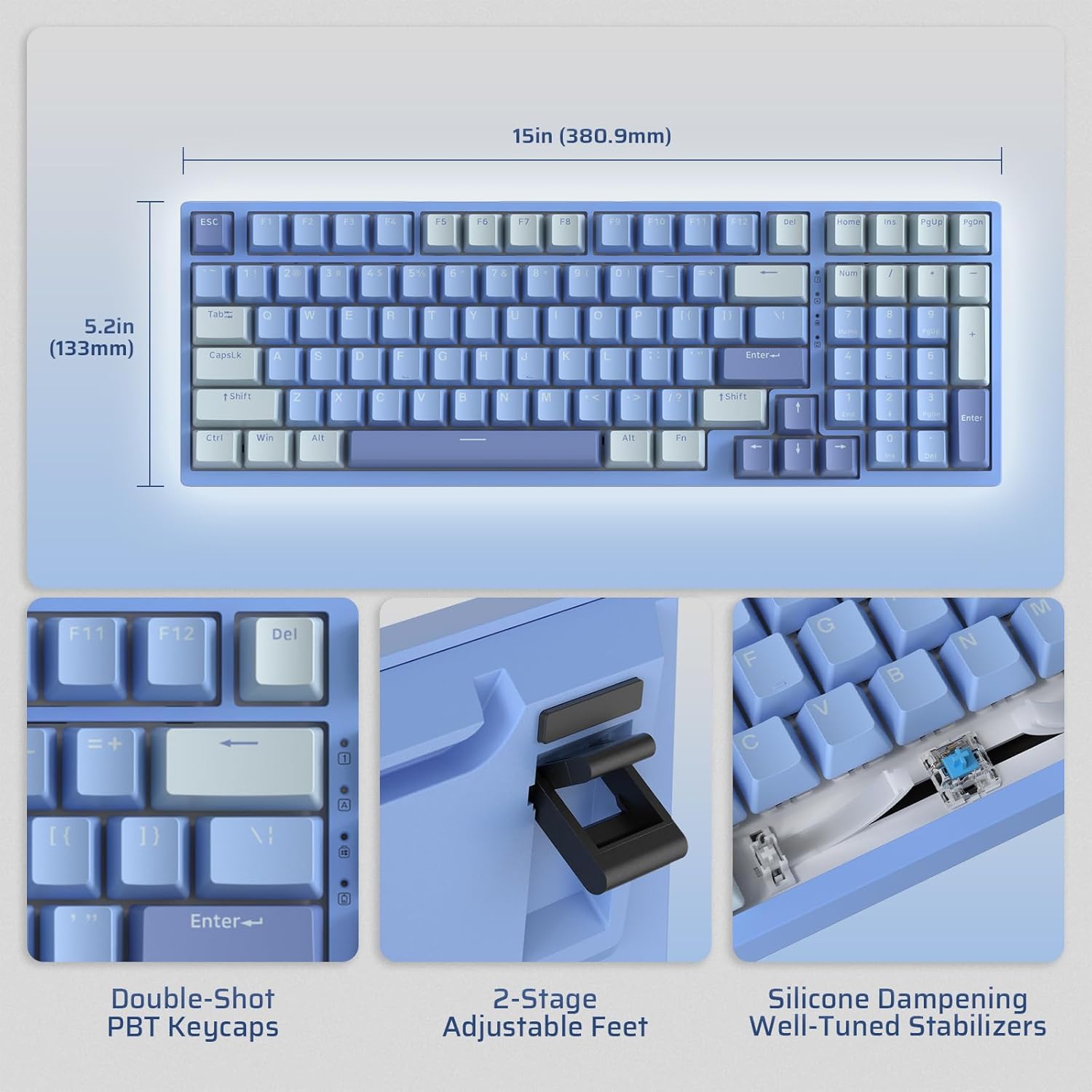
Image: Illustrates the dimensions of the keyboard (15 inches / 380.9mm length, 5.2 inches / 133mm width), double-shot PBT keycaps, 2-stage adjustable feet, and silicone dampening with well-tuned stabilizers.
Înființat
Before first use, it is recommended to fully charge the keyboard using the provided USB-C cable.
Conexiune inițială
The keyboard supports three connection modes: 2.4GHz wireless, Bluetooth, and USB-C wired.

Image: Visual representation of the tri-mode connectivity options: Bluetooth 5.0 (up to 3 devices), 2.4GHz fast-response wireless, and USB-C stable wired mode.
Moduri de conectivitate
Mod wireless de 2.4 GHz
- Locate the 2.4GHz USB dongle, typically stored in a compartment on the back of the keyboard.
- Conectați dongle-ul la un port USB-A disponibil de pe computer.
- Turn on the keyboard using the ON/OFF switch located on the side.
- The keyboard should automatically connect. If not, press Fn + 4 timp de 3 secunde pentru a iniția împerecherea.
Modul Bluetooth
- Porniți tastatura folosind comutatorul ON/OFF.
- Presa Fn + 1, Fn + 2, sau Fn + 3 to select a Bluetooth channel. The corresponding key will flash rapidly, indicating pairing mode.
- On your device (computer, tablet, smartphone), enable Bluetooth and search for "LTC NB981".
- Select the keyboard to pair. The key will stop flashing once connected.
- You can store up to three Bluetooth devices.
Mod USB-C cu fir
- Conectați cablul USB-C furnizat la portul USB-C al tastaturii.
- Connect the other end of the cable (USB-A) to your computer's USB port.
- Tastatura va trece automat în modul cu fir și va începe încărcarea.
Instrucțiuni de operare
Controlul luminii de fundal
The NB981 features dynamic RGB illumination with 18 modes.
- Fn + |: Backlight On/Off
- Fn + ↑: Backlight Modes Switch (Cycle through 18 modes)
- Fn + ↓: Backlight Colors Switch (Change color in static modes)
- Fn + ←: Backlight Speed -
- Fn + →: Viteza luminii de fundal +
- Fn + F5: Backlight Brightness -
- Fn + F6: Backlight Brightness +
To restore factory settings for backlight, long press Fn + Spațiu.
Multimedia Keys (Windows System)
Utilizați Fn key in combination with the F-keys for multimedia functions:
- Fn + F1: Display Brightness -
- Fn + F2: Display Brightness +
- Fn + F3: Back to Desktop
- Fn + F4Controlul Misiunii
- Fn + F7: Last Song
- Fn + F8: Redare/Pauză
- Fn + F9: Următorul cântec
- Fn + F10: Mut
- Fn + F11Volum -
- Fn + F12: Volum +
Suport software
The keyboard supports powerful software for full customization. This software allows for key remapping, macro assignments, and advanced lighting effects.
The software is compatible with Windows (7, 8, 10, 11), Android, iOS, and macOS. Please visit the official LTC website for software download and detailed instructions.

Image: Screenshot of the LTC keyboard customization software, showing options for key remapping, macro creation, and RGB lighting control.
Hot-Swap Switch Replacement
The NB981 features a hot-swappable PCB, allowing you to change switches without soldering.
- Use the provided switch puller tool to gently remove the desired switch.
- Align the pins of the new 3-pin or 5-pin MX-style switch with the holes on the PCB.
- Press the new switch firmly into place until it clicks. Ensure the pins are straight to avoid bending.

Imagine: Detaliată view of the hot-swap PCB, illustrating pre-lubed linear switches, hot-swap sockets, and well-lubed stabilizers.
Sound Profile
The keyboard's 3-layer silicone dampening structure significantly minimizes hollow sounds and cavity noise, providing a smooth and quiet typing experience.
This video provides a sound test of the LTC Nimbleback NB981 keyboard, demonstrating its typing acoustics with the integrated sound dampening.
Întreţinere
- curatenie: Use a soft, dry cloth to wipe the keyboard surface. For deeper cleaning, use the keycap puller to remove keycaps and clean dust or debris with compressed air or a small brush.
- Îngrijirea bateriei: To prolong battery life, avoid fully discharging the keyboard frequently. Charge it when the battery indicator (FN+backspace) shows low power.
- Depozitare: Depozitați tastatura într-un loc răcoros și uscat, ferit de lumina directă a soarelui și de temperaturi extreme.
Depanare
Tastatura nu răspunde:
- Asigurați-vă că tastatura este pornită.
- Check the battery level (FN+backspace). Recharge if low.
- For wired mode, ensure the USB-C cable is securely connected to both the keyboard and the computer. Try a different USB port.
- For 2.4GHz mode, ensure the dongle is properly inserted and try re-pairing (Fn + 4 timp de 3 secunde).
- For Bluetooth mode, ensure Bluetooth is enabled on your device and try re-pairing (Fn + 1/2/3 timp de 3 secunde).
- Încercați să reporniți computerul.
Cheile nu se înregistrează sau se tastează de două ori:
- This could indicate a faulty switch. Use the switch puller to replace the affected switch with a spare one.
- Asigurați-vă că comutatorul este complet așezat în placa de circuit imprimat.
Probleme cu iluminarea din spate:
- Ensure backlight is turned on (Fn + |).
- Reglați luminozitatea (Fn + F5/F6).
- Cycle through modes (Fn + ↑) or colors (Fn + ↓).
- Reset backlight to factory settings (Long press Fn + Spațiu).
Conexiune Bluetooth instabilă:
- Asigurați-vă că nicio altă dispozitivă nu cauzează interferențe.
- Mutați tastatura mai aproape de dispozitiv.
- Try forgetting the device on your computer's Bluetooth settings and re-pairing.
Specificații
| Caracteristică | Detaliu |
|---|---|
| Marca | LTC |
| Model | NB981 |
| Conectivitate | Bluetooth, RF (2.4GHz), USB-C |
| Tip tastatură | Mecanic |
| Numărul de chei | 98 |
| Iluminare din spate | RGB |
| Capacitatea bateriei | 4000mAh |
| Greutatea articolului | 3.3 lire sterline |
| Dimensiuni pachet | 16.45 x 6.93 x 2.01 inci |
| Dispozitive compatibile | PC (Windows, Android, iOS, macOS via software) |
| Caracteristici speciale | Backlit, Hotkeys and Media Keys, Programmable Keys, Hot-Swappable |
| Țara de origine | China |
Ce este în cutie
- Extractor pentru chei
- Cablu USB
Garanție și suport
For warranty information and technical support, please refer to the official LTC website-ul lor sau contactați serviciul lor de asistență pentru clienți. Păstrați bonul fiscal pentru reclamații în garanție.
Vizitați LTC Official Store pentru mai multe produse și asistență.


