1. Introducere
Acest manual oferă informații esențiale pentru utilizarea sigură și eficientă a aparatului dumneavoastră Blackview Tab 60 WiFi Android Tablet. Please read this manual thoroughly before operating the device and retain it for future reference.

Image 1.1: Blackview Tab 60 WiFi Android Tablet overview, highlighting Android 15 and AI capabilities.
2. Configurare
2.1. Ce se află în cutie
Verificați dacă toate articolele sunt prezente în ambalaj:
- Negruview Tabletă WiFi Tab 60
- Adaptor de putere 10W
- Cablu USB-C
- Manual de utilizare

Image 2.1: Illustration of the Blackview Tab 60 WiFi tablet and its included accessories.
2.2. Pornirea inițială și configurarea
- Țineți apăsat butonul Buton de alimentare located on the side of the tablet until the Blackview apare sigla.
- Urmați instrucțiunile de pe ecran pentru a selecta limba, a vă conecta la o rețea Wi-Fi și a configura contul Google.
- Review și acceptați termenii și condițiile pentru a finaliza configurarea inițială.
2.3. Extinderea memoriei
The tablet supports memory expansion to enhance performance. To expand the virtual RAM:
- Navigați la Setări.
- Selecta Despre tabletă.
- Atingeți Memorie.
- Adjust the memory bar to the desired expansion level, up to 12GB (4GB real + 8GB virtual).

Image 2.2: Visual representation of the tablet's storage and memory capabilities, including RAM, ROM, and expandable storage.
3. Utilizarea tabletei
3.1. Android 15 and Doke OS 4.0 Features
Negrul tăuview Tab 60 WiFi runs on Android 15 with the Doke OS 4.0 interface, offering enhanced features and privacy controls.
- Protecția confidențialității: Manage app permissions and data sharing from a centralized privacy dashboard.
- Parental Screen Usage Restrictions: Utilize parental controls to manage screen time and content access.
- Three-finger Screenshots: Capture screenshots quickly by swiping down with three fingers.
- Split Screen with App Pairing: Run two applications simultaneously side-by-side for improved multitasking.
- Atomized Memory 2.0: Optimizes RAM allocation for smoother performance and efficient background app management.
- Aplicația spațiului de lucru: Creați un profesionist separatfiles for work and personal use to maintain data privacy and organization.

Image 3.1: Key features of the Android 15 operating system on the Blackview Tab 60 WiFi.

Image 3.2: Demonstrating the multitasking split screen functionality for enhanced productivity.
3.2. Display and Media
The 10.1-inch HD display provides a clear visual experience. The tablet supports Widevine L1, enabling high-definition streaming from platforms like Netflix, Disney+, and Hulu.
- Mod de citire: Adjusts the screen for a more comfortable reading experience.
- Eye Protection Mode (Night Mode): Reduces blue light emission to minimize eye strain, especially in low-light conditions.
- Modul întunecat: Changes the system's color scheme to a darker palette, which can save battery and reduce glare.

Image 3.3: Highlighting the 10.1-inch HD display and Widevine L1 support for streaming.

Image 3.4: Various display modes available on the tablet for different usage scenarios.
3.3. AI Features with Google Gemini
Negrulview Tab 60 WiFi integrates Google Gemini AI for enhanced interaction and productivity.
- AI Smart Chats: Engage in intelligent conversations and receive assistance.
- AI Voice-enabled Intelligent Q&A: Ask questions and get answers using voice commands.
- AI Smart Control: Use AI to manage various tablet functions and applications.
- AI Real-time Conversation: Facilitates natural and continuous dialogue.
- AI Voice Activation: Unlock and control your tablet using your voice.
- Smart AI Assistance: Provides real-time answers and insights based on your screen content.

Imaginea 3.5: Example of AI Smart Chats and AI Text-to-Image Generation.

Imaginea 3.6: Pesteview of AI Voice-enabled Intelligent Q&A and AI Real-time Conversation.
3.4. Funcționalitatea camerei
The tablet is equipped with an 8MP rear camera and a 5MP front camera for capturing photos and videos.

Image 3.7: Details of the tablet's front and rear cameras.
3.5. Audio și conectivitate
- Dual Smart Box Speakers: Enjoy stereo sound quality for media consumption.
- Mufă pentru căști de 3.5 mm: Conectați căști cu fir pentru ascultare privată.
- WiFi 6 (802.11ax): Provides faster, more reliable wireless internet connectivity, especially in crowded network environments.
- Bluetooth 5.3: Offers improved transmission speed and lower latency for connecting wireless accessories.
- Wireless Casting Screen: Share your tablet's display to a larger screen wirelessly.

Image 3.8: Audio features including dual speakers and headphone jack.

Image 3.9: Information on the tablet's wireless connectivity options.
4. Întreținere
4.1. Managementul bateriei
The tablet is equipped with a 5100mAh battery and supports 10W fast charging via its Type-C port.
- Pentru a prelungi durata de viață a bateriei, evitați temperaturile extreme și descărcarea completă frecventă a bateriei.
- Use the provided 10W power adapter and USB-C cable for optimal charging.

Image 4.1: Battery capacity and charging information for the tablet.
4.2. Îngrijire generală
- Clean the screen with a soft, lint-free cloth. Avoid abrasive materials or harsh chemicals.
- Protect the tablet from drops and impacts. Consider using a protective case.
- A se păstra comprimatul departe de apă și umiditate excesivă.
5. Depanare
Dacă întâmpinați probleme cu Blackview Tab 60 WiFi, try the following steps:
- Reporniți tableta: O simplă repornire poate rezolva multe erori minore de software.
- Verificați actualizările de software: Ensure your tablet's operating system is up to date by going to Setări > Sistem > Actualizare sistem.
- Ștergeți memoria cache a aplicației: Dacă o aplicație se comportă necorespunzător, încercați să îi goliți memoria cache prin Setări > Aplicații > [Nume aplicație] > Stocare > Ștergeți memoria cache.
- Resetare la setările din fabrică (ultimă soluție): If problems persist, you may need to perform a factory reset. Back up all important data before proceeding, as this will erase all data on the tablet. Go to Setări > Sistem > Opțiuni de resetare > Șterge toate datele (resetarea din fabrică).
- Contactați asistența: If the issue cannot be resolved, refer to the Warranty and Support section for contact information.
6. Specificații
| Caracteristică | Caietul de sarcini |
|---|---|
| Marca | Negruview |
| Numele modelului | Tab60WiFi |
| Numărul de model al articolului | A523 |
| Sistem de operare | Android 15 |
| Procesor | 1.8 GHz Octa-Core (Allwinner A523) |
| RAM | 12GB (4GB real + 8GB virtual) |
| Stocare internă | 128 GB |
| Stocare extensibilă | Up to 2 TB (Micro TF) |
| Dimensiunea ecranului | 10.1 inchi |
| Rezoluția afișajului | 1280 x 800 pixeli (HD) |
| standard wireless | 802.11ax (Wi-Fi 6) |
| Bluetooth | Bluetooth 5.3 |
| Capacitatea bateriei | 5100mAh |
| Încărcare | 10W Fast-Charging, Type-C Port |
| Camera spate | 8MP |
| Cameră frontală | 5MP |
| Dimensiunile produsului | 24.38 x 17.02 x 0.76 cm |
| Greutatea articolului | 960 g |
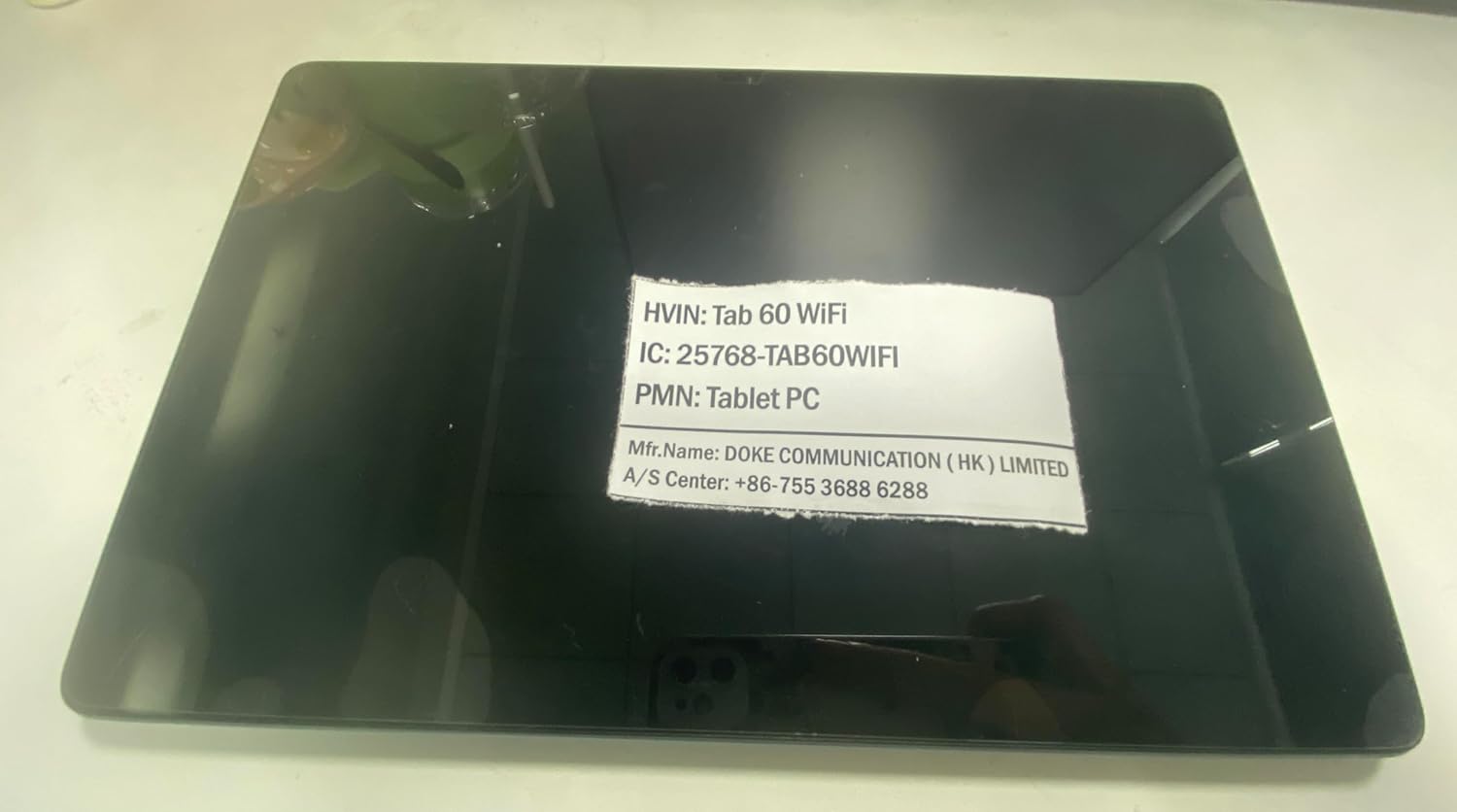
Image 6.1: Product identification label with model and manufacturer details.
7. Garanție și asistență
7.1. Informații despre garanție
Negrulview Tab 60 WiFi comes with a Garanție de 720 de zile fără griji from the date of purchase. This warranty covers manufacturing defects and ensures product reliability.
7.2. Asistență pentru clienți
For any questions, technical assistance, or warranty claims, please contact Blackview serviciu clienți:
- Asistență prin e-mail: Aftersales-us@blackview.hk
- Suport online: Contact us through the Amazon order page for your purchase.
- Centru de service: +86-755 3688 6288
Please have your purchase details and product model number (Tab60WiFi) ready when contacting support to expedite the service process.


