Introducere
The Raycon Open Headphones are engineered to provide an immersive audio experience while maintaining real-time awareness of your surroundings. Their lightweight, over-ear design ensures comfort for extended wear, making them suitable for various activities from work to exercise. This manual will guide you through the essential steps to set up, operate, and maintain your headphones.
Caracteristici cheie:
- Real-Time Awareness: Non-intrusive design keeps ear canals free, allowing environmental sounds to be heard.
- Surround Sound Quality: Delivers rich, detailed audio with advanced surround sound technology.
- 12 de ore de viață a bateriei: Provides extended listening time on a single charge.
- Microfoane duale: Ensures clear call quality with maximum audio pickup.
- 5.3 Bluetooth Technology: Offers a strong and stable wireless connection to your devices.
Ce este în cutie
Upon opening your Raycon Open Headphones package, please ensure all the following components are present:
- Raycon Open Headphones (Black)
- Manual de utilizare (Acest document)
- Charging Cable (Proprietary)
Înființat
1. Încărcarea căștilor
Before initial use, fully charge your Raycon Open Headphones. Connect the provided charging cable to the charging port on the headphones and plug the other end into a compatible USB power source. The LED indicator will show charging status and turn off when fully charged.
2. Pornire/Oprire
- Pornire: Apăsați și țineți apăsat butonul de pornire/oprire până când indicatorul LED se aprinde și auziți un mesaj sonor.
- Oprire: Apăsați și mențineți apăsat butonul de pornire/oprire până când indicatorul LED se stinge și auziți un mesaj sonor.
3. Asociere Bluetooth
- Asigurați-vă că căștile sunt oprite.
- Apăsați și mențineți apăsat butonul de pornire timp de aproximativ 5-7 secunde, până când indicatorul LED clipește rapid, indicând modul de asociere.
- Pe dispozitivul dvs. (smartphone, tabletă, computer), activați Bluetooth și căutați dispozitivele disponibile.
- Select "Raycon Open Headphones" from the list of found devices.
- Once connected, the LED indicator will stop flashing and remain solid, and you will hear a confirmation tone.
4. Purtarea căștilor
The Raycon Open Headphones are designed for a comfortable and secure fit. Place the ear hooks over your ears, ensuring the speakers are positioned just outside your ear canals. Adjust the band around the back of your neck for optimal comfort and stability.
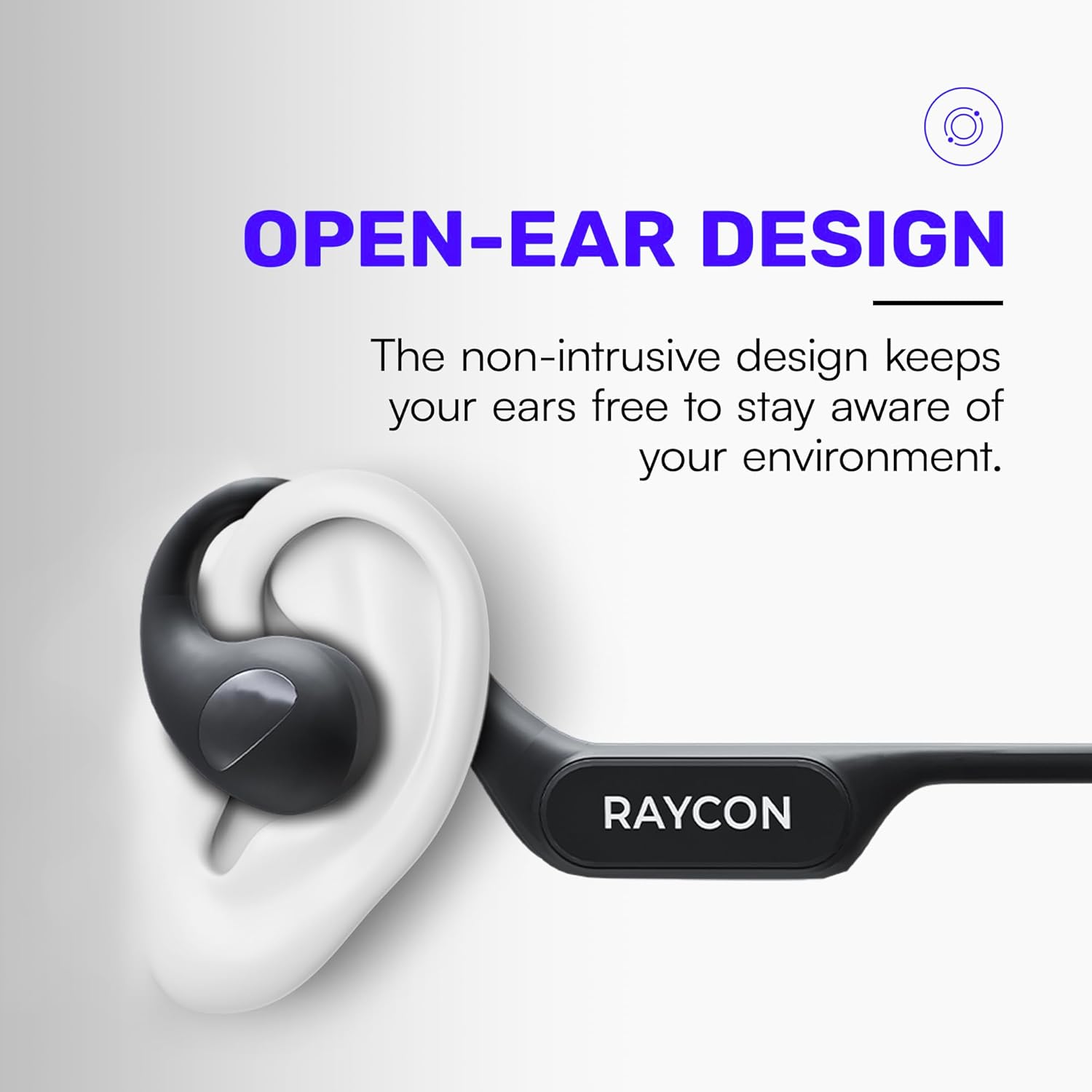
Image: Proper placement of the Raycon Open Headphones, highlighting the open-ear design for comfort and awareness.
Instrucțiuni de operare
Comenzi terminateview

Image: The control buttons are located on the left side of the headphone band.
- Buton de alimentare: Apăsați și mențineți apăsat pentru a porni/opri.
- Creștere volum (+): Apăsați scurt pentru a crește volumul.
- Volum scăzut (-): Apăsați scurt pentru a reduce volumul.
- Redare/Pauză: Double-tap the main control button to play or pause audio.
- Următoarea piesă: Triple-tap the main control button to skip to the next track.
- Pista anterioară: (Functionality may vary, refer to device settings or specific app controls).
- Răspundeți/Terminați apelul: Double-tap the main control button during an incoming call.
- Respinge apelul: Press and hold the main control button during an incoming call.
- Activați Asistentul vocal: Quadruple-tap the main control button to activate your device's voice assistant (e.g., Siri, Google Assistant).
Conexiune multipunct
The Raycon Open Headphones support multi-point connection, allowing you to connect to two devices simultaneously. This feature enables seamless switching between audio sources without re-pairing.

Image: The headphones can connect to multiple devices simultaneously for versatile use.
To use multi-point connection:
- Pair the headphones with your first device as described in the "Bluetooth Pairing" section.
- Dezactivați Bluetooth pe primul dispozitiv. Căștile vor reintra în modul de asociere.
- Asociați căștile cu al doilea dispozitiv.
- Reactivați Bluetooth pe primul dispozitiv. Căștile ar trebui să se conecteze automat la ambele dispozitive.
- Audio will play from the device that is actively transmitting sound.
Întreţinere
Curatenie
Regularly clean your headphones to ensure optimal performance and hygiene. Use a soft, dry, lint-free cloth to wipe down the surfaces. For stubborn dirt, slightly dampen the cloth with water. Avoid using harsh chemicals, cleaning solvents, or strong detergents.
Depozitare
Când nu le utilizați, depozitați căștile într-un loc răcoros și uscat, ferit de lumina directă a soarelui și de temperaturi extreme. Evitați să așezați obiecte grele deasupra căștilor pentru a preveni deteriorarea.
Îngrijirea bateriei
To prolong battery life, avoid fully discharging the headphones frequently. Charge them regularly, even if not in constant use. If storing for an extended period, charge the battery to approximately 50% before storage.

Image: The headphones offer up to 12 hours of battery life for extended use.
Depanare
If you encounter any issues with your Raycon Open Headphones, please refer to the following common solutions:
- Fără sunet: Ensure the headphones are powered on, paired correctly, and the volume is turned up on both the headphones and the connected device. Check if the audio source is playing.
- Probleme de asociere: Turn off Bluetooth on all previously paired devices. Power off the headphones, then re-enter pairing mode and try connecting again. Ensure the headphones are within the Bluetooth range of your device.
- Probleme de încărcare: Verify that the charging cable is securely connected to both the headphones and the power source. Try a different USB port or power adapter. Ensure the charging cable is not damaged.
- Calitate slabă a sunetului: Ensure the headphones are fully charged. Check for any obstructions between the headphones and your device. Move closer to your device to reduce interference.
- Microfonul nu funcționează: Ensure the headphones are properly connected. Check the microphone settings on your connected device to ensure the Raycon headphones are selected as the input device.
If the issue persists after trying these steps, please contact Raycon customer support for further assistance.
Specificații
| Caracteristică | Detaliu |
|---|---|
| Numele modelului | RBO841-24E-BLA |
| Tehnologia de conectivitate | Fără fir |
| Tehnologia comunicațiilor fără fir | Bluetooth 5.3 |
| Durata de viață a bateriei | 12 de ore |
| Forma căștilor | Peste ureche |
| Plasarea urechii | Deschide Urechea |
| Factor de formă | Peste ureche |
| Controlul zgomotului | Izolarea sunetului |
| Greutatea articolului | 5.6 uncii |
| Producător | Raycon |
| UPC | 811162032347 |
Garanție și suport
Your Raycon Open Headphones are covered by a return policy allowing for a refund or replacement within 30 days of purchase. For detailed warranty information or technical support, please contact Raycon customer service directly.


