1. Introducere
This manual provides detailed instructions for the setup, operation, and maintenance of your BoyKeep 1080P Indoor Security Camera. Designed for indoor use, this camera offers high-definition video, motion detection, two-way audio, and night vision capabilities to help you monitor your home, pets, or baby effectively. Please read this manual thoroughly before using the product to ensure proper functionality and safety.
2. Caracteristicile produsului
- Înaltă rezoluție și vedere nocturnă: Provides 1080P HD resolution for clear and vivid image quality. Features enhanced night vision for continuous monitoring in low-light conditions.
- 2.4G Wi-Fi & Bluetooth Connectivity: Supports both 2.4G Wi-Fi and Bluetooth connections for flexible setup.
- Urmărirea mișcării și alerte: Records alert videos and sends notifications to your phone upon detecting motion. Customizable monitoring zones, schedules, and sensitivity settings are available to minimize false alarms. Includes a built-in alarm feature.
- Comunicare bidirecțională: Equipped with a microphone and speaker, enabling real-time two-way audio communication.
- Multi-dispozitiv ViewÎnregistrare și partajare: Add multiple cameras to the app and view up to four real-time videos simultaneously. Share access with family members on up to 10 devices.
- Opțiuni flexibile de înregistrare: Supports Micro SD card (up to 128GB, not included) for 24/7 continuous recording or motion video recording. Optional 24/7 cloud storage plan is also available for additional backup.
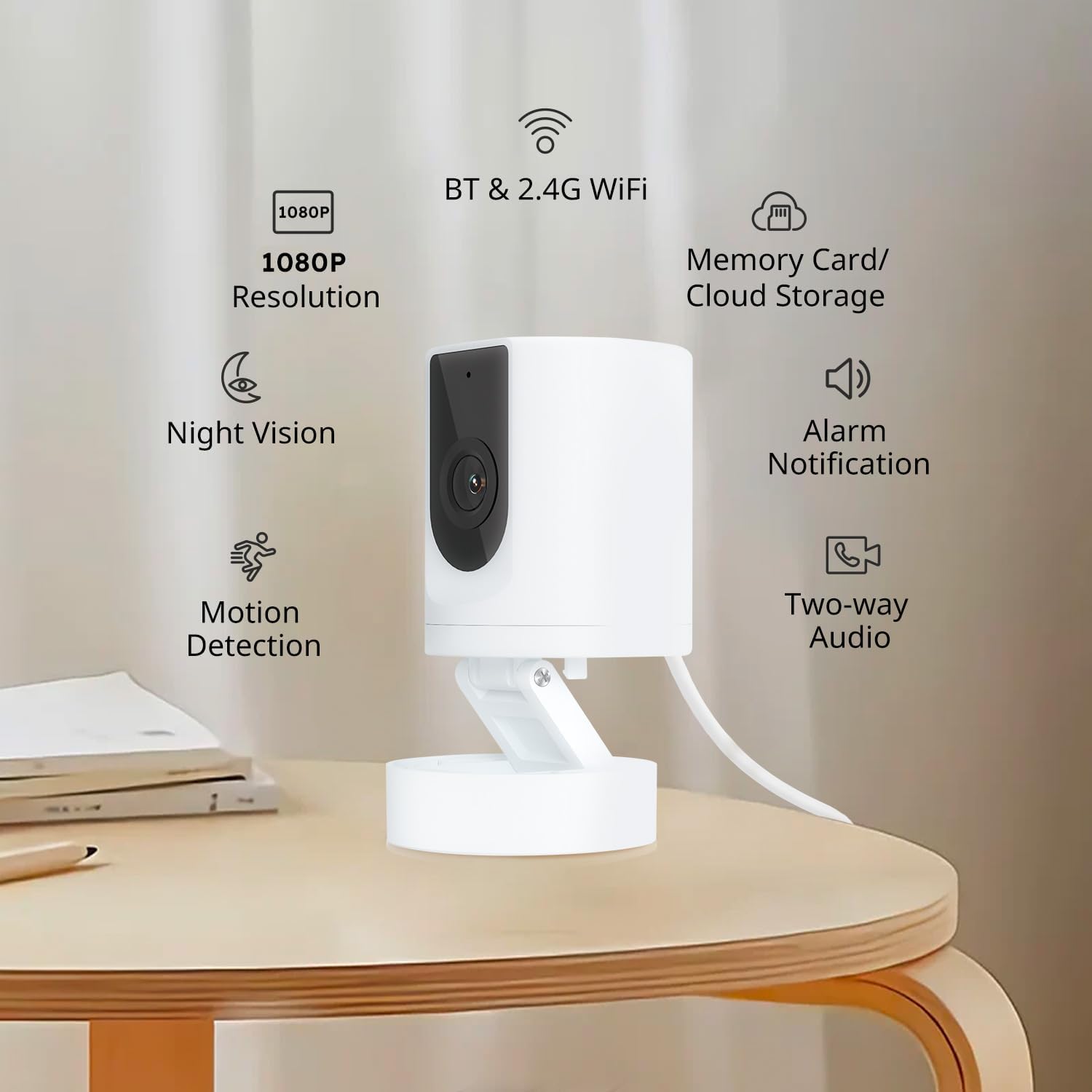
An image highlighting the key features of the BoyKeep 1080P Indoor Security Camera, including 1080P resolution, night vision, motion detection, Bluetooth and 2.4G Wi-Fi connectivity, memory card and cloud storage options, alarm notifications, and two-way audio.
3. Conținutul pachetului
- BoyKeep 1080P Indoor Security Camera
- USB Power Cable (Note: A 5V/1A USB power adapter is required and not included.)
- Mounting Accessories (if applicable, typically screws and wall anchors)
- Manual de utilizare
4. Ghid de instalare
4.1 Alimentarea camerei
- Connect the provided USB power cable to the camera's power input port.
- Connect the other end of the USB power cable to a 5V/1A USB power adapter (not included).
- Plug the power adapter into a wall outlet. The camera will power on and indicate its status (e.g., flashing LED).
Nota: This version of the camera does not include a power adapter. You can use any standard 5V/1A USB power adapter.
4.2 Instalarea și conectarea aplicației
- Download the "Ease Life" app from your smartphone's app store (iOS or Android).
- Înregistrează-te pentru un cont nou sau autentifică-te dacă ai deja unul.
- Follow the in-app instructions to add your camera. This typically involves selecting "Add Device," choosing the camera type, and following prompts for Wi-Fi or Bluetooth pairing. Ensure your phone is connected to a 2.4GHz Wi-Fi network.
- După conectare, puteți denumi camera și puteți începe să transmiteți live-ul viewing.
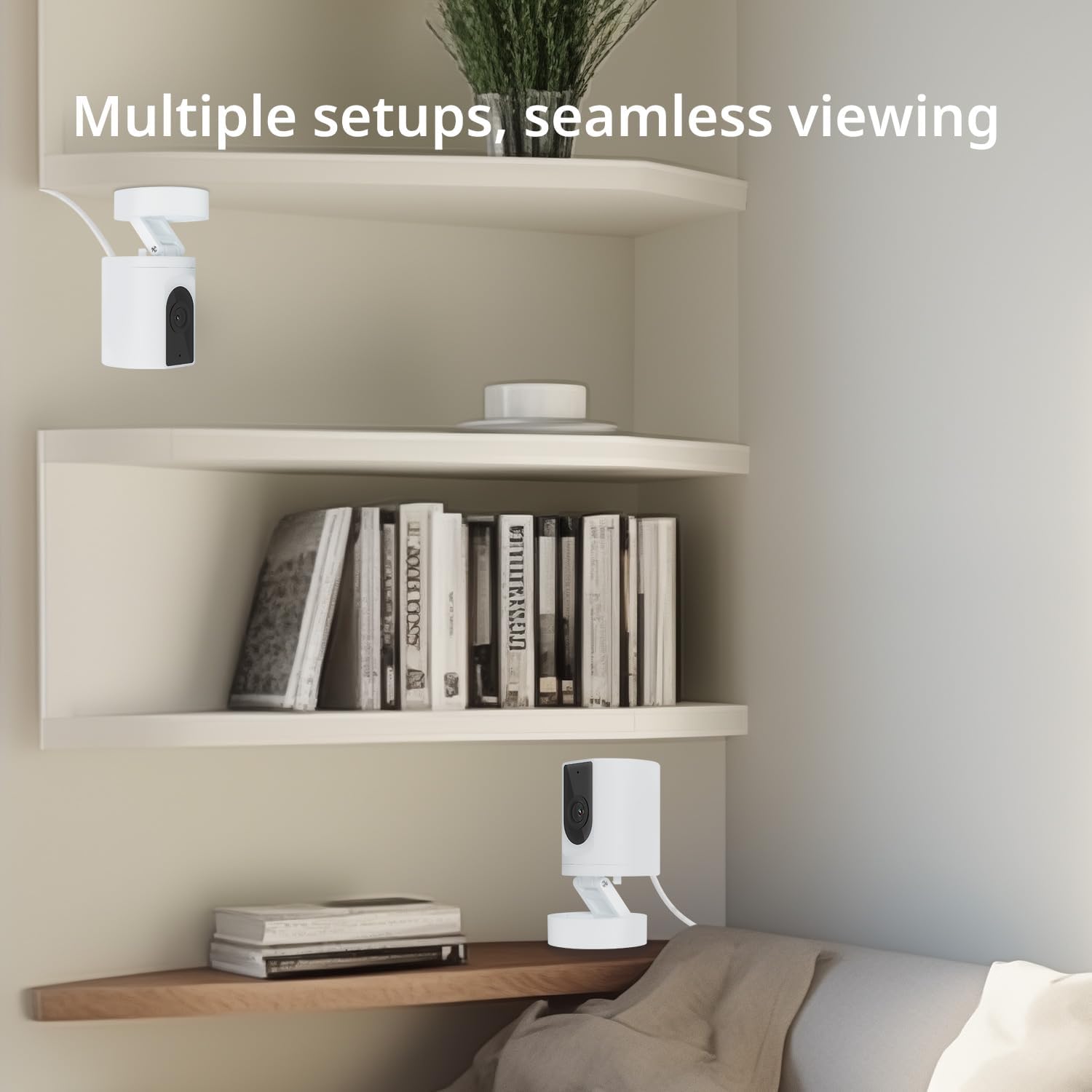
An image showing two BoyKeep Indoor Security Cameras placed on different shelves in a room, highlighting the camera's versatility for multiple setup locations and seamless viewing.
5. Instrucțiuni de utilizare
5.1 În direct View și Audio bidirecțional
- Open the Ease Life app and select your camera to access the live video feed.
- Tap the microphone icon in the app to speak through the camera's speaker. Tap the speaker icon to hear audio from the camera's microphone.

This image illustrates the two-way audio feature of the BoyKeep 1080P Indoor Security Camera, showing a dog with a 'Woof Woof!' speech bubble and a person on a phone saying 'Baby, miss you!', indicating remote communication.
5.2 Detectarea mișcării și alertele
- In the app settings for your camera, navigate to "Motion Detection" or "Alert Settings."
- Enable motion detection and customize sensitivity levels to suit your environment.
- Set up monitoring zones and schedules to receive alerts only when and where needed.
- Alert notifications will be sent to your smartphone when motion is detected.
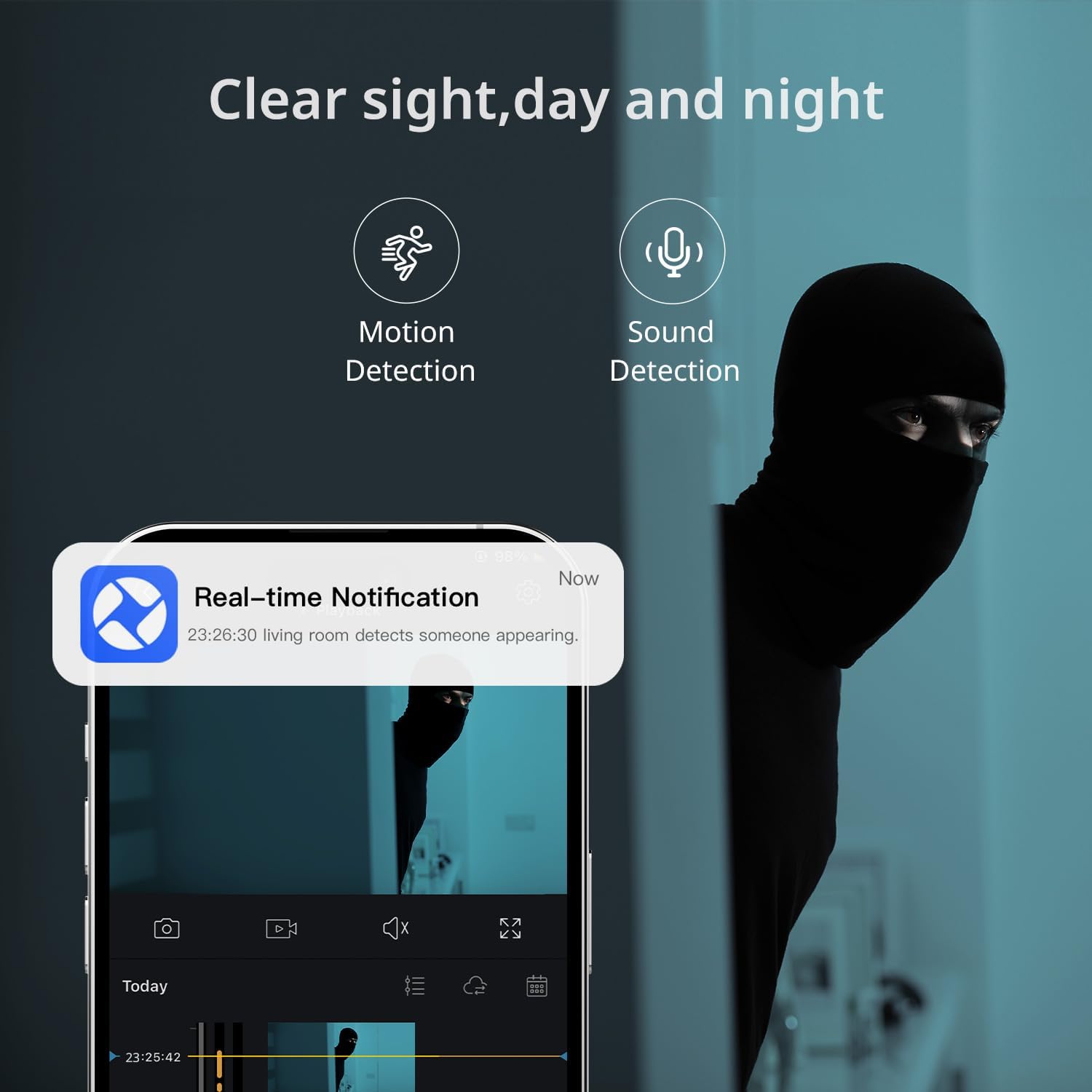
This image depicts the motion and sound detection capabilities of the BoyKeep Indoor Security Camera, with a smartphone displaying a 'Real-time Notification' alert when motion is detected in the living room.
5.3 Vedere nocturnă
- Camera trece automat la modul de vedere nocturnă în condiții de lumină slabă.
- Night vision provides clear, grayscale images for continuous monitoring in the dark.

An image illustrating the night vision functionality of the BoyKeep Indoor Security Camera, providing a clear, grayscale view of pets in a dimly lit room, ensuring monitoring even in darkness.
5.4 Opțiuni de înregistrare
- Micro SD Card Recording: Insert a Micro SD card (up to 128GB, not included) into the camera's designated slot for local storage. You can configure continuous recording or motion-triggered recording via the app.
- Stocare în cloud: For additional backup and security, an optional 24/7 cloud storage plan is available through the Ease Life app.

This image showcases the flexible recording options of the BoyKeep Indoor Security Camera, including cloud storage and Micro SD card support, with a filmstrip graphic representing continuous recording of home activities.
6. Întreținere
- curatenie: Folosiți o cârpă moale și uscată pentru a curăța obiectivul și corpul camerei. Evitați utilizarea substanțelor chimice dure sau a materialelor abrazive.
- Actualizări firmware: Regularly check the Ease Life app for available firmware updates to ensure optimal performance and security.
- Plasare: Ensure the camera is placed in a stable, dry indoor environment, away from direct sunlight, heat sources, and strong electromagnetic fields.
7. Depanare
| Problemă | Cauza posibila | Soluţie |
|---|---|---|
| Camera nu se conectează la Wi-Fi | Parolă Wi-Fi incorectă; Camera este prea departe de router; Este disponibilă doar rețeaua Wi-Fi de 5 GHz. | Verify Wi-Fi password. Move camera closer to router. Ensure your router supports 2.4GHz Wi-Fi, as the camera does not support 5GHz networks. |
| Fără alerte de detectare a mișcării | Motion detection disabled; Sensitivity too low; Incorrect monitoring zones. | Enable motion detection in the app. Increase sensitivity. Adjust monitoring zones to cover desired areas. Check app notification settings on your phone. |
| Audio bidirecțional nu funcționează | Microphone/speaker permissions denied; Volume too low. | Check app permissions on your phone for microphone and speaker access. Adjust volume settings in the app and on your phone. |
| Calitate slabă a imaginii | Lentilă murdară; Iluminare insuficientă; Probleme cu lățimea de bandă a rețelei. | Clean the camera lens. Ensure adequate lighting or verify night vision is active. Check your internet connection speed. |
| App is slow or unresponsive | Outdated app version; Network issues; Phone storage full. | Update the Ease Life app to the latest version. Check your phone's internet connection. Clear phone cache or free up storage. |
8. Specificații
- Model: 1080P Indoor Security Camera
- Rezoluţie: 1080P HD
- Conectivitate: 2.4G Wi-Fi, Bluetooth
- Sursa de alimentare: Corded Electric (5V/1A USB power adapter required, not included)
- Depozitare: Micro SD card (up to 128GB, not included), Cloud Storage (optional subscription)
- Caracteristici speciale: 2-Way Audio, HD Resolution, Night Vision, Motion Detection
- Utilizare în interior/exterior: Doar în interior
- Dimensiuni: 7.2 x 6.7 x 4.8 cm
- Greutate: 90 g
- Material: Plastic
- Culoare: Alb
9. Garanție și asistență
BoyKeep products are designed for reliability and performance. For warranty information and technical support, please refer to the contact details provided on the product packaging or visit the official BoyKeep webPăstrați bonul fiscal ca dovadă a achiziției pentru orice reclamații în garanție.


