1. Introducere
This manual provides detailed instructions for the setup, operation, and maintenance of your ULTIMEA Aura A40 U2601 7.1ch Virtual Surround Sound Bar. Please read this manual thoroughly before using the product to ensure proper functionality and to maximize your audio experience.
The ULTIMEA Aura A40 is designed to deliver an immersive 7.1-channel virtual surround sound experience, featuring a soundbar, a subwoofer, and four surround speakers. It includes advanced technologies like SurroundX for precise audio and BassMX for enhanced bass, along with smart app control for personalized sound adjustments.
2. Conținutul pachetului
Verificați dacă toate articolele enumerate mai jos sunt incluse în pachetul dumneavoastră:
- 1 x ULTIMEA Aura A40 Soundbar
- 1 x subwoofer
- 4 x Surround Speakers
- 1 x Power Adaptor for Soundbar
- 1 x Power Adaptor for Surround Speaker
- 1 x Rear Surround Cable (6m)
- 1 x Cablu optic digital
- 1 x Front Left Surround Cable (2m)
- 1 x Front Right Surround Cable (2m)
- 1 x Telecomandă (Bateriile nu sunt incluse)
- 1 x Manual de utilizare (Acest document)
- 12 x Wall Mount Kit (Screws and anchors)
- 6 x Suport de perete
- 6 x Mounting Screw for Speakers
3. Produs terminatview
3.1 Componentele sistemului
The ULTIMEA Aura A40 system consists of a main soundbar, a subwoofer, and four compact surround speakers. The soundbar integrates three main channels for clear dialogue, while the four surround speakers create a virtual surround sound field.

Image: The complete ULTIMEA Aura A40 7.1ch Virtual Surround Sound Bar system, including the soundbar, subwoofer, and four surround speakers, along with a smartphone displaying the control app.
3.2 Caracteristici ale barei de sunet
The soundbar houses the left, center, and right channels. It features intuitive touch controls on the top panel and various input ports on the rear for connectivity.

Imagine: O explozie view of the ULTIMEA Aura A40 soundbar, showcasing its internal full-range drivers for immersive audio.
3.3 Subwoofer Features
The 4-inch wired subwoofer provides deep bass, enhancing the overall audio experience with BassMX technology.

Image: The ULTIMEA Aura A40 4-inch wired subwoofer, designed to deliver powerful bass.
3.4 de difuzoare surround
The system includes four surround speakers: two wired front speakers and two wireless rear speakers. These speakers are crucial for creating the virtual surround sound field.
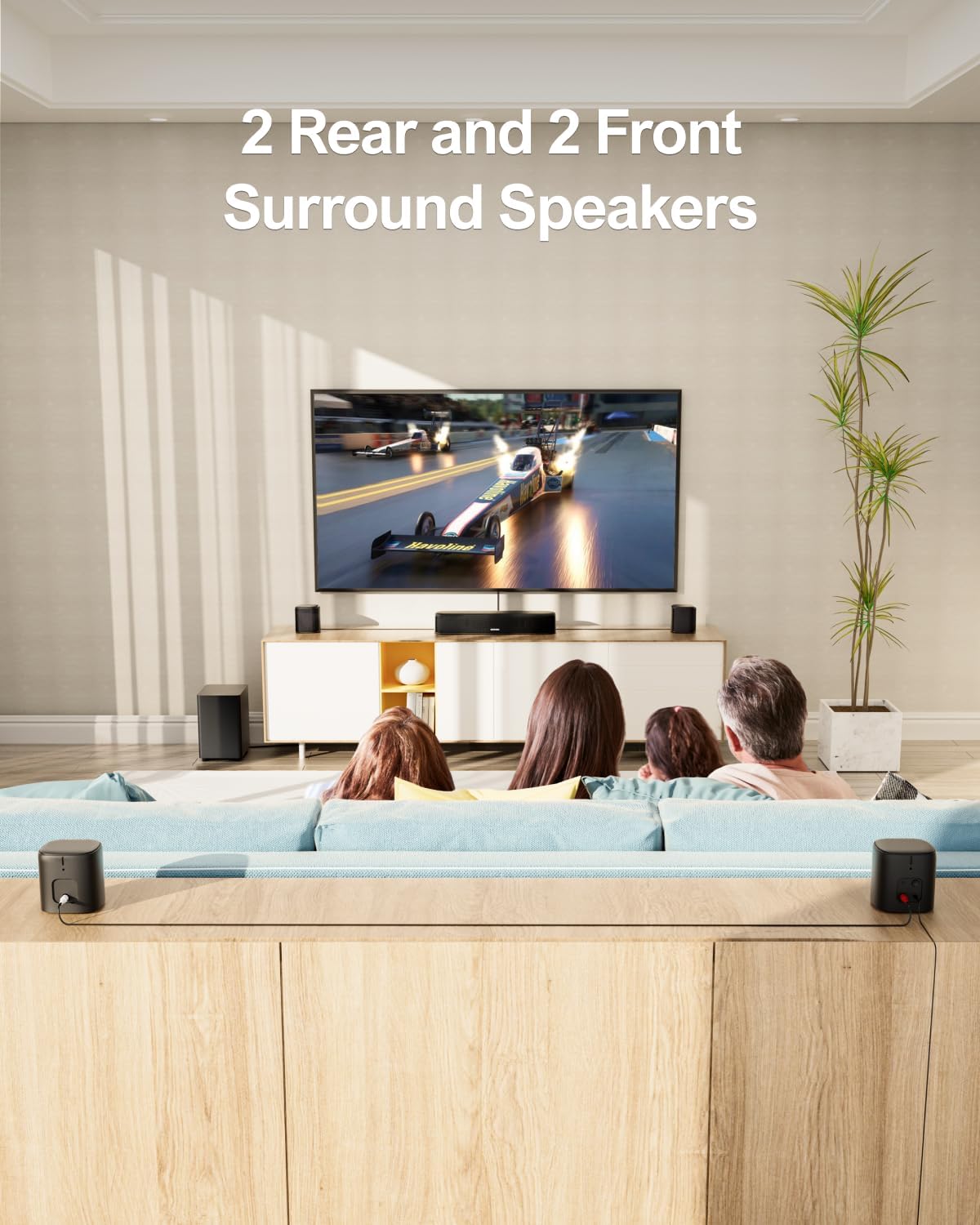
Image: A living room setup demonstrating the placement of the two front and two rear surround speakers for optimal sound distribution.
4. Configurare și conexiuni
4.1 Plasarea difuzoarelor
For optimal 7.1ch virtual surround sound, position the soundbar centrally below your TV. Place the two wired front surround speakers to the left and right of the soundbar. Position the two wireless rear surround speakers behind your listening area, to the left and right. The subwoofer can be placed anywhere convenient, preferably near the soundbar.

Image: An illustration of the recommended placement for the ULTIMEA Aura A40 7.1 Surround Sound System in a living room, showing sound waves emanating from each speaker.
4.2 Conexiuni cu fir
Connect the soundbar and the two front surround speakers using the provided front surround cables (FR & FL). The subwoofer connects to the soundbar via a wired connection.

Image: A close-up of the soundbar's rear panel, highlighting the Optical, USB, AUX, FR (Front Right), FL (Front Left), SUB OUT, and DC IN ports.
4.3 Wireless Pairing for Rear Speakers
Connect the two rear surround speakers using the rear surround cable. Power the rear right surround speaker to enable wireless pairing with the soundbar. If pairing does not occur automatically, follow these steps:
- Țineți ÎNCĂJURĂ button on the remote control for 5 seconds until "SUR" flashes on the soundbar display.
- Țineți PERECHE button on the rear right speaker for 5 seconds until its light flashes.
- Once successfully paired, the light on the rear right speaker will remain solid.
4.4 Opțiuni de intrare audio
The soundbar supports multiple audio input methods:
- Optic: For high-quality digital audio from your TV or other devices. Use the included Digital Optical Cable.
- AUX: For analog audio connections using a 3.5mm audio cable (not included).
- USB: Pentru redarea audio files direct de pe un dispozitiv de stocare USB.
- Bluetooth 5.3: Pentru redarea audio wireless de pe dispozitive compatibile.
Note: This soundbar system does not support HDMI connections.
5. Instrucțiuni de utilizare
5.1 Pornire/Oprire
Apăsați butonul de pornire de pe soundbar sau de pe telecomandă pentru a porni sau a opri sistemul.
5.2 Selectarea intrării
Apăsați tasta SURSĂ button on the remote control or the soundbar to cycle through available input modes (Optical, AUX, USB, Bluetooth).
5.3 Controlul volumului
Utilizați + şi - buttons on the soundbar or remote control to adjust the master volume. Individual speaker levels can be adjusted via the app or remote.
5.4 ULTIMEA Smart App Control
The ULTIMEA Home app provides comprehensive control over your soundbar system. Download the app from your smartphone's app store.

Image: A smartphone screen displaying the ULTIMEA app's 10-band equalizer interface, allowing for precise audio frequency adjustments.
5.4.1 Setări egalizator
The app allows you to switch between multiple EQ modes and customize sound profiles:
- Egalizator cu 10 benzi: Fine-tune audio frequencies for a personalized sound.
- 121 Preset EQ Matrices: Explore various sound styles tailored for different content like Bass, Pop, Classical, and Rock.
- 6 Tailored EQ Modes: Select from Movie, Music, Voice, Sport, Game, and Night modes for optimized performance.
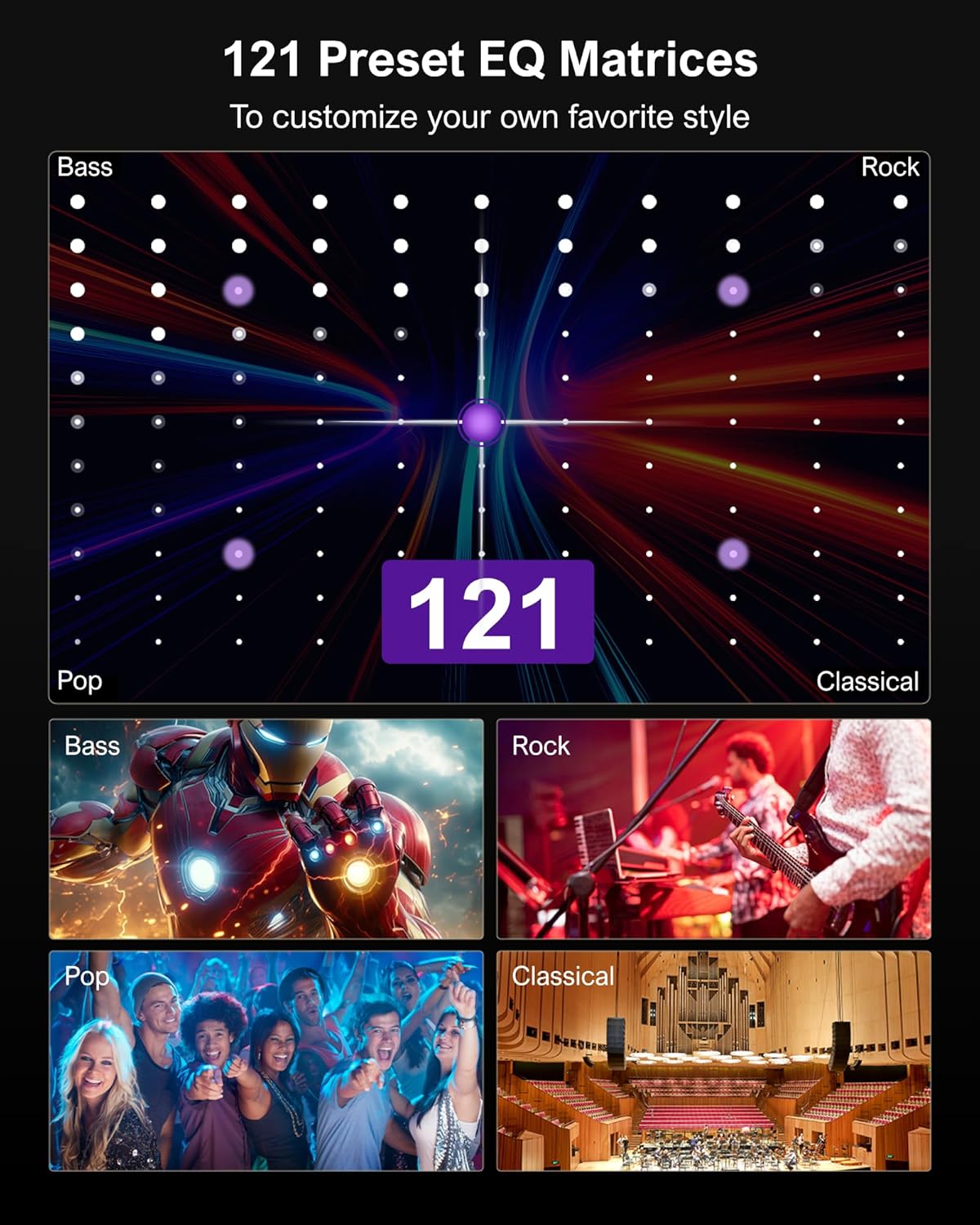
Image: A visual representation of the 121 preset EQ matrices available through the ULTIMEA app, offering diverse sound customization options for different genres.
5.4.2 OTA Upgrades
The app supports Over-The-Air (OTA) firmware upgrades to ensure your system always has the latest features and performance enhancements.
5.5 Adjustable Surround Levels
The system features 13 adjustable surround levels, allowing you to fine-tune the intensity of the surround effect from the rear speakers.
6. Specificații
| Caracteristică | Caietul de sarcini |
|---|---|
| Numele modelului | Aura A40 |
| Numărul de model al articolului | U2601 |
| Tip difuzor | Sunet surround |
| Configurare canal de sunet surround | 7.1 Virtual |
| Putere maximă de ieșire difuzor | 330 wați |
| Diametrul subwooferului | 4 inchi |
| Dimensiunea difuzorului | 2 inchi |
| Tehnologia de conectivitate | Optical, AUX, USB, Bluetooth 5.3 (No HDMI) |
| Tehnologia comunicațiilor fără fir | App Control/Bluetooth 5.3 |
| Metoda de control | De la distanță, aplicație |
| Material | Metal |
| Culoare | Negru |
| Dimensiunile produsului | 40A x 9L x 7Î centimetri |
| Sursa de alimentare | Electric cu fir |
| Producător | CELE MAI RECENTE |
7. Asistență și garanție
For technical support, troubleshooting, or warranty inquiries, please refer to the contact information provided in your product packaging or visit the official ULTIMEA website-ul.
The product comes with a limited warranty. Please retain your proof of purchase for warranty claims.


