1. Introducere
This manual provides essential information for the safe and efficient operation of your TESLA QLED Smart TV, Model Q55S939GUS. Please read these instructions thoroughly before using your television and retain them for future reference. This television features a 55-inch (140 cm) QLED display, Google TV operating system, Ultra HD resolution, HDR10, Dolby Atmos audio, built-in Wi-Fi, Bluetooth, and Chromecast.

Imaginea 1.1: Față view of the TESLA QLED Smart TV, highlighting key features.
2. Informații de siguranță
Always follow basic safety precautions when using this television to reduce the risk of fire, electric shock, and injury. Keep the television away from moisture and heat sources. Ensure proper ventilation. Do not block ventilation openings. Use only attachments/accessories specified by the manufacturer. Refer all servicing to qualified service personnel.
3. Conținutul pachetului
Verificați dacă toate articolele sunt prezente în colet:
- TESLA QLED Smart TV (Model Q55S939GUS)
- Telecomanda
- Cabluri de alimentare
- TV Stand/Base
- Baterii pentru telecomanda
- Manual de utilizare (acest document)
4. Configurare
4.1 Configurarea fizică
Atașarea suportului: Carefully place the TV screen-down on a soft, flat surface. Align the stand with the mounting holes on the bottom of the TV and secure it with the provided screws. Ensure the stand is firmly attached before placing the TV upright.

Image 4.1: TESLA QLED Smart TV with stand.
Montare pe perete: If you plan to wall mount the TV, refer to the instructions provided with your wall mount kit. Ensure the wall mount is compatible with the VESA mounting pattern of your TV. The back of the TV includes mounting points for this purpose.
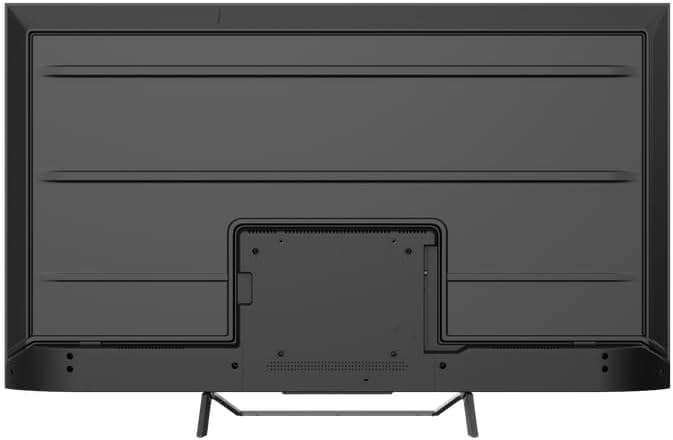
Imaginea 4.2: Spate view of the TV, indicating mounting points.
4.2 Pornirea inițială și conectarea la rețea
- Conectați cablul de alimentare la televizor și apoi la o priză.
- Apăsați butonul de pornire de pe telecomandă sau de pe televizor.
- Follow the on-screen instructions to select your language, country, and connect to your Wi-Fi network. You can also connect via Ethernet for a wired connection.
4.3 Configurarea Google TV
During the initial setup, you will be guided through setting up your Google TV account. This allows access to Google Assistant, Google Play Store apps, and personalized content recommendations. You will need a Google account to fully utilize these features.
5. Operarea televizorului
5.1 Control de la distanțăview
The remote control provides access to all TV functions. Insert the provided batteries into the remote control. Familiarize yourself with the button layout for easy navigation.

Image 5.1: TESLA Smart TV Remote Control.
5.2 Funcții de bază
- Putere: Apăsați butonul de alimentare pentru a porni sau opri televizorul.
- Volum: Folosiți butoanele VOL +/- pentru a regla nivelul sunetului.
- Canale: Use the P +/- buttons to change channels.
- Navigare: Folosiți pad-ul direcțional și butonul OK pentru a naviga prin meniuri și a selecta opțiuni.
- Acasă: Press the Home button to return to the Google TV home screen.
5.3 Smart TV Features (Google TV, Apps, Chromecast)
Your TESLA QLED Smart TV runs on Google TV, offering an intuitive interface and access to a vast library of content.
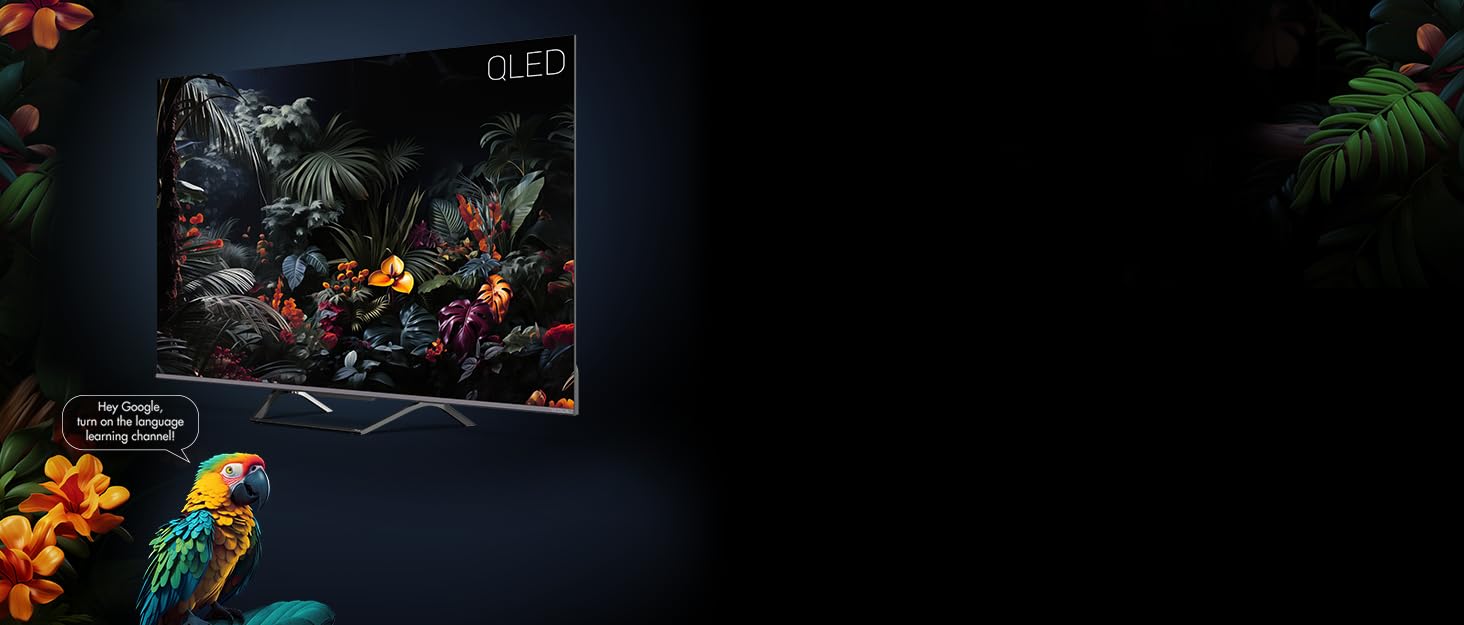
Image 5.2: Google Assistant integration on TESLA QLED TV.
- Interfața Google TV: The home screen provides personalized recommendations, quick access to installed apps like Netflix, YouTube, and Prime Video, and live TV options.
- Asistent Google: Use voice commands via the remote control to search for content, control smart home devices, get answers, and more.
- Chromecast încorporat: Cast content (videos, photos, music) directly from your compatible mobile devices or computer to the TV screen.
- Magazin Google Play: Download and install over 10,000 additional applications and games.
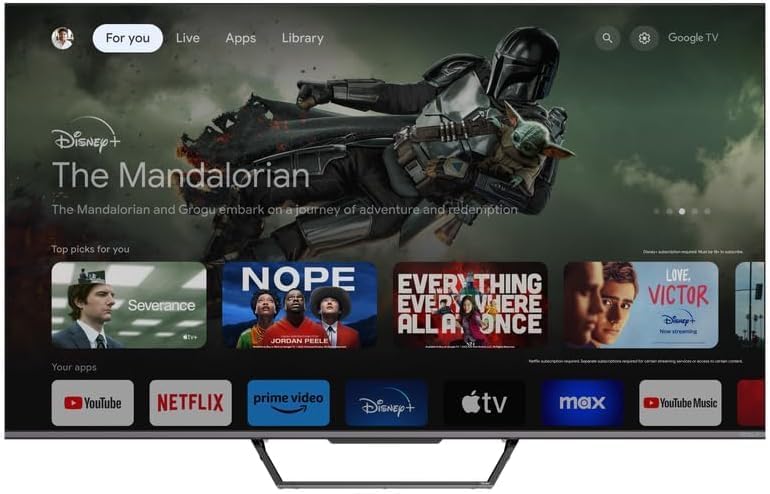
Image 5.3: Google TV home screen with app access.
5.4 Conectivitate
Televizorul oferă diverse porturi pentru conectarea dispozitivelor externe:
- Porturi HDMI (x3): Connect gaming consoles, Blu-ray players, soundbars, and other HDMI-enabled devices.
- Porturi USB (x2): Conectați unități USB pentru redare media sau stocare externă.
- Wifi: Conectați-vă wireless la rețeaua de domiciliu pentru acces la internet.
- Bluetooth: Connect wireless headphones, speakers, or other Bluetooth accessories.
- Ethernet: Pentru o conexiune stabilă la internet prin cablu.
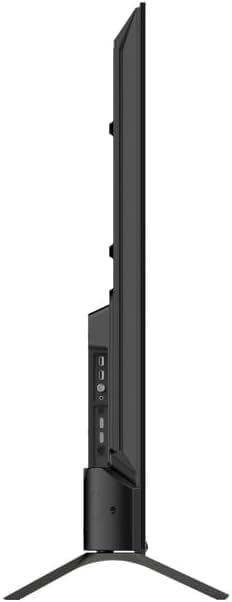
Imaginea 5.4: Laterală view of TV with connectivity ports.
5.5 Audio and Picture Settings
- Dolby Atmos & Ultra Surround: Experience immersive, three-dimensional audio. Adjust audio settings in the TV menu to optimize sound for your environment.
- Tehnologie QLED: Quantum Dot technology delivers over a billion shades of color, enhanced brightness, and superior contrast.
- HDR10: High Dynamic Range 10 provides a wider range of colors and contrasts, resulting in a more realistic image.
- Moduri de imagine: Select from various preset picture modes (e.g., Standard, Vivid, Movie, Game) or customize settings like brightness, contrast, color, and sharpness to suit your preferences.
6. Întreținere
6.1 Curățare
Deconectați întotdeauna televizorul de la priză înainte de curățare. Folosiți o cârpă moale și uscată pentru a șterge ecranul și carcasa. Pentru petele persistente, ștergeți ușor.ampen the cloth with water or a specialized screen cleaner. Never use abrasive cleaners, waxes, or solvents.
6.2 Actualizări de software
Your Google TV will periodically receive software updates to improve performance and add new features. Ensure your TV is connected to the internet to receive these updates. You can check for updates manually in the TV's settings menu.
7. Depanare
Dacă întâmpinați probleme cu televizorul, consultați următoarele probleme și soluții frecvente:
| Problemă | Soluție posibilă |
|---|---|
| Fără putere | Verificați dacă cablul de alimentare este conectat corect la televizor și la priză. Asigurați-vă că priza funcționează. |
| Nu există imagine, dar există sunet | Verificați sursa de intrare. Asigurați-vă că dispozitivele externe sunt conectate și pornite corect. |
| Nu există sunet, dar imaginea este prezentă | Verificați nivelul volumului. Asigurați-vă că nu este activat butonul Dezactivare sunet. Verificați setările de ieșire audio. |
| Telecomanda nu funcționează | Înlocuiți bateriile. Asigurați-vă că nu există obstacole între telecomandă și televizor. |
| Nu se poate conecta la Wi-Fi | Verificați routerul și conexiunea la internet. Introduceți din nou parola Wi-Fi. Încercați să reporniți televizorul și routerul. |
For further assistance, consult the TESLA support website-ul sau contactați serviciul pentru clienți.
8. Specificații
Key technical specifications for the TESLA QLED Smart TV Model Q55S939GUS:
| Caracteristică | Caietul de sarcini |
|---|---|
| Marca | TESLA |
| Numărul de model | Q55S939GUS |
| Dimensiunea ecranului | 55 inch (140 cm) |
| Tehnologia de afișare | QLED |
| Rezoluţie | 4K (3840 x 2160) |
| Sistem de operare | Google TV |
| Rata de reîmprospătare | 60 Hz |
| Caracteristici speciale | Chromecast, Built-in Speaker, Game Mode, Flat Panel, Wide Color Enhancer |
| Tehnologia audio | Dolby Atmos, Ultra Surround, 2 x 10W Speakers |
| Conectivitate | Bluetooth, HDMI (x3), RF, USB (x2), Wi-Fi, Ethernet |
| Dimensiuni produs (D x L x H) | 26.5 x 122.5 x 72 cm |
| Culoare | Argint metalic |

Image 8.1: Illustrative diagram of TV dimensions and remote control. Note: This product is 55 inches, not 75 inches as shown in the diagram.
9. Garanție și asistență
For warranty information, please refer to the warranty card included with your product or visit the official TESLA website. Keep your proof of purchase for warranty claims. For technical support, troubleshooting assistance, or service requests, please contact TESLA customer support through their official channels.


