Introducere
Thank you for choosing the Tibuta K7 Kids Tablet. This device is designed to provide a safe and engaging digital experience for children, featuring parental controls, educational content, and entertainment options. This manual will guide you through the initial setup, operation, and maintenance to ensure optimal performance and longevity of your tablet.
Ce este în cutie
Vă rugăm să verificați dacă toate articolele sunt prezente în colet:
- Tibuta K7 Kids Tablet
- Drop-proof Silicone Protective Case
- Cablu tip C
- Încărcător
- Manual de utilizare

Image: Contents of the Tibuta K7 Kids Tablet package. This image displays the tablet, its protective case, a USB-C charging cable, a power adapter, and the user manual, illustrating all items included with the product.
Produs terminatview
The Tibuta K7 Kids Tablet features a 7-inch HD display, a durable silicone protective case, and an Android 12 Go operating system. It is equipped with dual cameras and supports Wi-Fi connectivity.

Imagine: Față și verso view of the Tibuta K7 Kids Tablet. The tablet is shown in a pink protective case with a handle and kickstand, displaying a colorful children's cartoon on its screen.
Componentele tabletei

Image: Diagram of the Tibuta K7 Kids Tablet's external features. This illustration points out the front camera, 3.5mm headphone port, TF card slot, USB 2.0 OTG port, rear camera, volume buttons, power ON/OFF/Reset button, and speaker.
- Camera frontală: Pentru apeluri video și selfie-uri.
- Port pentru căști de 3.5 mm: Pentru conectarea căștilor.
- Slot pentru carduri TF: For expanding storage with a microSD card (up to 128GB).
- USB 2.0 OTG Port (Type-C): Pentru încărcare și transfer de date.
- Camera spate: Pentru realizarea de fotografii și videoclipuri.
- Butoane de volum: Reglați volumul audio.
- Power ON/OFF/Reset Button: Powers the tablet on/off or performs a reset.
- Vorbitor: Pentru ieșire audio.
Ghid de instalare
1. Încărcarea inițială
Before first use, fully charge the tablet. Connect the provided Type-C cable to the tablet's USB port and the charger to a power outlet. The charging indicator will show the charging status.
2. Pornire/Oprire
- Pentru a porni: Țineți apăsat butonul de alimentare până când ecranul se aprinde.
- Pentru a opri: Apăsați și mențineți apăsat butonul de Pornire/Oprire, apoi selectați „Oprire” din opțiuni.
- Pentru a reporni: Apăsați și mențineți apăsat butonul de pornire/oprire, apoi selectați „Repornire” din opțiuni.
3. Conexiune Wi-Fi
- Du-te la Setări > Rețea și internet > Wifi.
- Comutare Wi-Fi On.
- Selectați rețeaua Wi-Fi dorită din listă.
- Introduceți parola de rețea dacă vi se solicită, apoi atingeți Conectați-vă.
4. Kidoz Parental Control App Setup
The tablet comes pre-installed with the Kidoz parental control application. This app allows you to manage content, screen time, and access for your child.
- Lansați Kidoz aplicația de pe ecranul de pornire.
- Follow the on-screen instructions to create a parent account and set up child profiles.
- Configure settings such as screen time limits, content filtering, and application access.

Image: Parents setting up the Kidoz parental control app on the Tibuta K7 Kids Tablet. The image illustrates a family interacting with the tablet, highlighting features like screen time limits and content filtering.
Instrucțiuni de operare
Navigare
- Touch screen: Tap, swipe, and pinch to navigate the interface.
- Ecranul principal: Access frequently used apps and widgets.
- Notificări: Glisați în jos din partea de sus a ecranului la view notificări și setări rapide.
Using Kidoz and Applications
The Kidoz app provides a child-friendly interface and access to pre-approved content. Parents can manage available applications and content through the parental control settings.
- Accesarea aplicațiilor: Within the Kidoz environment, children can access approved games, educational apps, and media.
- Downloading New Apps: Parents can download additional applications from the Google Play Store, which can then be added to the child's approved list within Kidoz.
- Filtrarea conținutului: Kidoz allows for filtering of inappropriate content, ensuring a safe browsing and viewexperiență.
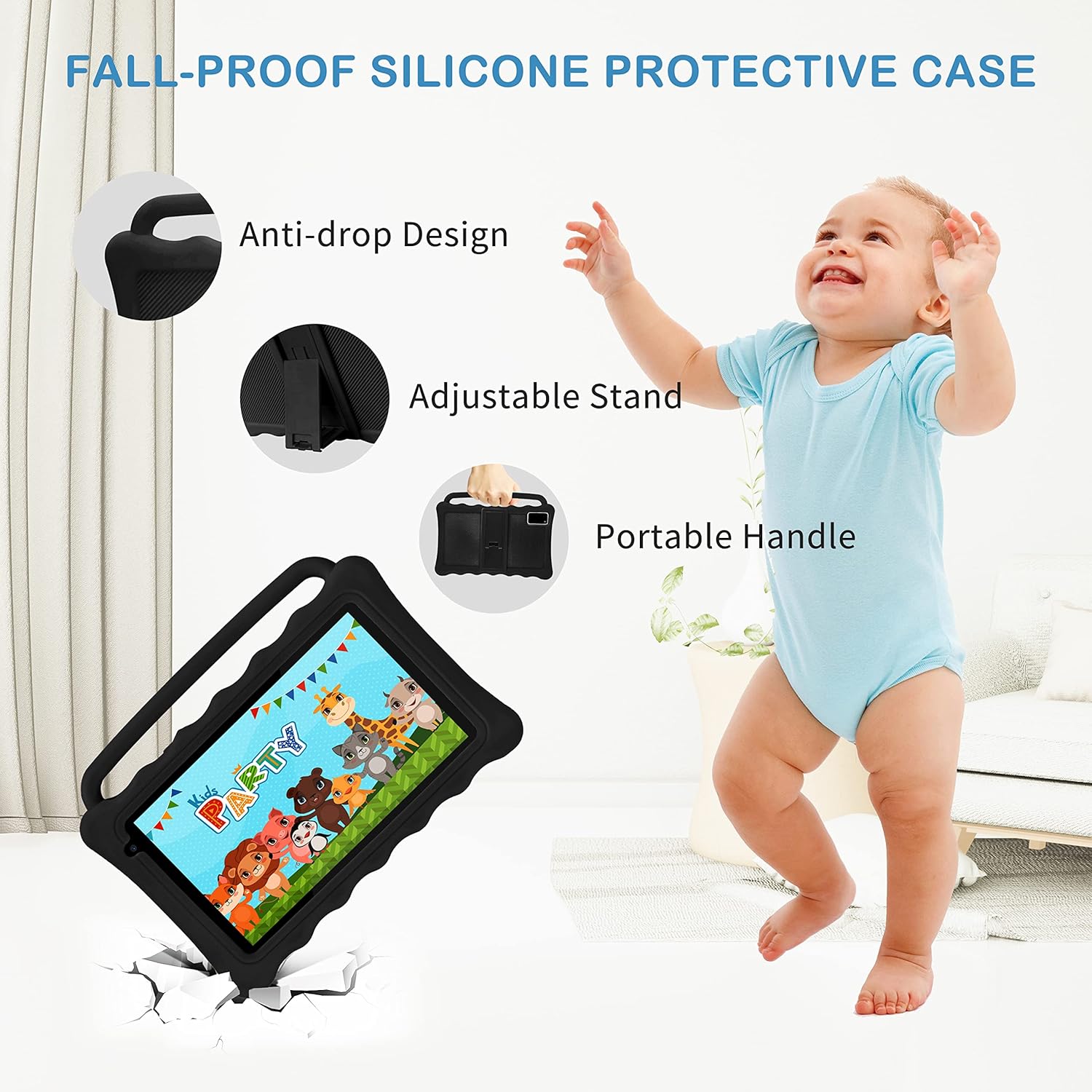
Image: The Tibuta K7 Kids Tablet showcasing its multi-functional capabilities for children. This image highlights pre-installed applications like ABCMouse, YouTube, Netflix, Google Play, and various games, books, and art tools.
Mod de protecție a ochilor
The 7-inch LCD screen is equipped with Low Blue Light technology to protect children's eyes. Activate the reading mode in settings to reduce screen flicker and harmful blue light, providing a more comfortable viewexperiență.

Image: Two children using the Tibuta K7 Kids Tablet, demonstrating the eye protection feature. The image emphasizes the 1024x600 HD screen and its low blue light technology for comfortable viewing.
Utilizarea camerei
The tablet features a 2MP front camera and a 5MP rear camera for capturing photos and videos.
- Deschideți Camera foto aplicarea.
- Atingeți butonul declanșator pentru a face o fotografie sau a porni/opri înregistrarea video.
- Switch between front and rear cameras using the camera icon on the screen.

Image: Children smiling and looking into the Tibuta K7 Kids Tablet camera. This image highlights the tablet's dual cameras (2MP front, 5MP rear) for capturing fun moments.
Întreţinere
Curățarea tabletei
- Folosiți o lavetă moale, fără scame, pentru a curăța ecranul și corpul tabletei.
- Pentru pete persistente, ușor dampClătiți laveta cu apă sau cu un produs de curățare a ecranelor conceput pentru electronice.
- Evitați utilizarea substanțelor chimice dure, a agenților de curățare abrazivi sau a spray-urilor cu aerosoli.
Îngrijirea bateriei
- Încărcați tableta în mod regulat, dar evitați să o lăsați complet încărcată sau complet descărcată pentru perioade lungi de timp.
- Use only the provided charger and cable to prevent damage to the battery.
- Avoid exposing the tablet to extreme temperatures, as this can affect battery life.
Carcasă de protecție
The silicone protective case is designed to safeguard the tablet from drops and impacts. Ensure the tablet is properly seated within the case at all times. The adjustable stand and portable handle enhance usability and portability.

Image: The Tibuta K7 Kids Tablet in a red protective case. This image highlights the anti-drop design, adjustable stand, and portable handle of the silicone case, demonstrating its protective and ergonomic features.
Depanare
- Tablet does not turn on:
- Ensure the tablet is fully charged. Connect it to the charger and wait a few minutes before attempting to power it on again. If unresponsive, press and hold the Power button for 10-15 seconds to force a restart.
- Ecranul nu răspunde:
- Restart the tablet. If the issue persists, ensure the screen is clean and free of debris. If the problem continues, a factory reset might be necessary (data will be lost).
- Probleme cu conexiunea Wi-Fi:
- Check if Wi-Fi is enabled in settings. Restart your Wi-Fi router. Forget the network on the tablet and reconnect. Ensure you are within range of the Wi-Fi signal.
- Kidoz app not working correctly:
- Ensure the Kidoz app is updated to the latest version. Clear the app's cache and data in Setări > Aplicații > Kidoz > Depozitare. If problems persist, reinstall the app or contact Kidoz support.
- Tablet runs slowly or freezes:
- Close unnecessary background applications. Clear cache for frequently used apps. Consider uninstalling unused apps to free up storage. If the issue is severe, a factory reset may resolve it.
Specificații
| Caracteristică | Detaliu |
|---|---|
| Marca | Tibuta |
| Numele modelului | K7 |
| Sistem de operare | Android 12 Go |
| Marca procesorului | Allwinner |
| Dimensiunea ecranului | 7 inci |
| Rezoluția ecranului | 1024 x 600 pixeli |
| RAM | 2 GB |
| Capacitate de stocare | 32 GB (extensibil până la 128 GB prin Micro SD) |
| Conectivitate | Wi-Fi (802.11g), Bluetooth |
| Camere de luat vederi | Front: 2MP, Rear: 5MP |
| Durata de viață a bateriei | Over 5 hours (usage dependent) |
| Culoare | Rose (as per product listing, other colors may vary) |


