Introducere
This manual provides comprehensive instructions for the operation, maintenance, and troubleshooting of your SEDSEY Smart Watch. Please read this manual carefully before using the device to ensure proper functionality and to maximize your user experience.

Figure 1: SEDSEY Smart Watch (Orange Silver variant) with active display and flashlight feature.
Înființat
1. Încărcarea dispozitivului
Before first use, fully charge your smart watch. Connect the magnetic charging cable to the charging points on the back of the watch and plug the USB end into a compatible power adapter (not included) or a computer USB port.
- Timp de încărcare: Aproximativ 2 ore pentru o încărcare completă.
- Battery Life: Up to 15 days of working time, or 30 days standby time.

Figure 2: Smart Watch with LED Flashlight and Battery Information.
2. Instalarea și asocierea aplicației
To unlock the full features of your smart watch, download and install the FitCloudPro aplicație de pe smartphone.
- Scan the QR code in the watch manual (if provided) or search for "FitCloudPro" in your smartphone's app store (compatible with Android 4.4+ and iOS 8.0+).
- Deschide aplicația FitCloudPro și urmează instrucțiunile de pe ecran pentru a crea un cont sau a te conecta.
- Activați Bluetooth pe smartphone-ul dvs.
- In the FitCloudPro app, navigate to the device pairing section and select your SEDSEY Smart Watch from the list of available devices. Confirm the pairing request on both your watch and smartphone.
Instrucțiuni de operare
1. Navigare de bază
The smart watch features a 1.43" AMOLED HD display. Swipe across the screen to access different functions and menus. Use the physical buttons on the side for power, back, and quick access to features like the flashlight.

Figure 3: 1.43" AMOLED Display Features.
2. Efectuarea și primirea apelurilor
The smart watch supports Bluetooth calls. Once paired with your mobile phone, you can dial, receive, and reject calls directly from your wrist using the built-in high-quality speaker and microphone.
- Apelare: Access the dial pad on the watch or select a contact from your synced phonebook.
- Primirea: When a call comes in, the watch will vibrate and display the caller ID. Tap to answer or reject.

Figure 4: Bluetooth Call and Smart Notification Features.
3. Notificări inteligente
Receive notifications for calls, messages, and app alerts (e.g., Twitter, Facebook, Skype, WhatsApp) directly on your watch. Ensure notification permissions are enabled in the FitCloudPro app and your phone settings.
4. Monitorizarea stării de sănătate
The smart watch features upgraded sensors for continuous health monitoring.
- Monitorizarea ratei cardiace: Real-time heart rate tracking throughout the day.
- Monitorizarea somnului: Tracks your sleep patterns and provides comprehensive analysis.
- Urmărirea activității: Accurately tracks steps, calories burned, distance, and activity time.
View detailed health data and trends within the FitCloudPro app.

Figure 5: Health Monitoring Features.
5. Moduri Sport
The watch supports over 100 sports modes, including walking, running, hiking, cycling, and more. Select your desired mode before starting an activity to record specific data.
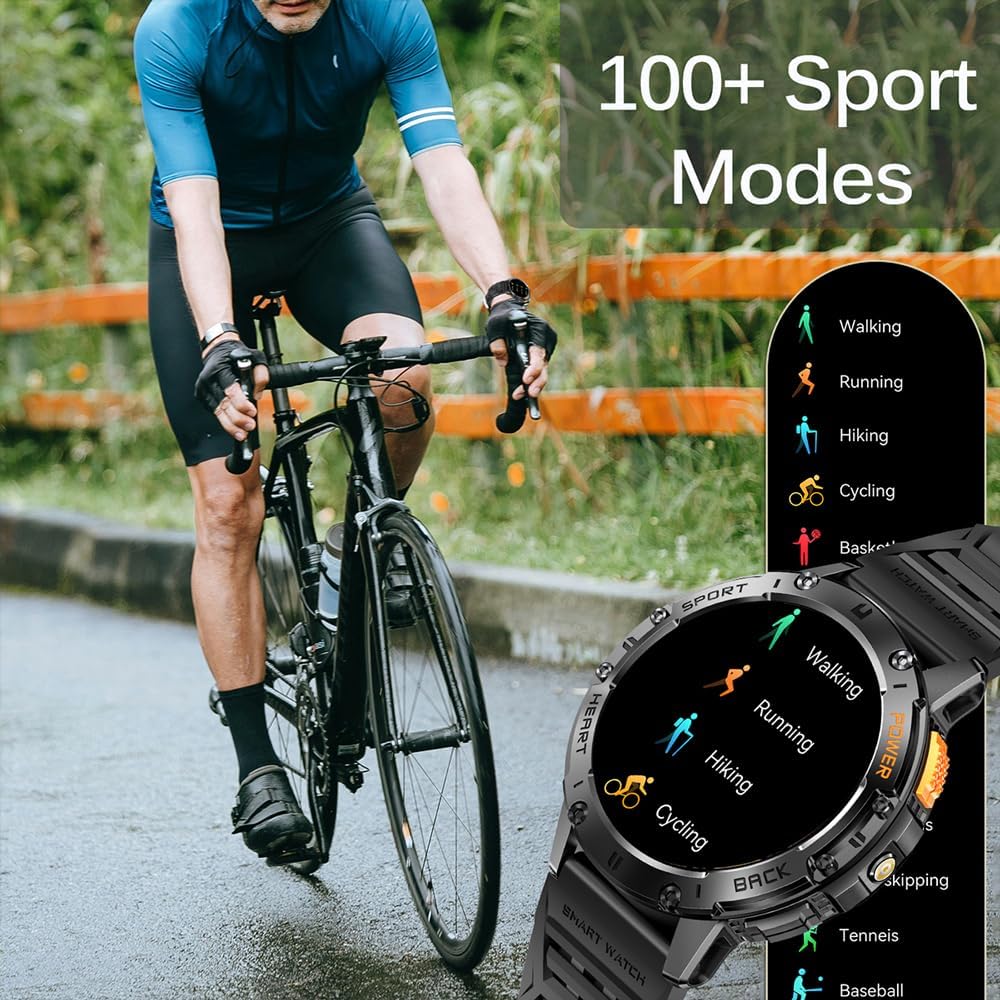
Figura 6: Peste 100 de moduri sportive.
6. Lanternă cu LED
Activate the built-in LED flashlight for convenience in low-light conditions. This feature is useful for outdoor adventures, night running, or short-term home lighting.
7. Fețe de ceas personalizabile
Personalize your watch with over 200 watch faces available through the FitCloudPro app. You can also customize watch faces with your own images.
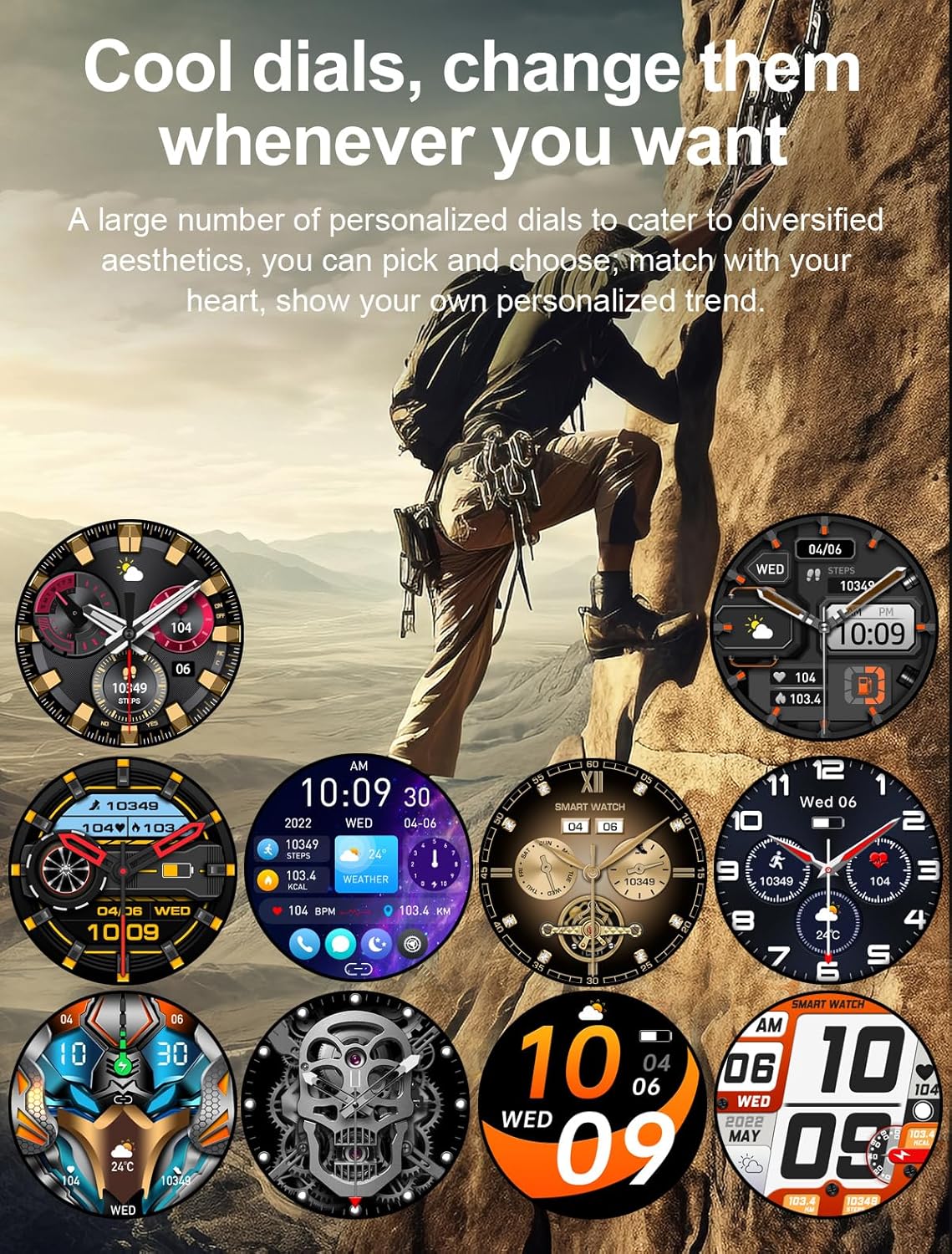
Figura 7: Fețe de ceas personalizabile.
8. Alte caracteristici
- Asistent vocal AI
- 7-day Weather Forecast
- Cronometru
- Ceas cu alarmă
- Controlul muzicii
- Controlul camerei
- Memento sedentar
Întreţinere
1. Curatenie
Regularly clean your smart watch and wrist strap with a soft, dry cloth. If necessary, use a slightly damp o lavetă și apoi uscați bine. Evitați utilizarea substanțelor chimice dure sau a materialelor abrazive.
2. Rezistenta la apa
The watch is IP68 waterproof, meaning it can withstand hand washing and rain. However, it is nu suitable for diving, saunas, or hot showers. Avoid prolonged submersion in water.

Figure 8: IP68 Waterproof and Additional Features.
3. Depozitare
Depozitați ceasul într-un loc răcoros și uscat, ferit de lumina directă a soarelui și de temperaturi extreme, atunci când nu îl utilizați pentru perioade lungi de timp.
Depanare
- Ceasul nu se pornește: Asigurați-vă că ceasul este complet încărcat. Conectați-l la încărcător timp de cel puțin 10 de minute.
- Nu se poate conecta la telefon:
- Asigurați-vă că Bluetooth este activat pe telefon și pe ceas.
- Asigurați-vă că ceasul se află în raza de acoperire Bluetooth a telefonului.
- Reporniți atât ceasul, cât și telefonul.
- Ștergeți memoria cache Bluetooth de pe telefon (dacă este cazul) și încercați din nou asocierea.
- Notificări neprimite:
- Check notification permissions in the FitCloudPro app.
- Asigurați-vă că notificările aplicației sunt activate în setările de sistem ale telefonului.
- Verify that the watch is properly connected via Bluetooth.
- Date inexacte privind sănătatea:
- Asigurați-vă că ceasul este purtat strâns pe încheietura mâinii, nici prea lejer, nici prea strâmt.
- Curățați zona senzorului de pe spatele ceasului.
- Note that health data is for reference only and not for medical diagnosis.
Specificații
| Caracteristică | Detaliu |
|---|---|
| Afişa | 1.43" AMOLED HD (460*460 resolution) |
| Capacitatea bateriei | 530mAh |
| Timp de încărcare | Aproximativ. 2 ore |
| Durata de viață a bateriei | 15 days (working), 30 days (standby) |
| Evaluare rezistentă la apă | IP68 |
| Conectivitate | Bluetooth |
| Compatibilitatea sistemelor de operare | Android 4.4+ / iOS 8.0+ |
| Numele aplicației | FitCloudPro |
| Materialul carcasei | Zinc Alloy (Military-grade tested) |
| Dimensiuni | 48mm (diameter), 12.9mm (thickness) |
| Dimensiunea curelei de încheietură | 150-260 mm |

Figura 9: Dimensiunile produsului.
Sprijin
For any questions or assistance, please contact our customer service. We provide 7/24 service to ensure your satisfaction.
Please refer to your purchase documentation or the FitCloudPro app for specific contact details.