Introducere
Welcome to the user manual for your XTU Wireless Doorbell with Camera. This device is designed to enhance your home security and convenience with its advanced features. Please read this manual carefully before installation and use to ensure optimal performance and safety.
Key features include 2K HD video resolution, PIR motion detection, two-way audio communication, and night vision capabilities. It is also compatible with smart home systems like Amazon Alexa and Google Home.
Produs terminatview
Componente
Your XTU Wireless Doorbell package typically includes:
- XTU Wireless Doorbell Unit
- Unitate de sonerie interioară
- Suport de fixare
- Șuruburi și ancore de montare
- Cablu de încărcare USB
- Manual de utilizare (acest document)

Image: The XTU Wireless Doorbell unit, the indoor chime, and a smartphone displaying the doorbell's live feed.
Caracteristici
- 2K HD Video Quality: Provides clear and detailed video recordings day and night, ensuring you don't miss any important details.
- Detectarea mișcării PIR: Advanced passive infrared motion detection technology instantly alerts you to visitors or suspicious activity at your door.
- Multi-Angle Support: The adjustable mounting bracket allows you to set the doorbell at one of five different angles (-45°, -22.5°, 0°, 22.5°, 45°) to optimize your field of view.
- Two-Way Audio & Voice Changer: Communicate with visitors in real-time through the built-in microphone and speaker. The voice changer feature can be used to mask your true voice for added privacy.
- Compatibilitate Smart Home: Seamlessly integrates with Amazon Alexa and Google Home devices (specifically Echo Show and Google Nest Hub) for a smarter home experience.
- Stocare locală și în cloud: Supports local storage via a micro SD card (up to 128GB, not included) and offers a free basic lifetime cloud service for storing key video clips.
- Design impermeabil: Engineered to be waterproof, ensuring reliable operation outdoors in various weather conditions.
- Vedere de noapte: Equipped with infrared night vision, the doorbell provides clear video recording even in low light or complete darkness.

Image: A delivery person approaching a house, with a blue overlay indicating the PIR motion detection zone. A smartphone screen shows a timeline of detected events.
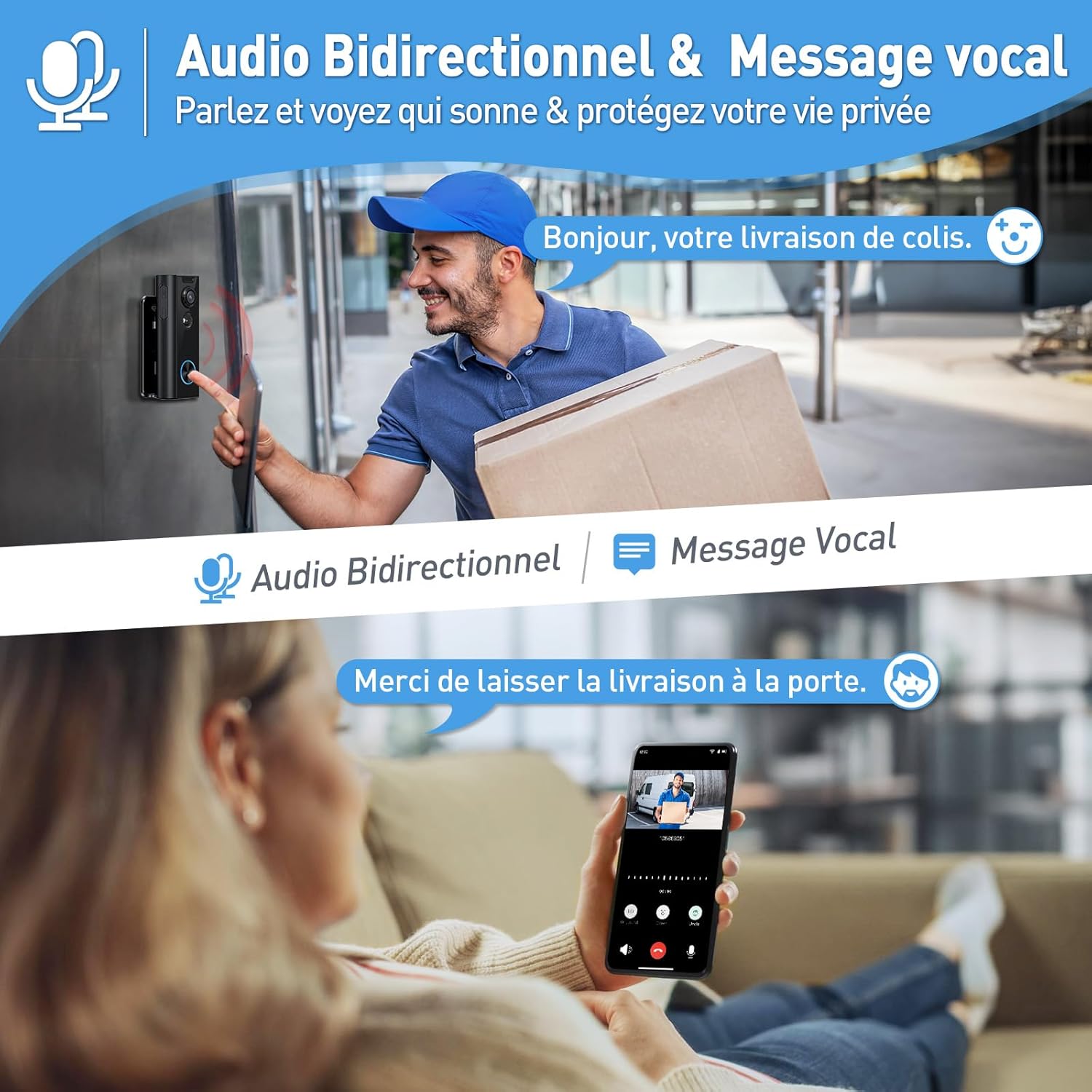
Image: Top part shows a person at the doorbell and a speech bubble saying "Hello, your package delivery." Bottom part shows a person on a couch interacting with the doorbell via a smartphone, with a speech bubble saying "Please leave the delivery at the door."
Ghid de instalare
1. Încărcarea soneriei
Before installation, fully charge the doorbell unit using the provided USB cable. A full charge ensures optimal performance and battery life. The app will notify you when the battery needs charging.
2. Instalarea aplicației și crearea contului
Download the "CloudEdge" app from your smartphone's app store (available for iOS and Android). Follow the in-app instructions to create an account and log in.
3. Pairing the Doorbell with the App
In the CloudEdge app, select "Add Device" and follow the prompts to connect your doorbell to your home Wi-Fi network. Ensure your Wi-Fi signal is strong at the intended installation location for stable connectivity.
4. Montarea soneriei
- Release the mounting bracket from the doorbell unit.
- Mark the screw holes on your wall using the mounting bracket as a template.
- Install the bracket on your wall using the provided screws and anchors. For flat, smooth surfaces, you may also use the included adhesive.
- Attach the doorbell to the fixed bracket.
- Adjust the angle of the doorbell using the adjustable support and secure it with the security screw. You can choose from 5 different angles (-45°, -22.5°, 0°, 22.5°, 45°) to optimize your view.

Image: A six-step diagram illustrating the installation process of the doorbell, from detaching the bracket to securing the doorbell and adjusting its angle.

Image: A hand using a screwdriver to adjust the angle of the doorbell on its mounting bracket, with illustrations of five possible angle settings below.
Instrucțiuni de operare
Trăi View și Notificări
Once installed and connected, you can access the live video feed from your doorbell via the CloudEdge app at any time. You will receive instant notifications on your smartphone when motion is detected or the doorbell button is pressed.
Comunicare bidirecțională
When a visitor rings the doorbell or motion is detected, you can initiate a two-way conversation through the app. Use the voice changer feature to mask your voice for added privacy. You can also set up pre-recorded voice messages for quick responses, such as instructing delivery personnel.

Image: A smartphone screen showing an incoming call from the doorbell, with options to answer or send a quick pre-recorded message like "Please leave the package at the door."
Setări de detectare a mișcării
Customize motion detection zones within the app to focus on specific areas and reduce false alarms from passing vehicles or pets. Adjust sensitivity levels to suit your environment for optimal performance.

Image: An illustration of a house with a yard, showing a person walking in a highlighted yellow zone, indicating a customized motion detection area, while a dog outside the zone does not trigger an alert.
Opțiuni de stocare
Video recordings can be stored on a micro SD card (up to 128GB, not included) inserted into the doorbell unit. A basic free lifetime cloud service is also available for storing important video clips, providing a convenient backup solution.

Image: A smartphone displaying a list of recorded video clips, with icons for cloud storage and a micro SD card, indicating storage options.
Integrare Smart Home
Connect your XTU doorbell with Amazon Alexa or Google Home devices (specifically Echo Show and Google Nest Hub) to enable voice commands and view your doorbell's live feed on compatible smart displays, enhancing your smart home ecosystem.

Image: A woman in a kitchen interacting with an Echo Show device, which displays the live feed from the doorbell showing two children at the door. Logos for "works with Google Home" and "works with Alexa" are present.
Întreţinere
Încărcarea bateriei
The doorbell is powered by a rechargeable battery. The CloudEdge app will notify you when the battery level is low. To charge, remove the doorbell unit from its mounting bracket and connect it to a power source using the provided USB charging cable. A full charge can last for an extended period depending on usage and environmental factors.
Curatenie
Ștergeți periodic lentila camerei și exteriorul soneriei cu o cârpă moale și umedă.amp cloth to ensure clear video quality and proper operation. Avoid using harsh chemicals or abrasive materials that could damage the device.
Depanare
| Problemă | Cauza posibila | Soluţie |
|---|---|---|
| Soneria nu se conectează la Wi-Fi. | Weak Wi-Fi signal; incorrect password; too far from router. | Ensure doorbell is within Wi-Fi range. Double-check Wi-Fi password. Consider a Wi-Fi extender if the signal is consistently weak. |
| Alerte frecvente de mișcare falsă. | Motion detection sensitivity too high; wide detection zone. | Adjust motion detection sensitivity in the app. Define custom motion zones to exclude busy areas like public sidewalks or roads. |
| Durată scurtă de viață a bateriei. | Frequent motion detections; extreme temperatures; continuous live view. | Reduce motion detection sensitivity or frequency. Ensure optimal operating temperature. Limit continuous live view. Consider a compatible solar panel charger for continuous power. |
| Calitate video slabă. | Dirty lens; poor lighting; unstable network connection. | Clean the camera lens with a soft cloth. Ensure adequate lighting in the viewing area. Check Wi-Fi connection stability and signal strength. |
| Chime not ringing. | Chime not paired; volume too low; power issue. | Ensure the chime is properly paired with the doorbell. Check the chime's volume settings. Verify the chime is plugged into a working power outlet. |
Specificații
- Nume model: J10
- Culoare: Negru
- Rezoluția înregistrării video: 2K HD
- Tehnologie de conectivitate: Wireless (Wi-Fi)
- Sursa de alimentare: Alimentat cu baterie
- Viewunghi: 120 de grade
- Gama Night Vision: 10 metri
- Nivel de rezistență la apă: Impermeabil
- Tipul controlerului: Aplicația CloudEdge
- Utilizare recomandată: Securitate în aer liber
- Dimensiuni (L x l x H): Approximately 50 x 50 x 50 millimeters (5 x 5 x 5 cm)
- Greutate: 460 de grame
Garanție și suport
XTU is committed to providing high-quality products and excellent customer service. Your satisfaction is our priority.
- 30-Day Amazon Return Policy: Enjoy peace of mind with Amazon's standard return policy.
- 12-Month Warranty Service: Your product is covered by a 12-month warranty from the date of purchase, protecting against manufacturing defects.
- Asistență clienți pe viață: XTU offers lifetime customer assistance for any inquiries or issues you may encounter with your product.
- Disponibilitatea pieselor de schimb: Piesele de schimb sunt disponibile timp de 2 ani de la data achiziției.
For support, please contact XTU customer service at support.eu@xtucam.com. Please include your model number and a detailed description of your issue for faster assistance.

Image: A graphic illustrating the 30-day Amazon return, 12-month warranty, and lifetime customer support.


