1. Introducere
The KONNWEI KW450 is a comprehensive OBD2 diagnostic scanner designed for both VAG group vehicles (Volkswagen, Audi, Seat, Skoda) and universal OBDII/EOBD compliant cars. This advanced, user-friendly tool enables technicians and car owners to accurately diagnose and perform maintenance functions on various vehicle systems. It supports a wide range of special functions for VAG vehicles and standard OBDII diagnostic capabilities for all compatible cars.
The device is certified with CE, FCC, and RoHS, ensuring compliance with safety and environmental standards.
2. Configurare și utilizare inițială
2.1 Conținutul pachetului
- KONNWEI KW450 Diagnostic Scanner
- Cablu OBD2
- USB Cable for updates
- Manual de utilizare
2.2 Conectarea la vehiculul dumneavoastră
- Localizați conectorul de legătură de date (DLC) cu 16 pini al vehiculului. Acesta se află de obicei sub bordul de bord, pe partea șoferului.
- Asigurați-vă că aprinderea vehiculului este în poziția OPRIT.
- Firmly plug the OBD2 cable into the vehicle's DLC port.
- Rotiți contactul vehiculului în poziția ON (motorul oprit). Scanerul se va porni automat.
2.3 Setări de limbă
Upon first use, or if you need to change the language, navigate to the 'Settings' menu on the device. Select 'Language' and choose your preferred language (English is the default).
3. Instrucțiuni de utilizare
3.1 VAG Special Functions
The KW450 provides 9 special maintenance functions specifically for Volkswagen, Audi, Seat, and Skoda vehicles. Access these functions from the main menu by selecting the appropriate VAG vehicle brand.
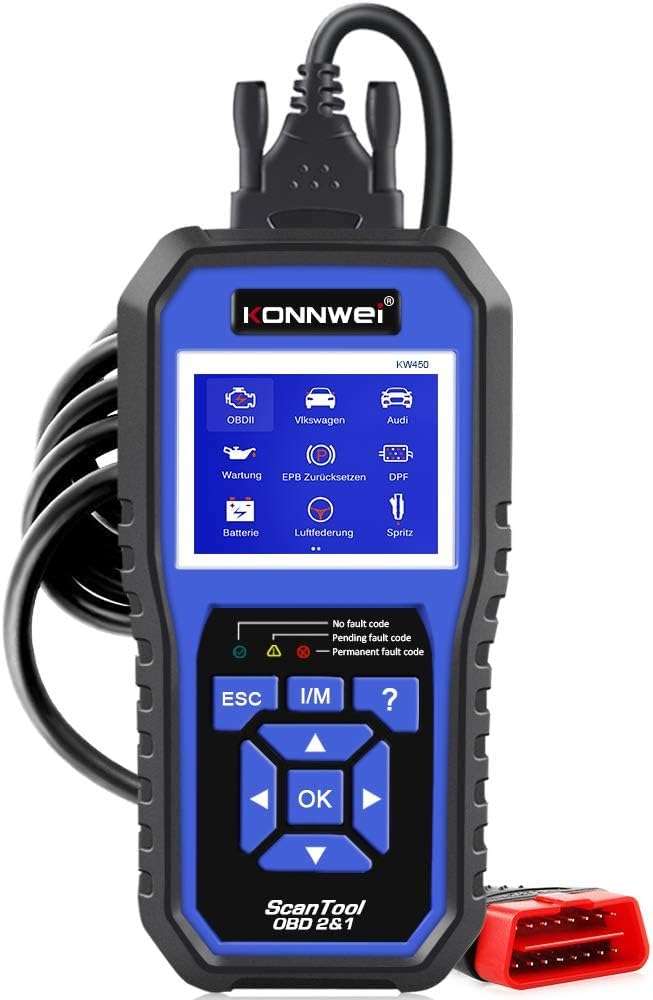
Figure 1: KONNWEI KW450 displaying its 9 special functions for VAG vehicles. These include Oil Service Reset, TPS Replacement Reset, Electronic Parking Brake (EPB) Reset, Battery Matching, Diesel Particulate Filter (DPF) Regeneration, Steering Angle Sensor (SAS) Calibration, Injector Coding, Suspension Adjustment, and Lamp Setare.
- Resetare service ulei: Resetează martorul luminos de service al uleiului după un schimb de ulei.
- Resetare înlocuire TPS: Calibrates the throttle position sensor.
- Resetare EPB: Resets the electronic parking brake system for pad replacement.
- Potrivirea bateriei: Înregistrează o baterie nouă în sistemul vehiculului.
- Regenerarea DPF-ului: Inițiază procesul de regenerare a filtrului de particule diesel.
- Calibrare SAS: Calibrează senzorul de unghi de direcție.
- Codarea injectoarelor: Codifică noile valori ale injectoarelor în ECU.
- Reglarea suspensiei: Reglează setările suspensiei vehiculului.
- Lamp Setare: Configures vehicle lighting parameters.
3.2 Universal OBDII/EOBD Functions
For all other OBDII/EOBD compliant vehicles, the KW450 offers standard diagnostic capabilities. Select 'OBDII' from the main menu to access these functions.
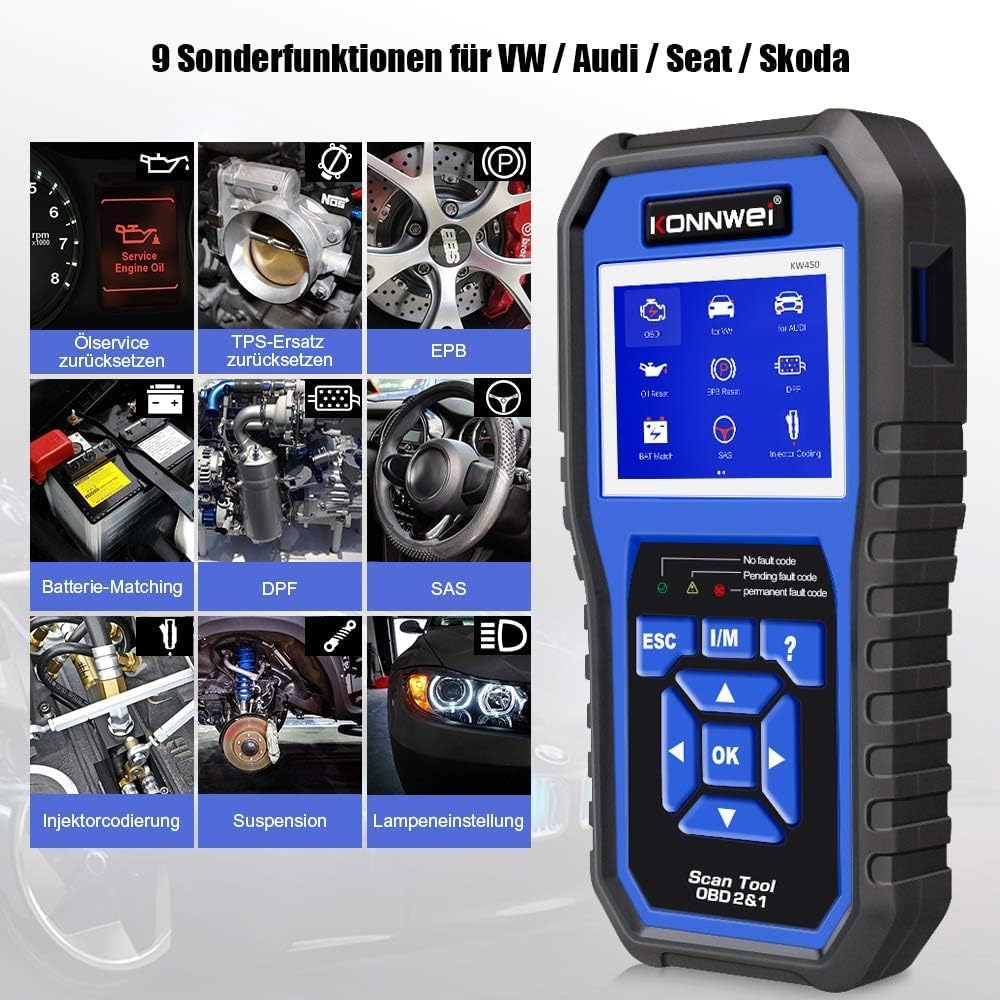
Figure 2: KONNWEI KW450 displaying universal OBD2 functions. These include Read Codes, Erase Codes, Live Data, Freeze Frame, O2 Sensor Test, I/M Readiness, On-Board Monitor Test, EVAP System Test, DTC Code Lookup, and VIN Information.
- Citiți codurile: Preia codurile de diagnosticare a erorilor (DTC) de la computerul vehiculului.
- Ștergeți codurile: Șterge codurile de eroare de eroare din computerul vehiculului și stinge indicatorul de defecțiune Lamp (MIL).
- Date live: Afișează fluxul de date în timp real de la senzorii vehiculului.
- Blocare cadru: Shows a snapshot of operating conditions at the time a fault occurred.
- Test senzor O2: Preia rezultatele testelor de monitorizare a senzorului de O2.
- Disponibilitate I / M: Verifică disponibilitatea monitoarelor legate de emisii.
- Test monitor de bord: Preia rezultatele testelor de monitorizare a diagnosticării la bord.
- Testul sistemului EVAP: Inițiază un test al sistemului de control al emisiilor prin evaporare.
- Căutare cod DTC: Oferă descrieri detaliate ale codurilor de eroare.
- Informații VIN: Displays Vehicle Identification Number and other vehicle information.
4. Întreținere
4.1 Actualizări de software
The KONNWEI KW450 supports lifetime free software updates to ensure compatibility with new vehicle models and diagnostic protocols. To update the device:
- Download the 'Uplink' software from the official KONNWEI website onto a computer running Windows XP, 7, 8, or 10.
- Install the 'Uplink' software.
- Conectați scanerul KW450 la computer folosind cablul USB furnizat.
- On the scanner, press and hold the 'OK' button while plugging in the USB cable. The scanner screen should indicate 'Update Mode'.
- Open the 'Uplink' software on your computer and click 'Check Update'. Follow the on-screen instructions to complete the update process.

Figure 3: The KONNWEI KW450 connected to a computer for software updates. The 'Uplink' software facilitates the update process, ensuring the device has the latest diagnostic capabilities.
4.2 Curățarea și depozitarea
- Curăţaţi dispozitivul cu un material moale, damp pânză. Nu utilizați agenți de curățare abrazivi sau solvenți.
- Store the scanner in a dry, cool place, away from direct sunlight and extreme temperatures.
- Keep the cables free from kinks and damage.
5. Depanare
| Problemă | Cauza posibila | Soluţie |
|---|---|---|
| Dispozitivul nu pornește. | Loose connection to DLC; vehicle ignition not ON; faulty OBD2 cable. | Ensure cable is securely connected. Turn ignition to ON. Try a different OBD2 port if available or check cable for damage. |
| Eroare de comunicare cu vehiculul. | Incorrect protocol selected; vehicle not OBDII compliant; faulty vehicle DLC. | Verify vehicle is OBDII compliant. Check vehicle manual for DLC issues. Try on another compatible vehicle. |
| Nu se pot șterge codurile de eroare. | Underlying issue not resolved; ignition not ON; specific codes cannot be cleared by generic OBD2. | Address the root cause of the fault. Ensure ignition is ON. Some manufacturer-specific codes require specialized tools. |
| Actualizarea software-ului eșuează. | Incorrect 'Uplink' software version; unstable USB connection; firewall/antivirus blocking. | Download the latest 'Uplink' software. Ensure a stable USB connection. Temporarily disable firewall/antivirus. |
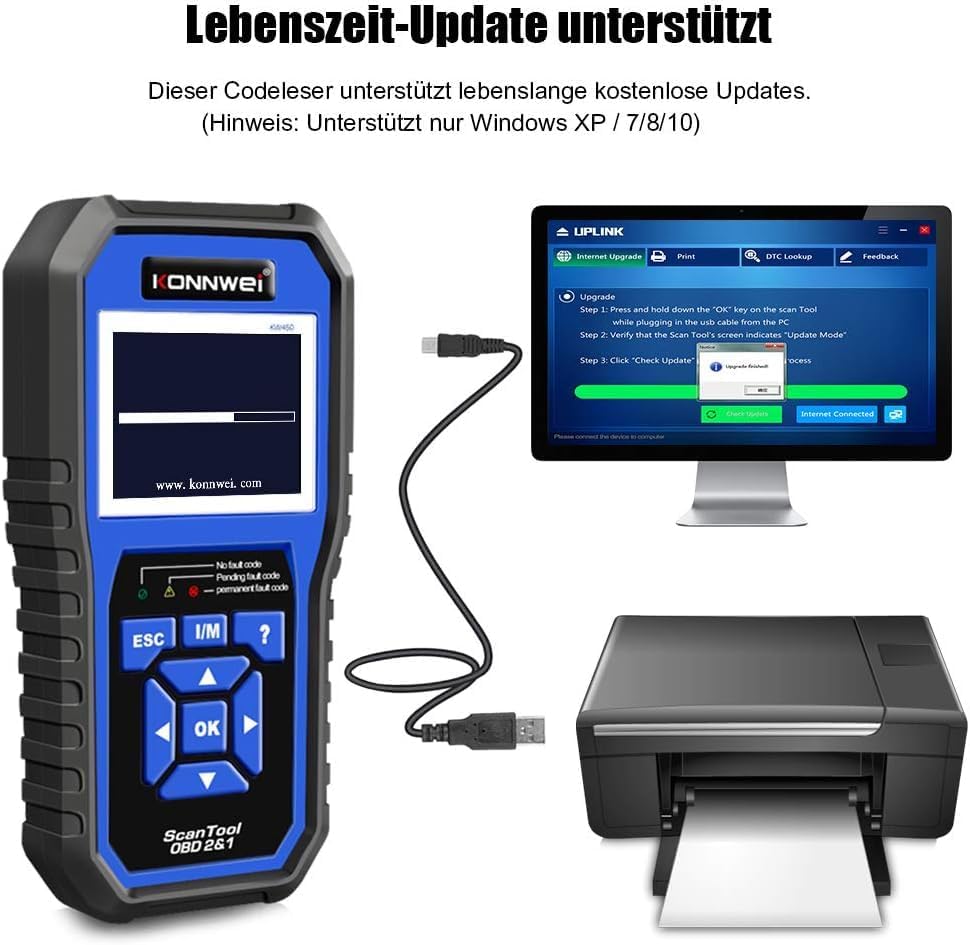
Figure 4: The KONNWEI KW450 main screen, showing indicators for 'No fault code', 'Pending fault code', and 'Permanent fault code' which are crucial for troubleshooting.
6. Specificații
| Caracteristică | Detaliu |
|---|---|
| Marca | KONNWEI |
| Model | KW450 |
| Dimensiunea ecranului | 5 inci |
| Sistem de operare (pentru actualizări) | Windows XP, 7, 8, 10 |
| Sursa de alimentare | Wired (via OBD2 port) |
| Dimensiuni produs (L x l x H) | 15.01 x 10 x 5 cm |
| Greutatea articolului | 20 de grame |
| Certificari | Conform CE, FCC, RoHS |
7. Informații despre garanție
Please refer to the warranty card included with your product or contact the retailer/manufacturer for specific warranty terms and conditions. Extended warranty options may be available from third-party providers.
8. Asistență pentru clienți
For technical assistance, troubleshooting, or general inquiries, please contact KONNWEI customer support through their official website or the contact information provided in your product packaging. Ensure you have your product model (KW450) and purchase details ready when contacting support.


