1. Introducere
This manual provides comprehensive instructions for the setup, operation, maintenance, and troubleshooting of your HP 24-inch FHD IPS Monitor, Model 94C21AA#ABA. Please read this manual thoroughly before using your monitor to ensure proper functionality and to maximize your user experience. This monitor features a 24-inch Full HD (1920x1080) IPS display with a 100Hz refresh rate, 300 nits brightness, and includes a Docztorm Hub USB Port Expander.
2. Conținutul pachetului
Verificați dacă toate articolele sunt prezente în colet:
- HP 24-inch FHD IPS Monitor
- Suport monitor (bază și gât)
- Docztorm Hub USB Port Expander
- Adaptor de alimentare
- Cablu de alimentare AC
- Cablu HDMI
- Document Kit (includes this user manual and warranty information)
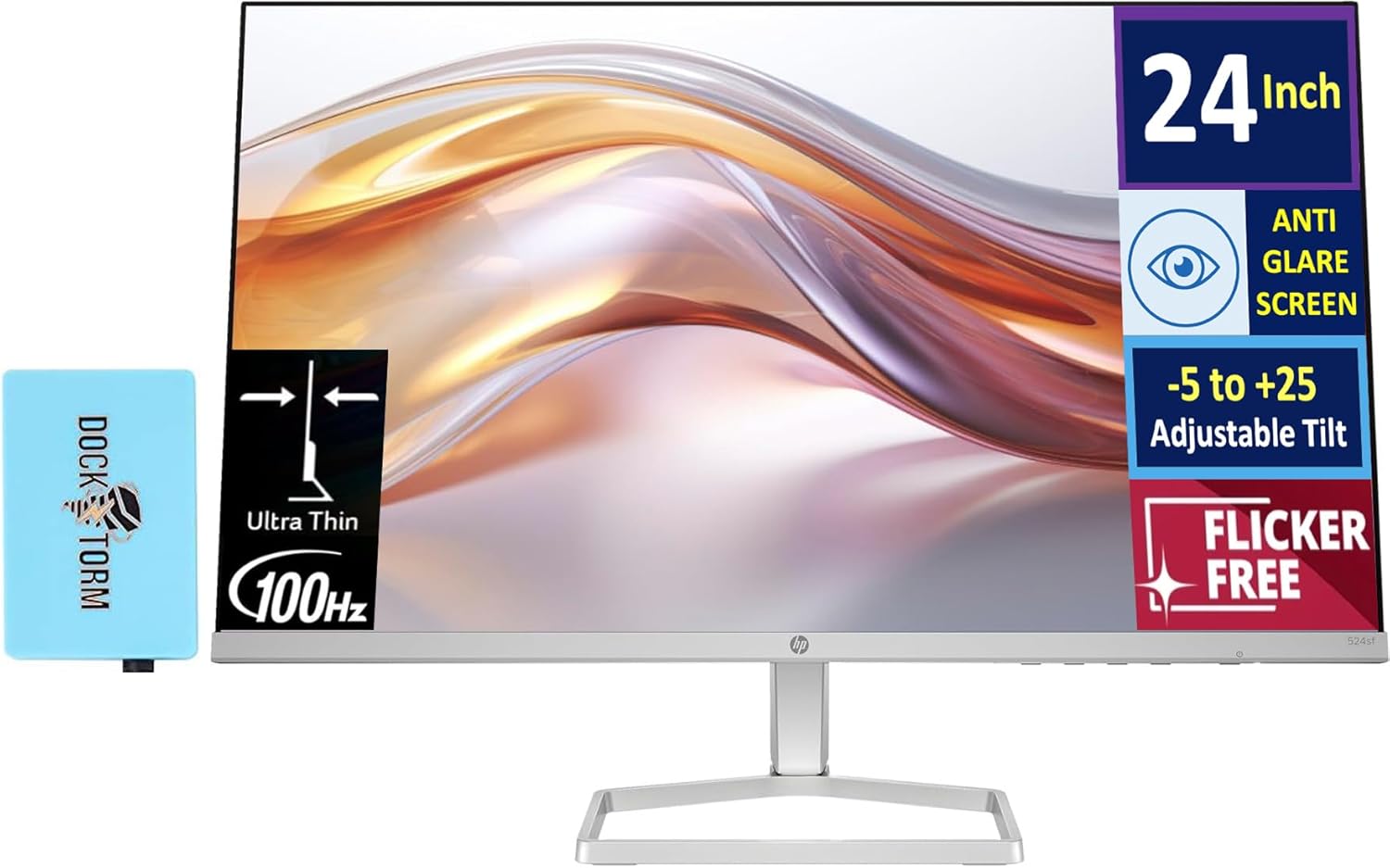
Image: The HP 24-inch FHD IPS Monitor shown with the included Docztorm Hub USB Port Expander.
3. Instrucțiuni de configurare
3.1 Asamblarea suportului monitorului
- Așezați cu grijă monitorul cu fața în jos pe o suprafață moale și curată pentru a preveni zgârieturile.
- Attach the stand neck to the back of the monitor. Ensure it clicks securely into place.
- Attach the stand base to the stand neck. Tighten any screws if provided, usually by hand or with a coin.
- Ridicați ușor monitorul asamblat și așezați-l în poziție verticală pe un birou sau o suprafață stabilă.

Imagine: Laterală view of the HP 24-inch monitor, illustrating its slim profile and stand attachment.
3.2 Cabluri de conectare
- Conexiune de alimentare: Connect the power adapter to the monitor's power input, then plug the AC power cord into the adapter and a wall outlet.
- Conexiune video:
- For optimal display quality, connect the included HDMI cable from your computer's HDMI output to the monitor's HDMI input.
- Alternatively, if your computer has a VGA port, connect a VGA cable (not included) from your computer to the monitor's VGA input.
- Docztorm Hub Connection: Connect the Docztorm Hub USB Port Expander to an available USB port on your computer. This hub provides additional USB connectivity.

Imagine: Spate view of the HP 24-inch monitor, highlighting the HDMI, VGA, and power input ports.
4. Instrucțiuni de utilizare
4.1 Pornire/Oprire
Apăsați butonul de alimentare situat în partea dreaptă jos a monitorului pentru a-l porni sau opri. Indicatorul luminos de alimentare se va aprinde când monitorul este pornit.
4.2 Adjusting Tilt
The monitor supports an adjustable tilt range of -5 to +25 degrees. Gently hold the top and bottom edges of the monitor and tilt it to your desired viewing angle. Avoid applying excessive force.

Image: The HP 24-inch monitor tilted to demonstrate its adjustable viewunghiul de ing.
4.3 Meniul de afișare pe ecran (OSD).
Use the buttons on the bottom right bezel of the monitor to navigate the OSD menu. The OSD menu allows you to adjust various display settings such as brightness, contrast, color temperature, input source, and more.
- Press any OSD button to activate the menu.
- Folosește butoanele de navigare pentru a te deplasa prin opțiunile din meniu.
- Press the 'Select' or 'OK' button to confirm a selection.
- Apăsați butonul „Ieșire” sau „Înapoi” pentru a reveni la meniul anterior sau a ieși din OSD.
5. Caracteristici cheie
- 24-inch FHD IPS Display: Enjoy vibrant colors and wide viewing angles with the Full High Definition (1920x1080) In-Plane Switching panel.
- Rata de actualizare 100Hz: Experience smoother visuals, especially during fast-paced content or general use.
- Luminozitate 300 niți: Provides a bright and clear display suitable for various lighting conditions.
- Tehnologie fără pâlpâire: Reduce pâlpâirea ecranului pentru a minimiza oboseala ochilor în timpul utilizării prelungite.
- HP Eye Ease (Low-Blue Light Filter): An always-on hardware solution that reduces blue light emissions without impacting color accuracy, enhancing eye comfort.
- Anti-glare Screen: Minimizes reflections for better visibility in brightly lit environments.
- Docztorm Hub USB Port Expander: A portable USB hub included to expand your device's connectivity with super speedy data sync rates up to 5Gbps.
- Conectivitate: Features 1x HDMI 1.4 and 1x VGA port for versatile connection options.

Image: A visual comparison demonstrating the effect of HP Eye Ease, showing reduced yellow color shift for improved eye comfort.

Image: Two HP 24-inch monitors set up side-by-side, demonstrating the thin bezels ideal for a seamless dual-screen experience.
6. Întreținere
6.1 Curăţarea monitorului
- Opriți întotdeauna monitorul și deconectați cablul de alimentare înainte de curățare.
- Utilizați ușor o cârpă moale, fără scame dampcurățat cu apă sau cu o soluție de curățare a ecranelor neabrazivă.
- Wipe the screen gently. Avoid pressing hard or using harsh chemicals, which can damage the display.
- Curățați monitorul casinștergeți cu o cârpă moale și uscată.
6.2 Depozitare
If storing the monitor for an extended period, ensure it is powered off, unplugged, and stored in a cool, dry place away from direct sunlight and extreme temperatures. It is recommended to use the original packaging for protection.
7. Depanare
- Fără putere:
- Ensure the power cord is securely connected to the monitor and the power outlet.
- Verificați că priza de alimentare funcționează conectând un alt dispozitiv.
- Check the power adapter for any damage.
- Fără semnal / Ecran gol:
- Confirm the video cable (HDMI or VGA) is securely connected to both the monitor and your computer.
- Asigurați-vă că aveți computerul pornit și nu în modul repaus.
- Use the OSD menu to manually select the correct input source (HDMI or VGA).
- Try connecting the monitor to another computer or using a different video cable to rule out cable or computer issues.
- Calitate slabă a imaginii:
- Reglați setările de luminozitate, contrast și culoare prin intermediul meniului OSD.
- Ensure your computer's display resolution is set to the monitor's native resolution (1920 x 1080).
- Check for any physical damage to the screen or cable.
8. Specificații
| Caracteristică | Detaliu |
|---|---|
| Dimensiunea ecranului | 24 inchi |
| Tip panou | IPS |
| Rezoluţie | FHD 1080p (1920 x 1080 pixeli) |
| Rata de reîmprospătare | 100 Hz |
| Luminozitate | 300 niți (300 Lux) |
| Raportul de aspect | 16:9 |
| Suprafața ecranului | Flat, Anti-glare |
| Conectivitate | 1x HDMI 1.4, 1x VGA |
| Ajustări | Adjustable Tilt (-5 to +25 degrees) |
| Caracteristici speciale | Flicker-Free, HP Eye Ease (Low-Blue Light Filter), Docztorm Hub USB Port Expander |
| Dimensiunile produsului | 1.33 x 21.09 x 12.42 inci |
| Greutatea articolului | 5.51 lire sterline |
| Numărul de model | 94C21AA#ABA |
| Producător | HP |
9. Garanție și asistență
Your HP 24-inch FHD IPS Monitor is covered by a manufacturer's warranty. Please refer to the warranty card included in your document kit for detailed terms and conditions, including warranty period and coverage. For technical support, product registration, or further assistance, please visit the official HP support website-ul web sau contactați serviciul clienți HP.
Asistență HP Website: www.hp.com/support