Introducere
The EazeID M950 is an advanced, portable label maker designed for efficiency and ease of use in various environments, including home, office, and school. This device offers dual printing capabilities: direct input via its integrated QWERTY keyboard and wireless printing through Bluetooth connectivity with the "Print Master" mobile application. It features thermal printing technology, which means no ink cartridges are required, and is powered by a long-lasting rechargeable lithium battery. The backlit LCD screen ensures clear visibility of text and settings in any lighting condition, making label creation straightforward and convenient.

Image: The EazeID M950 Label Maker, showcasing its compact design, QWERTY keyboard, backlit screen, and a sample of printed labels. A smartphone screen in the background illustrates the companion mobile application.
Conținutul pachetului
Vă rugăm să verificați dacă toate articolele enumerate mai jos sunt incluse în pachetul dumneavoastră:
- 1 x EazeID M950 Label Maker
- 1 x Tape Cassette (12mm x 4M, Black on White)
- 1 x Cablu de date tip C
- 1 x Manual de utilizare
- 1 x Cutie de ambalare

Image: A visual representation of the package contents, including the EazeID M950 label maker, a tape cassette, a Type-C charging cable, and the user manual.
Caracteristicile produsului
The EazeID M950 Label Maker is equipped with several features designed to enhance your labeling experience:
Moduri de imprimare duale
The M950 supports both direct printing via its integrated QWERTY keyboard and wireless printing through Bluetooth connectivity with the "Print Master" app. This flexibility allows users to choose their preferred method for creating labels.

Image: This graphic demonstrates the two primary ways to operate the M950: connecting via Bluetooth to a mobile device for app-based design, or directly typing on the integrated QWERTY keyboard.
Baterie reîncărcabilă cu litiu
Equipped with a built-in 1200mAh rechargeable lithium battery, the M950 eliminates the need for disposable batteries, offering convenience and cost savings. It charges via a USB-C cable.

Image: A visual representation of the M950 label maker connected to a USB-C charging cable, highlighting its rechargeable battery feature.
Ecran LCD iluminat din spate
The integrated backlit LCD screen provides excellent visibility of text and settings, even in low-light conditions, ensuring accurate label creation.
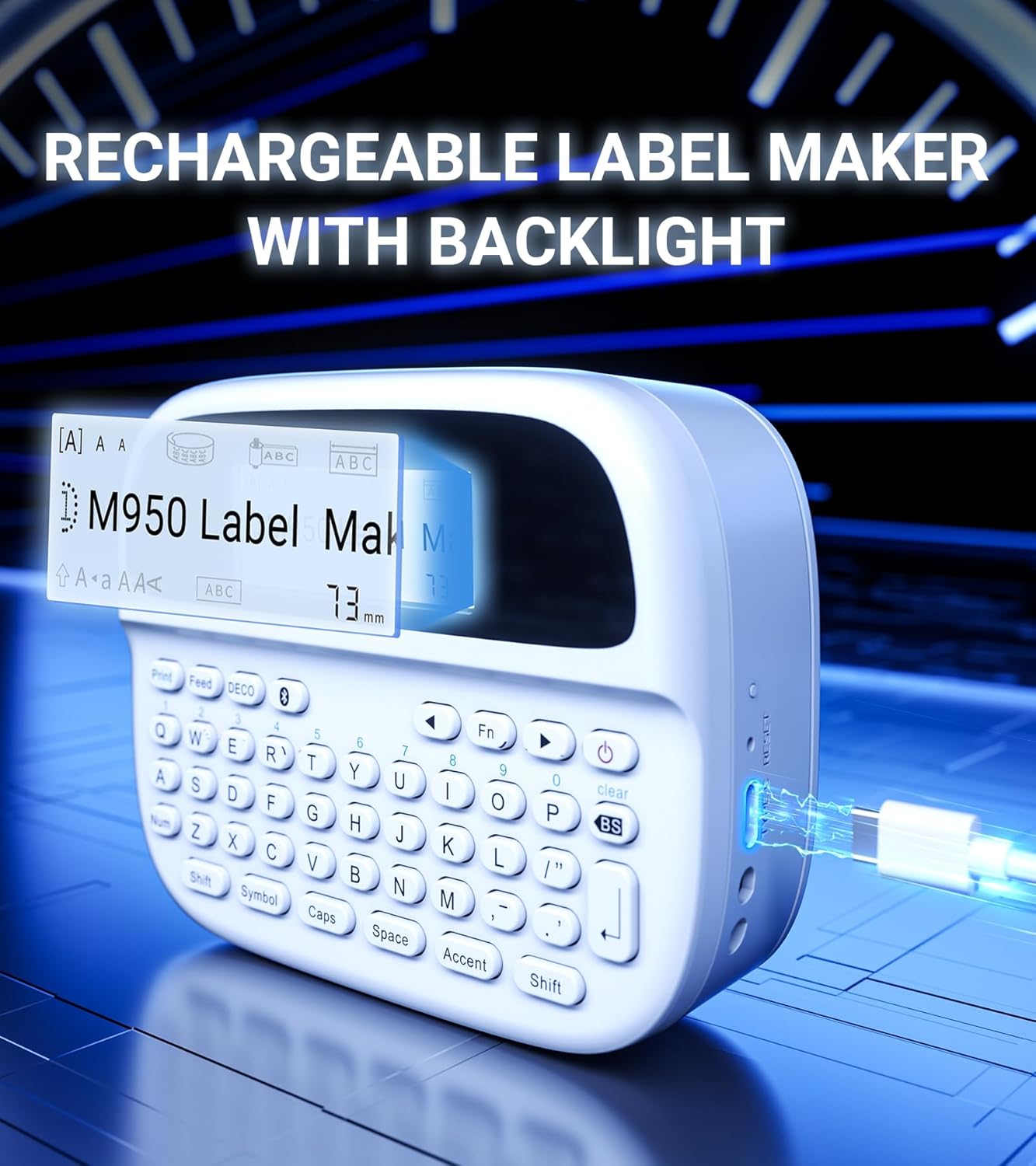
Imagine: O imagine detaliată view of the EazeID M950's backlit LCD screen, clearly showing the displayed text and settings, emphasizing its readability.
Ergonomic QWERTY Keyboard
The wider keyboard design ensures comfortable and easy typing, allowing users to reach all keys effortlessly for a smooth printing experience.

Image: A user's hands are shown interacting with the QWERTY keyboard of the EazeID M950, highlighting the ergonomic design and ease of use for typing.
Tehnologie de imprimare termică
The M950 uses thermal printing, eliminating the need for ink or toner, which reduces operational costs and simplifies maintenance.
Built-in Cutter
A safety label cutter is integrated into the device, allowing for precise and clean cuts of printed labels.
Aplicație largă
The M950 is suitable for a variety of labeling needs, including organizing storage containers, personal care items, price tags, office documents, school supplies, and more.

Imagine: O imagine compozită prezintăasing the diverse applications of the EazeID M950 label maker across different settings such as kitchens, offices, schools, and gardens.
Durabilitatea etichetei
Labels printed with the M950 are designed to be waterproof, washable, fade-resistant, and can withstand both high and low temperatures, ensuring longevity and reliability.

Image: An infographic detailing the robust properties of the labels, including resistance to high and low temperatures, water, and fading, along with washability.
Înființat
1. Încărcarea dispozitivului
Before first use, ensure the label maker is fully charged. Connect the provided Type-C data cable to the charging port on the device and plug the other end into a 5V-2A charging adapter (not included). The charging indicator light will show the charging status. A full charge typically takes 1-2 hours and provides approximately 5 hours of working time.
2. Încărcarea benzii de etichete
The EazeID M950 uses specific label tape cassettes. To load a new tape:
- Deschideți capacul compartimentului pentru bandă adezivă din spatele aparatului de etichetat.
- Insert the label tape cassette into the compartment, ensuring it clicks into place. The tape should feed smoothly through the output slot.
- Închideți bine capacul compartimentului pentru bandă.

Image: A diagram illustrating the internal components of the M950, specifically showing the rechargeable battery compartment and the correct way to insert the label tape cassette.
Instrucțiuni de operare
1. Keyboard Printing
To print directly using the QWERTY keyboard:
- Pornire: Press and hold the power button until the device turns on and the LCD screen illuminates.
- Input Text: Use the QWERTY keyboard to type your desired text. The text will appear on the backlit LCD screen.
- Ajustați setările: Use the function keys (Fn) and other dedicated buttons to adjust font size, style, add symbols, frames, or accented characters. The device supports over 1000 symbols, 100+ frames, and 23 languages.
- Imprimare: Press the "Print" button to print your label.
- Tăiați: Use the built-in cutter by pressing the cut button to cleanly separate the label.

Image: A step-by-step guide demonstrating the process of creating and printing labels using the M950's integrated QWERTY keyboard, from powering on to cutting the label.
2. Bluetooth App Printing (Print Master)
For more advanced label design and customization, connect the M950 to your smartphone via Bluetooth using the "Print Master" app:
- Pornire: Turn on the EazeID M950 label maker.
- Activați Bluetooth: Asigurați-vă că Bluetooth este activat pe smartphone-ul dvs.
- Descărcați aplicația: Download the "Print Master" app from your device's app store (available on iOS and Android).
- Conectare: Open the "Print Master" app and follow the on-screen instructions to connect to your M950 label maker via Bluetooth.
- Etichetă de design: Within the app, you can access a vast library of customizable label templates, over 1500 icons, 270+ borders, and 110+ text styles. You can also create barcodes and QR codes.
- Imprimare: Once your design is complete, send the print job from the app to the label maker.

Image: A visual guide demonstrating how to connect the M950 to the "Print Master" app via Bluetooth, highlighting the app's features like icons, borders, and text options for label design.
Întreţinere
To ensure the longevity and optimal performance of your EazeID M950 Label Maker, follow these maintenance guidelines:
- curatenie: Regularly wipe the exterior of the device with a soft, dry cloth. For the print head, use a cotton swab lightly dampened with isopropyl alcohol to gently clean any residue. Ensure the device is powered off before cleaning.
- Depozitare: Depozitați aparatul de etichetat într-un loc răcoros și uscat, ferit de lumina directă a soarelui și de temperaturi extreme.
- Îngrijirea bateriei: To maintain battery health, avoid fully discharging the battery frequently. If storing for an extended period, charge the device to about 50% capacity.
- Manipularea benzii: Always use genuine EazeID label tapes for best results. Avoid touching the print surface of the tape before printing.
Depanare
If you encounter issues with your EazeID M950 Label Maker, please refer to the following common problems and solutions:
| Problemă | Cauza posibila | Soluţie |
|---|---|---|
| Dispozitivul nu pornește | Baterie descărcată; Butonul de pornire nu a fost apăsat corect | Încărcați complet dispozitivul. Apăsați și mențineți apăsat butonul de pornire timp de câteva secunde. |
| Poor print quality / Faint print | Print head dirty; Incorrect tape loaded; Low battery | Clean the print head. Ensure the tape is correctly installed. Charge the device. |
| Banda de etichete nu se alimentează | Tape jammed; Tape not installed correctly; Empty tape cassette | Open compartment and check for jams. Reinstall tape cassette. Replace with a new tape cassette. |
| Probleme de conexiune Bluetooth | Bluetooth not enabled; App not updated; Device too far | Ensure Bluetooth is on. Update "Print Master" app. Keep device within Bluetooth range. Restart both devices. |
| Labels not cutting properly | Cutter blade dirty or worn; Incorrect cutting technique | Clean the cutter area. Ensure you press the cut button firmly and completely. |
If the problem persists after attempting these solutions, please contact EazeID customer support for further assistance.
Specificații
Detailed technical specifications for the EazeID M950 Label Maker:
| Caracteristică | Detaliu |
|---|---|
| Model | M950 |
| Tehnologia de imprimare | Termic |
| Conectivitate | Bluetooth, USB tip C |
| Dispozitive compatibile | iOS, Android |
| Rezoluție maximă de imprimare | 203 DPI |
| Tip de afișare | Ecran LCD iluminat din spate |
| Baterie | Baterie reîncărcabilă litiu-ion de 1200 mAh (inclusă) |
| Dimensiune maximă a suportului media | 0.5 inchi (12 mm) |
| Dimensiunile produsului | 5.08 x 5.08 x 5.08 cm; 480 g (approx.) |
| Componente incluse | Label maker, 12mm*4M Black on White Label tape, Type-C Data Cable, User Manual |

Image: A comparative diagram illustrating the compact dimensions of the EazeID M950 label maker (159mm x 112mm) and its lightweight nature (489g) relative to a tablet, emphasizing its portability.
Garanție și suport
POLITICA DE RETURNARE: This product is eligible for a return or replacement within 30 days of receipt, in accordance with standard return policies.
Suport producător: For technical assistance, troubleshooting beyond this manual, or warranty inquiries, please contact EazeID customer support. Refer to the contact information provided on the product packaging or the official EazeID website-ul pentru cele mai recente detalii de asistență.


