1. Introducere
The Logitech Keys-to-GO 2 is a slim, portable wireless keyboard designed for on-the-go productivity. It offers a comfortable typing experience across multiple operating systems and features a built-in protective cover.
Caracteristici cheie:
- Types Beautifully: Perfectly spaced scissor keys for a roomy, comfortable typing experience.
- For Any Screen, Any OS: Compatible with Windows, Android, macOS, and ChromeOS.
- Keeps You Covered: Built-in cover protects the compact keyboard from damage.
- Ultra Portable Keyboard: Super slim, lightweight design for easy transport.
- Pair up to Three Devices: Seamlessly switch between three different devices with a single key tap.

Figure 1: Logitech Keys-to-GO 2 Portable Compact Wireless Keyboard with its cover open, showcasindatorită designului său subțire.
2. Configurare și conectare
2.1. Configurare inițială
- Despachetați tastatura din ambalaj.
- Ensure the pre-installed coin cell batteries are properly seated.
- Locate the On/Off switch on the keyboard and slide it to the 'On' position.
2.2. Asociere Bluetooth
The Keys-to-GO 2 can connect to up to three devices simultaneously via Bluetooth. Follow these steps to pair your keyboard:
- Turn on the keyboard using the On/Off switch.
- Press and hold one of the Easy-Switch keys (labeled 1, 2, or 3) for three seconds until the LED indicator above the key starts blinking rapidly. This indicates the keyboard is in pairing mode.
- On your device (tablet, phone, or computer), navigate to the Bluetooth settings.
- Select "Keys-to-GO 2" from the list of available devices.
- If prompted, enter the pairing code displayed on your screen using the Keys-to-GO 2 keyboard and press Enter.
- Once paired, the LED indicator will glow solid for a few seconds and then turn off, indicating a successful connection.
2.3. Comutarea între dispozitive
To switch between paired devices, simply press the corresponding Easy-Switch key (1, 2, or 3) for the desired device. The keyboard will automatically connect to that device.
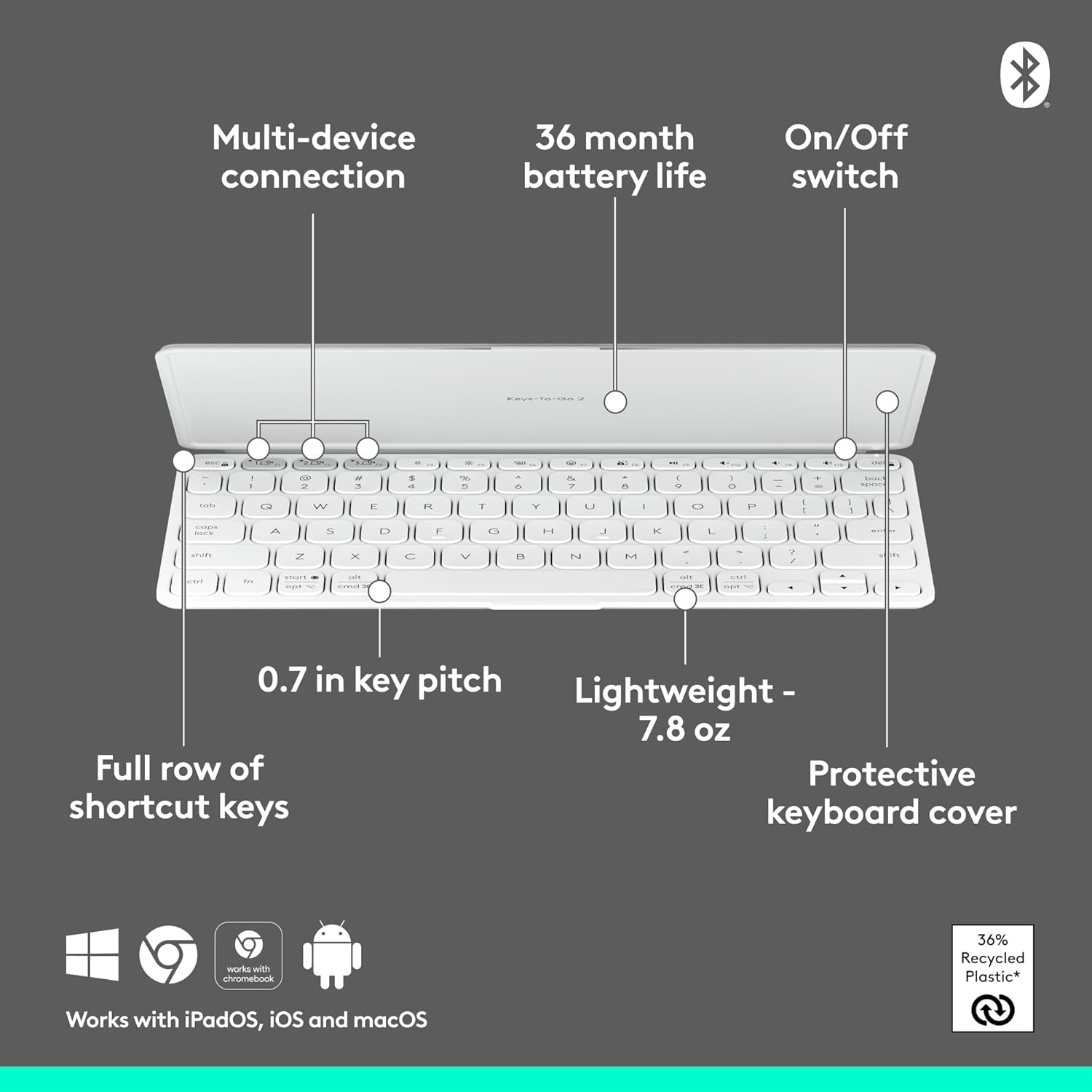
Figure 2: Diagram highlighting key features including multi-device connection and On/Off switch for easy setup.
3. Utilizarea tastaturii
3.1. Experiență de dactilografiere
The Keys-to-GO 2 features well-spaced scissor keys designed for comfortable and efficient typing. The low-profile keys provide a satisfying tactile response, making it ideal for extended use.

Figure 3: User typing comfortably on the Keys-to-GO 2 keyboard, highlighting its ergonomic design.
3.2. Taste de comenzi rapide
The keyboard includes a full row of shortcut keys for quick access to various functions, such as media controls, screen brightness, and more. These keys are customizable on Windows and macOS for personalized workflow.
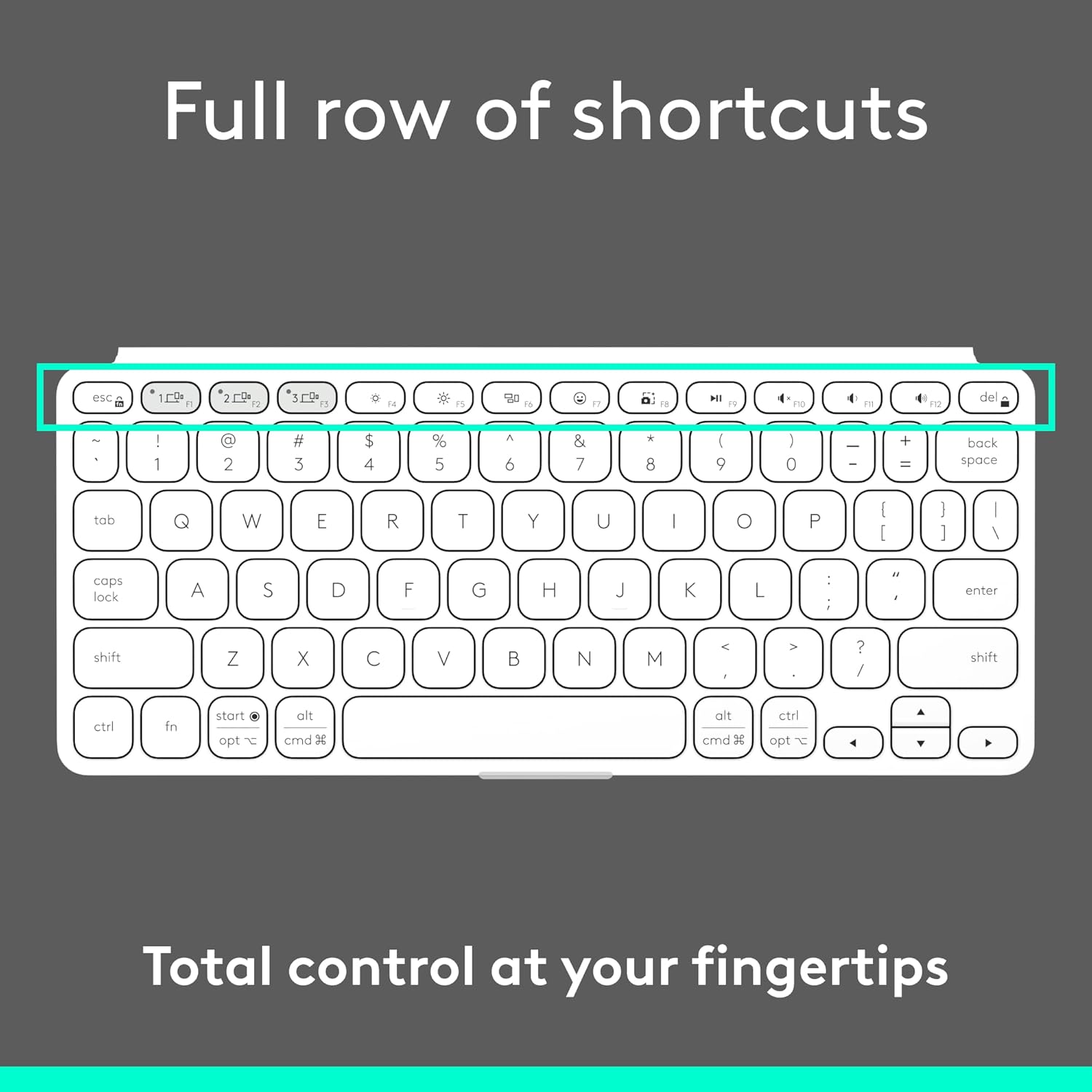
Figura 4: Detaliat view of the full row of shortcut keys on the Keys-to-GO 2, offering total control at your fingertips.
3.3. Compatibilitate cu mai multe sisteme de operare
The Keys-to-GO 2 is designed to work seamlessly with a variety of operating systems, ensuring broad compatibility across your devices:
- Android
- ChromeOS
- Windows
- iPadOS
- iOS
- macOS
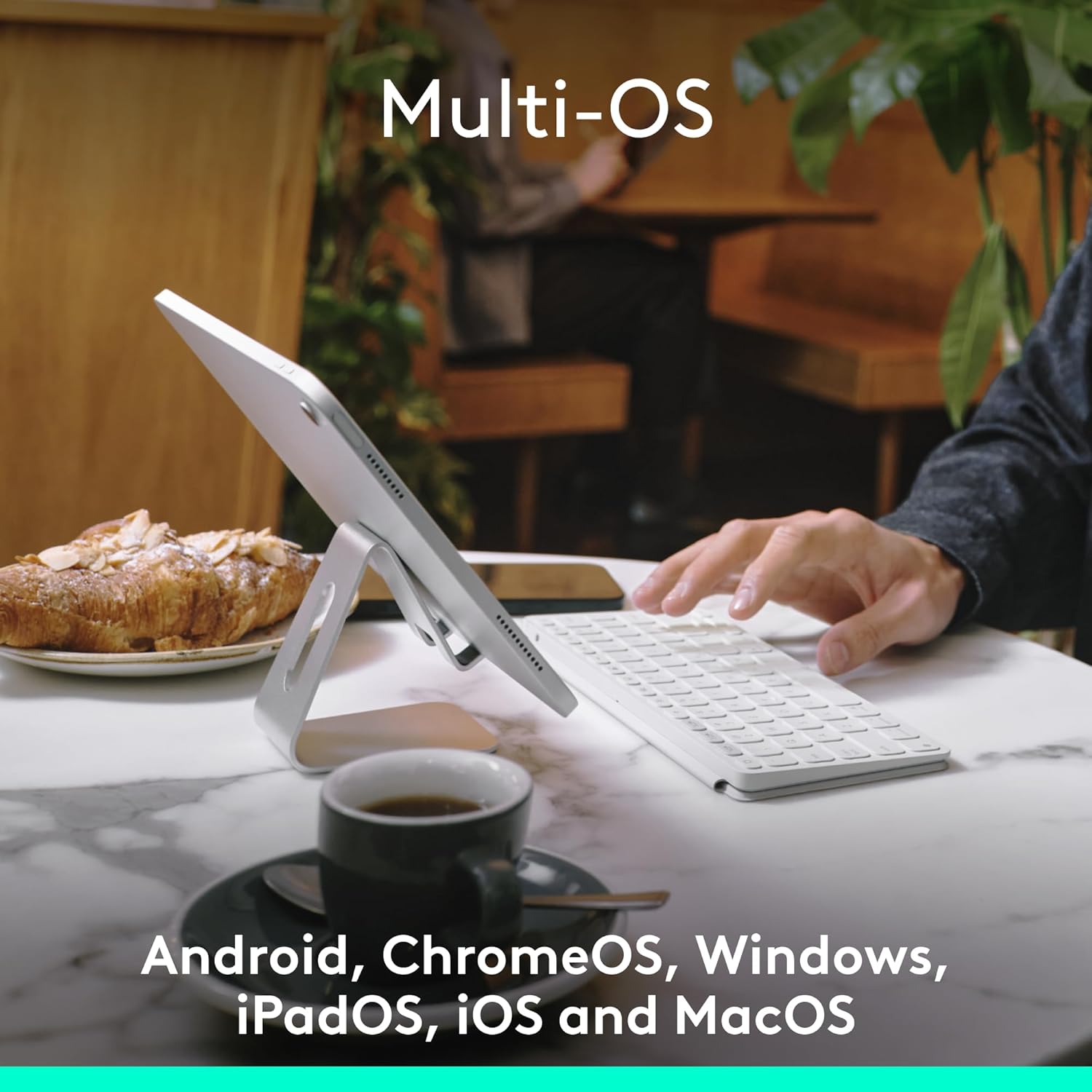
Figure 5: The Keys-to-GO 2 keyboard connected to a tablet, illustrating its versatile multi-OS support.
4. Întreținere
4.1. Durata de viață a bateriei și înlocuirea acesteia
The Keys-to-GO 2 is powered by pre-installed coin cell batteries, offering up to 3 years of battery life under typical usage conditions. When the battery is low, the LED indicator will signal this. To replace the batteries:
- Locate the battery compartment on the keyboard.
- You will need a T5 screwdriver to open the battery compartment.
- Carefully remove the old coin cell batteries.
- Insert new coin cell batteries, ensuring correct polarity.
- Securely close the battery compartment using the T5 screwdriver.
Note: Battery life may vary based on usage and computing conditions.

Figure 6: The Keys-to-GO 2 is designed for long battery life, allowing for extended use without frequent battery changes.
4.2. Curatenie
Pentru a curăța tastatura, ștergeți ușor suprafața cu o lavetă moale șiamp pânză. Evitați utilizarea substanțelor chimice dure sau a materialelor abrazive.
5. Depanare
| Problemă | Cauza posibila | Soluţie |
|---|---|---|
| Tastatura nu se pornește. | Battery is dead or improperly seated. | Check the On/Off switch. Replace batteries if necessary, ensuring they are correctly inserted. |
| Nu se poate realiza asocierea cu dispozitivul. | Keyboard not in pairing mode; Bluetooth off on device; device too far. | Ensure keyboard is in pairing mode (blinking LED). Turn on Bluetooth on your device. Move keyboard closer to device. |
| Keys are unresponsive or typing errors occur. | Low battery; interference; software issue on device. | Replace batteries. Move away from other wireless devices. Restart your device. Re-pair the keyboard. |
| Tastatura se deconectează frecvent. | Low battery; interference; device power saving settings. | Replace batteries. Reduce interference. Check device power saving settings that might disconnect Bluetooth devices. |
6. Specificații
- Marca: Logitech
- Model: Keys-To-Go 2 Universal Pale Gray
- Tehnologie de conectivitate: Bluetooth
- Compatibilitate cu sistemul de operare: Android, iOS, macOS, Windows, ChromeOS
- Greutatea articolului: 7.8 uncii (aprox. 222 g)
- Dimensiuni produs (Lxlxh): 4.13 x 0.17 x 9.84 inci
- Număr de chei: 78
- Descrierea tastaturii: Membrană
- Sursa de alimentare: Alimentat cu baterii (1 baterie non-standard inclusă)
- Durata de viață a bateriei: Up to 3 years (pre-installed coin cell batteries)
- Material: Plastic (36% recycled plastic)
- Culoare: Gri pal
7. Garanție și asistență
Pentru informații despre garanție și asistență tehnică, vă rugăm să vizitați pagina oficială de asistență Logitech. website-ul lor sau contactați serviciul lor de asistență pentru clienți. Păstrați bonul fiscal pentru reclamații în garanție.
Asistență oficială Logitech: www.logitech.com/support


