Introducere
This manual provides detailed instructions for the installation, operation, and maintenance of your SOVMIKU 500MP Dome Security Camera System. This system includes two 5-megapixel dome cameras, a 12-inch NVR monitor with a pre-installed 1TB HDD, and all necessary accessories for a comprehensive surveillance solution. Please read this manual thoroughly before using the product to ensure proper functionality and safety.
Conținutul pachetului
Verificați dacă toate articolele enumerate mai jos sunt incluse în colet. Dacă lipsesc sau sunt deteriorate articole, vă rugăm să contactați serviciul de asistență pentru clienți.

Image: Package contents diagram.
- 12-inch NVR Monitor (x1)
- 5-megapixel Dome Camera (x2)
- 1TB HDD (pre-installed in NVR) (x1)
- 12V 2A NVR Power Adapter (x1)
- 12V 1A Camera Power Adapter (x2)
- Mouse (x1)
- Cablu HDMI (x1)
- Cablu LAN (x1)
- Difuzor (x1)
- Security Stickers (x2)
- Manual de instrucțiuni (x1)
Înființat
1. Conexiune inițială
The cameras and NVR monitor are pre-paired at the factory for ease of use. No complex configuration is required for initial setup.
- Connect the 12V 2A power adapter to the NVR monitor and plug it into a power outlet.
- Connect the 12V 1A power adapters to each dome camera and plug them into power outlets.
- The cameras will automatically connect to the NVR monitor. You should see live video feeds on the monitor within a few moments.
- Connect the included mouse to a USB port on the NVR for navigation.
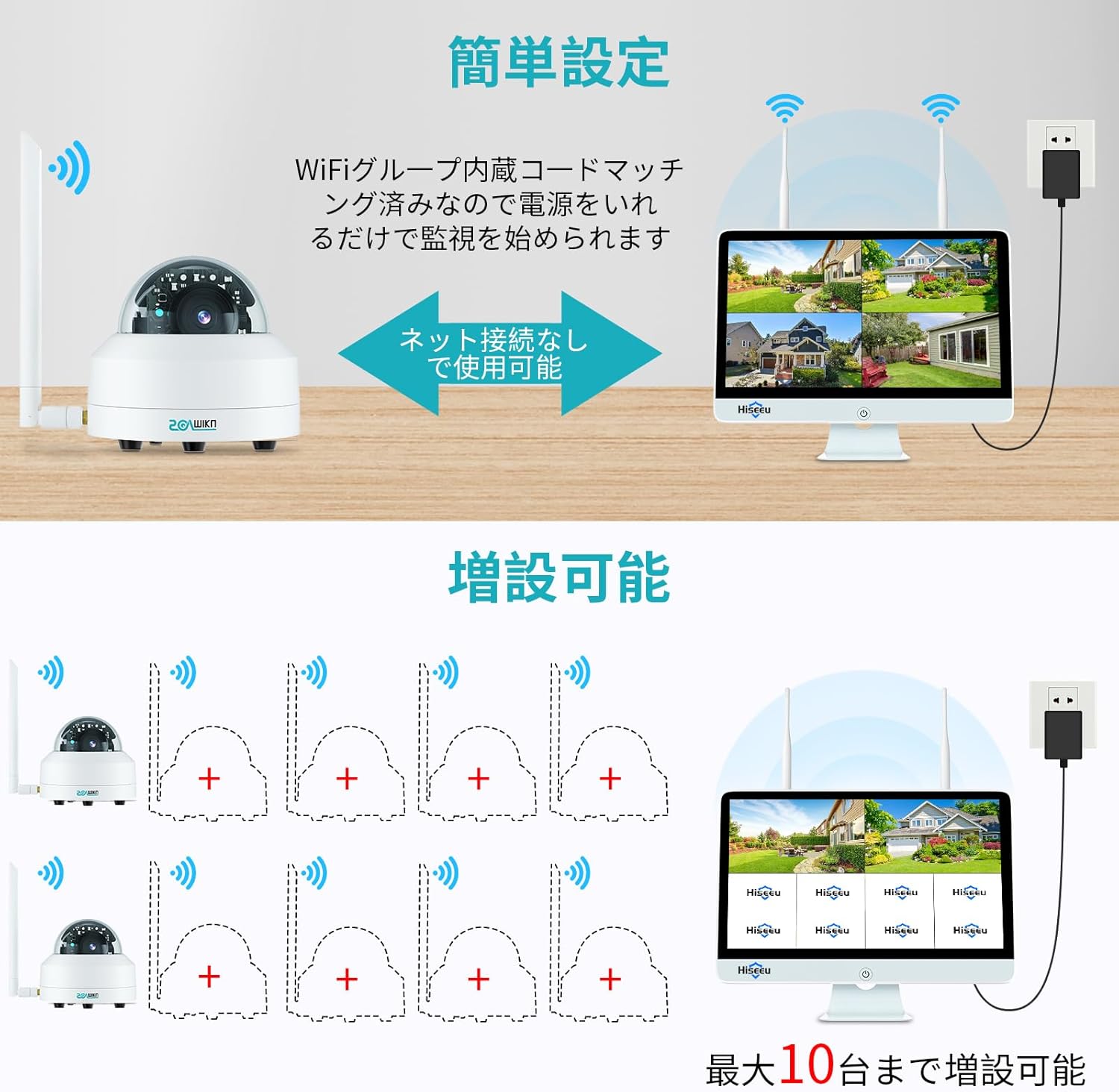
Image: Easy setup illustration.
2. Network Connection (Optional for Remote Access)
Pentru a activa telecomanda viewing via smartphone or PC, the NVR needs to be connected to your network.
- Conexiune prin cablu: Connect one end of the provided LAN cable to the NVR's LAN port and the other end to your router's LAN port.
- Conexiune wireless: Navigate to the NVR's system settings using the mouse, select network settings, and connect to your 2.4GHz Wi-Fi network.
Once connected, download the "EseeCloud" app on your smartphone or the "EseeCloud" software on your PC to access live feeds and recordings remotely.

Image: Remote access from multiple devices.
3. Instalarea camerei
The dome cameras are designed for both indoor and outdoor use, featuring IP66 waterproof and dustproof ratings, and can withstand temperatures from -30°C to 60°C.

Image: Outdoor installation and weather resistance.
- Alegeți o locație de montare care oferă calitatea dorită viewing angle and is within range of a power outlet.
- Utilizați șuruburile și ancorele furnizate pentru a monta în siguranță camera.
- Adjust the camera's angle as needed. The cameras support 320° horizontal pan and 90° vertical tilt for comprehensive coverage.

Image: PTZ functionality for angle adjustment.
Instrucțiuni de operare
1. în direct View și Înregistrare
Once powered on, the NVR monitor will display live feeds from all connected cameras. The system automatically records to the pre-installed 1TB HDD.

Image: Live view on the 12-inch NVR monitor.
- Use the mouse to navigate the NVR interface.
- Access playback options to review inregistrat footage.
- The 5-megapixel resolution (2560x1920) provides clear and detailed images, 1.5 times sharper than 1080P.

Image: Resolution comparison (5MP vs 1080P).
2. Detectarea mișcării și alertele
The system features AI human motion detection, which can distinguish human movement from other objects, reducing false alarms.
- When motion is detected, the system will automatically begin recording.
- If connected to the network, you will receive instant alerts on your smartphone via the EseeCloud app.
- The cameras can also activate flashing deterrents upon detection.
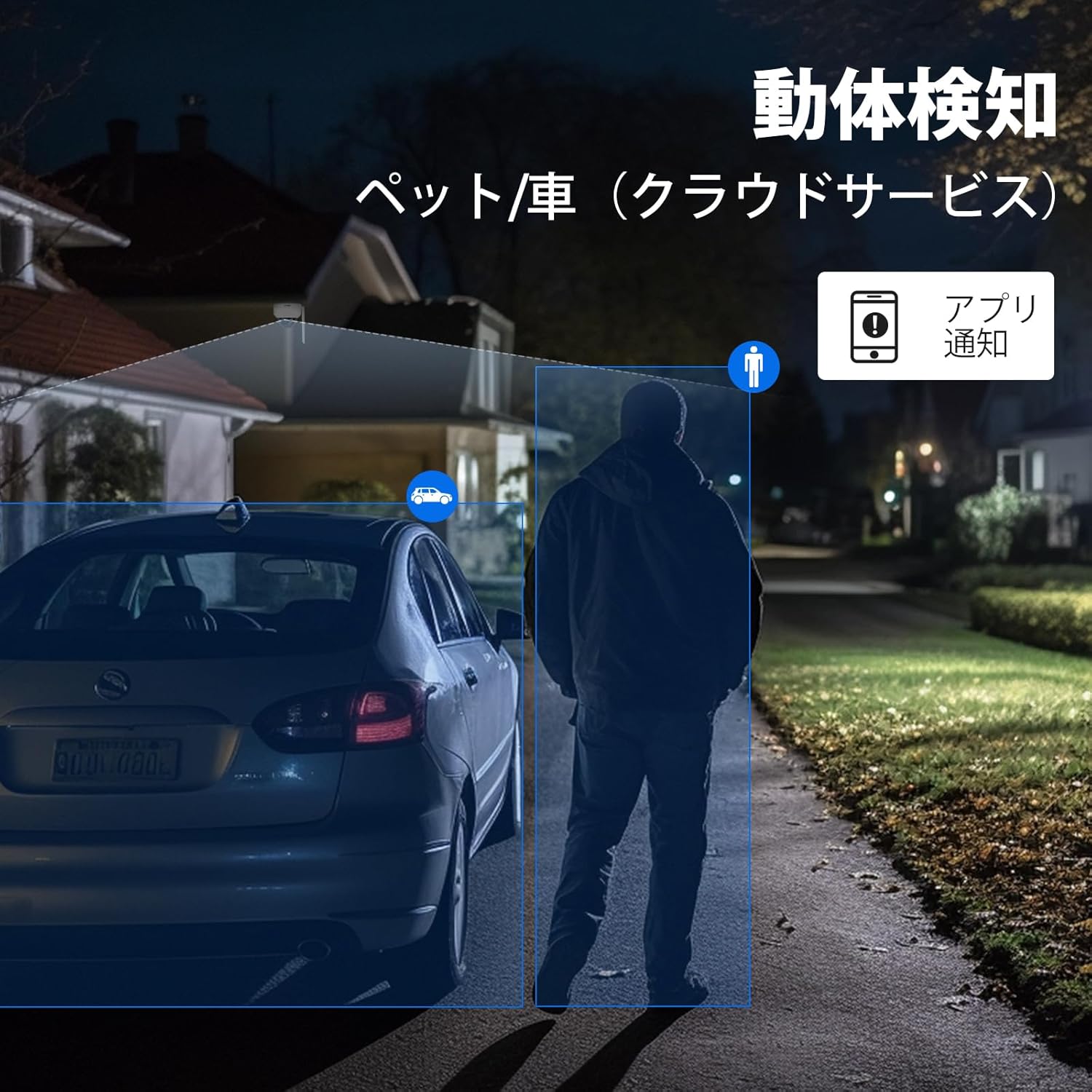
Image: Motion detection and app notification.
3. Vedere de noapte
The cameras are equipped with smart night mode, providing clear visibility up to 10 meters in complete darkness. They can capture color images at night under certain lighting conditions.

Image: Smart night mode comparison (day vs. night).
4. Sunet bidirecțional
The system supports two-way audio communication. You can listen to audio from the camera's location and speak through the camera's speaker using the EseeCloud app on your smartphone.
Storage and Recording
Your SOVMIKU system comes with a pre-installed 1TB HDD, utilizing H.265+ video compression technology. This advanced compression reduces file sizes by approximately 50% compared to H.264, without compromising image quality.
- The 1TB HDD can store approximately 40 days of continuous 24/7 video recording for a 4-camera setup before overwriting the oldest footage.
- Stocare în cloud: An optional cloud storage service is available for extended or off-site backup. (Subscription may be required).
- Stocare pe card SD: Each camera also supports local storage via an SD card (up to 256GB per camera, sold separately) when used independently of the NVR.

Image: Three available storage methods.
Întreţinere
- Curățarea lentilelor: Curățați regulat obiectivele camerei cu o lavetă moale,amp o lavetă pentru a asigura o calitate clară a imaginii. Evitați substanțele de curățare abrazive.
- Actualizări firmware: Check for and install firmware updates for the NVR and cameras through the EseeCloud app or NVR interface to ensure optimal performance and security.
- Alimentare electrică: Asigurați-vă că toate adaptoarele de alimentare sunt conectate corect și nu sunt deteriorate.
- Managementul stocării: Periodic review inregistrat footage and manage storage space if necessary. The system automatically overwrites old footage when the HDD is full.
Depanare
| Problemă | Cauza posibila | Soluţie |
|---|---|---|
| No image on NVR monitor. | Power not connected; camera not paired; HDMI cable loose. | Check power connections for NVR and cameras. Ensure cameras are within range and powered on. Re-plug HDMI cable if using external monitor. |
| Cannot connect to EseeCloud app. | NVR not connected to network; incorrect network settings; app issues. | Verify NVR's wired or wireless network connection. Check Wi-Fi password. Restart NVR and router. Reinstall app if necessary. |
| Alertele de detectare a mișcării sunt prea frecvente/rare. | Sensitivity settings; detection zone configuration. | Adjust motion detection sensitivity in NVR settings or EseeCloud app. Configure detection zones to exclude irrelevant areas. |
| Calitate slabă a vederii nocturne. | Dirty lens; insufficient ambient light; IR interference. | Clean the camera lens. Ensure no obstructions are blocking the IR lights. Add external lighting if needed for color night vision. |
Specificații
- Marca: SOVMIKU
- Model: SFWK-12V-2HC905-AT
- Rezoluția camerei: 5 Megapixels (2560x1920)
- Monitor NVR: 12-inch LCD (Non-touch)
- Depozitare: 1TB HDD (pre-installed), supports Cloud Storage (optional), Micro SD card (up to 256GB per camera, sold separately)
- Compresie video: H.265 +
- Conectivitate: Wireless (cameras to NVR), Wired Ethernet or 2.4GHz Wi-Fi (NVR to router)
- Rezistenta la intemperii: IP66 rezistent la apă și praf
- Temperatura de functionare: -30°C până la 60°C
- Detection Feature: AI Human Motion Detection
- Audio: Audio bidirecțional
- Vedere de noapte: Up to 10 meters, Smart Night Mode (color night vision capable)
- Camera Pan/Tilt: 320° orizontală, 90° verticală
- Product Dimensions (NVR): 26.6 x 19.5 x 33.3 cm
- Product Weight (System): 3.87 kg
- Certificari: TELEC, PSE
Garanție și suport
SOVMIKU products come with a one-year warranty from the date of purchase. This warranty covers manufacturing defects and initial product failures.
- For any product issues or support inquiries, please contact SOVMIKU customer service.
- E-mail: sovmiku_JP@163.com
- Please provide your purchase details and a description of the issue for faster service.

Imagine: Informații de contact pentru asistența clienți.


