Introducere
Thank you for choosing the iClever KP08 Bluetooth Number Pad. This ultra-slim and lightweight numeric keypad is designed to enhance your productivity across various devices. This manual will guide you through the setup, operation, and maintenance of your new device.
Ce este în cutie
- iClever KP08 Number Pad
- Cablu USB (pentru încărcare)
- Keyboard Stickers
- Manual de utilizare (acest document)
Produs terminatview
The iClever KP08 features a 22-key layout with dedicated function keys for enhanced data entry. Its compact design and durable construction make it suitable for various environments.
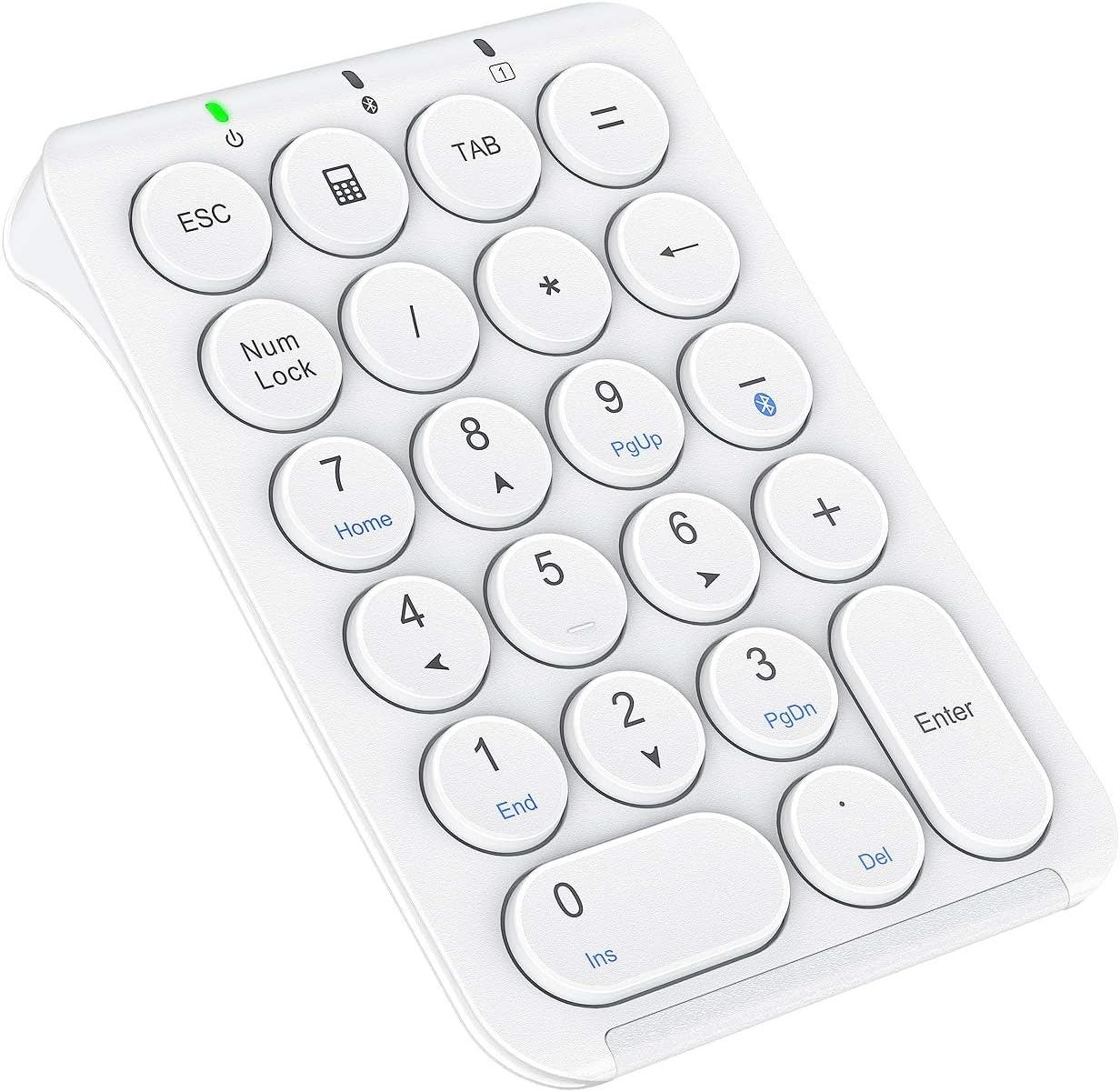
Figura 1: iClever KP08 Bluetooth Number Pad, white, showing the 22 keys including Esc, Tab, Num Lock, and calculator function.
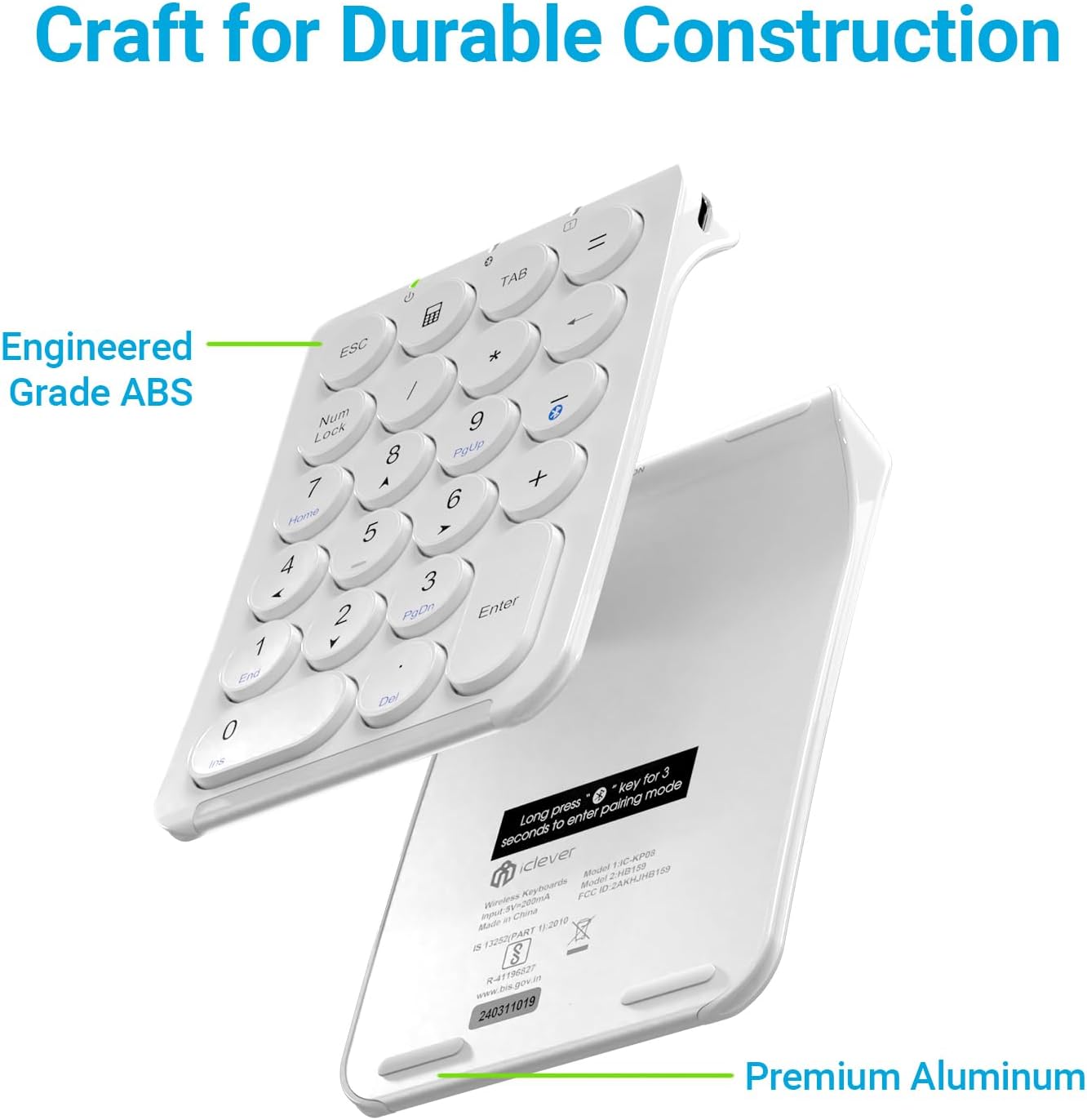
Figura 2: A explodat view of the iClever KP08 Number Pad, illustrating its engineered grade ABS top and premium aluminum bottom for durable construction.
Înființat
1. Charging the Number Pad
Before first use, fully charge the number pad.
- Connect the provided USB-C cable to the charging port on the number pad.
- Connect the other end of the USB-C cable to a USB power source (e.g., computer USB port, USB wall adapter).
- The charging indicator light will illuminate. A full charge typically takes about 1 hour and provides up to 30 days of working time.
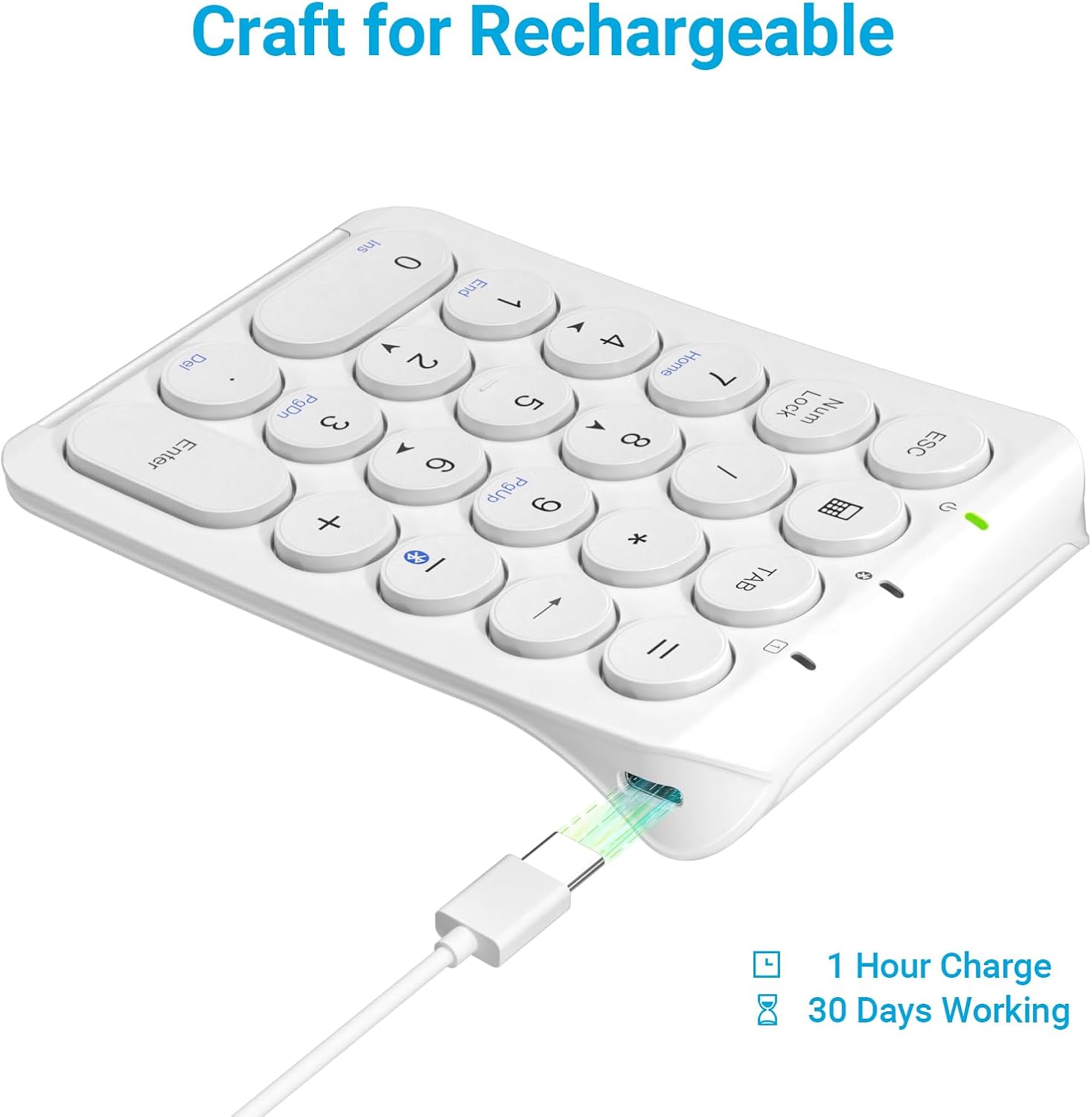
Figura 3: iClever KP08 Number Pad connected via USB-C cable for charging, illustrating the charging port and cable.
2. Asociere Bluetooth
The iClever KP08 uses Bluetooth for wireless connection.
- Pornire: Slide the power switch on the number pad to the "ON" position. The power indicator light will turn on.
- Intrați în modul de asociere: Țineți apăsat butonul Cheie de asociere Bluetooth (often indicated by a Bluetooth symbol, typically on the 'minus' key or a dedicated key) for approximately 3-5 seconds until the Bluetooth indicator light starts flashing. This indicates the number pad is in pairing mode.
- Activați Bluetooth pe dispozitivul dvs.:
- Pentru Windows: Go to Settings > Devices > Bluetooth & other devices. Ensure Bluetooth is On. Click "Add Bluetooth or other device" and select "Bluetooth".
- Pentru macOS: Go to System Preferences > Bluetooth. Ensure Bluetooth is On.
- For iOS (iPad/iPhone): Go to Settings > Bluetooth. Ensure Bluetooth is On.
- Pentru Android: Go to Settings > Connected devices > Bluetooth. Ensure Bluetooth is On.
- Selectați dispozitivul: On your device's Bluetooth list, locate and select "iClever KP08" (or similar name).
- Confirmați împerecherea: Follow any on-screen prompts to complete the pairing process. Once successfully paired, the Bluetooth indicator light on the number pad will stop flashing and remain solid or turn off, depending on the model.

Figura 4: iClever KP08 Number Pad connected wirelessly to various devices such as a laptop, iPad, iMac, and smartphone, demonstrating its broad compatibility across Windows, iOS, Android, and Mac operating systems.
Instrucțiuni de operare
Utilizare de bază
- Ensure the number pad is powered on and successfully paired with your device.
- Simply press the desired number or function keys to input data.
Chei speciale
- Num Lock: Toggles the numeric keypad between number input and navigation (Home, End, PgUp, PgDn, arrow keys). The Num Lock indicator light will show its status.
- ESC: Functions as the Escape key.
- TAB: Functions as the Tab key.
- Cheia calculatorului: Opens the calculator application on compatible operating systems.
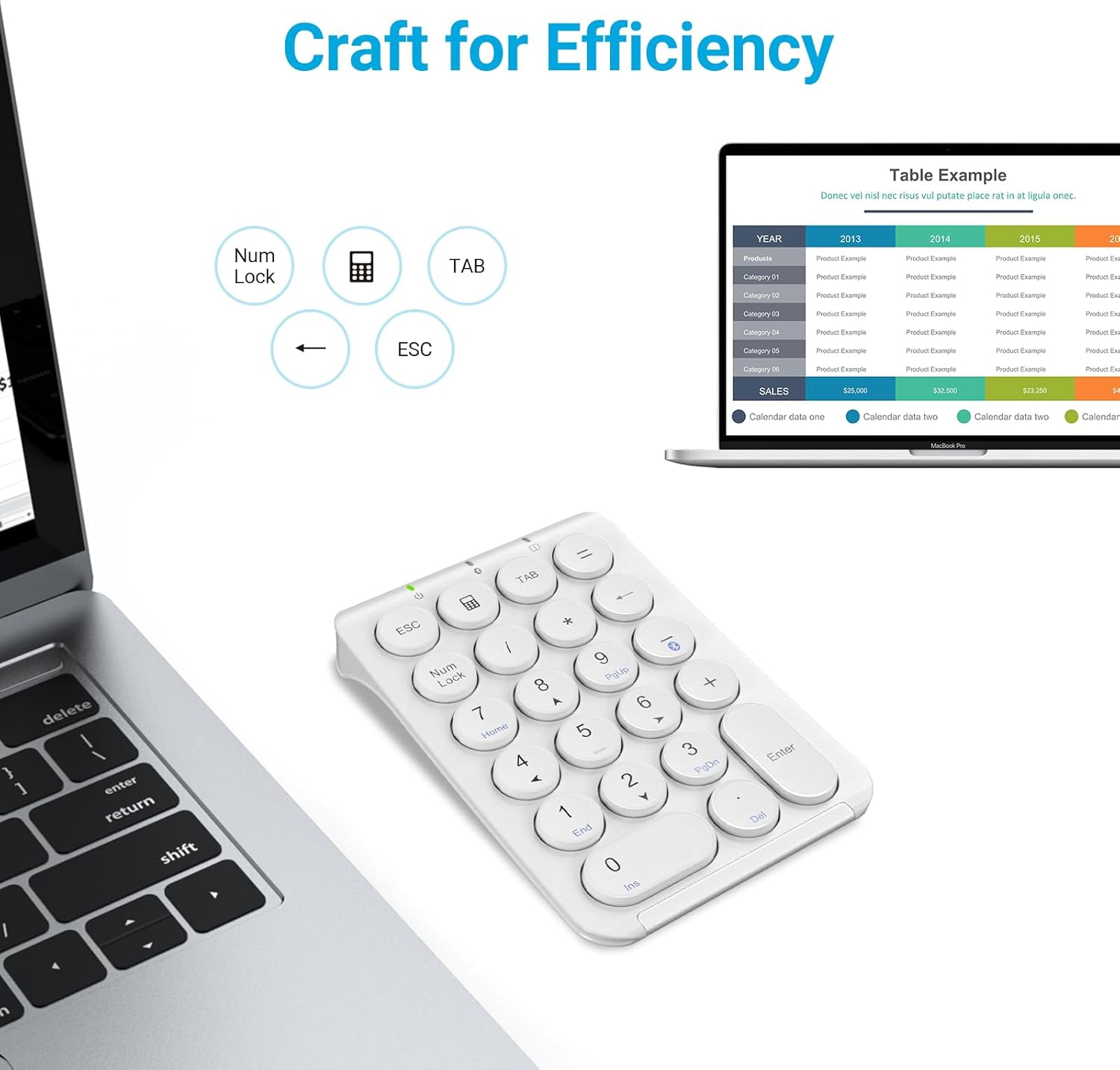
Figura 5: iClever KP08 Number Pad next to a laptop displaying a spreadsheet, highlighting the dedicated ESC, Num Lock, and TAB keys for efficient data entry.
Managementul energiei
To conserve battery life, the number pad will enter a sleep mode after a period of inactivity.
- Auto-Sleep: The number pad will automatically enter sleep mode after approximately 10 minutes of no activity.
- Trezirea: To wake the number pad, press any key. It may take a few seconds for the connection to re-establish with your device.

Figura 6: Illustration of the iClever KP08 Number Pad's auto-sleep feature, indicating it enters sleep mode after 30 minutes of inactivity to conserve battery.
Întreţinere
- curatenie: Use a soft, dry cloth to clean the surface of the number pad. For stubborn dirt, a slightly damp Se poate folosi o lavetă cu săpun delicat, asigurându-vă că nu pătrunde lichid în dispozitiv.
- Depozitare: When not in use for extended periods, turn off the number pad to conserve battery. Store it in a cool, dry place away from direct sunlight and extreme temperatures.
- Îngrijirea bateriei: Avoid fully discharging the battery frequently. Charge it regularly to maintain optimal battery health.
Depanare
| Problemă | Soluţie |
|---|---|
| Number pad does not power on. | Ensure the power switch is in the "ON" position. Charge the number pad using the provided USB-C cable. |
| Nu se poate realiza asocierea prin Bluetooth. |
|
| Keys are not responding or input is delayed. |
|
| Keys are repeating characters excessively. |
|
| Num Lock key does not work as expected. | Ensure the Num Lock indicator light is on for number input. If it's off, the keys will function as navigation keys (Home, End, etc.). Press the Num Lock key to toggle its state. |
Pentru asistență suplimentară, vă rugăm să consultați Ghid de depanare (PDF) or contact iClever customer support.
Specificații
| Caracteristică | Detaliu |
|---|---|
| Model | KP08 |
| Tehnologia de conectivitate | Bluetooth |
| Numărul de chei | 22 |
| Tip cheie | Scissor Switch, Round Keys |
| Port de încărcare | USB-C |
| Durata de viață a bateriei | Up to 30 days (after 1 hour charge) |
| Dimensiunile produsului | 5.19"L x 3.5"l x 0.24"Î (13.18 x 8.89 x 0.61 cm) |
| Greutatea articolului | 5.9 uncii (167 grame) |
| Material | ABS Top and Aluminum Bottom |
| Dispozitive compatibile | Laptop, iPad, MacBook, iMac, Tablet, PC, Smartphone |
| Sisteme de operare | Windows, iOS, Android, Mac, Chrome OS, Clip Studio |
Garanție și suport
iClever products come with a standard warranty. For specific warranty details, registration, or technical support, please visit the official iClever website-ul sau contactați serviciul pentru clienți.
De asemenea, puteți găsi mai multe informații și resurse de asistență pe iClever Brand Store on Amazon.


