Introducere
The One Fire Kids Night Light Projector Model ACA9043F is a versatile device designed to create a soothing and engaging environment for children. It combines a star and moon projector, a white noise machine with 15 built-in sounds, and a Bluetooth speaker, all controllable via a remote. This manual provides detailed instructions for setup, operation, and maintenance to ensure optimal use of your projector.
Ce este în cutie
- One Fire Kids Night Light Projector Unit
- Telecomanda
- Cablu de încărcare USB de tip C
- Multiple Projection Films (e.g., Stars & Moon, Mermaids, Unicorns, Butterflies, Princesses)
- Manual de instructiuni

Image: The projector unit, remote control, USB-C cable, and various projection films laid out next to the product packaging.
Caracteristicile produsului
- Design multifuncțional: Combines a night light projector, white noise machine, and Bluetooth speaker.
- 15 Soothing White Noise Sounds: Includes lullabies and nature sounds like rain, sea waves, fan, and bird singing to aid sleep.
- 15 Lighting Colors & Projection Effects: Projects stars and moons in various color combinations, creating a dynamic visual experience.
- 5.0 HiFi Bluetooth Speaker: Connects to your device to play music or stories.
- Telecomanda: Conveniently adjust settings such as color, brightness, music, rotation, and timer from a distance.
- 3 Auto Timer Settings: Choose between 15, 30, or 60-minute automatic shut-off.
- 3 niveluri de luminozitate: Dimmable light output at 15%, 60%, and 100%.
- Silent Rotation & 360° Projection: Features quiet rotation for a dynamic starry sky effect and an adjustable projection angle.
- Interchangeable Projection Films: Comes with multiple film designs to vary the projected images.

Image: The One Fire Kids Night Light Projector in operation, projecting colorful stars and moons onto a room's ceiling, highlighting its multi-functional capabilities.
Înființat
- Despachetați dispozitivul: Scoateți cu grijă toate componentele din ambalaj. Asigurați-vă că sunt prezente toate articolele enumerate în secțiunea „Ce se află în cutie”.
- Conectare alimentare: Use the provided USB Type-C cable to connect the projector to a power source (e.g., USB wall adapter, power bank, computer USB port). The device is designed for corded electric use, allowing it to run continuously.
- Install/Change Projection Film:
- Gently remove the top transparent dome from the projector unit.
- Carefully detach the current projection film from its base.
- Select your desired projection film and align its notches with the accessory ring.
- Snap the film into place within the accessory ring.
- Place the assembled film and ring back onto the projector base, ensuring it sits securely.
- Reattach the transparent dome.
Video: A demonstration of how to easily change the projection films on the One Fire Kids Night Light Projector, showing the removal and re-insertion of different patterned domes.
Instrucțiuni de operare
Using the Projector Unit Buttons:
- Buton de alimentare: Press to turn the projector ON or OFF.
- Buton Mod lumină: Cycles through 15 different color combinations and projection effects.
- Buton de rotație: Toggles the rotation of the projected images ON or OFF.
- Buton Luminozitate: Adjusts the brightness level (15%, 60%, 100%).
Utilizarea telecomenzii:
The remote control provides full functionality for convenient operation.
- Alimentare (Pornit/Oprit): Pornește sau oprește unitatea.
- Light Color/Mode: Cycles through the 15 projection colors and modes.
- Reglarea luminozității: Măriți sau micșorați intensitatea luminii.
- Controlul rotației: Start or stop the projection rotation.
- White Noise Selection: Choose from 15 built-in white noise sounds.
- Control Bluetooth: Play/pause, skip tracks, adjust volume when connected via Bluetooth.
- Setări temporizator: Set auto-off timer for 15, 30, or 60 minutes.
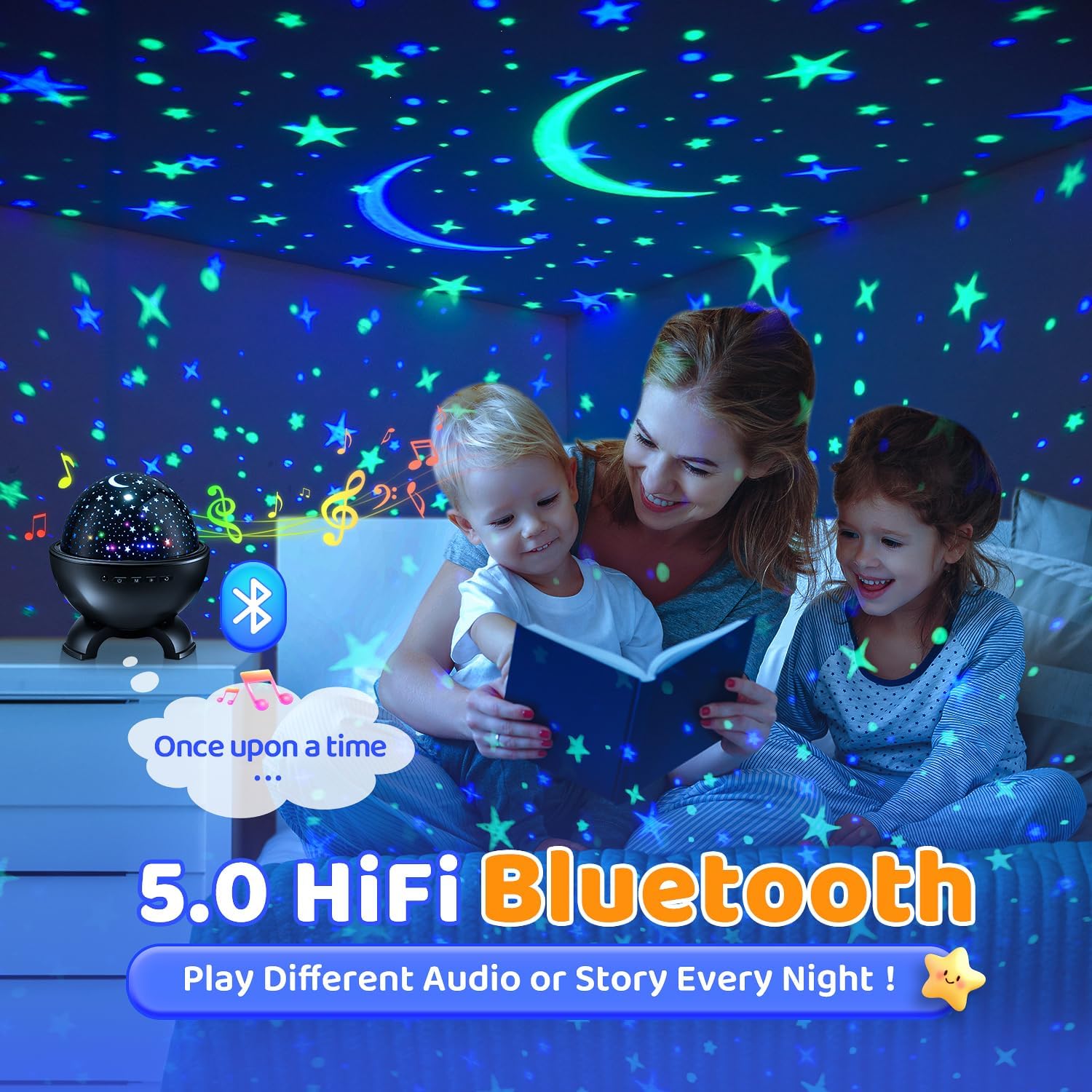
Image: The One Fire Kids Night Light Projector projecting stars and moons, with its remote control displaying buttons for timer, brightness, and other functions.
Bluetooth Speaker Functionality:
- Activați Bluetooth: Turn on the projector and activate Bluetooth on your mobile device.
- Asociere: The projector will automatically enter pairing mode. Look for "ACA9043F" (or similar) in your device's Bluetooth list and select it to connect.
- Redare audio: Once connected, you can play music or stories from your device through the projector's speaker.

Image: The One Fire Kids Night Light Projector projecting stars, with a smartphone nearby showing a music player interface, illustrating its Bluetooth speaker function.
White Noise Functionality:
The projector includes 15 built-in white noise sounds. Use the dedicated button on the remote or unit (if available) to cycle through these sounds, which include lullabies and various nature sounds.

Image: A child sleeping peacefully with the One Fire Kids Night Light Projector nearby, surrounded by icons representing the 15 built-in white noise options.
Reglarea unghiului de proiecție:
The projector unit can be physically tilted to adjust the projection angle, allowing you to direct the images onto different surfaces like walls or ceilings.

Image: The One Fire Kids Night Light Projector demonstrating its ability to rotate silently and adjust its projection angle by 360 degrees.
Video: A demonstration of the One Fire Kids Night Light Projector projecting colorful patterns onto a room's walls and ceiling, showcasing its visual effects.
Întreţinere
- curatenie: Use a soft, dry cloth to wipe the exterior of the projector. Do not use liquid cleaners or abrasive materials.
- Depozitare: Când nu îl utilizați, depozitați proiectorul într-un loc răcoros și uscat, ferit de lumina directă a soarelui.
- Manipulați cu grijă: The projection films and transparent dome are delicate. Handle them gently to avoid scratches or damage.
Depanare
| Problemă | Cauza posibila | Soluţie |
|---|---|---|
| Proiectorul nu pornește. | Fără conexiune la curent. | Ensure the USB Type-C cable is securely connected to both the projector and a working power source. |
| No projection or dim projection. | Projection film not installed correctly or room is too bright. | Verify the projection film is properly seated. Ensure the room is dark for optimal projection clarity. Adjust brightness settings. |
| Rotation is not working. | Rotation function is off or obstructed. | Press the rotation button on the unit or remote. Check for any physical obstructions preventing rotation. |
| Bluetooth nu se conectează. | Device not in pairing mode or too far away. | Ensure the projector is on and Bluetooth is enabled on your device. Keep devices within close range (approx. 10 meters). |
Specificații
| Caracteristică | Detaliu |
|---|---|
| Marca | Un foc |
| Numărul de model | ACA9043F |
| Dimensiunile produsului | 5.71" D x 5.71" L x 6.93" H |
| Greutatea articolului | 1.01 lire sterline |
| Material | Plastic |
| Tip sursă de lumină | LED |
| Numărul de surse de lumină | 4 |
| Culoare deschisă | 15 Color Matches |
| Caracteristici speciale | 15 White Noise, 15 Colors of Stars&Moon, Bluetooth, Remote Control, 3 Auto Timer, 3 Brightness, Silent Rotation & 360° Projection |
| Sursa de alimentare | Electric cu fir |
| Metoda de control | Telecomanda |
| Utilizare în interior/exterior | De interior |
| Este fără fir? | No (requires continuous power for extended use) |
Garanție și suport
For warranty information and customer support, please refer to the contact details provided on the product packaging or visit the official One Fire webPăstrați bonul fiscal pentru orice reclamații în garanție.


