1. Introducere
The Samsung S801D 3.1.2ch Soundbar delivers a rich audio experience with an ultra-slim design, integrating advanced features such as Wireless Dolby Atmos, Q-Symphony, SpaceFit Sound Pro, Adaptive Sound, and Game Mode Pro. This soundbar is designed to enhance your home entertainment with immersive, high-quality audio.
2. Ce se află în cutie
Verificați dacă toate componentele sunt prezente în ambalaj:
- Soundbar
- Subwoofer
- Cablu HDMI
- Kit de montare pe perete
- Adaptor de alimentare
- Telecomanda

Image: All components included in the Samsung S801D Soundbar package, neatly arranged on a white surface.
3. Produs terminatview
3.1. Ultra-Slim Design
The S801D Soundbar features an ultra-slim, low-profile design, allowing it to blend seamlessly into your room's decor while delivering high-quality audio. Its dimensions are 1.4 inches (H) x 45.6 inches (W) x 1.5 inches (D).

Image: The sleek, thin design of the soundbar positioned beneath a television, highlighting its minimal footprint.
3.2. Wireless Subwoofer
The included wireless subwoofer provides powerful bass response. Its dimensions are 9.4 inches (H) x 9.3 inches (W) x 9.3 inches (D). The subwoofer connects wirelessly to the soundbar.

Image: A close-up of the white wireless subwoofer, showcasing designul său compact și grila difuzorului.
3.3. Comenzi și porturi
The soundbar features essential controls on its top surface for power, volume adjustment, and input selection. Connectivity options on the rear include HDMI (eARC), Digital Audio In (Optical), and a USB port for service.

Image: Close-up of the soundbar's top panel, displaying the integrated control buttons for basic functions.

Image: The rear panel of the soundbar, highlighting the HDMI (eARC), Digital Audio In (Optical), and USB (Service) ports.
4. Configurare
4.1. Conectarea soundbar-ului la televizor
- Connect one end of the provided HDMI cable to the HDMI (eARC) port on your soundbar.
- Connect the other end of the HDMI cable to the HDMI (eARC) port on your television.
- Plug the soundbar's power adapter into an electrical outlet and then into the soundbar.
- Plug the subwoofer's power cable into an electrical outlet. The subwoofer should automatically pair with the soundbar. If not, press the pairing button on the back of the subwoofer.
For optimal audio quality, ensure your TV's audio output is set to HDMI eARC.
4.2. Montare pe perete
The included wall mount kit allows for secure installation of the soundbar below your television. Refer to the detailed instructions in the wall mount kit for proper installation.
Video: A demonstration of connecting and setting up the Samsung Soundbar, including port connections and initial configuration.
5. Instrucțiuni de utilizare
5.1. Q-Simfonie
When paired with a compatible 2020-2024 Samsung TV, Q-Symphony allows your soundbar and TV speakers to operate simultaneously, creating a more expansive and immersive soundstage.

Image: Visual representation of Q-Symphony, showing sound waves emanating from both the television and the soundbar, creating a unified audio experience.
5.2. Wireless Dolby Atmos
Enjoy a truly elevated audio experience with Wireless Dolby Atmos, eliminating the need for HDMI cables between the soundbar and compatible 2022-2024 Samsung TVs. This provides captivating, three-dimensional sound without cable clutter.
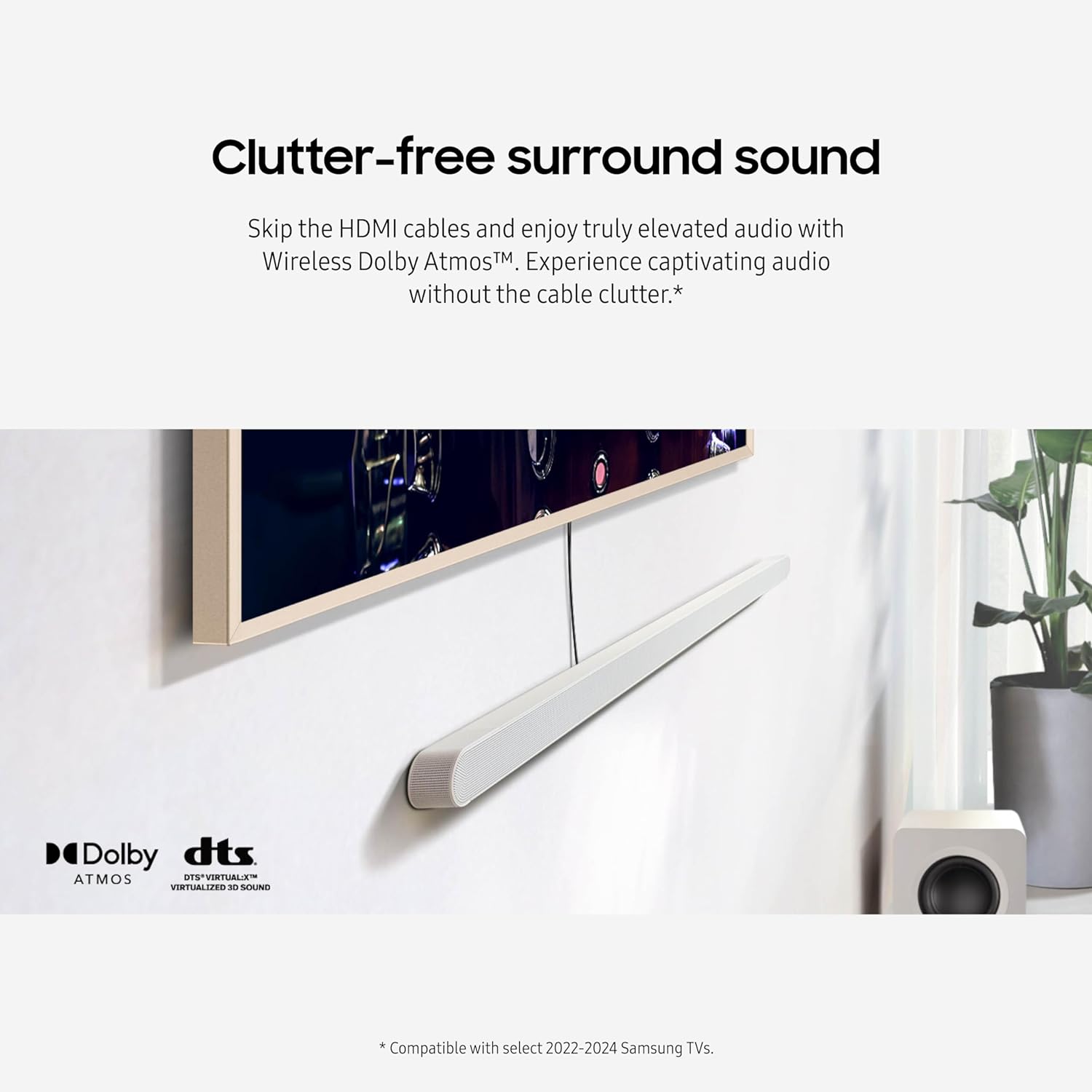
Image: A living room scene with a wall-mounted TV and the Samsung S801D Soundbar, illustrating the benefit of wireless connectivity for a clean aesthetic.
5.3. 3.1.2ch True Dolby Atmos Sound
Experience sound with three-dimensional nuance. The 3.1.2ch configuration, including up-firing channels and the wireless subwoofer, extends crisp audio throughout your room, bringing movies and music to life.
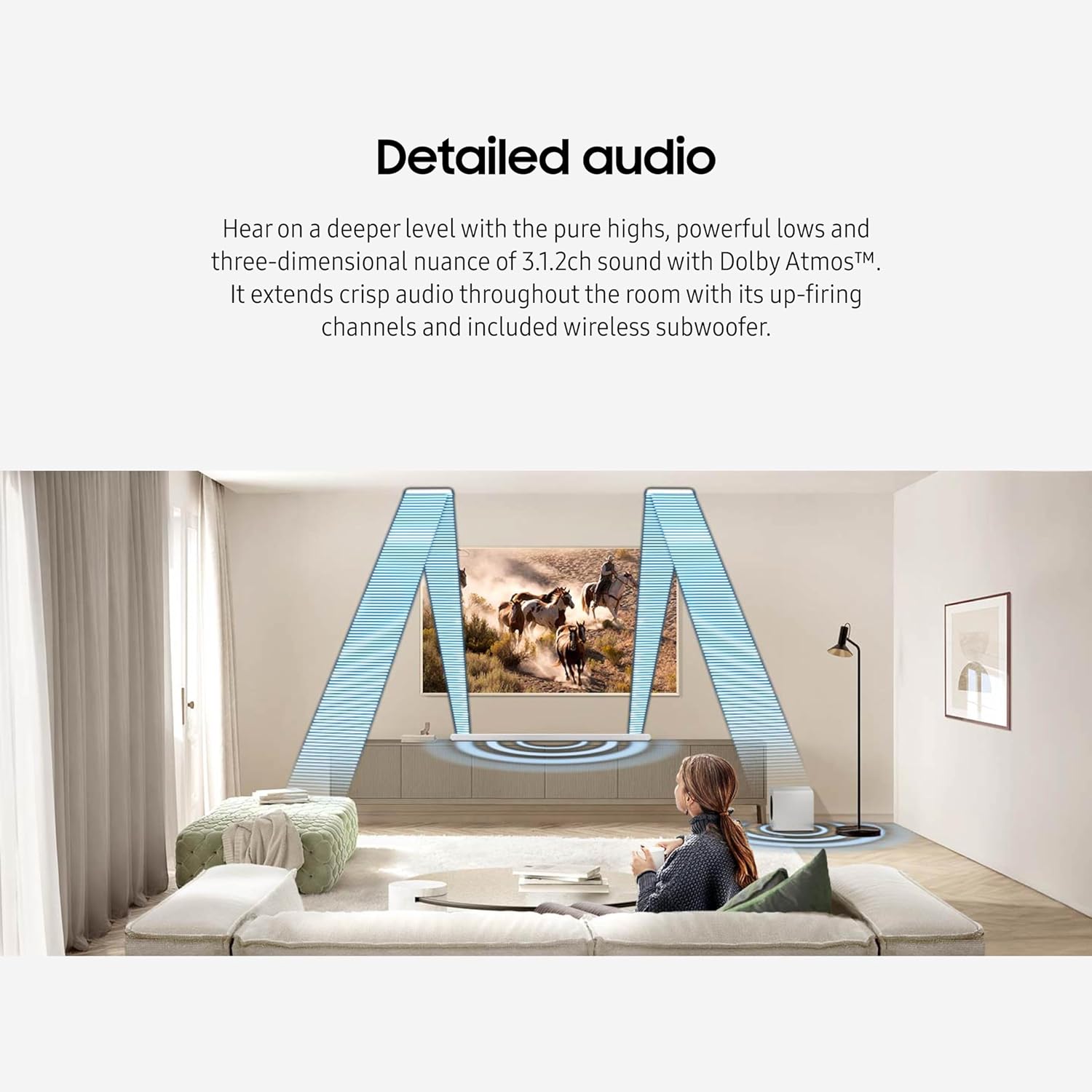
Image: An illustration depicting sound waves projecting from the soundbar and reflecting off the ceiling, creating an immersive 3.1.2ch audio experience.
5.4. Smart Integration
The soundbar integrates with popular voice assistants and smart services, including built-in Alexa, Chromecast, and AirPlay 2, allowing you to control your devices and stream audio effortlessly.

Image: A visual display of various smart home and streaming service logos, demonstrating the soundbar's compatibility with these platforms.
5.5. SpaceFit Sound Pro
This feature calibrates the sound to your specific space by analyzing your environment and automatically optimizing the audio for accurate and clear sound delivery.
5.6. Adaptive Sound
Adaptive Sound intelligently optimizes audio in real-time, making dialogue clearer even at low volumes. It analyzes scenes to highlight the most important audio based on content type.
5.7. Game Mode Pro
For gamers, Game Mode Pro offers a more intuitive experience with powerful up-firing speakers, acoustic beam, and strong woofers. It provides 3D optimized sound and automatically activates in sync with your TV.
5.8. Active Voice Ampliificator (AVA)
AVA ensures that dialogue and commentary are not drowned out by background noise. It analyzes room noise and optimizes onscreen voices, enhancing the enjoyment of movies, shows, and sports.
Video: O prezentare detaliatăview of the Samsung Soundbar's immersive audio features and various sound settings available through the SmartThings app.
Video: O review highlighting the wireless capabilities and overall sound performance of the Samsung Soundbar.
6. Întreținere
To maintain the performance and appearance of your soundbar, regularly wipe the surfaces with a soft, dry cloth. Avoid using abrasive cleaners or solvents. Ensure the soundbar and subwoofer grilles are free from dust accumulation.
7. Depanare
7.1. Fără sunet
- Asigurați-vă că bara de sunet și televizorul sunt pornite.
- Check that the HDMI cable is securely connected to both the soundbar's HDMI (eARC) port and the TV's HDMI (eARC) port.
- Verify the TV's audio output is set to HDMI eARC.
- Confirm the soundbar's input source matches the TV's output.
7.2. Subwoofer Not Connecting
- Ensure the subwoofer is plugged into a power outlet.
- Press the pairing button on the back of the subwoofer to re-establish connection.
7.3. Calitate slabă a sunetului
- Check for obstructions around the soundbar and subwoofer.
- Adjust sound modes (e.g., Adaptive Sound, Standard) via the remote or SmartThings app.
- Utilize SpaceFit Sound Pro for room calibration.
8. Specificații
| Caracteristică | Detaliu |
|---|---|
| Numele modelului | E1SAMHWS801DRB |
| Dimensiuni soundbar (A x L x Î) | 1.5" D x 45.6" L x 1.4" H |
| Greutatea articolului | 17.2 lire sterline |
| Configurare canal de sunet surround | 3.1.2 |
| Caracteristici speciale | Wireless Dolby Atmos, Q-Symphony, SpaceFit Sound Pro, Adaptive Sound, Game Mode AVA |
| Tehnologia de conectivitate | Fără fir (Bluetooth, Wi-Fi) |
| Metoda de control | Telecomanda |
| Componente incluse | HDMI Cable, Power Adapter, Remote Controller, Wallmount Kit |
| Sursa de alimentare | Electric cu fir |
| Numărul de baterii | Sunt necesare 2 baterii AAA |
9. Garanție și asistență
This product comes with a Limited Warranty. For detailed warranty information, troubleshooting guides, and customer support, please visit the official Samsung support website-ul web sau consultați documentația inclusă în ambalajul produsului.


