1. Introducere
This manual provides essential information for setting up, operating, maintaining, and troubleshooting your Svikou 15.6'' 165Hz 2.5K FHD Laptop. Please read this manual thoroughly before using your device to ensure optimal performance and longevity.
The Svikou 15.6'' laptop is designed for high-performance computing, featuring an AMD Ryzen 7 5700U processor, a vibrant 165Hz 2.5K FHD display, 16GB of RAM, and a 512GB NVMe SSD. It comes pre-installed with Windows 11 Pro.

Image 1.1: The Svikou 15.6-inch laptop with a high-resolution display, showcasincapacitățile sale vizuale.
2. Noțiuni introductive (Configurare)
2.1. Conținutul pachetului
Înainte de a continua, asigurați-vă că toate articolele sunt prezente în colet:
- Svikou 15.6'' Laptop x1
- Incarcator x1
- Mouse fără fir x1
- English Operation Manual x1 (this document)
- Card de garanție x1
2.2. Pornirea inițială
- Connect the charger to the laptop's DC charging port and a power outlet.
- Deschide capacul laptopului.
- Apăsați butonul de pornire/oprire situat pe tastatură.
- Follow the on-screen instructions to complete the Windows 11 Pro setup. This includes selecting your region, language, and setting up your user account.
3. Caracteristici cheie și funcționare
3.1. Afișare
The laptop features a 15.6-inch 2.5K FHD (2560 x 1440) IPS display with a 165Hz refresh rate. This provides a clear, dynamic visual experience with a 90% screen share and 100% sRGB color gamut.
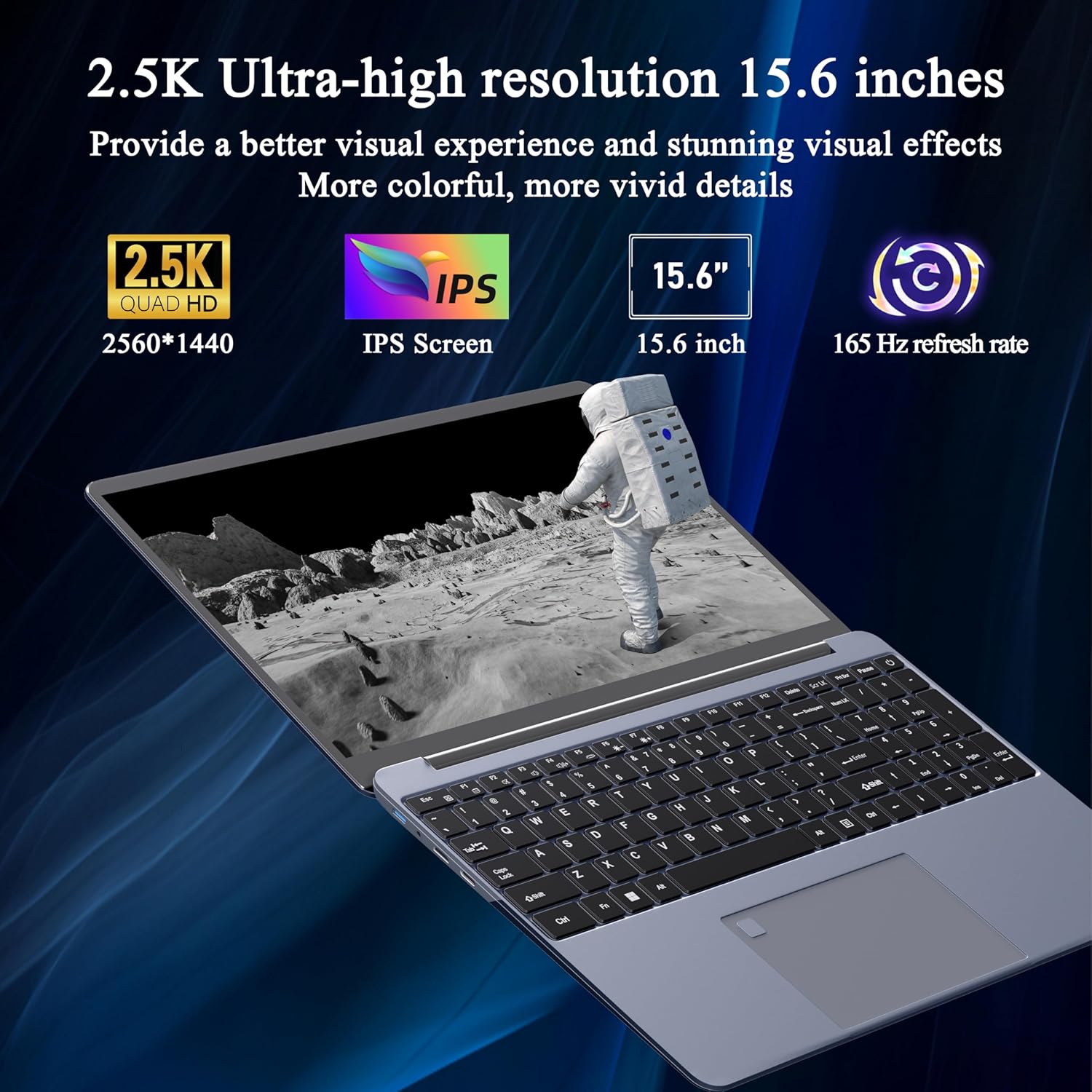
Image 3.1: Visual representation of the laptop's 2.5K Ultra-high resolution 15.6-inch display specifications.
3.2. Procesor
Equipped with an AMD Ryzen 7 5700U eight-core processor, the laptop offers a base frequency of 1.8GHz and can accelerate up to 4.3GHz. This processor is designed for high-performance computing and multitasking.

Imaginea 3.2: Detaliată view of the AMD Ryzen 7 5700U processor, highlighting its core specifications.
3.3. Memorie și stocare
The laptop features 16GB of DDR4 RAM, enabling smooth multitasking across multiple applications. For storage, it includes a 512GB NVMe SSD, which provides fast startup times and efficient data access with minimal noise.

Image 3.3: The laptop demonstrating its capacity for handling multiple applications with 16GB RAM and 512GB SSD.
3.4. Conectivitate și porturi
The laptop offers versatile connectivity options:
- Fără fir: 5G dual-band WiFi, Bluetooth 4.2
- Porturi: 2x USB 3.0, 1x Micro SD card slot, 1x Type-C, 1x Mini HDMI, 1x Headphone Jack, 1x DC charging port

Image 3.4: An illustration detailing the available ports on the Svikou laptop for external device connections.
3.5. Tastatură și introducere de date
The laptop features a backlit keyboard for improved visibility in various lighting conditions. It also includes a fingerprint unlock sensor for enhanced security and convenient access.
- Tastatură iluminată din spate: Pentru a comuta iluminarea de fundal a tastaturii, apăsați Fn + F5.
- Deblocarea amprentei digitale: Use the integrated fingerprint sensor for secure login.

Image 3.5: Close-up of the backlit keyboard and the fingerprint unlock feature.
3.6. Bateria
The laptop is equipped with a 5000mAh high-capacity battery, providing up to 5 hours of usage depending on the workload.

Image 3.6: The laptop's design emphasizing its durable battery life.
4. Întreținere
To ensure the longevity and optimal performance of your Svikou laptop, follow these maintenance guidelines:
- curatenie: Folosiți o lavetă moale, fără scame, pentru a curăța ecranul și exteriorul. Evitați substanțele chimice dure.
- Actualizări de software: Regularly update your Windows operating system and drivers to ensure security and performance.
- Îngrijirea bateriei: Evitați descărcarea completă frecventă a bateriei. Pentru depozitarea pe termen lung, încărcați bateria la aproximativ 50-70%.
- Ventilare: Asigurați-vă că orificiile de ventilație ale laptopului nu sunt obstrucționate pentru a preveni supraîncălzirea. Folosiți laptopul pe o suprafață dură și plană.
- Depozitare: Depozitați laptopul într-un loc răcoros și uscat, ferit de lumina directă a soarelui și de temperaturi extreme.
5. Depanare
This section addresses common issues you might encounter with your Svikou laptop.
5.1. Tastatura nu răspunde
- Restart the Laptop: O simplă repornire poate rezolva adesea erorile temporare ale software-ului.
- Verificați driverele: Ensure your keyboard drivers are up to date. Go to Device Manager, locate 'Keyboards', right-click your keyboard device, and select 'Update driver'.
- Sistem File Verifica: If issues persist after a Windows update, open Command Prompt as administrator and run
DISM /Online /Cleanup-Image /RestoreHealth. Allow it to complete, then restart your computer.
5.2. Supraîncălzire
- Verificați ventilația: Ensure the laptop's vents are clear of dust and obstructions. Use compressed air to clean them if necessary.
- Suprafaţă: Use the laptop on a hard, flat surface to allow for proper airflow. Avoid using it on soft surfaces like beds or couches.
- Închideți aplicațiile neutilizate: Reduce the workload on the CPU and GPU by closing unnecessary programs.
- Setări de alimentare: Adjust power settings to a 'Balanced' or 'Power saver' mode to reduce performance and heat generation.
5.3. Bateria se descarcă rapid
- Reglați luminozitatea ecranului: Lowering screen brightness significantly reduces battery consumption.
- Închideți aplicațiile în fundal: Many applications consume power even when not actively in use. Close them from Task Manager.
- Mod de alimentare: Switch to 'Battery Saver' mode in Windows settings.
- Disable Unused Features: Turn off Wi-Fi, Bluetooth, or other peripherals when not needed.
6. Specificații
| Caracteristică | Caietul de sarcini |
|---|---|
| Marca | Svikou |
| Numele modelului | 15AR757 |
| Dimensiunea ecranului | 15.6 inci |
| Rezoluția afișajului | 2560 x 1440 (2.5K FHD) |
| Rata de reîmprospătare | 165 Hz |
| Procesor | AMD Ryzen 7 5700U (8-core, 1.8 GHz base, up to 4.3 GHz) |
| RAM | 16 GB LPDDR4X |
| Depozitare | SSD NVMe de 512 GB |
| Sistem de operare | Windows 11 Pro |
| Placa grafica | Grafică integrată AMD Radeon |
| Tip fără fir | 802.11ax (5G Dual-Band WiFi) |
| Bluetooth | Bluetooth 4.2 |
| Porturi USB 3.0 | 2 |
| Alte porturi | Type-C, Mini HDMI, Micro SD Card Slot, Headphone Jack, DC Charging Port |
| Baterie | 5000 mAh Litiu Ion |
| Greutatea articolului | 6.07 lire sterline |
| Dimensiunile produsului | 14 x 9 x 0.7 inci |
| Culoare | Gri |
7. Garanție și asistență
Your Svikou laptop comes with a 12-month product quality assurance. If you encounter any discrepancies or issues, particularly regarding Windows 11 Pro certification, please contact our customer service team.
We offer 24-hour email support to assist you with any questions or concerns. Please refer to the warranty card included in your package for specific terms and conditions.
Contactați asistența: For assistance, please refer to the contact information provided on your warranty card or the official Svikou website-ul.