Introducere
The Roku Streambar SE is a compact 2-in-1 entertainment device designed to upgrade your television's audio and streaming capabilities. It integrates 4K/HD/HDR streaming with premium sound, featuring enhanced speech clarity for clear dialogue. This manual provides essential information for setting up, operating, maintaining, and troubleshooting your Roku Streambar SE.
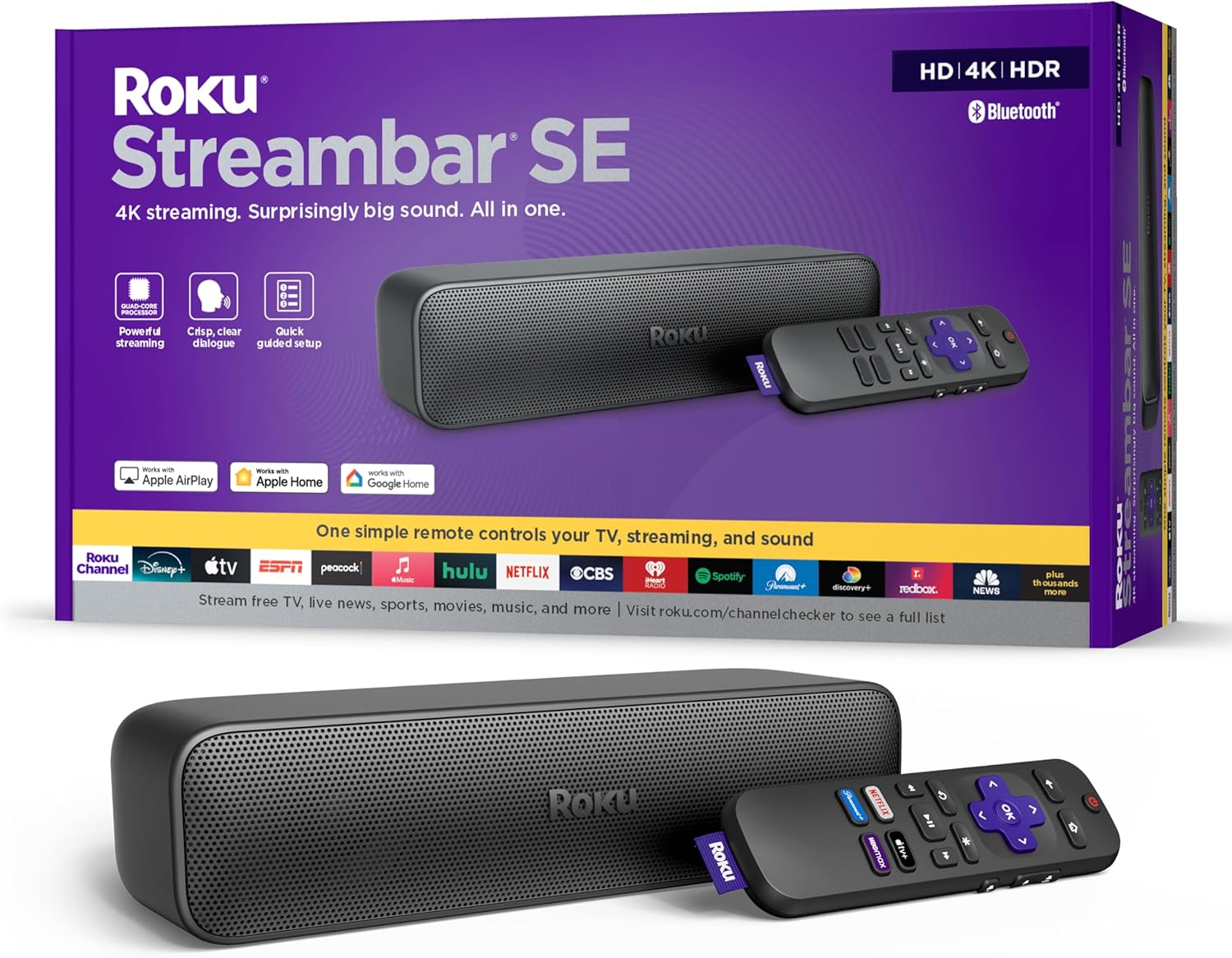
Image: Roku Streambar SE packaging and the device itself, showcasing its compact design and included remote.
Ce este în cutie
Verificați dacă toate articolele sunt prezente în ambalaj:
- Roku Streambar SE
- Standard Remote and 2 AAA batteries
- Adaptor de alimentare
- Cablu HDMI de mare viteză premium
- Optical Cable (only for use if your TV doesn't have an HDMI-ARC port)
Video: An unboxing of the Roku Streambar SE, showing the contents of the package including the soundbar, remote, cables, and quick start guide.
Înființat
Follow these steps for a quick and guided setup:
- Conectați-vă la televizor: Plug the included Premium High Speed HDMI Cable into the HDMI-ARC port on your TV and the HDMI port on the Streambar SE. If your TV does not have an HDMI-ARC port, use the included Optical Cable for audio and a standard HDMI cable (not included) for video.
- Pornire: Connect the power adaptor to the Streambar SE and then to a wall outlet.
- Introduceți bateriile: Open the remote control battery compartment and insert the two AAA batteries.
- Urmați instrucțiunile de pe ecran: Turn on your TV and select the correct HDMI input. The Roku guided setup will appear on your screen. Follow the instructions to connect to your home Wi-Fi network and activate your Roku account.
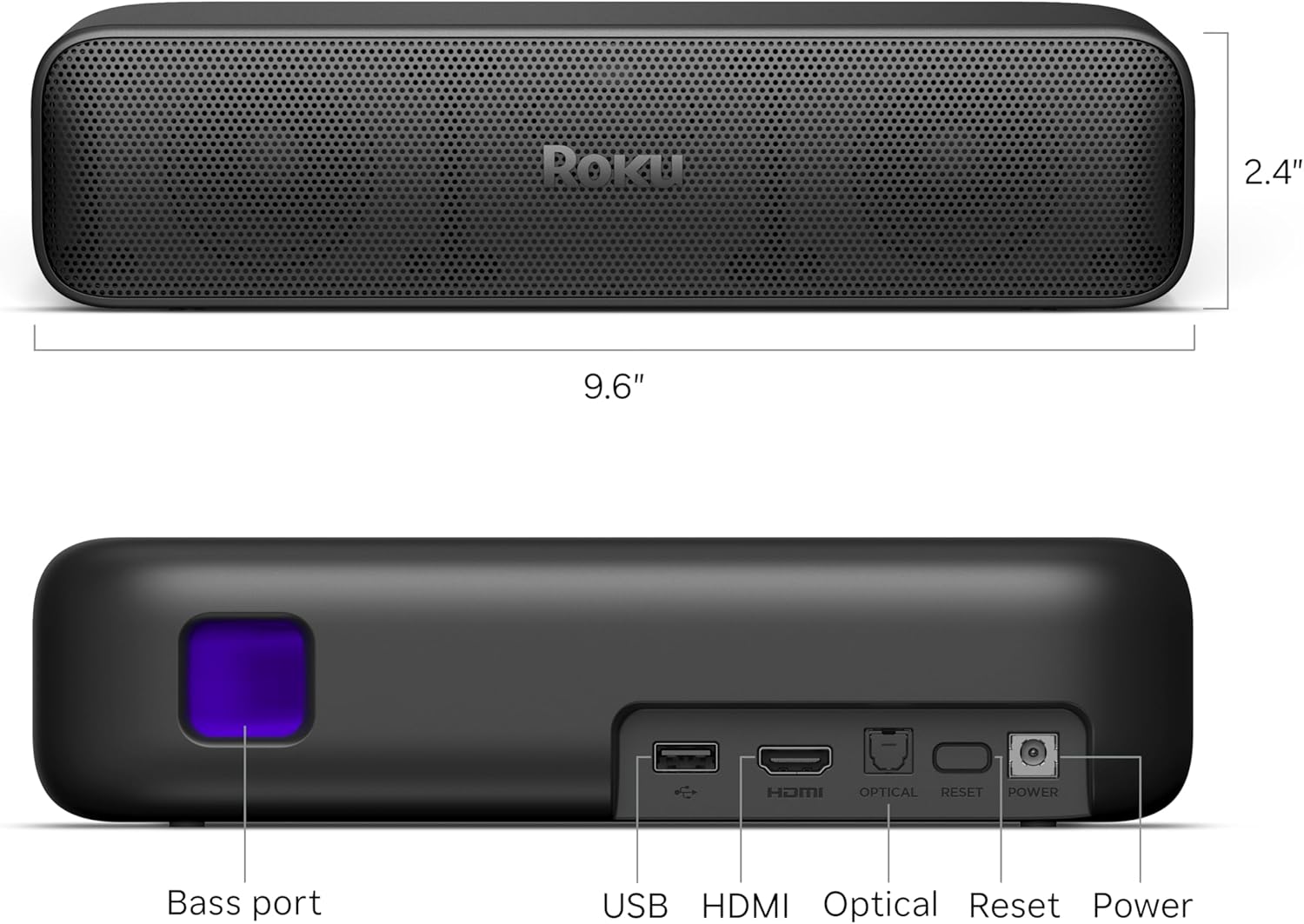
Image: The Roku Streambar SE positioned below a television, showing the device's integration with the TV's display.
Video: A demonstration of the Roku Streambar SE's setup process and its functionality with a television, highlighting ease of use.
Funcționează
Funcții de control de la distanță
The included remote control allows you to navigate the Roku interface and control your TV's power and volume. It features dedicated buttons for popular streaming services.
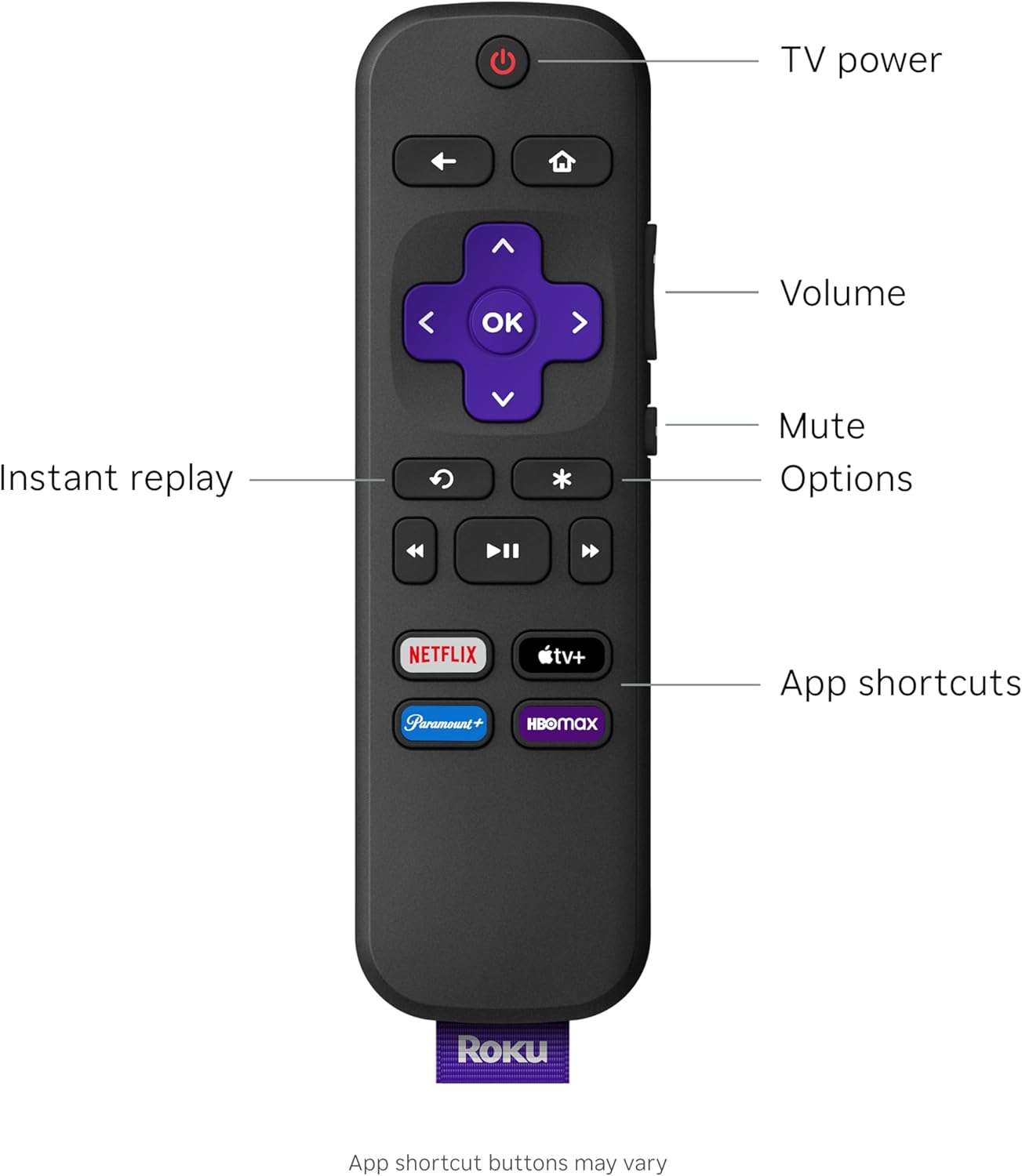
Image: Close-up of the Roku Streambar SE remote control, detailing its buttons for navigation, playback, and quick access to streaming apps.
- Buton de alimentare: Turns your TV and Streambar SE on/off.
- Butoane de volum: Adjusts the volume of the Streambar SE.
- Buton mut: Dezactivează sunetul.
- Navigation Pad (Purple): Folosiți săgețile direcționale pentru a vă deplasa prin meniuri și butonul OK pentru a selecta.
- Buton Acasă: Revine la ecranul principal Roku.
- Butonul Înapoi: Revine la ecranul anterior.
- Reluare instantanee: Revine cu câteva secunde înapoi în redarea videoclipului.
- Opțiuni (*): Accesses additional options within apps or menus.
- Butoane dedicate aplicației: Oferă acces rapid la servicii de streaming populare.
Streaming Features
The Roku Streambar SE offers seamless access to a vast library of streaming content in brilliant 4K HDR picture quality. The intuitive interface allows for quick app launches and easy navigation.
Moduri audio
Enhance your listening experience with various audio settings:
- Claritate îmbunătățită a vorbirii: Boosts the volume of dialogue, making conversations clearer and easier to understand.
- Automatic Volume Leveler: Automatically adjusts the volume to prevent sudden loud commercials or quiet scenes, providing a consistent listening level.
- Ascultare nocturnă: Reduces the intensity of loud sounds while boosting quieter ones, ideal for late-night viewfără a-i deranja pe ceilalți.
Asociere Bluetooth
The Streambar SE supports Bluetooth connectivity for audio. You can pair your favorite wireless headphones for private listening or stream music from your mobile device directly through the soundbar.
- To pair headphones, access the Bluetooth settings on your Roku device and follow the pairing instructions.
- To stream music from a mobile device, enable Bluetooth on your device, select the Roku Streambar SE from the list of available devices, and begin playback.
Video: A user demonstrates the sound quality and streaming interface of the Roku Streambar SE, highlighting its performance during media playback.
Întreţinere
To ensure optimal performance and longevity of your Roku Streambar SE, follow these maintenance guidelines:
- curatenie: Use a soft, dry, lint-free cloth to clean the exterior of the Streambar SE. Do not use liquid cleaners or abrasive materials.
- Actualizări de software: The device will automatically download and install software updates when connected to the internet. Ensure your Streambar SE remains connected to the internet for the latest features and security enhancements.
- Plasare: Place the Streambar SE on a stable, flat surface in front of your TV. Ensure it is not obstructed to allow for optimal sound dispersion.
Depanare
If you encounter issues with your Roku Streambar SE, try the following solutions:
- Fără putere: Ensure the power adaptor is securely connected to both the Streambar SE and a working wall outlet.
- Fără sunet:
- Verify the HDMI cable is connected to the TV's HDMI-ARC port.
- Check your TV's audio settings to ensure audio output is set to the correct HDMI-ARC or optical port.
- Ensure the Streambar SE is not muted and the volume is turned up.
- No Picture/Streaming Issues:
- Confirm the HDMI cable is properly connected.
- Check your internet connection. Restart your router if necessary.
- Restart the Roku Streambar SE by unplugging it from power for 10 seconds and plugging it back in.
- Telecomanda nu răspunde: Replace the AAA batteries in the remote control. Ensure there are no obstructions between the remote and the Streambar SE.
Specificații
| Caracteristică | Detaliu |
|---|---|
| Numele modelului | Streambar SE |
| Numărul de model al articolului | 9104R |
| Dimensiunile produsului | 9.6 x 3.5 x 2.4 inci |
| Greutatea articolului | 2 lire sterline |
| Rezoluţie | 4K HDR/HDR10+ |
| Tehnologia de conectivitate | Bluetooth, HDMI, Optic, Wi-Fi |
| Tip conector | HDMI, Optical cable |
| Servicii de Internet acceptate | Hulu, Netflix, Prime Video, YouTube (and more) |
| Caracteristici speciale | 4K HDR/HDR10+ Streaming, Auto Volume Leveler, Compatible with Wireless Headphones, Enhanced Speech Clarity and Automatic Volume Control, Quick Guided Simple Setup |
Garanție și suport
For warranty information, technical support, and additional resources, please visit the official Roku support website or refer to the documentation included with your product. Keep your proof of purchase for warranty claims.


