Introducere
This manual provides detailed instructions for the setup, operation, and maintenance of your Rapoo M300G Silent Wireless Mouse. Please read this manual thoroughly to ensure proper use and to maximize the performance of your device.
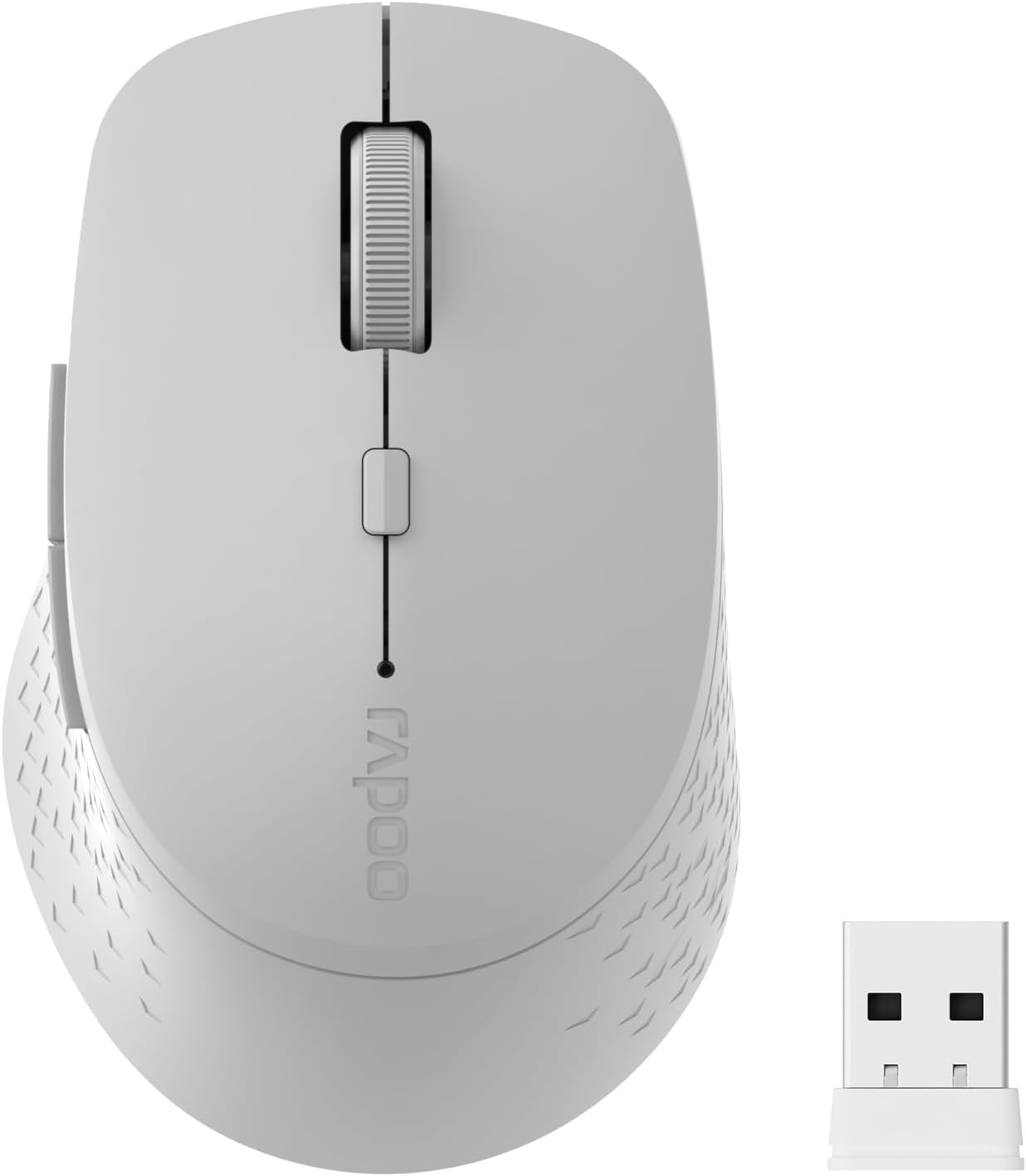
Image: The Rapoo M300G Silent Wireless Mouse in light grey, shown with its accompanying USB receiver.
Conținutul pachetului
Verificați dacă toate articolele sunt prezente în colet:
- Rapoo M300G Wireless Mouse (x1)
- USB Receiver (x1)
- baterie AA (x1)
- Manual de produs (x1)
Produs terminatview
Familiarize yourself with the components of your Rapoo M300G mouse.
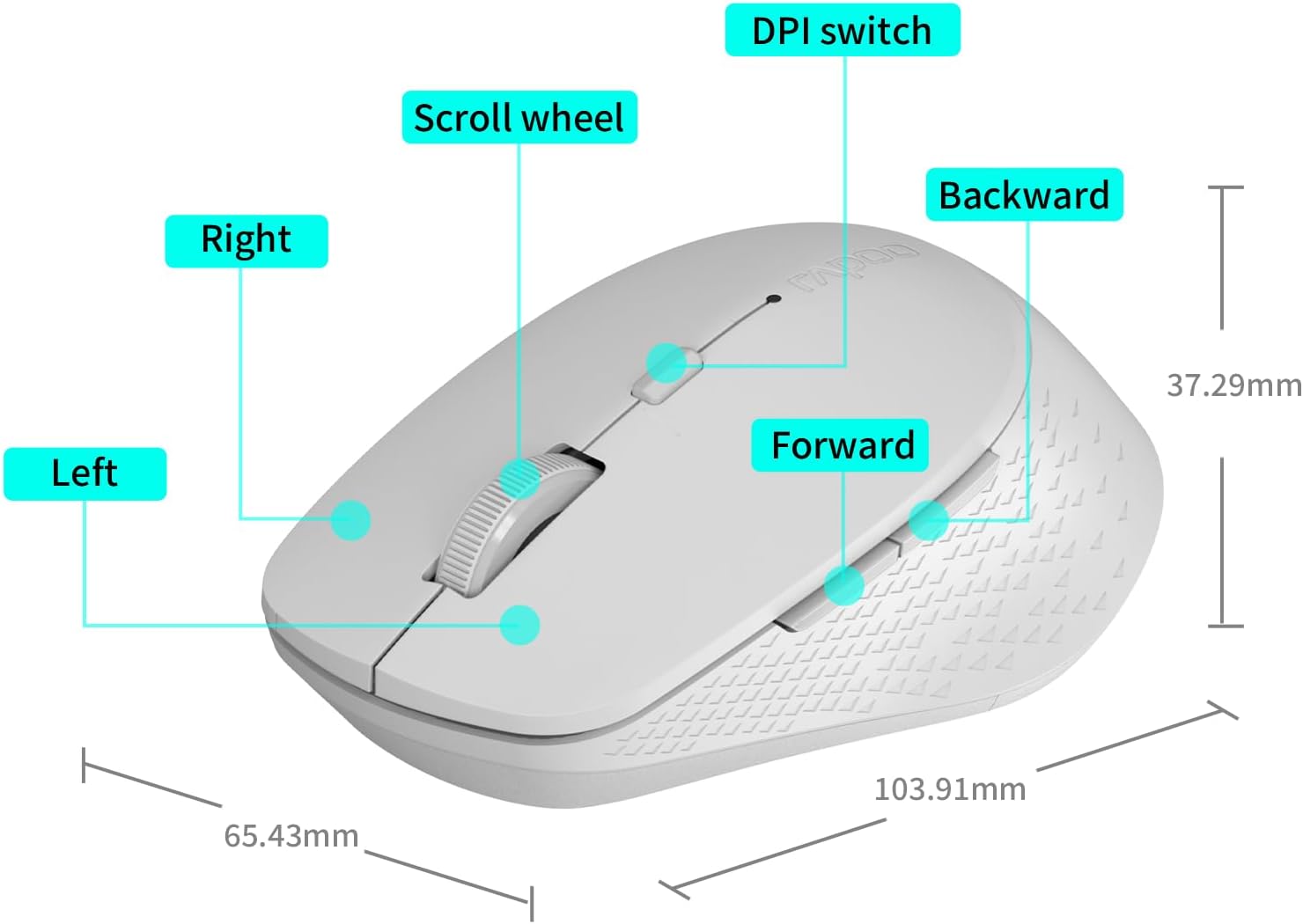
Image: A diagram illustrating the various parts of the Rapoo M300G mouse, including the left and right click buttons, scroll wheel, DPI switch, and forward/backward side buttons.
- Butonul din stânga: Funcție standard de clic.
- Butonul din dreapta: Funcția meniului contextual.
- Rotiță de defilare: Pentru derulare verticală și clic cu butonul din mijloc.
- Comutator DPI: Ajustează sensibilitatea cursorului.
- Buton înainte: Navighează înainte în web browsere sau file exploratori.
- Buton înapoi: Navighează înapoi în web browsere sau file exploratori.
Instrucțiuni de configurare
The Rapoo M300G mouse supports both 2.4GHz wireless and Bluetooth connectivity. Choose the method that best suits your device.
1. Instalarea bateriei
Open the battery compartment on the underside of the mouse. Insert the provided AA battery, ensuring correct polarity. Close the compartment.

Image: Illustration of the mouse's underside, highlighting the battery compartment and the integrated USB receiver storage slot.
2. Connecting via 2.4GHz Wireless Mode
- Locate the USB receiver inside the mouse's battery compartment.
- Scoateți receptorul USB și conectați-l la un port USB disponibil de pe computer.
- Porniți mouse-ul folosind comutatorul de alimentare de pe partea inferioară.
- Mouse-ul ar trebui să se conecteze automat la computer. De obicei, nu sunt necesare drivere suplimentare.
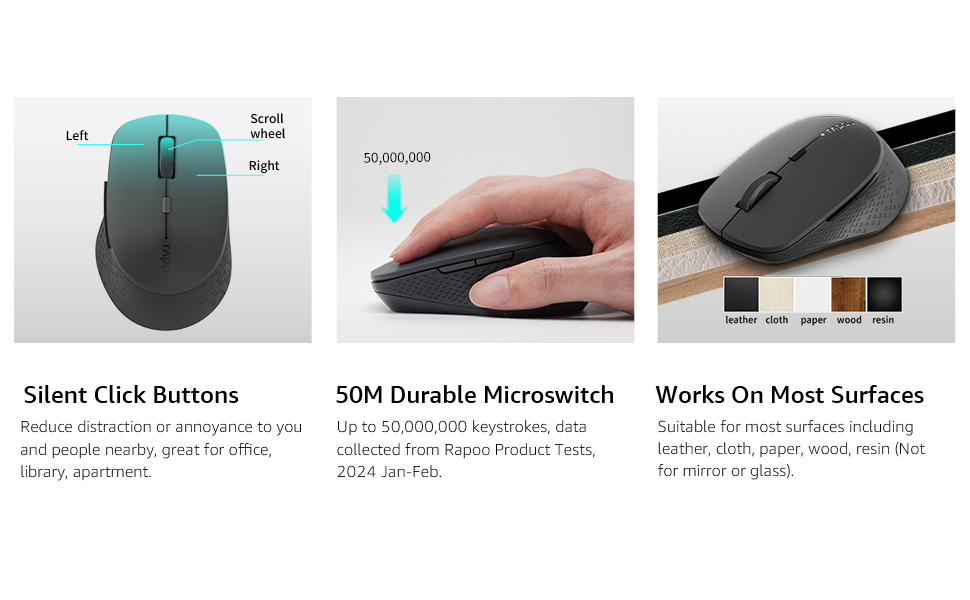
Image: Visual guide for connecting the mouse. The 2.4GHz mode shows the USB receiver being inserted into a computer.
3. Conectare prin modul Bluetooth
The mouse supports Bluetooth 5.0 and 4.0.
- Porniți mouse-ul folosind comutatorul de alimentare de pe partea inferioară.
- Press and hold the multifunction button on the underside of the mouse for 3-5 seconds until the indicator light flashes slowly. This indicates pairing mode.
- Pe computer sau dispozitiv, deschideți setările Bluetooth.
- Caută new devices and select "Rapoo M300G" (or similar) from the list.
- Follow any on-screen prompts to complete the pairing process. The indicator light will stop flashing once connected.

Image: Diagram detailing the multifunction button on the mouse's underside, explaining its use for DPI adjustment (short press) and Bluetooth pairing (long press).
Image: Visual guide for connecting the mouse. The Bluetooth mode shows the mouse pairing with a laptop.
Instrucțiuni de operare
1. Switching Between Devices (Multi-Mode)
The Rapoo M300G can connect to two devices simultaneously (one via 2.4GHz, one via Bluetooth). To switch between connected devices, briefly press the multifunction button on the underside of the mouse. The indicator light will change to confirm the active connection mode.

Image: The Rapoo M300G mouse demonstrating its ability to connect to two devices simultaneously, one via 2.4GHz and another via Bluetooth.
2. Reglarea DPI-ului (sensibilității)
The mouse offers 5 adjustable DPI levels: 800, 1000, 1200, 1600, and 2400. To change the DPI, press the DPI switch button located on the top of the mouse, below the scroll wheel. Each press cycles through the available DPI settings.

Image: A visual representation of the mouse's adjustable DPI settings, ranging from 800 to 2400, with an arrow pointing to the DPI switch button.
3. Funcția de clic silențios
The Rapoo M300G features silent click buttons, reducing operational noise by 90%. This design is intended for quiet environments, minimizing disturbance to others.
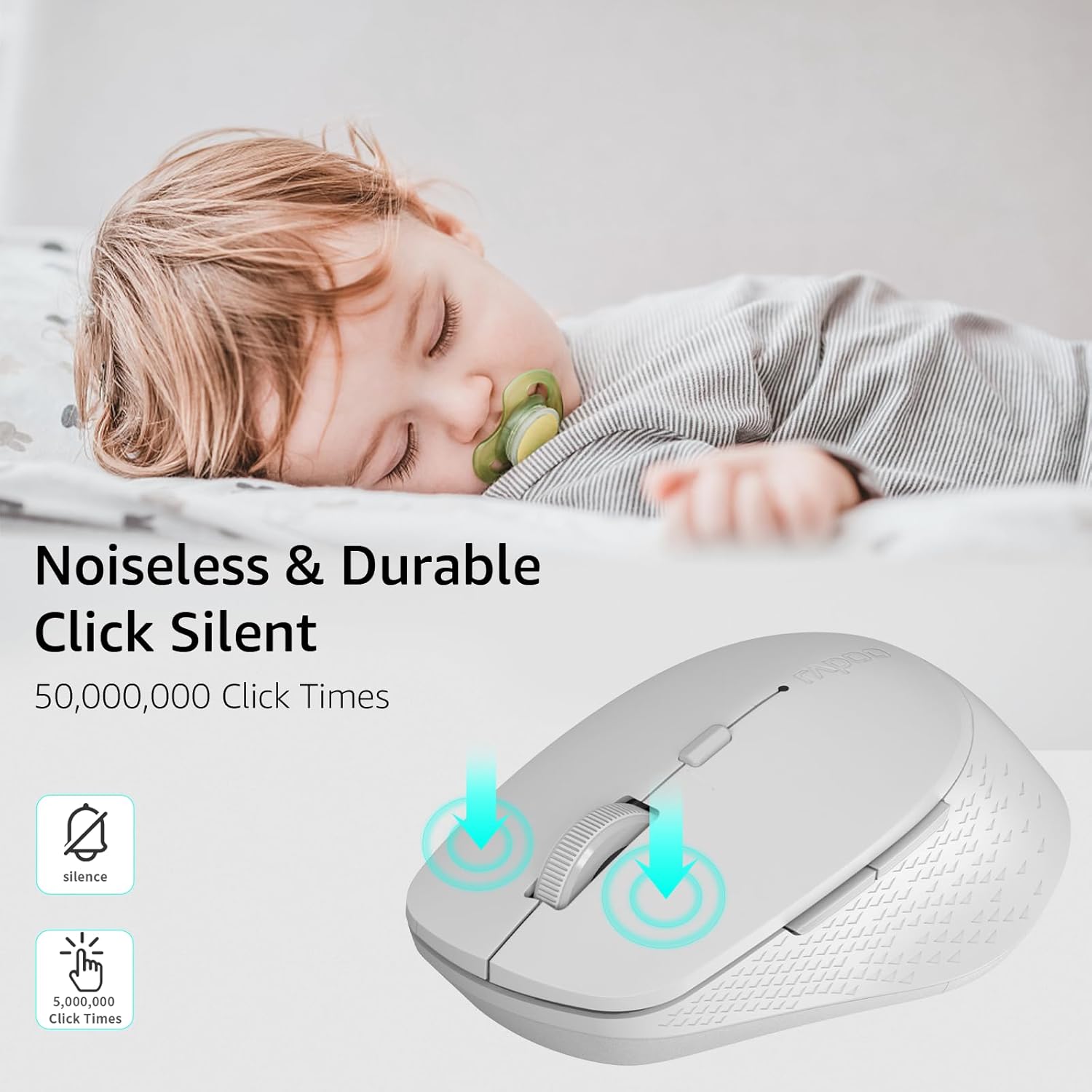
Image: The Rapoo M300G mouse, emphasizing its silent click functionality, suitable for quiet environments.

Imagine: Detaliată view of the mouse's silent click buttons, durable microswitches, and its ability to function on various surfaces.
4. Compatibilitatea suprafeței
The advanced optical tracking engine allows the mouse to operate effectively on various surfaces, including leather, cloth, paper, wood, and resin, without requiring a mouse pad. Performance may vary on glass or mirrored surfaces.

Image: The Rapoo M300G mouse positioned on different materials, highlighting its capability to track on diverse surfaces.
Întreţinere
1. Înlocuirea bateriei
When the mouse performance degrades or the indicator light signals low battery, replace the AA battery. The mouse is designed for low power consumption, offering up to 12 months of battery life under normal conditions.

Image: An illustration emphasizing the Rapoo M300G mouse's extended battery life of up to 12 months.
2. Curatenie
Pentru a curăța mouse-ul, folosiți o lavetă moale și uscată. Pentru murdăria persistentă, folosiți o cârpă ușor uscată.amp se poate folosi o cârpă, asigurându-vă că nu pătrunde umezeală în componentele interne. Evitați utilizarea substanțelor chimice dure sau a materialelor abrazive.
Depanare
Mouse-ul nu răspunde
- Verificați bateria: Asigurați-vă că bateria AA este instalată corect și are o încărcare suficientă. Înlocuiți-o dacă este necesar.
- Întrerupător: Verificați dacă mouse-ul este pornit.
- USB Receiver (2.4GHz Mode): Asigurați-vă că receptorul USB este conectat corect la un port USB funcțional. Încercați un alt port USB.
- Bluetooth Connection (Bluetooth Mode):
- Asigurați-vă că Bluetooth este activat pe dispozitivul dvs.
- Re-enter pairing mode on the mouse (long press multifunction button) and re-pair with your device.
- Eliminați mouse-ul din lista Bluetooth a dispozitivului și încercați să îl conectați din nou.
- Interferență: Mutați mouse-ul mai aproape de receptor/dispozitiv. Evitați utilizarea mouse-ului în apropierea altor dispozitive wireless care ar putea cauza interferențe.
Mișcarea cursorului este ertică
- Curățați senzorul: Asigurați-vă că senzorul optic de pe partea inferioară a mouse-ului este curat și lipsit de praf sau resturi.
- Suprafaţă: Try using the mouse on a different surface. While the mouse works on many surfaces, some highly reflective or uneven surfaces may affect tracking.
- Setare DPI: Adjust the DPI setting using the DPI switch button to see if a different sensitivity improves performance.
Specificații
| Model | M300G |
| Tehnologia de conectivitate | Bluetooth 5.0, Bluetooth 4.0, 2.4GHz Wireless |
| Tehnologia de detectare a mișcării | Optic |
| DPI reglabil | 800 / 1000 / 1200 / 1600 / 2400 |
| Caracteristici speciale | Silent Clicks, Multi-Device Switching, Portable, Ergonomic Design |
| Tip baterie | 1 x baterie AA (inclusă) |
| Durata de viață a bateriei | Până la 12 luni |
| Dimensiunile produsului | 4.09 x 2.57 x 0.04 inchi (103.91 x 65.43 x 37.29 mm) |
| Greutatea articolului | 3.52 uncii (100 g) |
| Compatibilitate | Windows, Mac OS, Linux, iOS, Android, Chrome OS |
Garanție și suport
Your Rapoo M300G Silent Wireless Mouse comes with a garanție de un an de la data achiziției. În plus, un 30-day return and refund or replacement policy is offered. For warranty claims, technical support, or product inquiries, please contact your retailer or visit the official Rapoo website pentru asistență.
Pentru informații suplimentare, puteți vizita Rapoo Brand Store on Amazon.


