1. Introducere
Thank you for choosing the Codnida 4MP Indoor Wi-Fi Camera. This user manual provides detailed instructions on how to set up, operate, and maintain your camera to ensure optimal performance and security for your home. Please read this manual thoroughly before use and keep it for future reference.
The Codnida Mini12 Q camera offers high-definition 4MP video, dual-band Wi-Fi connectivity (2.4GHz/5GHz), two-way audio communication, advanced motion and noise detection, and reliable 24/7 recording capabilities. Its compact design allows for versatile placement, providing comprehensive surveillance day and night.
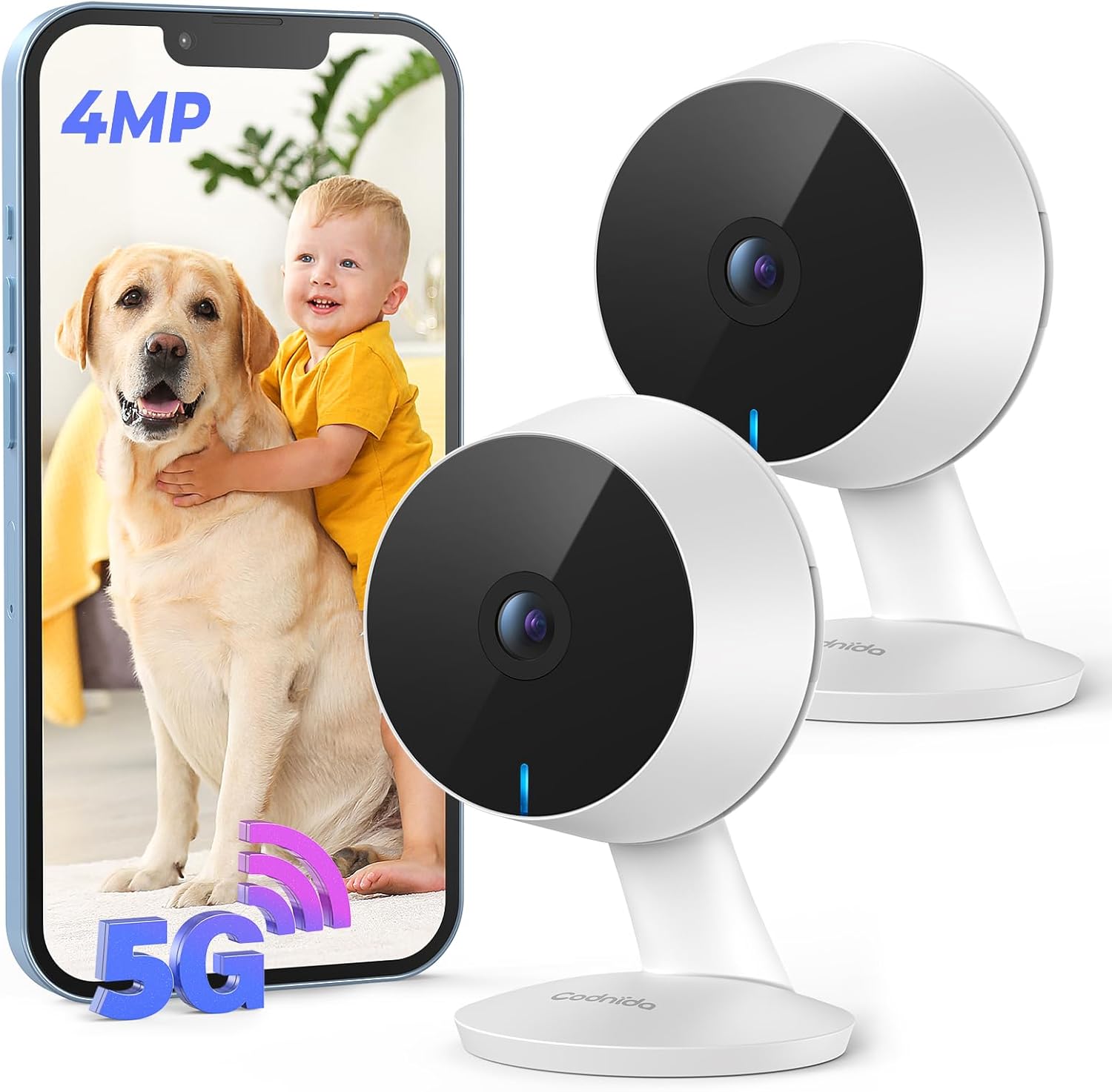
Image: Codnida 4MP Indoor Wi-Fi Camera (2-pack) and smartphone interface.
2. Configurare și instalare
2.1 Conținutul pachetului
Înainte de a începe, verificați dacă toate articolele sunt incluse în pachet:
- Codnida 4MP Indoor Wi-Fi Camera(s)
- Adaptor(e) de alimentare
- Cablu(uri) USB
- 3M Adhesive Pad(s)
- Ghid rapid

Image: Unboxed contents of the Codnida Mini12 Q camera system.
2.2 Instalare fizică
The Codnida Mini12 Q camera is designed for flexible placement. It can be installed on a desktop, wall, or ceiling using the provided 3M adhesive pad.
- Plasare pe desktop: Simply place the camera on any flat surface.
- Montare pe perete: Attach the 3M adhesive pad to the desired wall location, then firmly press the camera base onto the pad.
- Montare pe tavan: Similar to wall mounting, attach the adhesive pad to the ceiling and secure the camera. Ensure the camera is oriented correctly for the desired viewunghiul de ing.

Image: Various installation methods for the Codnida camera (wall, ceiling, desktop).
2.3 Descărcarea aplicației și conectarea
To operate your camera, you need to download the CloudEdge app and connect the camera to your Wi-Fi network.
- Descărcați aplicația CloudEdge: Scan the QR code or search for "CloudEdge" in your app store. Descărcați pe App Store | Obțineți-l pe Google Play
- Pornirea camerei: Connect the camera to a power source using the provided USB cable and adapter. The indicator light will flash red when ready for connection.
- Activați Bluetooth: On your smartphone, enable Bluetooth and location services.
- Adăugați dispozitiv: Open the CloudEdge app, register an account, and log in. Tap the "+" icon in the top right corner to add a new device.
- Selecteaza dispozitivul: The app will detect nearby devices. Select your camera from the list of found devices.
- Conectați-vă la Wi-Fi: Choose your 2.4GHz or 5GHz Wi-Fi network and enter the password to confirm the connection. The camera supports both 2.4GHz and 5GHz bands for flexible and fast data transmission.

Image: App connection process for the Codnida camera.
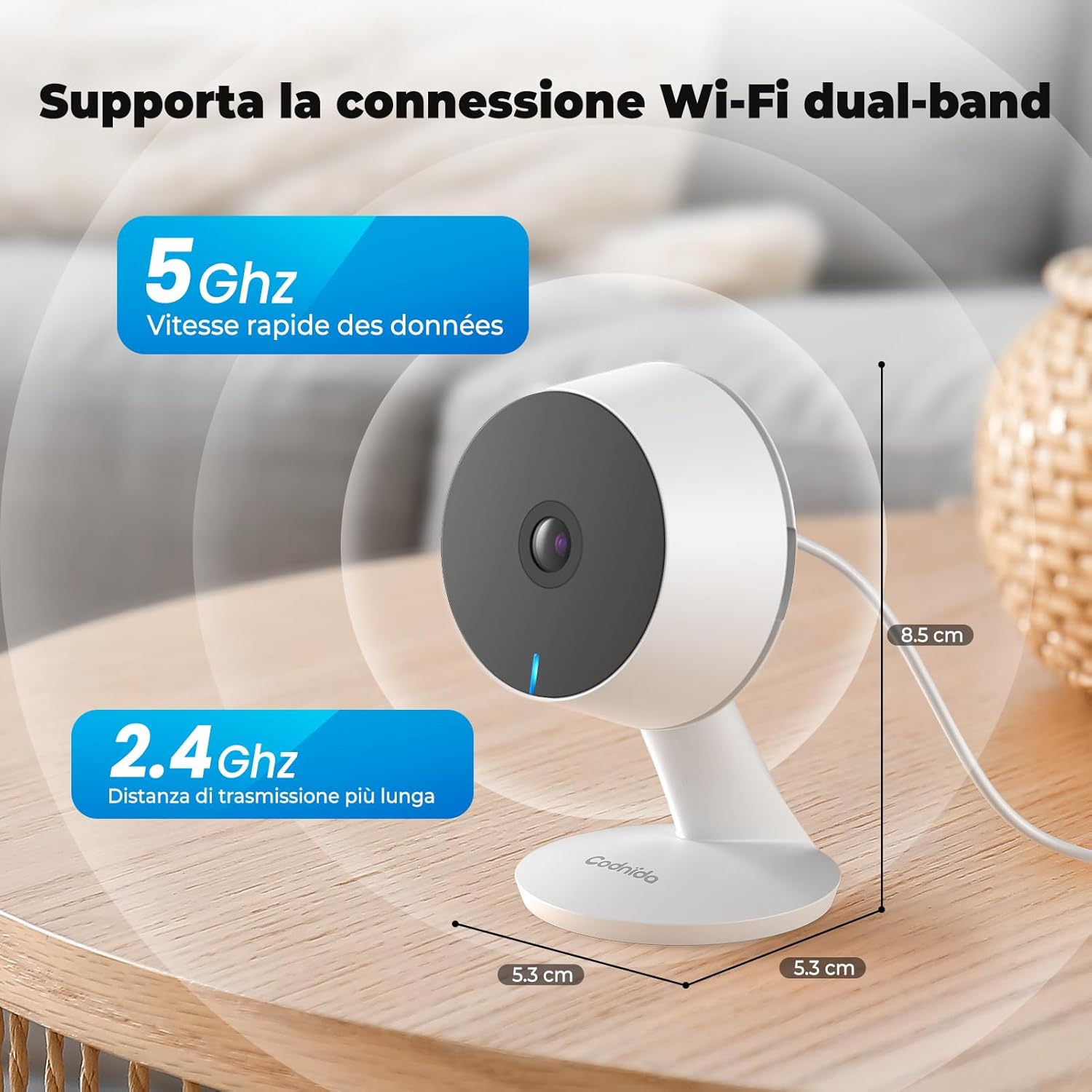
Image: Dual-band Wi-Fi connectivity (2.4GHz and 5GHz) support.
3. Instrucțiuni de utilizare
3.1 4MP HD Imaging and Night Vision
The camera captures crystal-clear 4MP (2560x1440) high-definition video, allowing you to monitor your indoor space with exceptional clarity. The 4x digital zoom feature enables you to focus on specific details within the frame.
Equipped with infrared night vision, the camera provides clear images in complete darkness up to 10 meters. It automatically switches between day and night modes, ensuring continuous protection for your family, regardless of lighting conditions.

Image: 4MP HD quality with 4x zoom capability.

Image: Clear day and night vision capabilities.
3.2 Motion and Noise Detection with Instant Notifications
The camera features advanced motion and noise detection capabilities. When activity or sound is detected within its field of view, the CloudEdge app will immediately send real-time notifications to your smartphone, keeping you informed of any events.
You can customize specific alarm recording areas within the app, ensuring that the camera only triggers alerts for relevant zones, providing more precise monitoring.

Image: Motion detection and instant push notifications.
Image: Sound detection feature with app notification.
3.3 Sunet bidirecțional
The integrated microphone and speaker allow for seamless two-way communication. You can speak through the app and have your voice heard through the camera, enabling you to interact with people or pets in front of the camera from anywhere.

Image: Two-way audio communication feature.
3.4 24/7 Recording and Flexible Storage
The camera supports 24/7 continuous recording, capturing every moment in your monitored area. You have flexible options for storing your video footage:
- Stocare pe card Micro SD: The camera supports Micro SD cards from 16GB to 128GB for local storage of recorded videos.
- Stocare în cloud: An optional paid cloud storage service is available to save your videos securely in the cloud.
The CloudEdge app also provides privacy protection features, allowing you to encrypt videos and images, and schedule camera on/off times for enhanced security.

Image: Local and optional cloud storage with 24/7 recording.
4. Întreținere
To ensure the longevity and optimal performance of your Codnida camera, follow these maintenance guidelines:
- curatenie: Gently wipe the camera lens and body with a soft, dry cloth. Avoid using harsh chemicals or abrasive cleaners that could damage the surface or lens.
- Actualizări firmware: Regularly check the CloudEdge app for available firmware updates. Keeping your camera's firmware up-to-date ensures you have the latest features, security patches, and performance improvements.
- Alimentare electrică: Use only the original power adapter and cable provided with the camera. Ensure the power connection is secure and stable.
- Conditii de mediu: Keep the camera in a dry environment and avoid exposing it to extreme temperatures, direct sunlight, or excessive humidity. This camera is designed for indoor use only.
- Medii de stocare: If using a Micro SD card, periodically check its status and ensure it has sufficient free space. Consider backing up important footagîn mod regulat.
5. Depanare
If you encounter issues with your Codnida camera, please refer to the following common troubleshooting steps:
| Problemă | Cauza posibila | Soluţie |
|---|---|---|
| Camera nu se conectează la Wi-Fi | Incorrect Wi-Fi password; Camera too far from router; Router settings (e.g., firewall) | Double-check Wi-Fi password. Move camera closer to router. Ensure your router supports 2.4GHz/5GHz and disable any client isolation settings. Try restarting the camera and router. |
| Calitate slabă a imaginii | Dirty lens; Insufficient lighting; Network bandwidth issues | Clean the camera lens. Ensure adequate lighting for optimal daytime performance. Check your internet speed and Wi-Fi signal strength. |
| Nicio notificare de detectare a mișcării | App notifications disabled; Motion detection sensitivity too low; Incorrect detection zone settings | Enable notifications for the CloudEdge app in your phone settings. Adjust motion detection sensitivity in the app. Verify and adjust the detection zones. |
| Audio bidirecțional nu funcționează | Microphone/speaker blocked; App permissions; Volume settings | Ensure nothing is obstructing the microphone or speaker on the camera. Grant microphone permissions to the CloudEdge app on your phone. Check volume levels in the app and on your phone. |
| Cardul Micro SD nu este recunoscut | Card not inserted correctly; Incompatible card; Card corrupted | Reinsert the Micro SD card. Ensure it is a compatible card (16GB-128GB). Try formatting the card via the app (this will erase all data). If issues persist, try a different Micro SD card. |
If these steps do not resolve your issue, please contact Codnida customer support for further assistance.
6. Specificații
| Caracteristică | Detaliu |
|---|---|
| Marca | Codnida |
| Numele modelului | Mini12Q |
| Numărul de model al articolului | Mini12 Q |
| Utilizare în interior/exterior | De interior |
| Dispozitive compatibile | Smartphone |
| Sursa de alimentare | Electric cu fir |
| Protocol de conectare | Wifi |
| Tip controler | Aplicația CloudEdge |
| Tip de montare | Montare pe perete |
| Rezoluție captură video | 4 MP |
| Culoare | 2 Pcs (referring to the pack size) |
| Număr de articole | 1 (per camera unit) |
| Numărul de canale | 2 (referring to the pack size) |
| Tehnologia comunicațiilor fără fir | Bluetooth, Wi-Fi (2.4GHz/5GHz) |
| Factor de formă | Dom |
| Gama de vedere nocturnă | 10 metri |
| Material | Plastic |
| Voltage | 5 volți |
| Dimensiuni articol (Lxlxh) | 50 x 50 x 50 mm |
| Dimensiunile produsului | 5 x 5 x 5 cm; 360 de grame |
| Utilizări recomandate ale produsului | Monitorizare |
| Caracteristici speciale | Two-way audio, Portable, Local recording, HD resolution, Motion sensor |
7. Garanție și asistență
For information regarding warranty and returns, please refer to the purchase platform's policies. If you wish to return a product within 30 days of receipt because you have changed your mind, please consult the relevant help page. If you have received a defective or damaged product, please consult the help page on returns for defective or damaged items. For specific information on purchases made through a Marketplace seller, please consult the Marketplace help page.
The manufacturer of this product is Codnida. For technical support or further inquiries, please visit the official Codnida website-ul lor sau contactați direct serviciul lor de asistență pentru clienți.


