Produs terminatview
The ATTACK SHARK X Ajazz AK820 is a 75% layout hot-swappable mechanical keyboard designed for gaming and everyday use. It features an 82-key layout, a multi-function rotary knob, gasket-mounted design for enhanced typing feel, and customizable LED backlighting. This keyboard is compatible with both Windows and Mac operating systems and connects via USB-C wired connection.
Caracteristici cheie
- 75% Percent Layout (82 keys) for space efficiency while retaining essential keys.
- N-Key Rollover (NKRO) ensures all simultaneous key presses are registered accurately.
- Multi-Function Metal Knob for independent volume control and mute functionality.
- Gasket Mounted Design with 5 layers of sound insulation (Poron sandwich cotton, IXPE under-axis pad, PET premium sound pad, bottom cotton) for a softer, more elastic typing experience and reduced noise.
- Hot-Swappable PCB (3/5-pin) allows for easy switch replacement without soldering.
- Pre-lubed AS Red Switches (linear) with a 50 million keystroke lifespan, ideal for gaming and office use.
- 20 LED Backlight Effects (white light) with 5 brightness levels and 5 lighting speeds.
- Durable PBT Keycaps with wear-resistant, waterproof properties and high light transmittance.
- Ergonomic Design with OEM keycaps for comfortable typing.
Conținutul pachetului
- ATTACK SHARK X Ajazz AK820 Mechanical Keyboard
- Cablu USB
- 2-in-1 Key Extractor (Keycap Puller)
Aspectul tastaturii

Figura 1: Pesteview of the AK820 keyboard layout.

Figure 2: Visual representation of the AK820's key features.
Înființat
Conectarea tastaturii
- Localizați portul USB-C pe spatele sau pe lateralul tastaturii.
- Conectați cablul USB-C furnizat la portul USB-C al tastaturii.
- Plug the other end of the USB cable into an available USB port on your computer (PC or Mac).
- Tastatura este plug-and-play și ar trebui să fie recunoscută automat de sistemul de operare.

Figure 3: The compact design and USB-C connection point.
Instrucțiuni de operare
Multimedia Knob Functionality
The metal rotary knob located on the top right of the keyboard provides convenient multimedia control:
- Roti: Turn the knob clockwise to increase volume, and counter-clockwise to decrease volume.
- Presa: Press the knob to mute or unmute the audio.
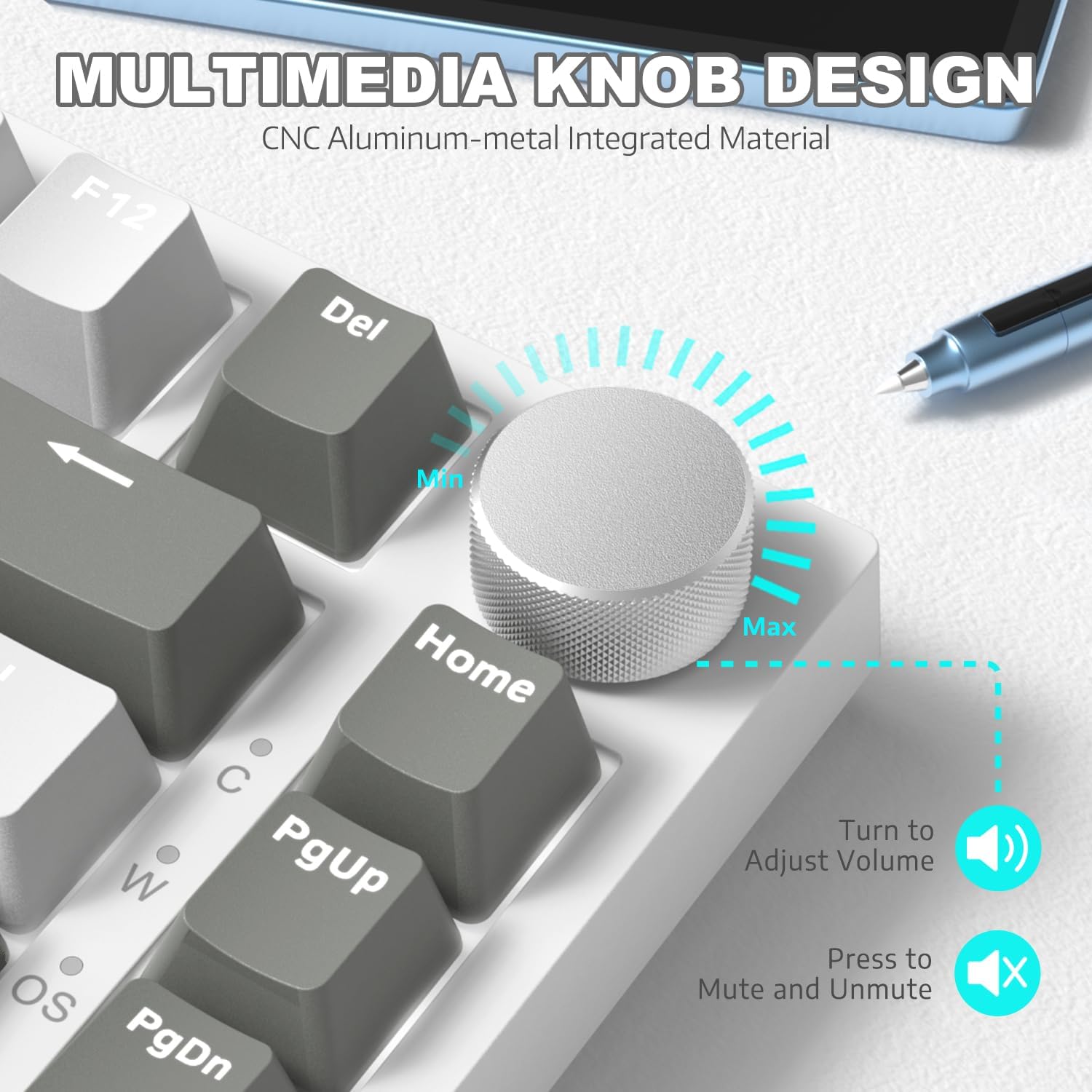
Figura 4: Detaliat view of the multimedia knob and its functions.
Controlul luminii de fundal
The AK820 features 20 white LED backlight effects. You can customize the lighting to suit your preference:
- Modificați efectele luminii: Presa FN + | to cycle through the 20 available backlight effects.
- Reglați luminozitatea: Use specific key combinations (refer to keyboard legends or software) to adjust between 5 brightness levels.
- Ajustați viteza: Use specific key combinations (refer to keyboard legends or software) to adjust between 5 lighting speeds.
- Custom Gaming Lighting: Presa FN + 1! / 2@ / 3# to access and customize 3 sets of gaming lighting effects. Choose the light recording mode and save your lighting profiles.

Figura 5: Afișajul tastaturiiasing its LED backlight effects.
Comutatoare interschimbabile la cald
The AK820's high-quality PCB supports 3/5-pin hot-swap switches, allowing you to easily change switches without soldering. This feature enables customization of your typing experience.
- Use the included 2-in-1 key extractor to carefully remove keycaps and switches.
- Align the pins of the new switch with the sockets on the PCB and gently press down until it clicks into place.
- Puneți la loc capacul tastei.
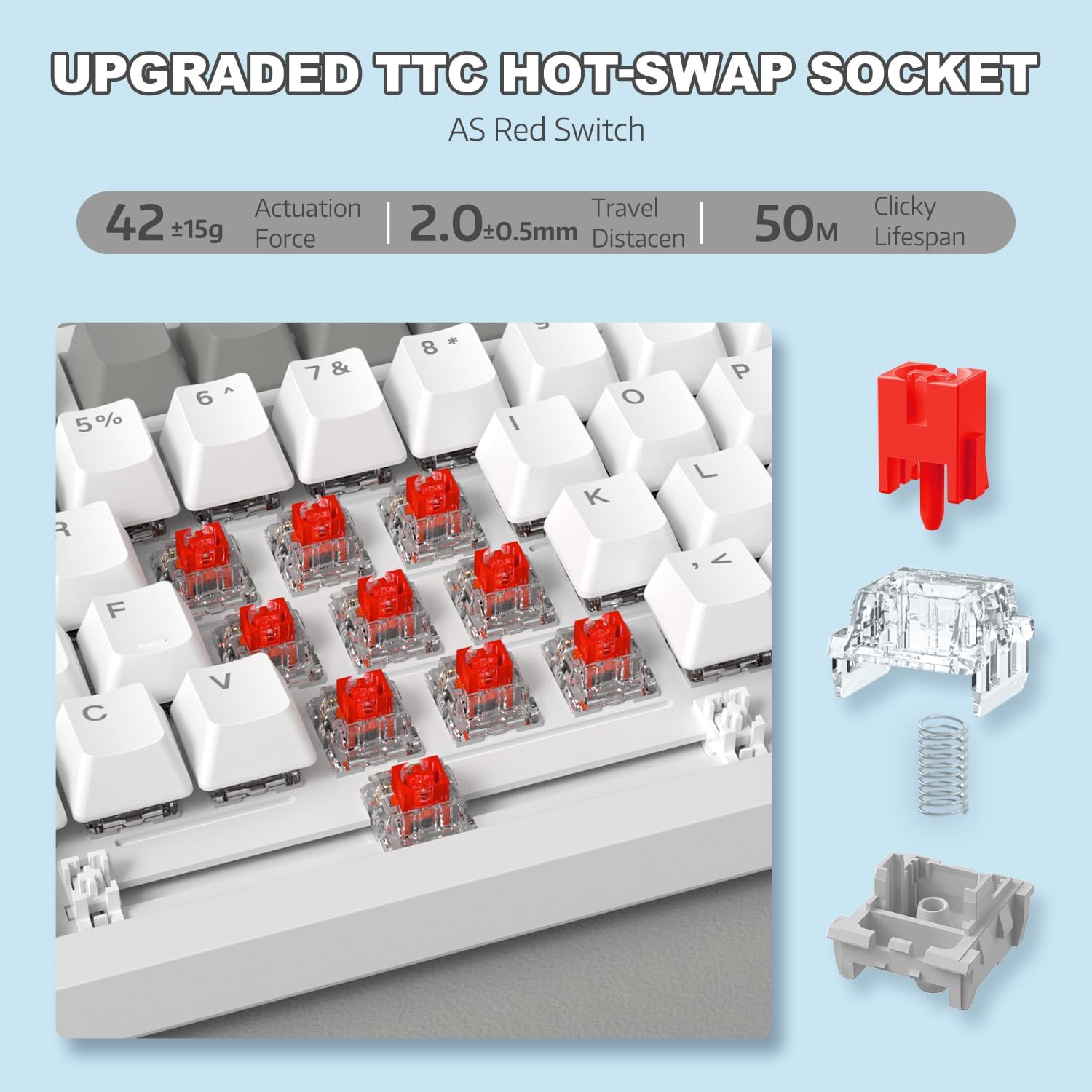
Figure 6: Illustration of the hot-swappable switch mechanism.
Video 1: Demonstrating the unboxing, features, and sound test of the ATTACK SHARK AK820 mechanical keyboard, including its hot-swappable switches and rotary knob.
N-Key Rollover (NKRO)
The AK820 supports N-Key Rollover, meaning that every key press is registered independently, even when multiple keys are pressed simultaneously. This is crucial for fast-paced gaming and accurate typing, preventing
Documente conexe - AK820
 |
Manual de utilizare a tastaturii mecanice de gaming cu fir Attack Shark AKS068 Manual de utilizare complet pentru tastatura mecanică de gaming cu fir Attack Shark AKS068. Aflați despre configurația 65% Alice, switch-urile hot-swap, garnitura de montare, iluminarea de fundal RGB, programabilitatea VIA și compatibilitatea cu Windows și macOS. |
 |
Manual de utilizare a tastaturii wireless Attack Shark M71 Manual de utilizare complet pentru tastatura wireless Attack Shark M71, care detaliază specificațiile, funcționarea, conectivitatea și depanarea pentru modurile 2.4G, Bluetooth și cu fir. Include informații despre iluminarea RGB și comutatoarele înlocuibile la cald. |
 |
Attack Shark K86 RGB Mechanical Keyboard Operating Instructions Comprehensive operating instructions for the Attack Shark K86 RGB Mechanical Keyboard, covering Bluetooth and wired connections, lighting controls, hot-swappable switches, and multimedia functions. |
 |
Manual de utilizare pentru tastatura mecanică ATTACK SHARK X85 Manual de utilizare complet pentru tastatura mecanică ATTACK SHARK X85 cu montare pe garnitură de 75% și înlocuire la cald, care acoperă specificațiile, configurarea, utilizarea și depanarea. |
 |
Manual de utilizare a tastaturii de gaming Attack Shark X68 HE Manual de utilizare complet pentru tastatura de gaming Attack Shark X68 HE, care detaliază caracteristicile, configurarea și opțiunile de personalizare, inclusiv declanșator rapid, comutatoare magnetice și iluminare RGB. |
 |
Attack Shark X87 Keyboard User Manual and Operating Instructions Comprehensive guide for the Attack Shark X87 keyboard, covering wired and wireless connectivity, RGB lighting, battery indicators, multimedia functions, and hot-swappable switch operation. Includes FCC compliance information. |