1. Produs terminatview
The Codnida 3MP Security Camera is an advanced outdoor IP CCTV system designed for comprehensive surveillance. It offers high-definition 2K resolution, versatile night vision modes, and intelligent motion detection capabilities. This manual provides detailed instructions for installation, operation, and maintenance to ensure optimal performance of your security camera system.

Image: Two Codnida 3MP Security Cameras, illustrating the product design and dual antenna setup.
2. Conținutul pachetului
Înainte de a începe instalarea, verificați dacă toate componentele sunt prezente în pachet:
- Codnida 3MP Security Camera (2 units for 2-pack)
- Adaptor de alimentare (cu fir)
- Șuruburi de montare și dibluri de perete
- Manual de utilizare
Note: An SD card (up to 128GB) is required for local storage and is not included in the package.
3. Ghid de instalare
3.1. Instalare fizică
Camera este concepută pentru montare pe perete. Alegeți o locație care oferă imaginea dorită viewing angle and is within reach of a power outlet. Ensure the mounting surface is stable and can support the camera's weight.
- Mark the drilling points using the camera's mounting bracket as a template.
- Găuriți găuri în pozițiile marcate.
- Introduceți diblurile de perete în găurile forate.
- Align the camera bracket with the holes and secure it using the provided screws.
- Attach the camera securely to the mounted bracket.

Image: A Codnida security camera securely mounted on an outdoor wall, demonstrating proper installation.
3.2. Conexiune la alimentare
Connect the camera to a power source using the provided corded electric adapter. The camera operates at 4 watts.

Image: The Codnida camera connected to its power adapter, ready for operation.
3.3. Instalarea aplicației și conexiunea Wi-Fi
The camera connects to the CloudEdge APP via a 2.4GHz Wi-Fi connection (5GHz is not supported).
- Download the 'CloudEdge' app from your mobile device's app store (iOS or Android).
- Înregistrează-te pentru un cont nou sau autentifică-te dacă ai deja unul.
- Follow the in-app instructions to add your new device. This typically involves powering on the camera and scanning a QR code displayed on your phone screen with the camera's lens.

Image: A smartphone displaying the CloudEdge app icon, indicating the application used for camera control.

Image: A hand holding a smartphone displaying a QR code, which is being scanned by the camera lens for initial setup.
3.4. Instalarea cardului SD
The camera supports local video and image storage on an SD card up to 128GB. The SD card slot is typically located under a protective cover on the camera body.
- Power off the camera before inserting or removing the SD card.
- Locate the SD card slot, usually covered by a rubber stopper or screw-on cap.
- Insert the SD card into the slot with the contacts facing the correct direction until it clicks into place.
- Înlocuiți capacul de protecție.
- Power on the camera. You may need to format the SD card via the CloudEdge app for first-time use.

Image: A close-up of the camera showing the SD card slot and a microSD card being inserted, with icons for local and cloud storage.
4. Instrucțiuni de utilizare
4.1. în direct View și control PTZ
Access the live feed of your camera through the CloudEdge app. The camera features Pan-Tilt-Zoom (PTZ) functionality, allowing you to adjust the viewunghiul de reglare de la distanță.
- Open the CloudEdge app and select your camera.
- Use the on-screen controls to pan horizontally up to 355° and tilt vertically up to 90°.

Image: A visual representation of the camera's 355-degree horizontal and 90-degree vertical PTZ capabilities, controlled via a smartphone app.
4.2. Sunet bidirecțional
The built-in two-way intercom allows for real-time communication through the camera.
- Din live view in the CloudEdge app, tap the microphone icon to speak.
- Atingeți pictograma difuzorului pentru a asculta sunetul de la locația camerei.

Image: A delivery person at a door, with a speech bubble indicating two-way audio communication via the security camera.
4.3. Înregistrare și stocare
The camera supports 24/7 recording and offers flexible storage options.
- Stocare pe card SD: Videos and images are stored locally on the inserted SD card (up to 128GB).
- Stocare în cloud: A 7-day free trial of cloud storage is available. Subscription options may be available after the trial period.
- Acces înregistrat footage via the 'History' or 'Cloud' sections within the CloudEdge app.

Image: A smartphone displaying the CloudEdge app interface with a video playback timeline, indicating 24/7 recording and options for cloud or TF card storage.
4.4. Vedere de noapte
The camera provides both black and white infrared night vision and full-color night vision.
- Black and White Mode: Utilizes 4 infrared LEDs for clear 2K images in low light conditions, with a night vision range of up to 10 meters.
- Mod culoare: Activates the built-in floodlight to capture crisp, full-color video even in complete darkness.
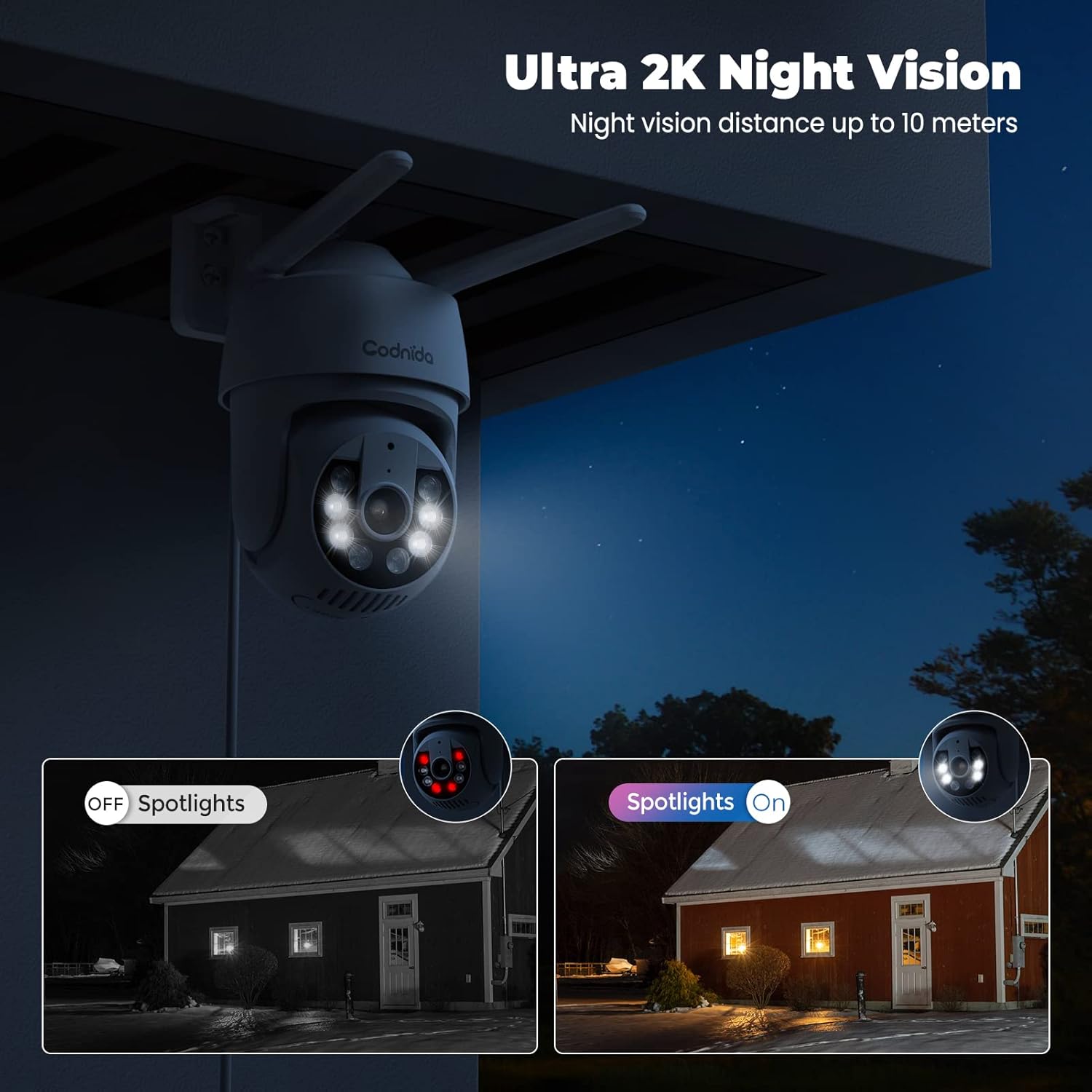
Image: A split image demonstrating the difference between spotlights off (infrared night vision) and spotlights on (color night vision) at night.
4.5. Smart Motion Detection and Alerts
The camera features a PIR human detection sensor to minimize false alarms and provide instant notifications.
- When human movement is detected, the camera will send an immediate notification to your phone.
- The camera can activate a sound alarm and/or light alarm to deter intruders.
- Customize detection areas within the app to focus on specific zones and reduce unnecessary alerts.
- The camera supports AI automatic tracking, following detected motion within its field of view.
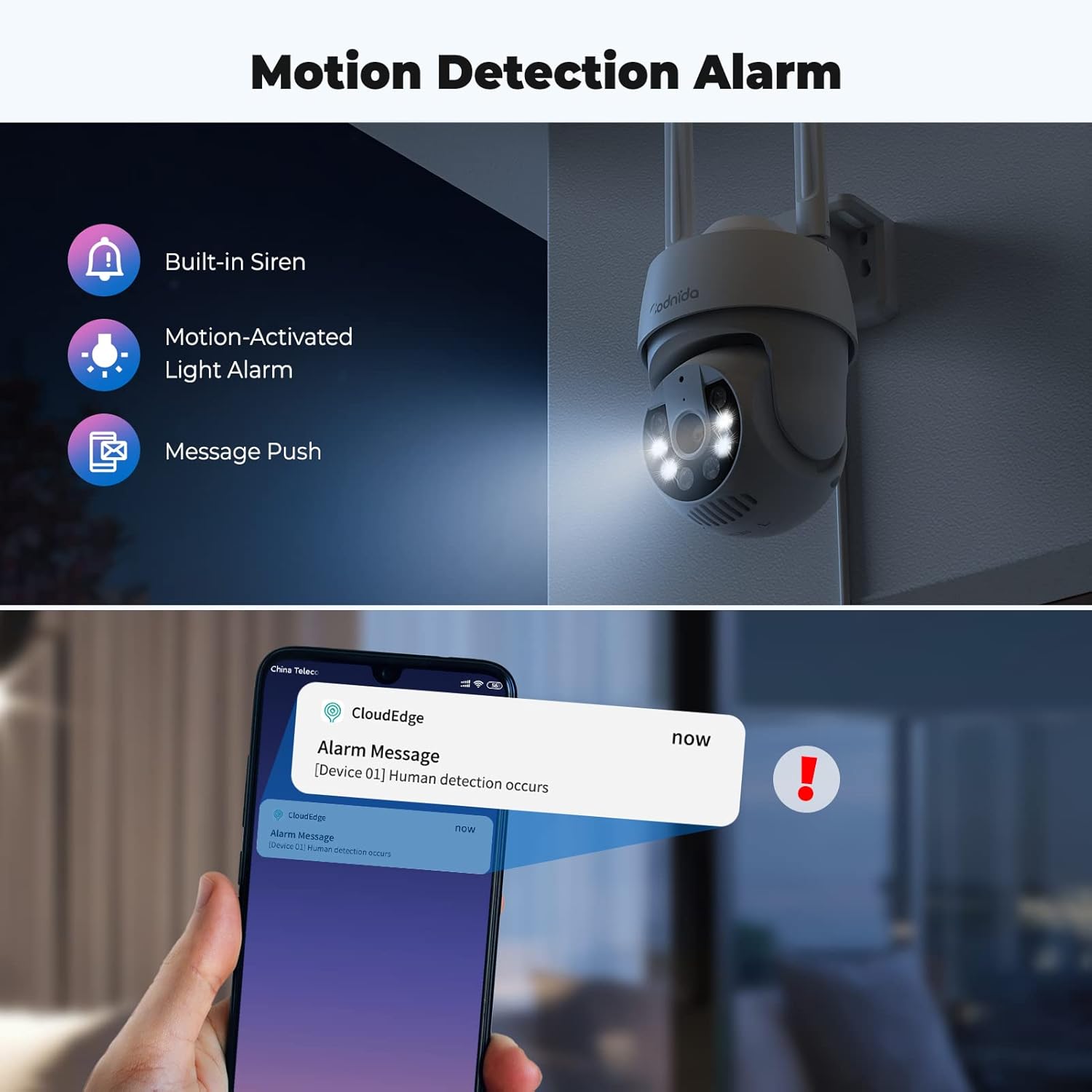
Image: An illustration showing the camera's motion detection alarm features, including a built-in siren, motion-activated light alarm, and push notifications to a smartphone.

Image: A visual demonstrating the AI automatic tracking feature, showing the camera following a child's movement across a yard.
4.6. Alexa Compatibility and Onvif Support
- The camera is compatible with Alexa, allowing for voice control and integration into your smart home system. Refer to the CloudEdge app or Alexa app for specific setup instructions.
- The camera supports Onvif, enabling integration with other Onvif-compliant network video recorders (NVRs) or surveillance systems.
5. Întreținere
Regular maintenance ensures the longevity and optimal performance of your Codnida security camera.
- curatenie: Ștergeți periodic obiectivul și corpul camerei cu o lavetă moale și umedă.amp cloth to remove dust and dirt. Avoid abrasive cleaners or solvents.
- Actualizări firmware: Check the CloudEdge app regularly for available firmware updates. Keeping the firmware updated ensures access to the latest features and security enhancements.
- Protecție împotriva intemperiilor: The camera is IP66 weatherproof, designed to withstand rain, snow, and shine. However, ensure proper installation to prevent water accumulation around connections.
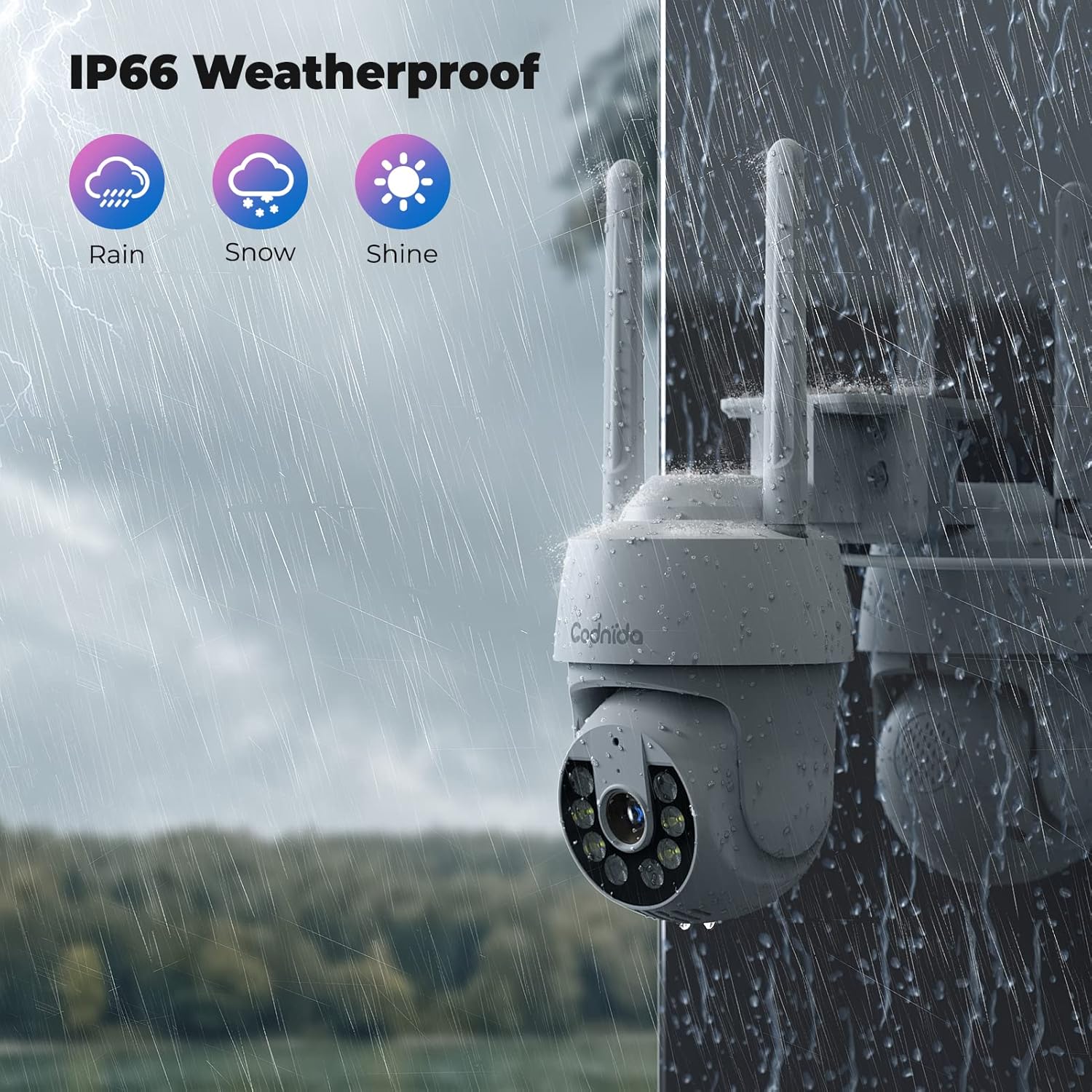
Image: A Codnida camera shown in a rainy environment, highlighting its IP66 weatherproof rating against rain, snow, and shine.
6. Depanare
If you encounter issues with your Codnida security camera, refer to the following common problems and solutions:
| Problemă | Cauza posibila | Soluţie |
|---|---|---|
| Camera nu se conectează la Wi-Fi | Incorrect Wi-Fi password; 5GHz network used; camera too far from router; network congestion. | Ensure correct 2.4GHz Wi-Fi password. Move camera closer to router. Restart router and camera. |
| Calitate video slabă sau întârziere | Weak Wi-Fi signal; network bandwidth issues; camera lens dirty. | Improve Wi-Fi signal strength. Reduce network traffic. Clean the camera lens. |
| Detecția de mișcare nu funcționează sau există prea multe alarme false | Incorrect sensitivity settings; detection area not configured; environmental factors (e.g., swaying trees). | Adjust PIR sensitivity in the app. Customize detection zones to exclude irrelevant areas. |
| Two-way audio issues (poor sound pickup) | Microphone obstruction; environmental noise; software glitch. | Ensure microphone is clear. Test in a quieter environment. Restart camera. |
| Camera nu răspunde la comenzile PTZ | Weak Wi-Fi signal; temporary app/camera glitch. | Check Wi-Fi connection. Restart the CloudEdge app and camera. |
| Cardul SD nu înregistrează | SD card full; not formatted; faulty card; incorrect recording settings. | Check SD card capacity. Format the SD card via the app. Ensure recording settings are enabled. Replace faulty card if necessary. |
Pentru asistență suplimentară, vă rugăm să consultați secțiunea de ajutor a aplicației CloudEdge sau să contactați serviciul de asistență pentru clienți Codnida.
7. Specificații
| Caracteristică | Detaliu |
|---|---|
| Numele modelului | Q30 |
| Utilizare în interior/exterior | În aer liber, în interior |
| Sursa de alimentare | Electric cu fir |
| Protocol de conectivitate | Wi-Fi (doar 2.4 GHz) |
| Tip controler | Aplicația CloudEdge |
| Tip de montare | Montare pe perete |
| Rezoluție captură video | 3 MP (2K) |
| Numărul de canale | 2 (for 2-pack) |
| Factor de formă | Dom |
| Gama de vedere nocturnă | 10 metri |
| Material | Plastic |
| Wattage | 4 wați |
| Dimensiuni articol (L x l x H) | 50 x 50 x 50 milimetri |
| Nivel de rezistență la apă | Impermeabil (IP66) |
| Caracteristici speciale | 2 Way Audio, HD Resolution, Color Night Vision, PIR Human Detection, PTZ (355° Pan, 90° Tilt), Alexa Compatible, Onvif Support |
| Opțiuni de stocare | Card SD (până la 128 GB), Stocare în cloud |
| Greutatea articolului | 1.15 kg |
8. Garanție și asistență
For information regarding product warranty, please refer to the purchase documentation or contact Codnida directly through their official website or the seller from whom you purchased the product. Codnida is committed to providing high-quality security cameras and offers professional customer support to resolve any product issues.
For technical support or inquiries, please visit the Codnida official website or use the support features within the CloudEdge application.


