Labelife Omega S Embossing Label Maker

Labelife Omega S Embossing Label Maker Instruction Manual

Model: Omega S

Introducere

This manual provides detailed instructions for the safe and effective use of your Labelife Omega S Embossing Label Maker. Please read this manual thoroughly before operating the device to ensure proper function and longevity. This label maker is designed for creating embossed labels for various organizational and crafting needs without the use of batteries or ink.

Conținutul pachetului

Verificați dacă toate articolele enumerate mai jos sunt incluse în pachetul dumneavoastră:

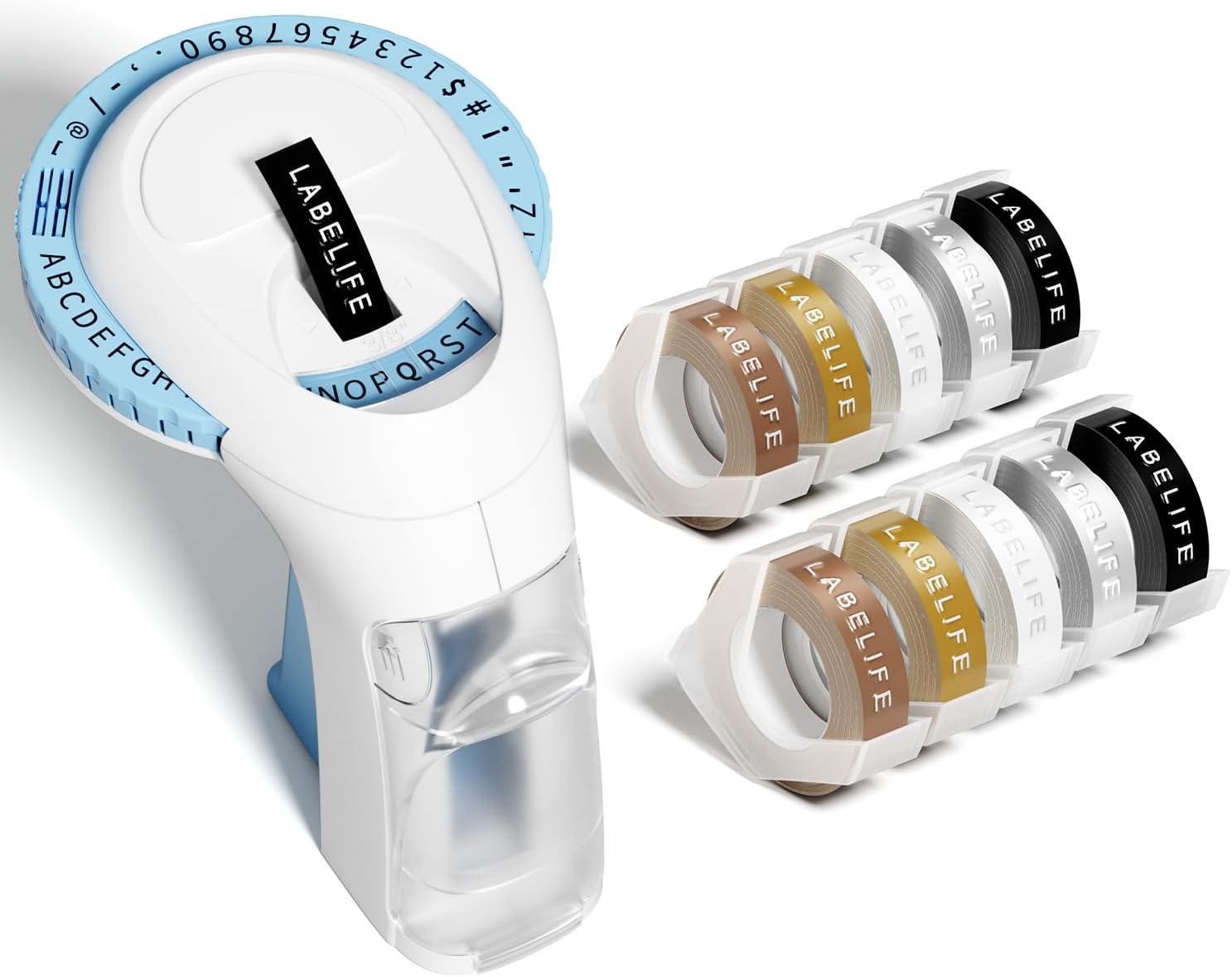
Contents of the Labelife Omega S Embossing Label Maker package

Image: The package contents, including the blue label maker, ten rolls of 9mm embossing tape in various colors, and a user manual.

Caracteristicile produsului

Image showing the 48-character dial system of the Labelife Omega S label maker

Image: The label maker's character dial, highlighting the 48 available characters (A-Z, 0-9, and symbols) and the "Turn-and-Click" system.

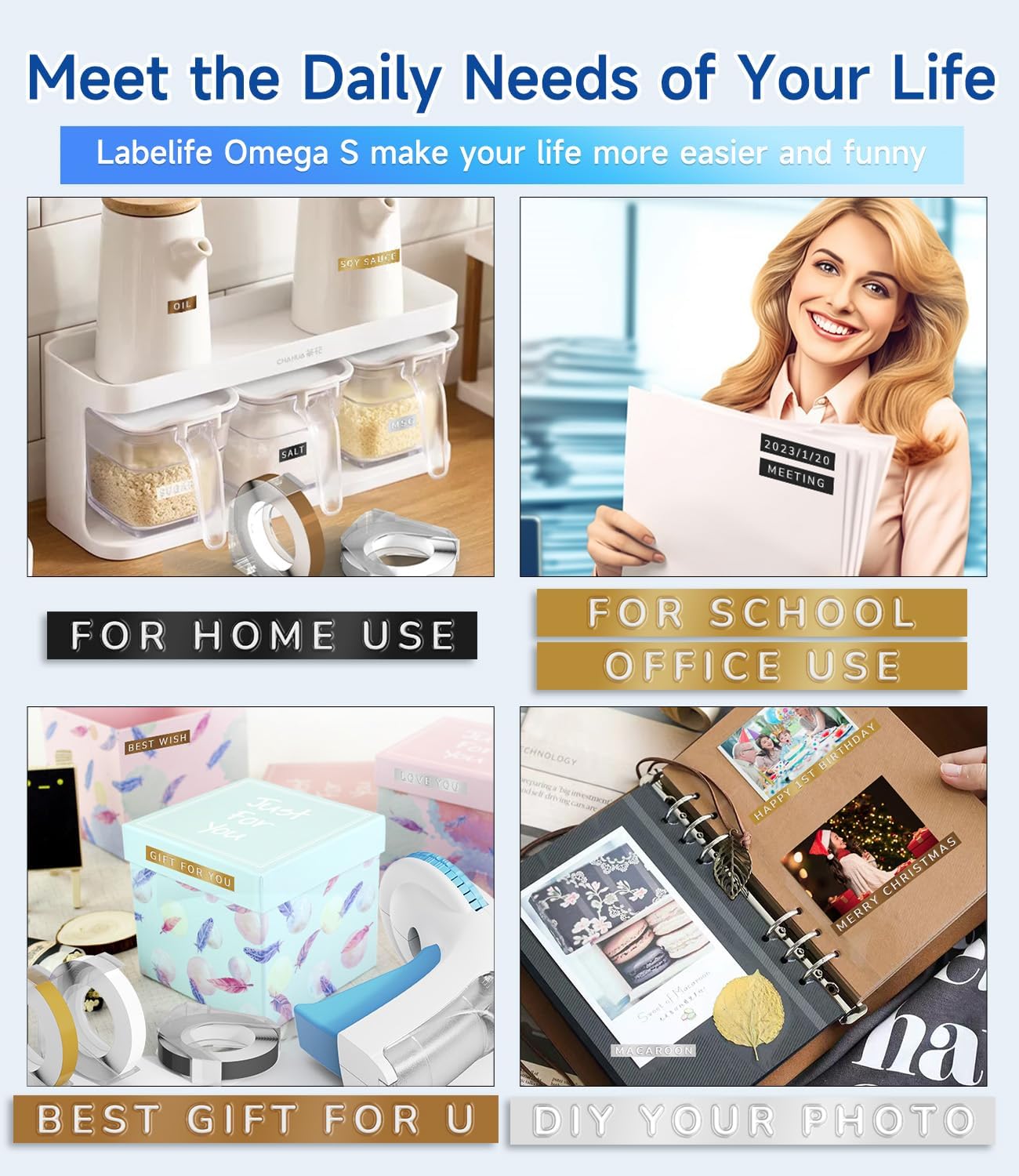
Image illustrating the durability features of the Labelife embossing tapes

Image: Visual representation of the label tapes' properties, including easy peeling, 3D effect, water resistance, abrasion resistance, and strong adhesive.

Specificații

MarcaLabelife
Numele modeluluiOmega S Embossing Label Maker
Tehnologia de imprimareembosare
Tehnologia de conectivitateManual
Dimensiune maximă a suportului media9mm (3/8" Inches)
Tipul de cerneală al imprimanteiNu este necesară cerneală
Dimensiunile produsului4.96 x 3.62 x 4.64 inci (A x L x Î)
Greutatea articolului11.3 uncii

Înființat

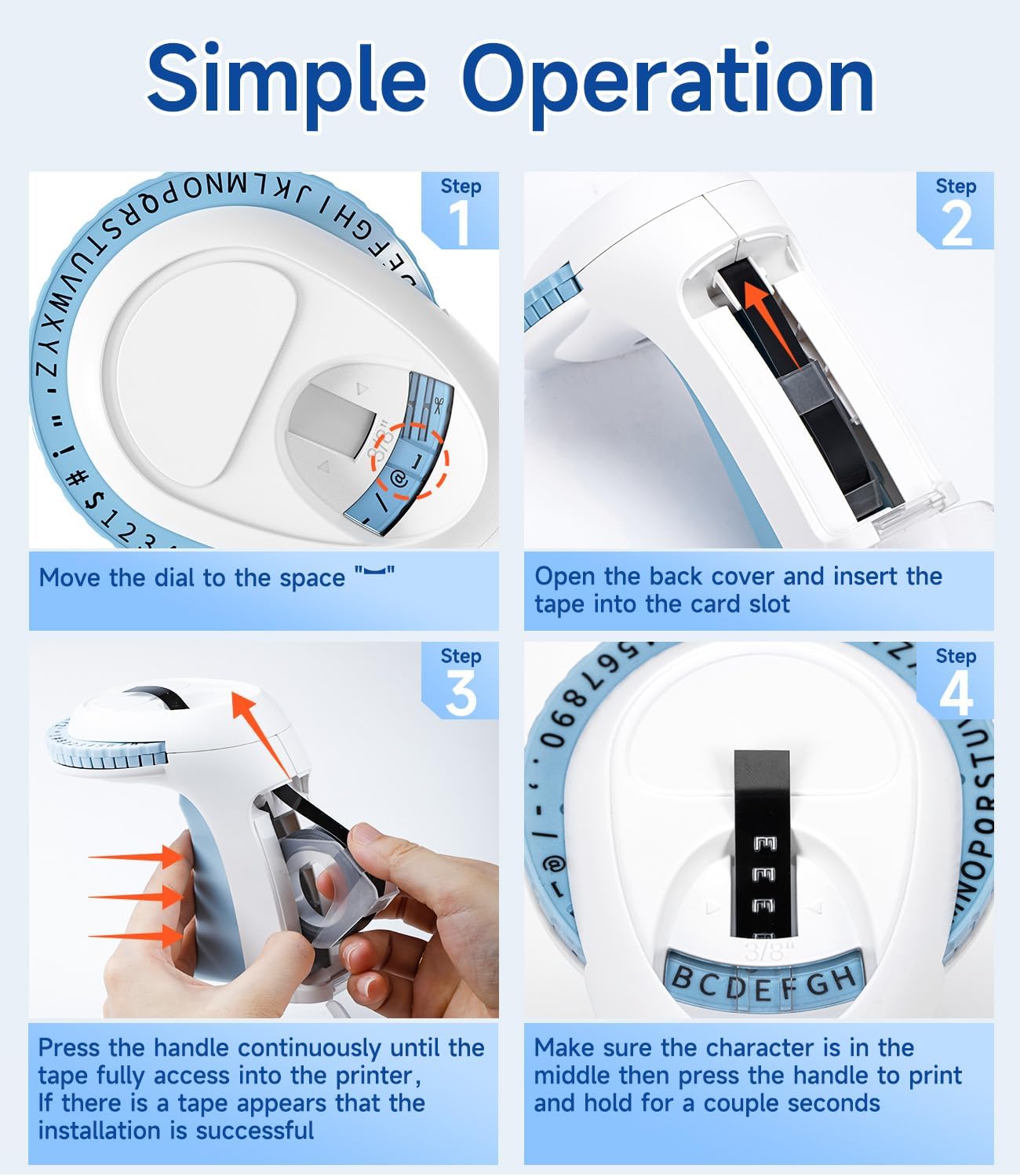
1. Loading the Label Tape

  1. Pregătiți dispozitivul: Move the character dial to the blank space symbol ("--") to ensure the mechanism is ready for tape insertion.
  2. Deschideți capacul din spate: Gently open the back cover of the label maker.
  3. Introduceți bandă: Insert a 9mm embossing label tape roll into the card slot, ensuring the tape feeds correctly.
  4. Advance Tape: Close the back cover. Press the handle continuously several times until the tape fully advances into the printer and a small portion appears at the front. This confirms successful tape installation.
Four-step guide to loading tape and preparing the Labelife Omega S label maker for use

Image: Visual steps for loading the label tape, showing how to open the cover, insert the tape, and advance it by pressing the handle.

Instrucțiuni de operare

Crearea unei etichete

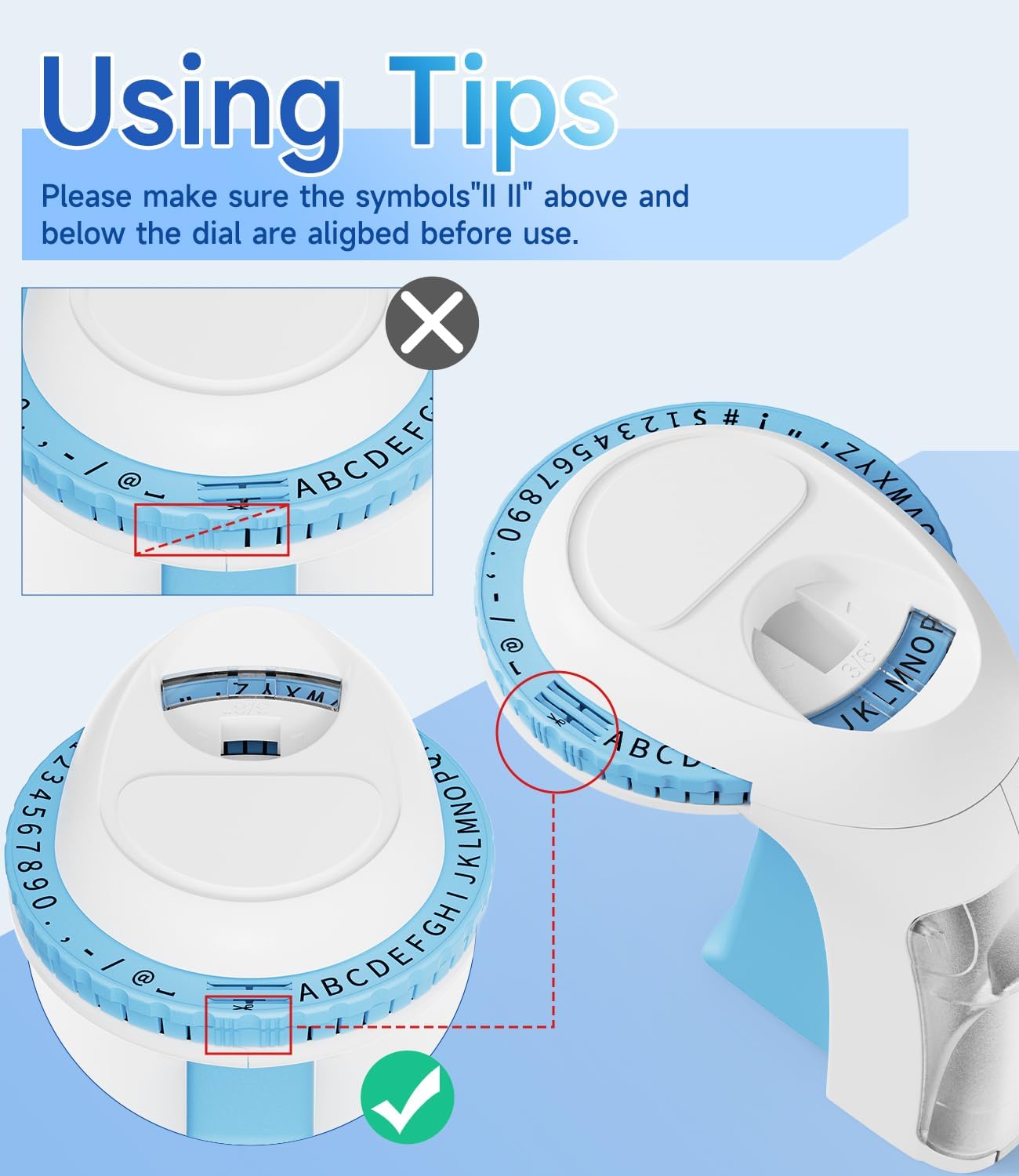
  1. Align Character Dial: Before printing, ensure the alignment marks (two vertical lines) on the dial are perfectly aligned with the indicator on the label maker. This ensures characters are centered and clear.
  2. Select Character: Rotate the character dial to select the desired letter, number, or symbol. Make sure the chosen character is centered in the viewfereastră.
  3. Emboss Character: Press the handle firmly and hold for a couple of seconds. The harder and longer you press, the clearer the embossed character will be. Release the handle.
  4. Repeat for Each Character: Repeat steps 2 and 3 for each character you wish to emboss on your label.
  5. Tăiați eticheta: Once your label is complete, rotate the dial to the scissor symbol. Press the handle firmly to cut the tape.

Sfaturi pentru cele mai bune rezultate

Close-up image showing correct and incorrect alignment of the character dial on the Labelife Omega S label maker

Imagine: Detaliată view of the character dial, illustrating the importance of aligning the indicator marks for accurate character embossing.

Întreţinere

The Labelife Omega S Embossing Label Maker requires minimal maintenance. Follow these guidelines to ensure its longevity:

Depanare

ProblemăCauza posibilaSoluţie
Characters are unclear or faint.Insufficient pressure applied to the handle.Press the handle more firmly and hold for a couple of seconds for each character.
Letters are not aligned or appear crooked.Character dial not perfectly aligned before pressing.Ensure the alignment marks on the dial are precisely matched with the indicator before pressing the handle for each character.
Tape does not feed or jams.Tape incorrectly loaded or debris in the tape path.Open the back cover, remove the tape, and check for any obstructions. Re-insert the tape carefully, ensuring it is seated correctly.
Label does not cut cleanly.Insufficient pressure when cutting or cutter blade is dull.Ensure the dial is set to the scissor symbol and press the handle firmly to cut. If the issue persists, contact customer support.
Difficulty peeling off the tape backing.The pre-cut divider may not have been fully created.The tapes are designed with pre-cut dividers for easier peeling. If difficulty occurs, try gently bending the label to separate the backing or use a sharp, thin object to start the peel from a corner.

Garanție și suport

For warranty information or technical support, please refer to the documentation included with your purchase or contact Labelife customer service directly. Keep your purchase receipt as proof of purchase.

You can visit the official Labelife store for more information: Labelife Store

Informații de siguranță

Documente conexe - Omega S Embossing Label Maker

Preview Aparat de etichete Labelife: Ghid ușor de instalat banda de etichete
Ghid complet de la Labelife despre cum să instalați corect benzile de etichete în aparatul de etichetat, cu instrucțiuni vizuale pas cu pas și sfaturi de depanare.
Preview M221 Multifunctional Portable Label Maker User Guide
User guide for the M221 Multifunctional Portable Label Maker, covering product introduction, getting started, replacing the paper roll, identifying label sizes, PC application installation, app user guide, safety instructions, cleaning and maintenance, operator panel instructions, and regulatory information.
Preview Labelife D210S Handheld Label Printer User Manual
Comprehensive user manual for the Labelife D210S handheld label printer, covering specifications, initial setup, basic usage, troubleshooting, and warranty information.
Preview Quick Start Guide: PM-241-BT Label Printer
A concise guide to setting up and using the PM-241-BT label printer, covering installation, mobile and computer connectivity, and printing instructions.
Preview Ghidul utilizatorului aplicației Labelife: Imprimare și creare de etichete
Un ghid complet al utilizatorului pentru aplicația Labelife, care detaliază cum se conectează imprimantele, se imprimă fișiere PDF files, personalizați dimensiunile etichetelor și utilizați funcții avansate pentru crearea de etichete.
Preview Software Labelife: Ghid de configurare a imprimantei termice de etichete Bluetooth
Ghid pas cu pas pentru configurarea și conectarea imprimantei termice de etichete Labelife prin Bluetooth folosind software-ul Labelife. Aflați cum să creați etichete, să configurați setările hârtiei și să stabiliți o conexiune Bluetooth pentru imprimare.