1. Introducere
This manual provides comprehensive instructions for the BIGTREETECH Stealthy High Speed Solution, a modular system designed to enhance the performance and capabilities of your 3D printer. This solution integrates several key components to facilitate high-speed, precise, and silent printing, particularly optimized for Klipper firmware environments.
The solution includes the following core components:
- BIGTREETECH Manta M8P V2.0: A powerful 32-bit control board.
- BIGTREETECH HDMI5: A 5-inch IPS HD touchscreen display.
- BIGTREETECH CB1: A core board designed to run Linux, often used with Klipper.
- BIGTREETECH EBB SB2209: A CAN tool board for extruder control.
- TMC2209 Stepper Drivers: Silent and efficient motor drivers.
2. Componente pesteview
The BIGTREETECH Stealthy High Speed Solution is a comprehensive package. Below is an overview of the included components:
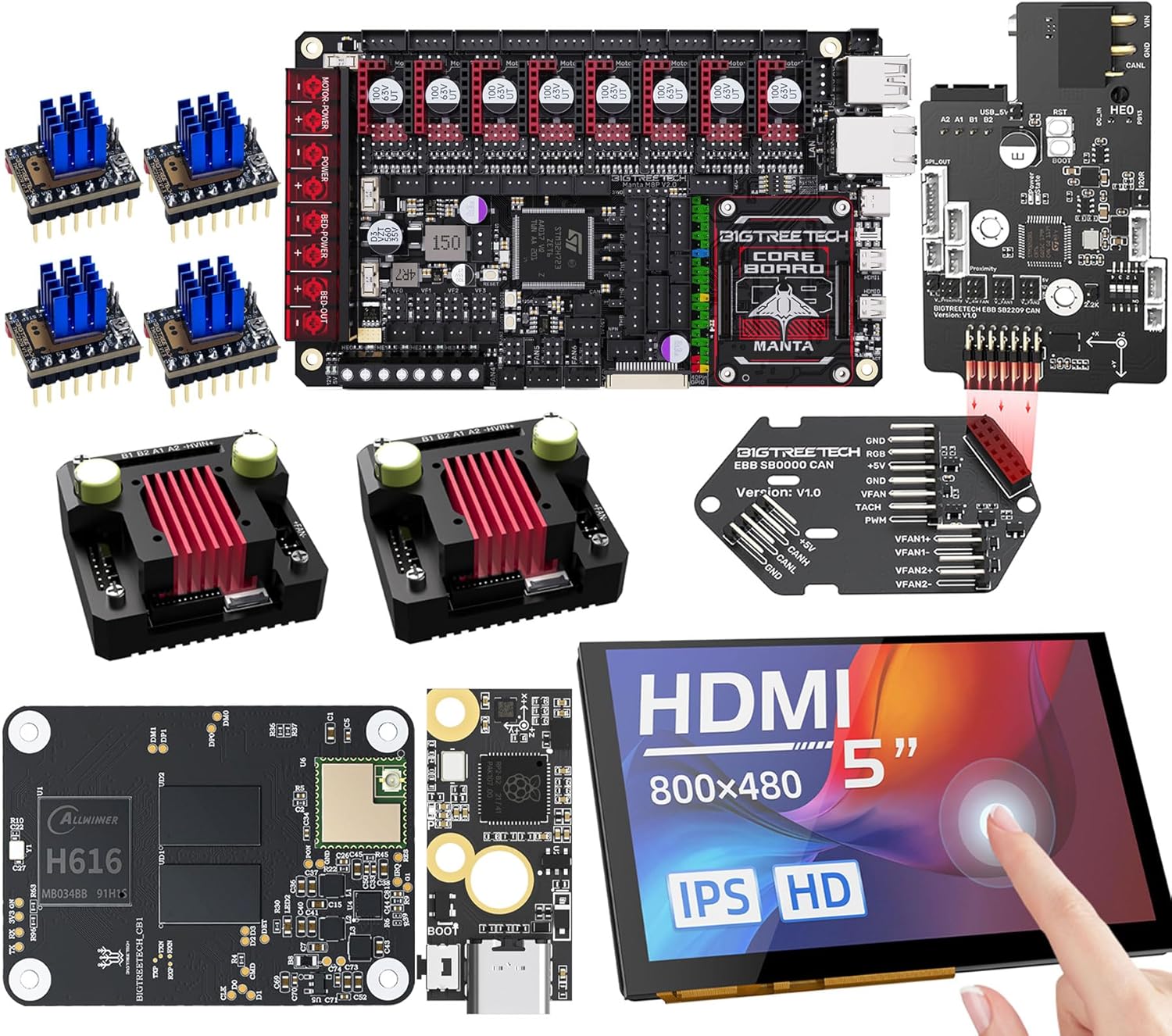
Figura 1: Pesteview of the BIGTREETECH Stealthy High Speed Solution components, including the Manta M8P V2.0 mainboard, HDMI5 display, CB1 core board, EBB SB2209 CAN tool board, and TMC2209 stepper drivers.
2.1 BIGTREETECH Manta M8P V2.0 Control Board
The Manta M8P V2.0 is the central control unit, featuring a powerful STM32H723ZET6 MCU operating at 550MHz, enabling high-speed processing for advanced 3D printing applications.
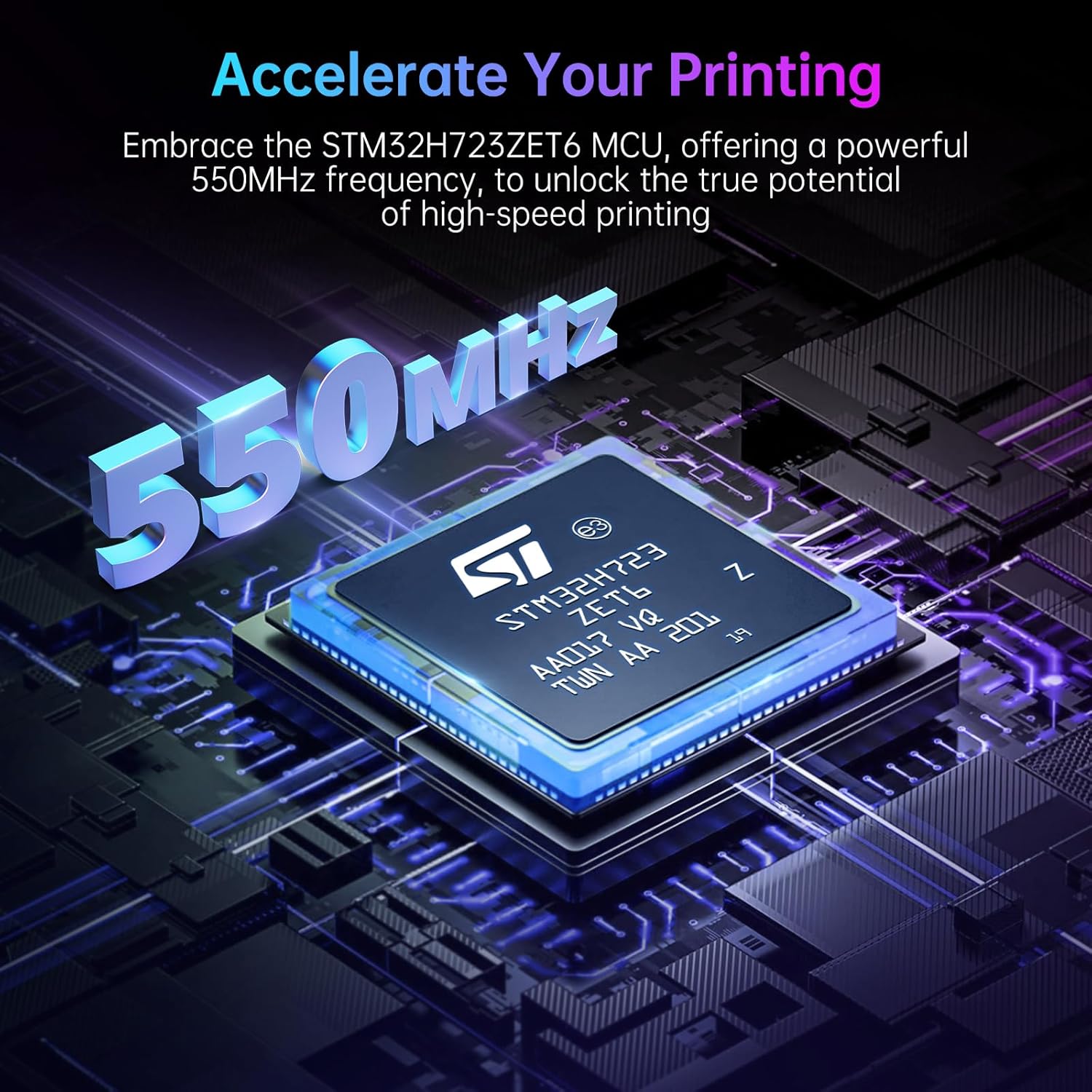
Figura 2: The STM32H723ZET6 Microcontroller Unit (MCU) on the Manta M8P V2.0, highlighting its 550MHz operating frequency for high-speed printing.
2.2 BIGTREETECH CB1 Core Board
The CB1 is a compact core board designed to run Linux, providing the necessary computing power for Klipper firmware. It features a 64-bit quad-core ARM Cortex-A53 processor and 1GB DDR3 RAM, operating at 1.5GHz.

Figura 3: Detailed specifications of the BIGTREETECH CB1 core board, showing its 64-bit quad-core architecture, ARM Cortex-A53 processor, 1GB DDR3 RAM, and 1.5GHz clock speed.
2.3 BIGTREETECH HDMI5 Display
The HDMI5 is a 5-inch IPS HD display with an 800x480 resolution, offering excellent image quality and a responsive capacitive touch interface (up to 5-points, depending on the operating system).

Figura 4: The BIGTREETECH HDMI5 display, showcasing its IPS HD panel with 800x480 resolution for clear visuals.
2.4 BIGTREETECH EBB SB2209 CAN Tool Board
The EBB SB2209 is a CAN-bus enabled tool board designed for integration with extruders, particularly for Voron StealthBurner setups. It simplifies wiring and provides dedicated control for the extruder and hotend components.
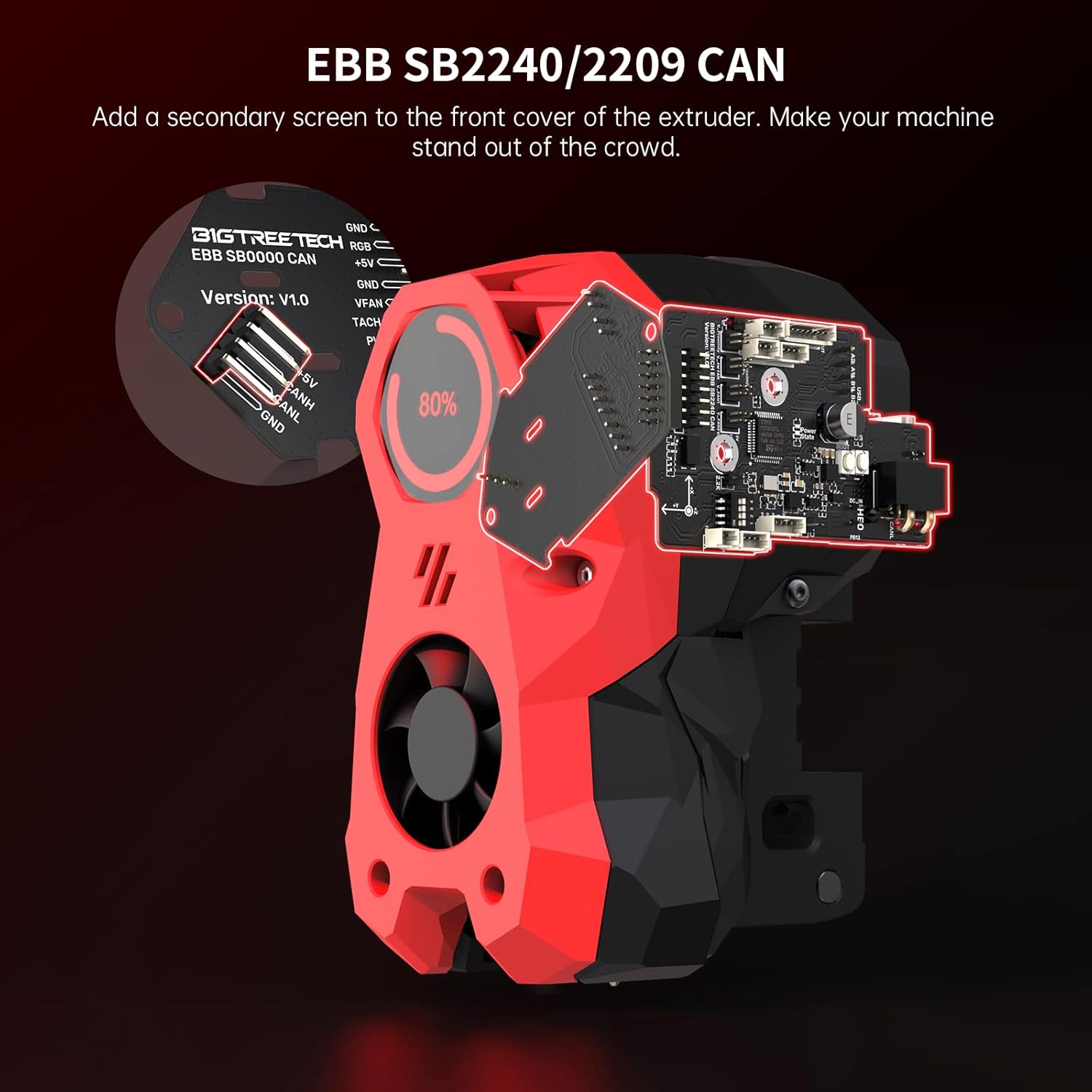
Figura 5: The EBB SB2209 CAN tool board, illustrating its integration with an extruder for simplified wiring and enhanced control.
2.5 TMC2209 Stepper Drivers
The TMC2209 stepper drivers are known for their silent operation and advanced features like SpreadCycle, which helps prevent motor jittering and lost steps, contributing to smoother and more accurate prints.
3. Configurare și instalare
Proper installation is crucial for optimal performance. Follow these guidelines carefully.
3.1 Klipper Firmware Integration
This solution is designed for use with Klipper firmware, leveraging the CB1 core board for processing. Ensure you have a working Klipper installation or follow the official Klipper documentation for setup.

Figura 6: The BIGTREETECH CB1 core board mounted on the Manta M8P V2.0, illustrating its role in enabling Klipper firmware functionality.
3.2 Manta M8P V2.0 and CB1 Connection
- Carefully align the CB1 core board with the dedicated header on the Manta M8P V2.0.
- Gently press the CB1 into place, ensuring all pins are correctly seated.
- Connect the necessary power and communication cables to the Manta M8P V2.0.
3.3 Stepper Driver Installation (TMC2209)
- Insert the TMC2209 stepper drivers into the designated slots on the Manta M8P V2.0, paying attention to the orientation.
- Ensure heatsinks are properly attached to the drivers for thermal management.
3.4 EBB SB2209 CAN Tool Board Installation
The EBB SB2209 is designed for drop-in installation, particularly for setups like the Voron StealthBurner. Its careful header spacing and location simplify wiring.
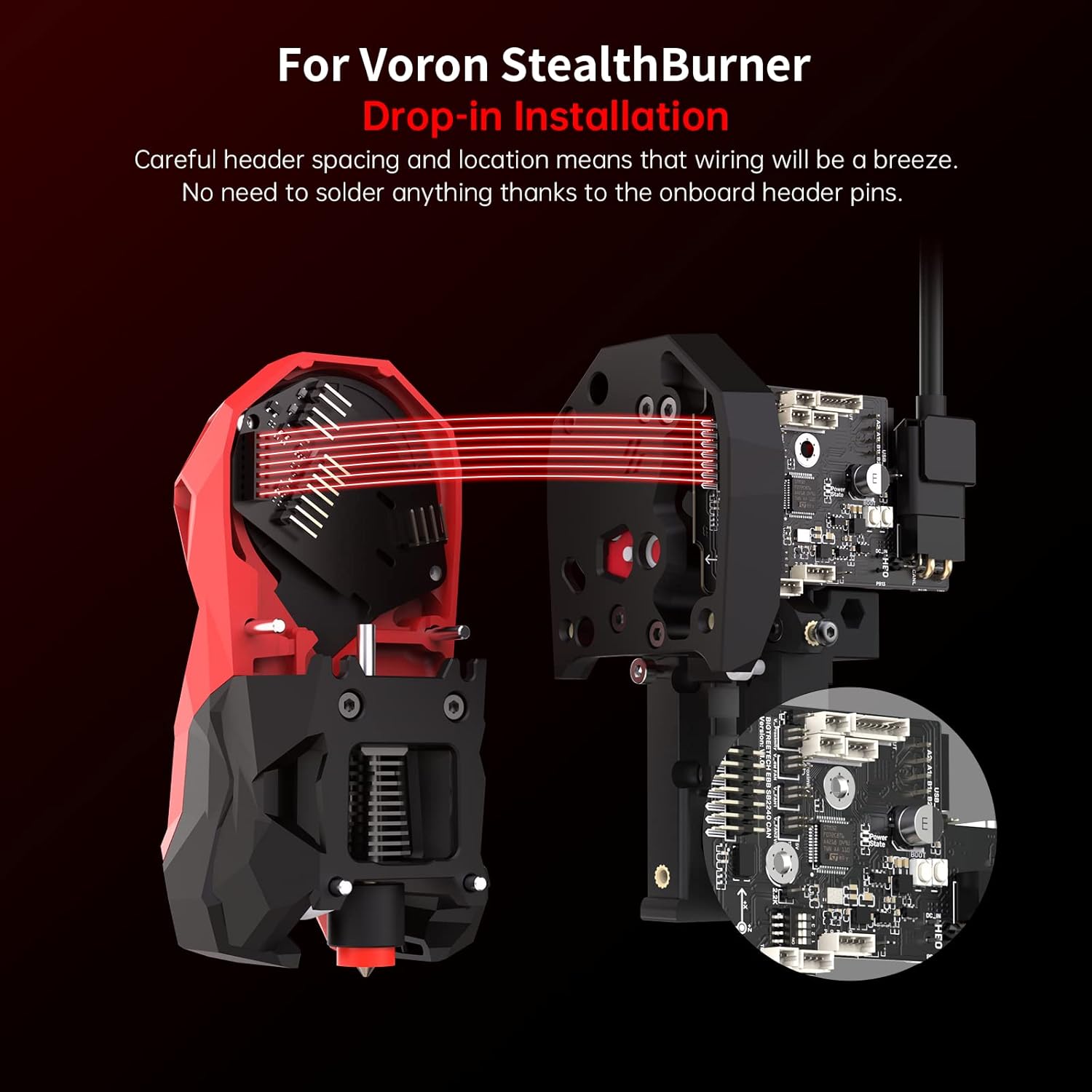
Figura 7: Illustration of the EBB SB2209's drop-in installation design, showing how it integrates with a Voron StealthBurner without complex soldering.
- Mount the EBB SB2209 to your extruder assembly (e.g., Voron StealthBurner) using appropriate hardware.
- Connect the CAN bus cable from the EBB SB2209 to the Manta M8P V2.0.
- Connect the hotend, thermistor, fan, and other extruder components to the EBB SB2209.
3.5 HDMI5 Display Connection
- Connect the HDMI cable from the HDMI5 display to the Manta M8P V2.0 or CB1 (depending on your specific setup and Klipper configuration).
- Connect the USB cable for touch functionality from the HDMI5 display to an available USB port on the Manta M8P V2.0 or CB1.
4. Instrucțiuni de utilizare
Once all components are installed and Klipper firmware is configured, you can begin operating your 3D printer with the BIGTREETECH Stealthy High Speed Solution.
4.1 Klipper Interface
Interact with your 3D printer primarily through the Klipper web interface (Mainsail or Fluidd) accessible via a web browser, or directly through the HDMI5 touchscreen.
4.2 HDMI5 Touchscreen Operation
The HDMI5 display provides an intuitive interface for direct control and monitoring of your 3D printer.
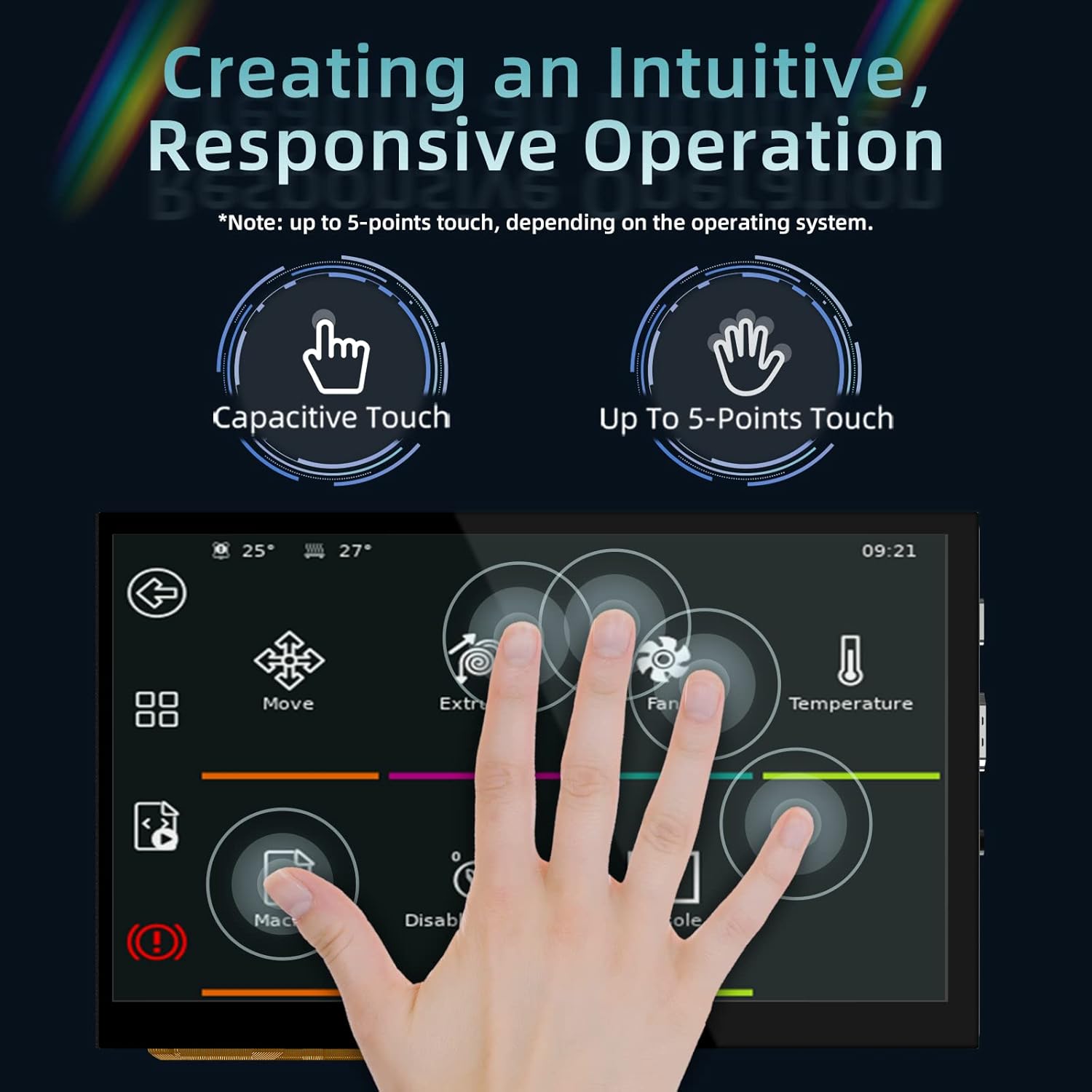
Figura 8: The user interface on the HDMI5 touchscreen, demonstrating its capacitive touch capabilities for intuitive operation of printer functions.
- Navigare: Tap icons to access different menus (e.g., Move, Extrude, Fan, Temperature).
- Controla: Adjust printer parameters, start/stop prints, and monitor status directly from the screen.
- Reactivitate: The capacitive touch screen offers a smooth and responsive user experience.
4.3 Imprimare de mare viteză
The combination of the Manta M8P V2.0's powerful MCU, the CB1's processing capabilities, and Klipper firmware enables significantly higher printing speeds and improved print quality. Ensure your printer's mechanical components are capable of handling increased speeds.
5. Întreținere
Regular maintenance ensures the longevity and reliable operation of your BIGTREETECH components.
- Îndepărtarea prafului: Periodically clean dust from the control board and drivers using compressed air or a soft brush. Ensure the device is powered off before cleaning.
- Conexiuni prin cablu: Verify that all cables are securely connected and free from damage. Loose connections can lead to intermittent issues.
- Actualizări firmware: Keep your Klipper firmware and any associated BIGTREETECH firmware updated to benefit from bug fixes and new features.
- Management termic: Ensure proper airflow around the Manta M8P V2.0 and stepper drivers. Overheating can lead to performance degradation or damage.
6. Depanare
Această secțiune abordează problemele frecvente pe care le-ați putea întâmpina.
6.1 Lost Steps or Jittering
If your printer experiences lost steps or motor jittering, especially during high-speed movements, it could be related to stepper driver configuration or mechanical issues.

Figura 9: Comparison of print quality with and without jitter, illustrating how SpreadCycle technology in TMC drivers helps achieve smoother motion and prevents lost steps.
- Verify Driver Settings: Ensure your TMC2209 drivers are correctly configured in Klipper, utilizing features like SpreadCycle for smoother operation.
- Curent motor: Check if the motor current (TMC_CURRENT) is set appropriately for your stepper motors. Too low current can cause lost steps, too high can cause overheating.
- Inspecție mecanică: Inspect belts for proper tension, pulleys for secure attachment, and linear rails/rods for smooth movement.
6.2 Afișajul nu răspunde
- Verificare cablu: Ensure both the HDMI and USB cables for the HDMI5 display are securely connected.
- Putere: Verify the display is receiving power.
- Klipper Configuration: Confirm that your Klipper configuration includes the necessary settings for the display.
6.3 CAN Bus Communication Issues
- CAN Wiring: Double-check the CAN bus wiring between the Manta M8P V2.0 and the EBB SB2209 for correct polarity and secure connections.
- Termination Resistors: Ensure CAN bus termination resistors are correctly enabled/disabled as per your setup (typically 120 Ohm at each end of the bus).
- Klipper Configuration: Verify the CAN bus settings in your Klipper configuration file.
7. Specificații
| Componentă | Caietul de sarcini |
|---|---|
| Manta M8P V2.0 MCU | STM32H723ZET6, 550MHz |
| Procesor CB1 | 64-bit Quad-core ARM Cortex-A53, 1.5GHz |
| CB1 RAM | 1 GB DDR3 |
| HDMI5 Display Size | 5 inci |
| HDMI5 Resolution | 800x480 (IPS HD) |
| HDMI5 Touch Type | Capacitive (up to 5-points) |
| Drivere pas cu pas | TMC2209 (Silent, SpreadCycle) |
| EBB SB2209 Communication | Autobuz CAN |
8. Garanție și asistență
Pentru informații despre garanție și asistență tehnică, vă rugăm să consultați site-ul oficial BIGTREETECH. website-ul web sau contactați direct serviciul lor de asistență pentru clienți. Păstrați bonul fiscal ca dovadă a achiziției.
Official BIGTREETECH support resources can typically be found on their product pages or dedicated support sections.


