Introducere
This manual provides essential information for the setup, operation, and maintenance of your HP Series 3 Pro 327pf 27" FHD IPS Monitor. Please read these instructions carefully before using your monitor to ensure proper functionality and safety.
Conținutul pachetului
Verificați dacă toate componentele sunt prezente în pachet:
- HP Series 3 Pro 327pf 27" FHD IPS Monitor
- Suport monitor (bază și gât)
- Cablu de alimentare
- HDMI Cable (or DisplayPort/VGA cable, depending on region)
- Docztorm USB HUB (Special Edition Portable Docztorm Data Hub)
- Documentație (Ghid de configurare rapidă, Informații despre garanție)
Instrucțiuni de configurare
1. Asamblarea suportului monitorului
Carefully remove the monitor and stand components from the packaging. Attach the stand neck to the monitor panel, then secure the base to the neck. Ensure all connections are firm.
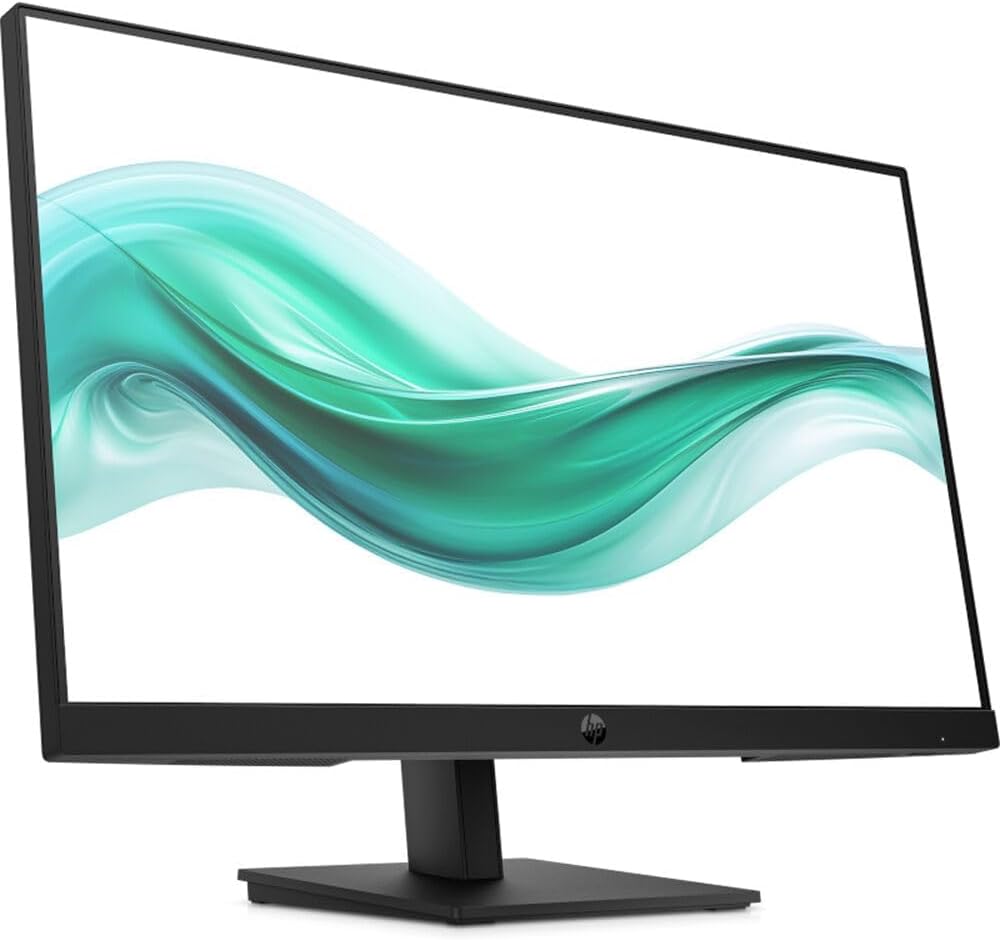
Imagine: față view of the HP Series 3 Pro 327pf monitor with its stand assembled, displaying a vibrant green and white wave pattern on the screen.
2. Conectarea monitorului
Connect the monitor to your computer using one of the available video input ports. Ensure the power cable is securely connected to the monitor and a power outlet.
- Conexiune HDMI: Use an HDMI cable to connect the monitor's HDMI port to your computer's HDMI output.
- Conexiune DisplayPort: Use a DisplayPort cable to connect the monitor's DisplayPort to your computer's DisplayPort output.
- Conexiune VGA: Use a VGA cable to connect the monitor's VGA port to your computer's VGA output.
- Conexiune de alimentare: Conectați cablul de alimentare la intrarea de alimentare a monitorului și apoi la o priză de perete.
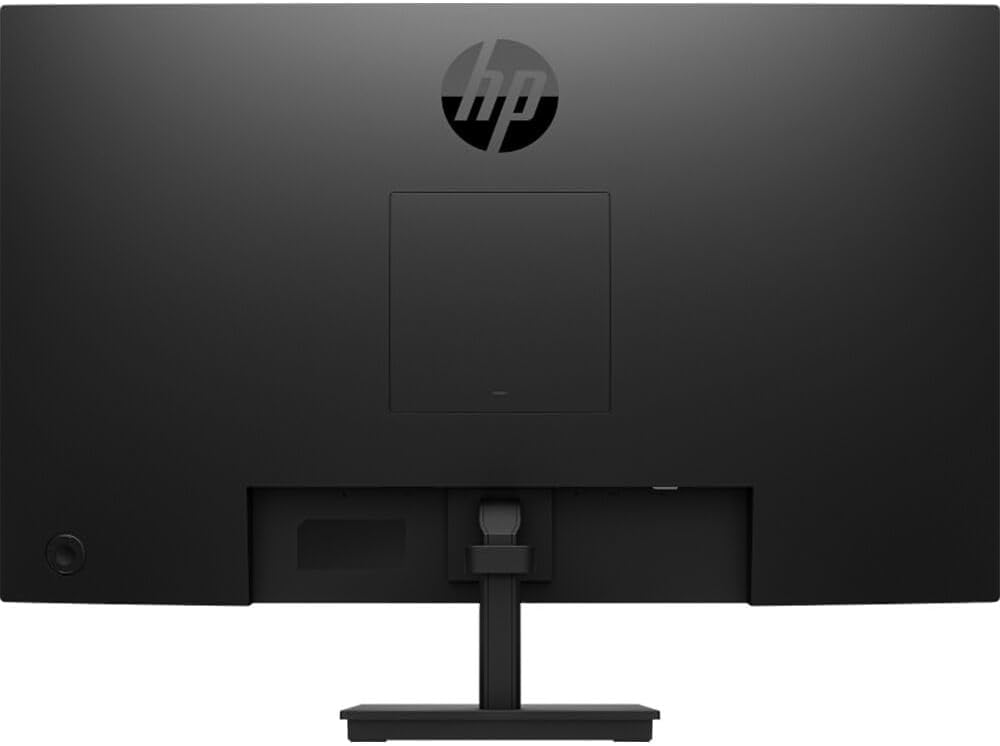
Imagine: Spate view of the HP Series 3 Pro 327pf monitor, highlighting the VESA mount area and various input ports.
3. Montare VESA (opțională)
The monitor supports a 100mm x 100mm VESA mount. If you wish to mount the monitor on a wall or an articulating arm, remove the stand and attach the VESA-compatible mounting bracket (sold separately) to the monitor's rear panel.
Instrucțiuni de operare
Pornire/Oprire
Press the power button, usually located on the bottom right or rear of the monitor, to turn the monitor on or off. An indicator light will show the power status.
Utilizarea meniului de afișare pe ecran (OSD)
The monitor features a joypad OSD button for easy navigation of the on-screen menu. This allows you to adjust various display settings.
- Press the joypad OSD button to activate the OSD menu.
- Use the joypad to navigate through the menu options (e.g., Brightness, Contrast, Color, Input Source).
- Press the joypad to select an option or confirm a setting.
- Use the joypad to adjust values or select sub-options.
- Exit the OSD menu by selecting the "Exit" option or waiting for it to time out.
Caracteristici cheie
- Tehnologie IPS: Provides wide 178-degree horizontal and vertical viewing angles, ensuring consistent image accuracy from various positions.
- Fără pâlpâire: Reduce pâlpâirea ecranului pentru un confort mai mare viewing experience, minimizing eye strain.
- Anti-orbire: The matte screen surface helps reduce reflections, improving visibility in brightly lit environments.
- Lumină albastră scăzută: Reduces blue light emissions to help protect your eyes during extended use.
- Înclinare reglabilă: The monitor can be tilted from -5 to +20 degrees to find your optimal viewunghiul de ing.
Întreţinere
Pentru a asigura longevitatea și performanța optimă a monitorului, urmați aceste instrucțiuni de întreținere:
- Curățarea ecranului: Ștergeți ușor ecranul cu o lavetă moale, fără scame. Pentru petele persistente, ștergețiampen the cloth with a small amount of water or a non-abrasive, monitor-specific cleaning solution. Do not spray liquid directly onto the screen.
- Curățarea C-uluiasing: Folosiți o cârpă moale și uscată pentru a curăța monitorul.asing. Evitați utilizarea substanțelor chimice dure sau a produselor de curățare abrazive.
- Ventilare: Asigurați-vă că orificiile de ventilație ale monitorului nu sunt blocate pentru a preveni supraîncălzirea.
- Opriți când nu este utilizat: Opriți monitorul atunci când nu îl utilizați pentru perioade lungi de timp pentru a economisi energie și a-i prelungi durata de viață.
Depanare
Dacă întâmpinați probleme cu monitorul, consultați următoarele soluții comune:
- Nicio imagine pe ecran:
- Asigurați-vă că este conectat corect cablul de alimentare atât la monitor, cât și la priză.
- Verify that the video cable (HDMI, DisplayPort, or VGA) is properly connected to both the monitor and the computer.
- Verificați dacă este selectată sursa de intrare corectă în meniul OSD.
- Asigurați-vă că computerul este pornit și nu este în modul repaus.
- Imaginea este neclară sau distorsionată:
- Ajustați setările de rezoluție ale computerului pentru a corespunde rezoluției native a monitorului (1920 x 1080).
- Verificați cablul video pentru a vedea dacă este deteriorat sau conexiuni slăbite.
- Efectuați o ajustare automată sau resetați setările afișajului prin intermediul meniului OSD.
- Fără sunet (dacă este cazul):
- This monitor does not have built-in speakers. Ensure external speakers are connected and properly configured.
- Monitor Flickers:
- While the monitor is flicker-free, external interference can sometimes cause issues. Check for nearby electronic devices.
- Ensure the refresh rate is set correctly in your computer's display settings (100 Hz).
Specificații
| Caracteristică | Caietul de sarcini |
|---|---|
| Numărul de model | 327pf |
| Dimensiunea afișajului | 27 inci |
| Tip panou | IPS |
| Rezoluţie | FHD (1920 x 1080) |
| Raportul de aspect | 16:9 |
| Rata de reîmprospătare | 100 Hz |
| Timp de răspuns | 5 ms GtG (cu overdrive) |
| Luminozitate | 250 nits |
| Raport de contrast | 1000:1 |
| Suport de culoare | Up to 16.7 million colors (8 bit: 6 bit + FRC) |
| Gama de culori | 72% NTSC |
| Viewunghiul ing | 178 ° orizontal, 178 ° vertical |
| Tratarea suprafeței | Anti-Glare, Matte |
| Flicker Free | Da |
| Eye Saver Mode / Low Blue Light | Da |
| Ajustare înclinare | -5 la grade + 20 |
| Compatibilitate cu montare VESA | 100 mm x 100 mm |
| Porturi de intrare | 1 x HDMI, 1 x DisplayPort, 1 x VGA |
| Difuzoare încorporate | Nu |
| Dimensiuni (L x A x H) | 24.05 x 7.49 x 17.25 inci |
| Greutate | 11.13 lbs (aprox. 5.05 kg) |
Garanție și suport
For warranty information and technical support, please refer to the documentation included with your monitor or visit the official HP support website. Keep your purchase receipt and serial number handy for any warranty claims.
Asistență HP Website: www.hp.com/support