1. Produs terminatview
The LETSUNG GoLite 11 Mini PC is a compact and powerful computing solution designed for daily office tasks, home entertainment, and entry-level industrial applications. Powered by an Intel Celeron N4020C processor, it offers reliable performance in a small form factor. This manual provides essential information for setting up, operating, maintaining, and troubleshooting your device.

Figura 1: Față și laterală view of the LETSUNG GoLite 11 Mini PC, highlighting its compact design and various ports.
2. Ghid de instalare
2.1 Conținutul pachetului
Vă rugăm să vă asigurați că toate articolele sunt prezente în colet:
- LETSUNG GoLite 11 Mini PC
- Adaptor de alimentare
- Suport și șuruburi de montare VESA
- Manual de utilizare (acest document)
2.2 Configurare inițială
Follow these steps to set up your Mini PC:
- Conectați periferice: Conectați tastatura, mouse-ul și alte dispozitive USB la porturile USB 3.2 disponibile.
- Conectați afișajul: Connect your monitor(s) to the HDMI ports. The device supports up to two displays simultaneously.
- Conectați-vă la rețea: For wired connection, connect an Ethernet cable to the RJ45 LAN port. For wireless connection, ensure your Wi-Fi network is available.
- Conectare alimentare: Insert the power adapter into the DC jack on the Mini PC, then plug the adapter into a power outlet.
- Pornire: Apăsați butonul de alimentare situat în partea frontală a Mini PC-ului.

Figura 2: Detaliat view of the Mini PC's ports, including USB 3.2, HDMI, LAN, 3.5mm headphone jack, DC jack, and power button.
3. Instrucțiuni de utilizare
3.1 Pornire/Oprire
- Pentru a porni: Apăsați butonul de pornire o dată.
- A închide: From the Windows 11 Pro desktop, click the Start button, then Power, and select "Shut down."
- Pentru a reporni: From the Windows 11 Pro desktop, click the Start button, then Power, and select "Restart."
3.2 Conectarea afișajelor
The GoLite 11 supports dual display output via its two HDMI 1.4 ports, allowing for a resolution of up to 1920x1080@60Hz on each screen. Simply connect your HDMI cables from the Mini PC to your monitors.

Figure 3: The LETSUNG GoLite 11 Mini PC supporting a dual display setup for enhanced productivity.
3.3 Extinderea spațiului de stocare
The Mini PC comes with a 128GB M.2 SATA SSD. For additional storage, the device supports expansion up to 512GB. Refer to the detailed instructions for M.2 SSD installation if you wish to upgrade the storage capacity.

Figure 4: Visual representation of the 128GB M.2 2280 SATA SSD, which can be expanded up to 512GB.
3.4 Rețea și conectivitate
The Mini PC supports Dual WiFi 5 for high-speed wireless internet access and Bluetooth 4.2 for connecting wireless peripherals such as keyboards, mice, and headphones.
4. Întreținere
4.1 Curățare
To maintain optimal performance and appearance, regularly clean the exterior of the Mini PC with a soft, dry cloth. Avoid using liquid cleaners or abrasive materials. Ensure the ventilation openings are free from dust and debris.
4.2 Sistem de răcire
The GoLite 11 features a low-power, low-noise cooling system designed for steady, long-lasting operation. Ensure adequate airflow around the device by not blocking the ventilation holes.
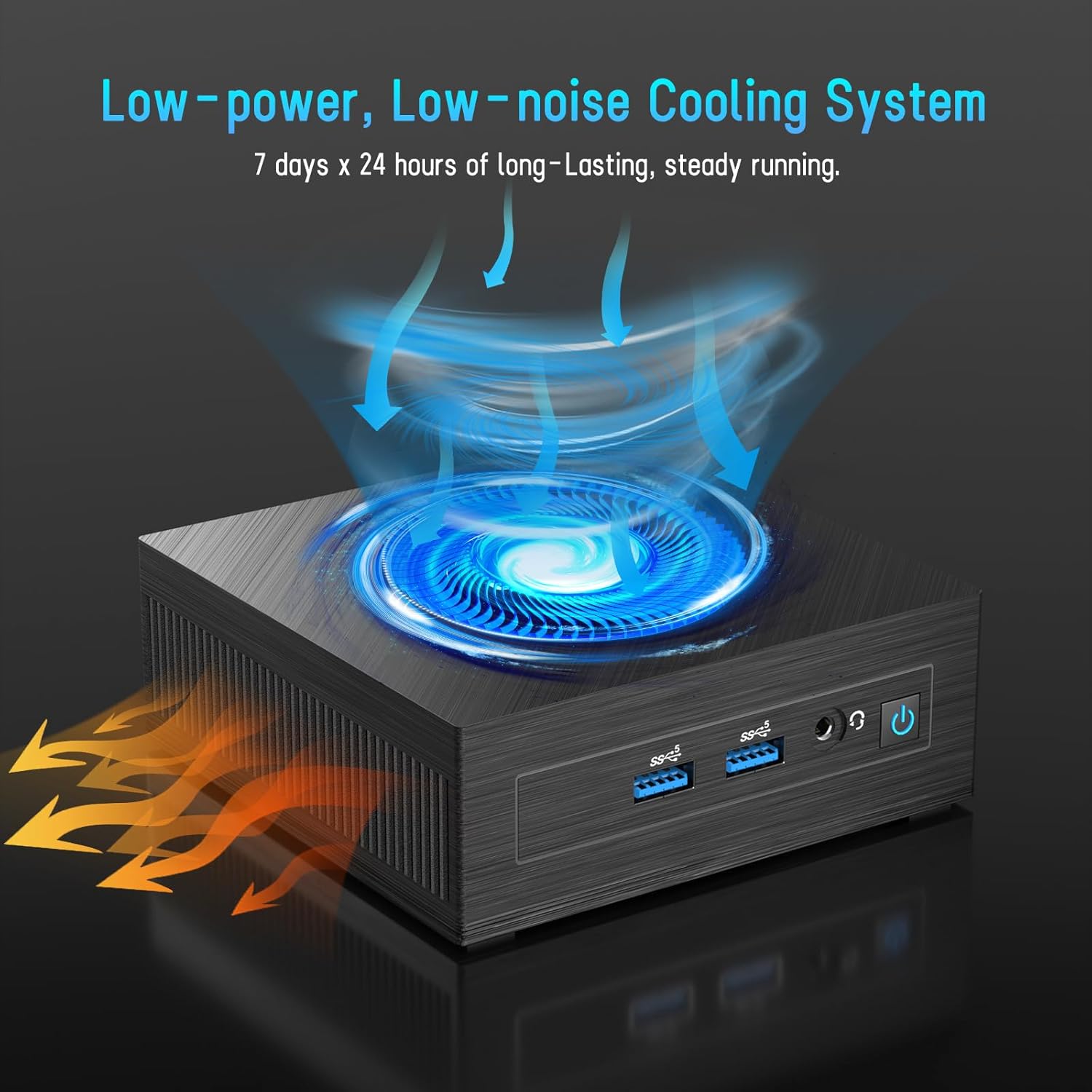
Figure 5: Illustration of the efficient low-power, low-noise cooling system integrated into the Mini PC.
5. Depanare
If you encounter issues with your LETSUNG GoLite 11 Mini PC, refer to the common problems and solutions below:
- Fără ieșire de afișare:
- Ensure the HDMI cables are securely connected to both the Mini PC and the monitor.
- Verify the monitor is set to the correct input source (HDMI 1, HDMI 2, etc.).
- Try connecting to a different monitor or using different HDMI cables.
- Probleme de alimentare:
- Check if the power adapter is properly connected to the Mini PC and the power outlet.
- Asigurați-vă că priza este funcțională.
- If the device does not power on, try a different power outlet.
- Probleme de conectivitate la rețea:
- For Wi-Fi, ensure the Wi-Fi adapter is enabled in Windows settings and you are connected to the correct network.
- For wired LAN, check the Ethernet cable connection. Note that the LAN port on this model supports up to 100 Mbps, not Gigabit Ethernet.
- Reporniți routerul/modemul.
- Performanță lentă:
- Închideți aplicațiile inutile care rulează în fundal.
- Ensure Windows 11 Pro is up to date.
- Verificați dacă există suficient spațiu liber pe SSD.
6. Specificatii tehnice
| Caracteristică | Caietul de sarcini |
|---|---|
| Procesor | Intel Celeron N4020C (Dual-Core, up to 2.8 GHz) |
| Grafică | Intel UHD Graphics 600 |
| RAM | 6GB LPDDR4 (Integrated, Dual Channel) |
| Depozitare | 128GB M.2 SATA SSD (Expandable up to 512GB) |
| Sistem de operare | Windows 11 Pro (Pre-installed) |
| Ieșire video | 2 x HDMI 1.4 (Supports Dual Display up to 1920x1080@60Hz) |
| Porturi USB | 4 x USB 3.2 |
| Reţea | Dual WiFi 5, RJ45 LAN (100 Mbps) |
| Bluetooth | Bluetooth 4.2 |
| Audio | 1 x mufă pentru căști de 3.5 mm |
| Intrare de putere | DC Jack |
| Dimensiuni | 4.53 x 4.43 x 1.61 inchi (115 mm x 112 mm x 41 mm) |
| Greutate | Aprox. 9.66 uncii (274 g) |
7. Garanție și asistență
The LETSUNG GoLite 11 Mini PC comes with a garanție de un an de la data achiziției. Această garanție acoperă defectele de fabricație și asigură că produsul îndeplinește performanțele specificate. Vă rugăm să păstrați dovada achiziției pentru reclamații în garanție.
For any questions, technical assistance, or troubleshooting not covered in this manual, LETSUNG customer support is available 24/7 to assist you. Please refer to the contact information provided with your product packaging or visit the official LETSUNG website-ul pentru detalii de asistență.


