1. Introducere
This manual provides detailed instructions for the installation, operation, and maintenance of your Vtopek W19S 4K Dual Car Dashcam. Please read this manual thoroughly before using the product to ensure proper functionality and safety. This dashcam is designed to record high-quality video footage of your journeys, offering features such as 4K resolution, front and rear camera recording, WiFi connectivity, GPS tracking, night vision, and parking monitoring.

2. Caracteristicile produsului
- Ultra-HD 4K Recording: Records in 4K (front) and 1080P (rear) resolutions, capturing clear details like license plates and road signs.
- Dual Wide-Angle Lenses: Front camera with 170° wide angle and rear camera with 140° wide angle to minimize blind spots.
- Super vedere nocturnă: Equipped with F1.6 large aperture, 6-layer optical lens, and HDR/WDR technology for enhanced clarity in low-light conditions.
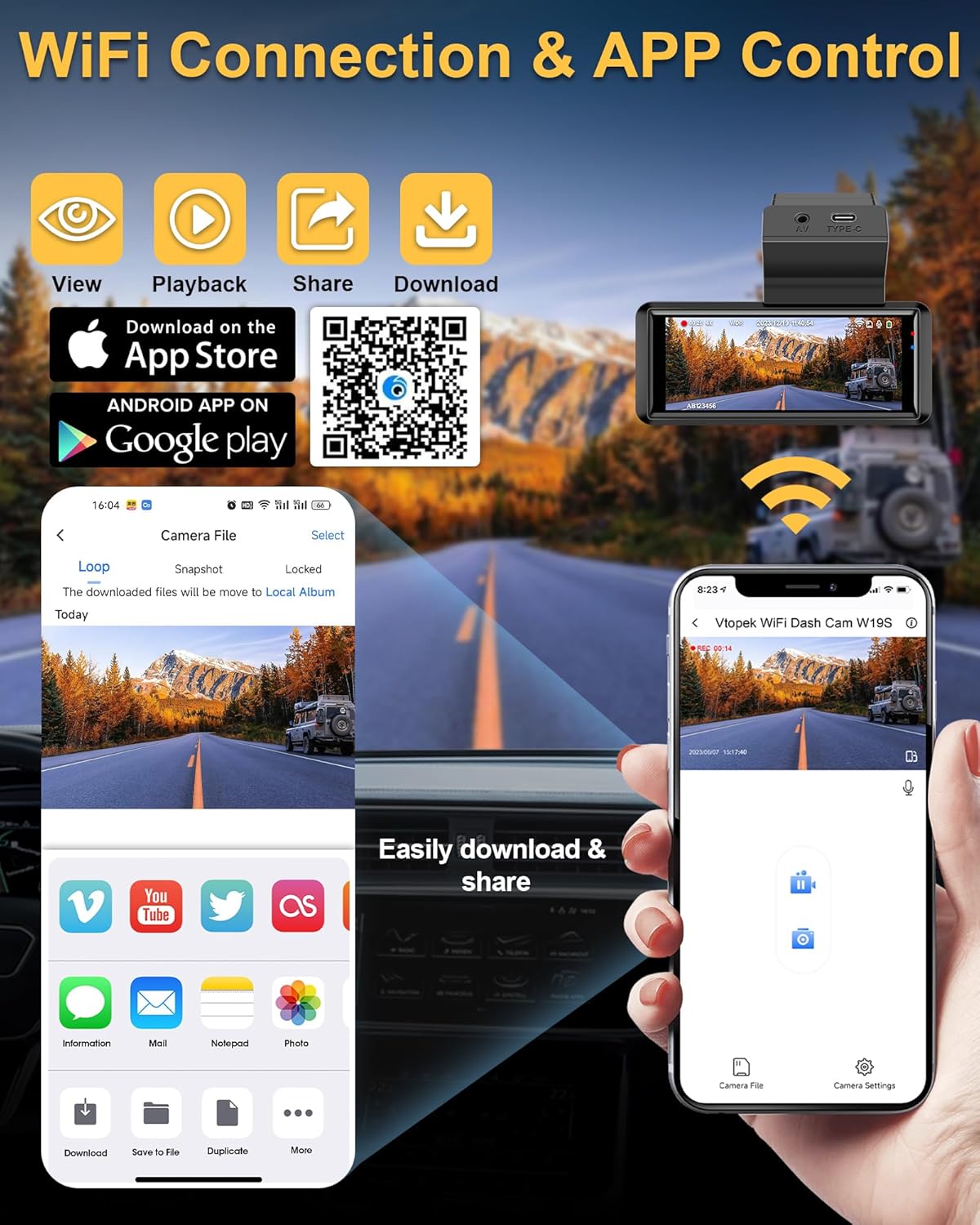
- WiFi încorporat: Connects to a mobile application for viewing, playback, downloading, and sharing videos.
- GPS integrat: Records real-time driving speed, date, time, and location, viewable via the mobile app or PC player.
- 3.16-Inch IPS Touch Screen: Provides a clear interface for settings and video playback.
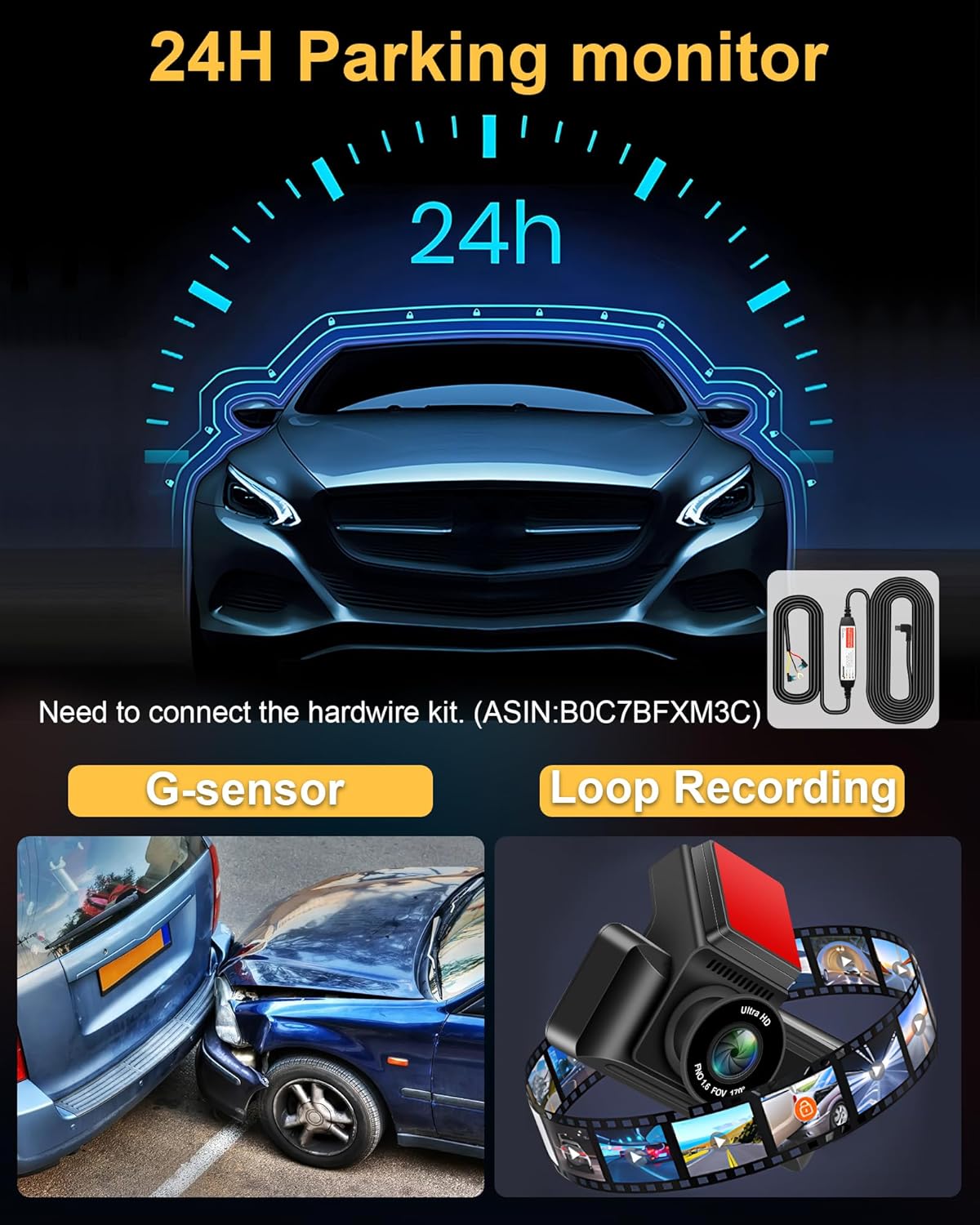
- Monitor de parcare 24 de ore: Automatically records when motion is detected around the vehicle (requires optional hardwire kit, ASIN: B0C7BFXM3C).
- Senzor G: Blochează și salvează automat videoclipuriletage upon sudden impact or collision.
- Înregistrare în buclă: Continuously records by overwriting the oldest unlocked files când cardul de memorie este plin.
- Interfață de tip C: Enhanced port for faster data transmission and improved reliability compared to Mini USB.
- IP69 Waterproof Rear Camera: Durable and resistant to water and fog, suitable for external installation.


3. Conținutul pachetului
Vă rugăm să verificați coletul pentru a vă asigura că sunt prezente toate articolele:
- W19 Dash Camera x1
- Camera spate x1
- 64GB Micro-SD card x1
- Packing Box x1
- Rear Camera Cable (10m/36ft) x1
- Suport pentru cameră x1
- USB Car Charger with GPS x1
- Șurubelniță x1
- Strong Double Sided Tape x1
- Șurub de fixare x9
- Kit de curățare x1
- Manual de utilizare x1

4. Configurare și instalare
4.1. Instalarea camerei frontale
- Curățați zona de pe parbriz unde intenționați să montați camera de bord. Asigurați-vă că nu vă obstrucționează vederea. view.
- Attach the camera bracket to the dashcam.
- Remove the protective red film from the double-sided tape on the bracket.
- Firmly press the dashcam with the bracket onto the cleaned windshield area. Hold for a few seconds to ensure a secure attachment.
- Adjust the front camera lens angle as needed. The lens can be adjusted up and down.
4.2. Instalarea camerei spate
The IP69 waterproof rear camera can be installed inside or outside the vehicle. The adjustable 180° bracket allows for flexible mounting without drilling.
- Alegeți o locație potrivită pentru camera din spate, de obicei deasupra plăcuței de înmatriculare sau în interiorul lunetei.
- Secure the rear camera using the provided screws or double-sided tape.
- Route the rear camera cable to the front dashcam unit. Ensure the cable is neatly tucked away and does not interfere with vehicle operations.
- Connect the rear camera cable to the AV port on the main dashcam unit.
4.3. Power Connection and SD Card Insertion
- Insert the provided 64GB Micro-SD card into the dashcam's SD card slot. Ensure it is inserted correctly until it clicks into place.
- Connect the USB Car Charger (with GPS module) to your vehicle's cigarette lighter socket.
- Connect the Type-C end of the power cable to the Type-C port on the dashcam.
- Route the power cable neatly along the edges of your windshield and dashboard to avoid obstruction.

5. Instrucțiuni de utilizare
5.1. Operare de bază
- Pornire/Oprire: The dashcam will automatically power on and begin recording when your vehicle starts. It will power off automatically when the vehicle is turned off.
- Afișare pe ecran: The 3.16-inch IPS touch screen displays live footage from the front and rear cameras. You can switch views or access settings via the touch interface.
5.2. WiFi and App Control
The dashcam features built-in WiFi for seamless connection to your smartphone via a dedicated app.
- Descărcați aplicația: Scan the QR code provided in the manual or on the dashcam screen, or visit https://www.6zhentan.com/app/d0001/index.html to download the Vtopek dashcam app.
- Conectați-vă la WiFi: On your dashcam, enable WiFi. On your smartphone, go to WiFi settings and connect to the dashcam's WiFi network (SSID and password usually displayed on the dashcam screen).
- Funcțiile aplicației: Once connected, use the app to:
- View flux video în direct.
- Redați videoclipurile înregistrate.
- Descărcați videoclipul files la telefonul tău.
- Share recordings.
- Adjust dashcam settings.
5.3. Funcționalitatea GPS
The integrated GPS module records important driving data.
- Înregistrare date: The GPS records your vehicle's speed, date, time, and geographical location in real-time.
- Viewdate ing: Aceste informații pot fi viewed when playing back videos through the mobile app or a compatible PC player, which will display your route on a map alongside the video.

5.4. Parking Monitor (24H)
For continuous surveillance when your vehicle is parked, the 24-hour parking monitor feature can be activated.
- Activare: This feature requires a separate hardwire kit (ASIN: B0C7BFXM3C) to provide continuous power to the dashcam when the vehicle is off.
- Functionalitate: Once activated, the dashcam will automatically start recording if it detects motion or impact while parked.
5.5. G-Senzor
The built-in G-sensor detects sudden movements or impacts.
- Blocare automată: In the event of a collision or sudden braking, the G-sensor will automatically lock the current video segment, preventing it from being overwritten by loop recording.
- Sensibilitate: The G-sensor sensitivity can usually be adjusted in the dashcam settings (e.g., Low, Medium, High). A 'Low' setting is often recommended to avoid unnecessary locking of files due to minor bumps.
5.6. Înregistrare în buclă
The dashcam records continuously in short segments.
- Înregistrare continuă: When the memory card is full, the dashcam will automatically overwrite the oldest unlocked video files pentru a continua înregistrarea.
- Lungimea segmentului: Loop recording segments are typically 1, 3, or 5 minutes long, configurable in the settings. A 3-minute segment is often recommended.
6. Specificații
| Caracteristică | Caietul de sarcini |
|---|---|
| Marca | Vtopek |
| Numele modelului | W19S |
| Dimensiunea ecranului | 3.16 inci (ecran tactil IPS) |
| Tehnologia de conectivitate | Type-C, Wi-Fi |
| Caracteristici speciale | App Control, Integrated GPS, Parking Monitor, Night Vision, Integrated Wi-Fi |
| Dispozitive compatibile | Smartphone |
| Compoziția bateriei | Polimer de litiu |
| Rezoluție de înregistrare video | Front: 2160p (4K), Rear: 1080p |
| Câmpul de View | Față: 170°, Spate: 140° |
| Componente incluse | 64GB Memory Card, Smartphone App, GPS Module, Suction Cup Mount |
| Tip de montare | Suport parbriz |
| Metoda de control | Aplicație |
| Dimensiunile produsului | 2P x 5L x 3H centimeters |
7. Întreținere
- curatenie: Use a soft, dry cloth to clean the dashcam lens and screen. Avoid using abrasive cleaners.
- Formatarea cardului SD: It is recommended to format the Micro-SD card regularly (e.g., once a month) to ensure optimal performance and prevent data corruption. This can usually be done through the dashcam's settings menu.
- Actualizări firmware: Check the Vtopek webVerificați periodic site-ul sau aplicația pentru a vedea dacă există actualizări de firmware disponibile, pentru a îmbunătăți performanța și a adăuga funcții noi.
- Temperatură: Avoid exposing the dashcam to extreme temperatures for extended periods, as this can affect battery life and device performance.
8. Depanare
- Camera de bord nu pornește: Ensure the power cable is securely connected to both the dashcam and the car charger, and that the car charger is properly inserted into the cigarette lighter socket. Check if the vehicle's power outlet is functioning.
- Recording issues (e.g., stops recording, corrupted files): Format the SD card. Ensure the SD card is a high-speed Class 10 or U3 card. Replace the SD card if issues persist.
- GPS not working/no signal: Ensure the USB car charger with the integrated GPS module is used. Position the dashcam where it has a clear view a cerului.
- Probleme cu conexiunea WiFi: Ensure WiFi is enabled on the dashcam and your smartphone. Double-check the WiFi password. Try restarting both the dashcam and your phone.
- Screen freezing/unresponsive: Use a thin object (like a paperclip) to press the reset button (if available) or disconnect and reconnect the power.
- Rear camera not displaying: Verificați conexiunea cablului camerei din spate la unitatea principală. Asigurați-vă că cablul nu este deteriorat.
9. Garanție și asistență
Vtopek offers comprehensive support for your dashcam.
- Garantie: Produsul vine cu o garanție de 1 an de la producător.
- Suport tehnic: Se oferă asistență tehnică pe viață.
- Contact: For any questions or assistance, please contact professional customer service via email at jenny@jansite.cn.

