Introducere
This manual provides essential instructions for setting up, operating, maintaining, and troubleshooting your Sharp 65" Class AQUOS XLED 4K Ultra HD Mini LED Google TV (Model 4T-C65FV1U). Please read this manual thoroughly before using your television to ensure proper and safe operation.
1. Configurare
1.1 Despachetarea și inspecția
Carefully remove the television from its packaging. Inspect the TV and all accessories for any signs of damage. Keep the original packaging materials for future transport or service needs.
- Sharp 65" Class AQUOS XLED 4K Ultra HD Mini LED Google TV
- Cablu de alimentare
- Telecomanda
- Documentație (Ghid de pornire rapidă, Informații de siguranță)
1.2 Instalarea suportului / Montarea pe perete
If using the included stand, follow the instructions provided in the separate Quick Start Guide for secure attachment. Ensure all screws are tightened properly. If wall-mounting, use a compatible VESA mount (not included) and consult a professional for installation to prevent damage or injury.
1.3 Conectarea perifericelor
Before connecting any cables, ensure the television and all external devices are powered off. Refer to the image below for common connection ports.

Imaginea 1.3.1: Conexiuni panou spate. This image displays the back of the Sharp AQUOS XLED TV, highlighting the various input and output ports available for connecting external devices such as HDMI, USB, and audio outputs. Proper connection ensures optimal performance.
- Putere: Conectați cablul de alimentare furnizat la intrarea de alimentare a televizorului și apoi la o priză de perete.
- HDMI: For high-definition video and audio, connect devices like Blu-ray players, game consoles, or cable/satellite boxes to the HDMI ports.
- USB: Conectați dispozitive de stocare USB pentru redarea fișierelor media sau actualizări de software.
- Antena/Cablu: Conectați o antenă sau o sursă de alimentare TV prin cablu pentru canalele de difuzare.
- Ethernet: For a stable wired internet connection, connect an Ethernet cable from your router.
1.4 Pornirea inițială și configurarea Google TV
After connecting all necessary cables, plug the power cable into an electrical outlet. Press the power button on the TV or remote control. Follow the on-screen instructions to complete the initial setup, which includes:
- Selectarea limbii
- Conexiune la rețea (Wi-Fi sau Ethernet)
- Conectare la contul Google (necesară pentru funcțiile Google TV)
- Channel scanning (if using antenna/cable)

Image 1.4.1: Google Account Setup. This image shows the Google TV interface prompting the user to select or add a Google account, which is essential for accessing smart features and personalized content.
2. Operare
2.1 Funcții de control de la distanță
The remote control allows you to navigate the Google TV interface, adjust settings, and control playback. Familiarize yourself with the buttons for power, volume, channel, input selection, and smart assistant activation.
2.2 Navigare în interfața Google TV
The Google TV home screen provides access to your favorite streaming apps, live TV, and personalized recommendations. Use the directional pad on your remote to navigate through menus and select content.

Image 2.2.1: Google TV Home Screen. This image shows the Sharp AQUOS XLED TV displaying the Google TV interface, featuring various streaming applications and content recommendations, demonstrating the user-friendly navigation.
2.3 Funcții inteligente
- Chromecast încorporat: Cast content from your compatible smartphone, tablet, or computer directly to your TV.
- Wi-Fi și Bluetooth: Conectați-vă wireless la rețeaua de domiciliu și asociați dispozitive Bluetooth, cum ar fi căști sau controllere de jocuri.
- Control vocal: Use the built-in Google Assistant via your remote control to search for content, control smart home devices, and get information.

Image 2.3.1: Google TV Remote App. This image illustrates a smartphone screen running the Google TV remote application, providing an alternative method for controlling the television and accessing its features.
2.4 Setări de imagine și sunet
Access the TV's settings menu to customize picture and sound. Your AQUOS XLED TV features:
- Xtreme Mini LED with over 2,000 Dimming Zones: Provides precise contrast and brightness control.
- Deep Chroma Quantum Dot: Enhances color accuracy and vibrancy.
- Rezoluție 4K Ultra HD: Delivers sharp, detailed images.
- 85W (2.1.2 Channel) Speaker System: Offers immersive audio experience.

Image 2.4.1: Integrated Speaker System. Un prim plan view of the side-mounted speaker on the Sharp AQUOS XLED TV, illustrating the integrated audio components designed for an immersive sound experience.
3. Întreținere
3.1 Curățarea televizorului
- Ecran: Ștergeți ușor ecranul cu o lavetă moale, fără scame. Pentru petele persistente, ștergeți ușorampClătiți laveta cu apă sau cu un produs specializat de curățare a ecranelor. Evitați substanțele chimice dure sau materialele abrazive.
- Cabinet: Ștergeți dulapul televizorului cu o lavetă moale și uscată.
- Ventilare: Asigurați-vă că orificiile de ventilație de pe spatele televizorului nu sunt blocate pentru a preveni supraîncălzirea.
3.2 Actualizări de software
Este posibil ca Google TV-ul dvs. să primească actualizări automate de software. Asigurați-vă că televizorul este conectat la internet pentru a primi cele mai recente funcții și îmbunătățiri de performanță. De asemenea, puteți verifica manual dacă există actualizări în meniul de setări al televizorului.
4. Depanare
If you encounter issues with your television, refer to the following common troubleshooting steps. If the problem persists, contact customer support.
| Problemă | Cauză/Soluție posibilă |
|---|---|
| Fără putere |
|
| Fără imagine / Ecran negru |
|
| Fără sunet |
|
| Probleme de conexiune la rețea |
|
5. Specificații
The following are key technical specifications for the Sharp 65" Class AQUOS XLED 4K Ultra HD Mini LED Google TV (Model 4T-C65FV1U).
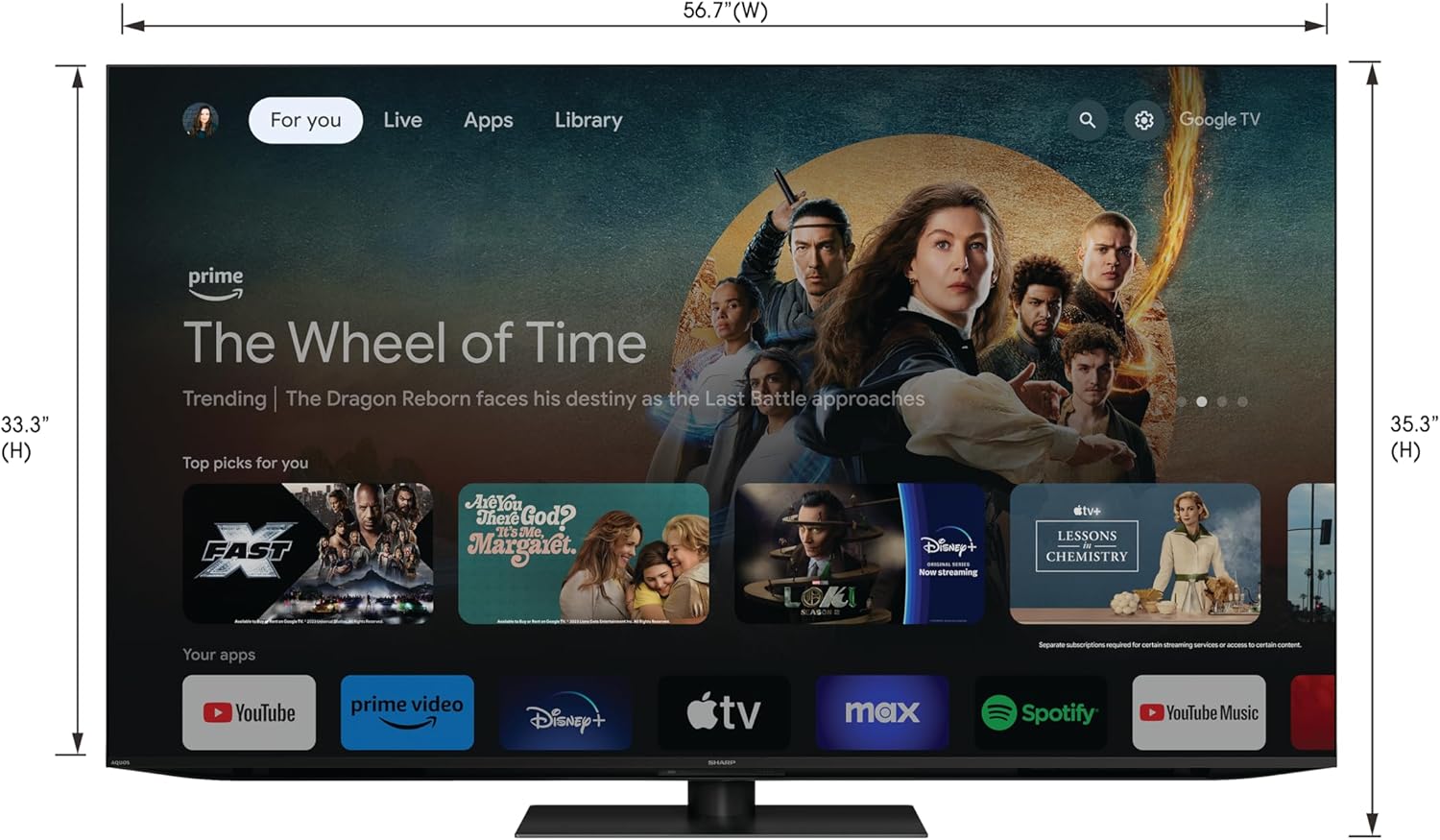
Image 5.1: Television Dimensions. This image provides a front view of the Sharp AQUOS XLED TV, clearly indicating its width and height measurements for installation planning.
| Caracteristică | Detaliu |
|---|---|
| Numărul de model | 4T-C65FV1U |
| Dimensiunea ecranului | 65 inches (64.5 inches Diag.) |
| Tehnologia de afișare | AQUOS XLED, Mini LED, Quantum Dot |
| Rezoluţie | 4K Ultra HD (3840 x 2160p) |
| Rata de reîmprospătare | 120 Hz |
| Zone de diminuare a luminii | Over 2,000 Xtreme Mini LED Dimming Zones |
| Sistem de difuzoare | 85W (2.1.2 Channel) Built-In Speaker |
| Platforma Smart TV | Google TV |
| Caracteristici speciale | Chromecast Built-in, Google Assistant |
| Conectivitate | Wi-Fi, Bluetooth, HDMI, USB, Ethernet |
| Dimensiuni produs (L x A x H) | 68.1 cm x 8.4 cm x 38.7 cm (cu suport) |
| Greutatea articolului | 106 lire sterline |
| Voltage | 120 volți (AC) |
| Wattage | 85 wați |
6. Garanție și asistență
6.1 Garanția produsului
Your Sharp AQUOS XLED TV is covered by a limited warranty. For detailed information regarding warranty terms, conditions, and duration, please refer to the warranty card included with your product or visit the official Sharp support webPăstrați dovada achiziției pentru reclamații în garanție.
6.2 Asistență pentru clienți
For technical assistance, troubleshooting beyond this manual, or service inquiries, please contact Sharp customer support. Contact information can typically be found on the Sharp official website or in the documentation provided with your television.
Suport online: Vizitați pagina oficială Sharp website pentru întrebări frecvente, descărcări de software și resurse de asistență.
Suport telefonic: Consultați documentația produsului pentru numerele de telefon ale serviciului regional de asistență pentru clienți.


