1. Introducere
This manual provides detailed instructions for the installation, operation, and maintenance of your XSDTS Smart Lock Digital Smart Lock Doorbell. This smart lock offers multiple unlocking methods including fingerprint, RFID card, digital key, mobile application (Tuya Wifi App), and traditional physical keys. It is designed for doors with a thickness between 35mm and 75mm and includes child safety features.
Caracteristici cheie
- Multiple unlocking methods: Fingerprint, RFID Card, Passcode, Tuya App, Mechanical Key.
- Integrated doorbell function.
- Remote access and control via Tuya Wifi App.
- Anti-peeping password function for enhanced security.
- Funcție de blocare automată.
- Indicator baterie.
- Durable aluminum construction with polished finish.
- Suitable for door thicknesses from 35mm to 75mm.
2. Componentele produsului
The XSDTS Smart Lock package includes the following items:
- Panou frontal x 1
- Panou spate x 1
- Plug lock x 1 (optional)
- Smart card x 2
- Mechanical key x 2
- Kit de șuruburi x 1

Figura 2.1: Pesteview of the XSDTS Smart Lock, showing the exterior and interior units, and the Tuya app interface for remote unlocking.

Figure 2.2: Detailed dimensions of the lock body and panels, indicating compatibility with door thicknesses between 35mm and 70mm.

Figure 2.3: Visual representation of the multiple unlocking methods: temporary password, IC card, standard password, fingerprint, manual key, and app unlock.
3. Configurare și instalare
3.1 Pre-Installation Measurements
Before beginning installation, ensure your door meets the required specifications. Accurate measurements are crucial for proper fit and function.
- Measure the thickness of your door frame.
- Measure the length of the guide piece.
- Measure the width of the guide piece.
- Confirm the door aligns with the center of the lock.
- Measure the distance for the screw hole of the back panel.

Figure 3.1: Step-by-step guide for measuring your door to ensure compatibility and proper installation of the smart lock.
3.2 Instalarea bateriei
The smart lock requires 4 AA batteries (not included). Locate the battery cover on the back panel and insert the batteries according to the polarity indicators.
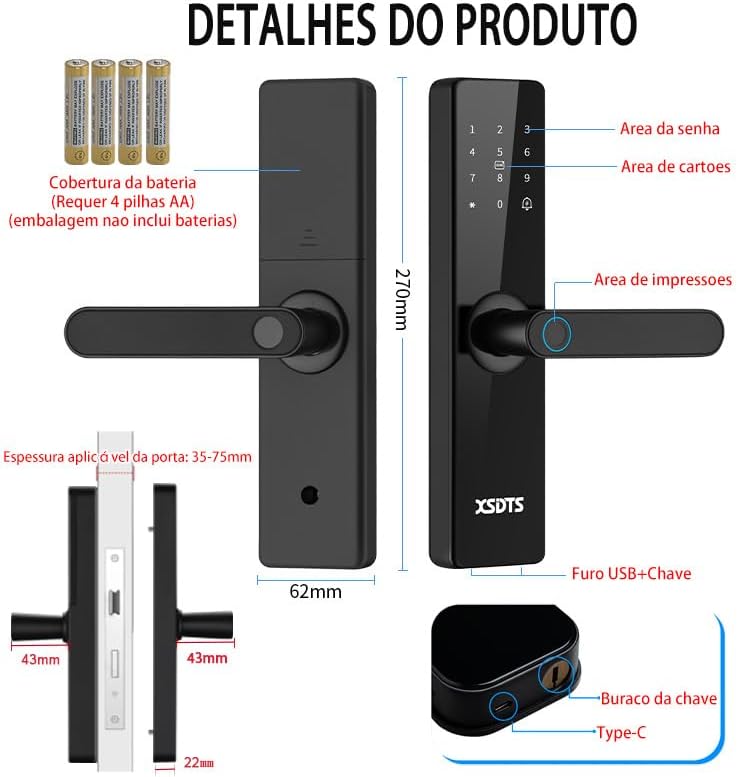
Figure 3.2: Illustration of the smart lock's components, including the battery cover, password area, card area, fingerprint area, USB port, and keyhole.
3.3 Configurarea inițială și conectarea aplicației
To utilize the smart features, download the Tuya Smart APP.

Figure 3.3: The Tuya Smart App interface, demonstrating features like app unlock, scene linkage, information sending, and record verification.
- Descărcați aplicația „Tuya Smart” din magazinul de aplicații al dispozitivului dumneavoastră.
- Înregistrați-vă sau conectați-vă la contul dvs.
- Follow the in-app instructions to add your XSDTS Smart Lock. This typically involves putting the lock into pairing mode and connecting it to your Wi-Fi network.
- Once connected, you can manage users, generate temporary passwords, and view deblocarea înregistrărilor.
4. Utilizarea Încuietorii Inteligente
4.1 Metode de deblocare
Deblocare prin amprentă 4.1.1
Așezați degetul înregistrat pe senzorul de amprentă. Încuietoarea se va debloca dacă amprenta este recunoscută.
Figure 4.1: Visual representation of the multiple unlocking methods, including fingerprint recognition.

Figure 4.2: Illustrates the speed and accuracy of the fingerprint recognition system: recognition speed ≤0.5s, error rate ≤0.001%, rejection rate ≤0.01%.
4.1.2 Deblocare cu parolă
Enter your registered passcode on the keypad. Press the '#' key to confirm.
Parola anti-peeping: To prevent others from guessing your password, you can enter random digits before or after your actual password. For example, if your password is "123456", you can enter "987123456098" and the lock will still recognize "123456".
4.1.3 RFID Card Unlock
Present your registered RFID card to the card reading area on the lock.
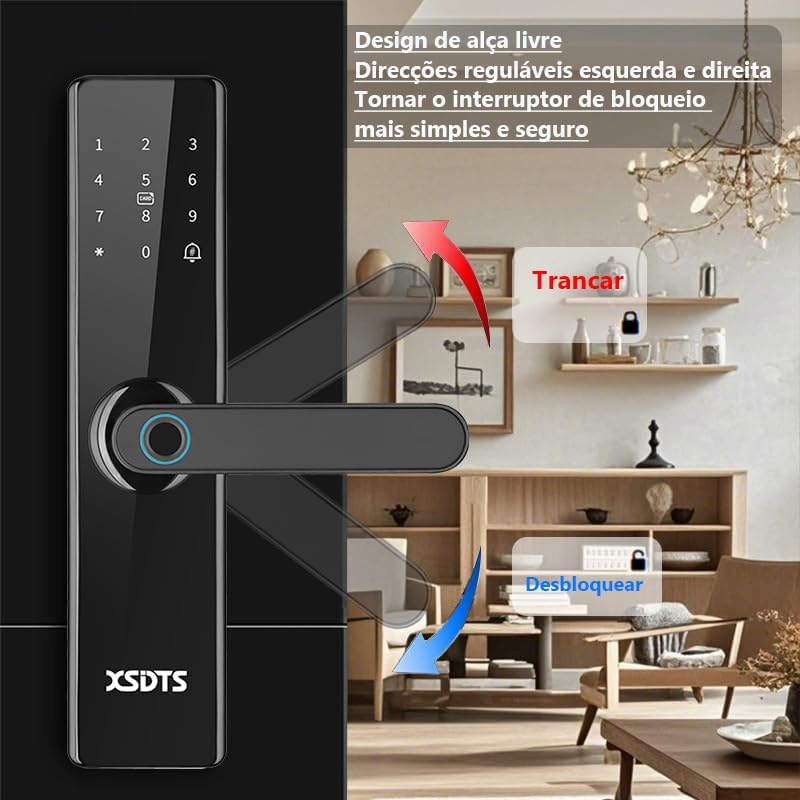
Figure 4.3: Demonstrates the use of an encrypted IC card for unlocking, highlighting dynamic encryption technology for enhanced security.
4.1.4 Tuya App Unlock
Open the Tuya Smart App on your smartphone. Select your lock and use the unlock function within the app. You can also generate temporary passwords or send remote unlocking requests.
Figure 4.4: The Tuya Smart App interface, showing options for remote unlocking requests and managing security settings.
4.1.5 Deblocare cu cheie mecanică
In case of battery depletion or system malfunction, use the provided mechanical keys to unlock the door. The keyhole is typically located at the bottom of the front panel.
Figure 4.5: Illustration showing the location of the USB port and the mechanical keyhole on the smart lock.
4.2 Încuierea ușii
The XSDTS Smart Lock features an auto-lock function. After closing the door, the lock will automatically engage.
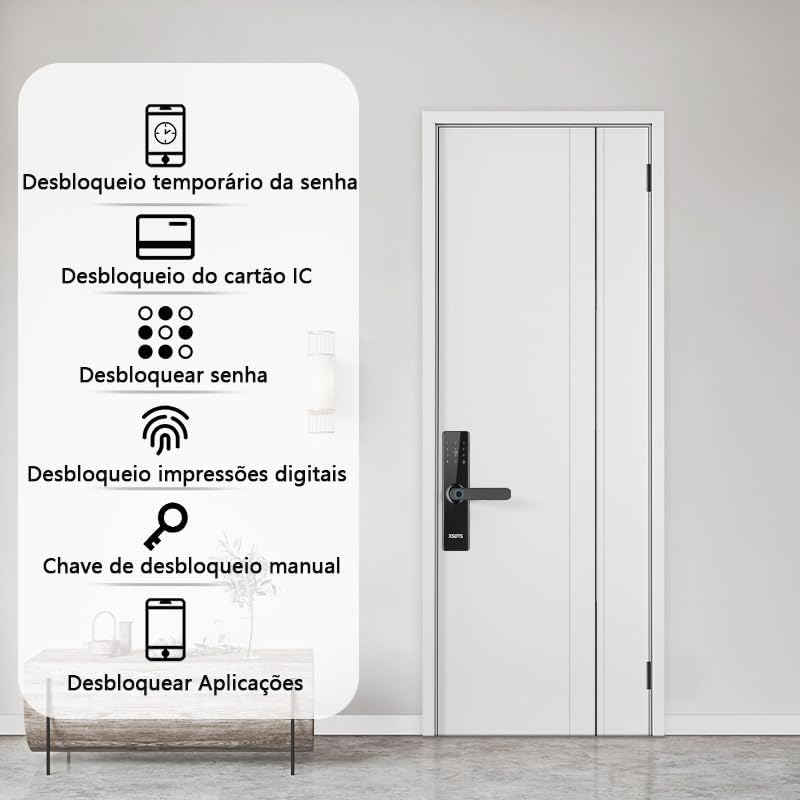
Figure 4.6: Demonstrates the free handle design, allowing the handle to be moved up to lock and down to unlock, making operation simpler and more secure.
4.3 Funcția soneriei
The smart lock has a built-in doorbell. When the doorbell button is pressed, it will alert you via the lock's speaker and potentially through the Tuya app, depending on your settings.
5. Întreținere
5.1 Înlocuirea bateriei
When the battery indicator shows low power, replace all four AA batteries promptly. Do not mix old and new batteries.
5.2 Curățare
Curățați suprafața încuietorii cu o cârpă moale și uscată. Evitați utilizarea de produse de curățare abrazive sau solvenți care ar putea deteriora finisajul sau componentele electronice.
5.3 Fingerprint Sensor Care
Keep the fingerprint sensor clean and free of dirt or moisture to ensure optimal performance.
6. Depanare
6.1 Blocarea nu răspunde
- Verificați nivelul bateriei. Înlocuiți bateriile dacă sunt descărcate.
- Asigurați-vă că încuietoarea este instalată corect și că toate conexiunile sunt sigure.
- Use the mechanical key as a backup.
6.2 Amprentă nerecunoscută
- Asigurați-vă că degetul este curat și uscat.
- Încearcă să-ți repoziționezi degetul pe senzor.
- Re-register your fingerprint if the issue persists.
6.3 Probleme de conectivitate a aplicațiilor
- Ensure your Wi-Fi network is stable and the lock is within range.
- Restart your Wi-Fi router and the smart lock.
- Verificați dacă există actualizări ale aplicației.
- Re-pair the lock with the Tuya app if necessary.
6.4 Lock Does Not Auto-Lock
- Verify that the auto-lock feature is enabled in the app settings.
- Verificați dacă există obstacole care împiedică închiderea completă a ușii.
7. Specificații
| Atribut | Detaliu |
|---|---|
| Marca | XSDTS |
| Numărul de model | F17 |
| Tip blocare | zavoare |
| Material | Aluminiu |
| Culoare | Negru |
| Termina | Lustruit |
| Dimensiunile produsului | 25 x 6 x 7.5 cm |
| Greutatea articolului | 2.5 kilograme |
| Compatibilitatea grosimii ușii | 35 mm până la 75 mm |
| Metoda de control | Application (Tuya Wifi App) |
| Sursa de alimentare | 4 x baterii AA (nu sunt incluse) |
| Caracteristici speciale | Anti-Peeping Password, Auto-Lock, Battery Indicator, Fingerprint, Passcode Unlock |
8. Informații despre garanție
Detalii specifice despre garanție nu sunt furnizate în informațiile despre produs. Vă rugăm să consultați distribuitorul sau furnizorul oficial al producătorului. website-ul pentru termenii și condițiile de garanție.
9. Asistență pentru clienți
For technical assistance, troubleshooting, or further inquiries, please contact XSDTS customer support through their official channels. Refer to the product packaging or the manufacturer's website pentru informații de contact.


