1. Introducere
This manual provides detailed instructions for the installation, operation, and maintenance of your ANNKE C800 4K PoE Security Camera. Please read this manual thoroughly before using the product to ensure proper setup and functionality. This camera is designed for reliable outdoor surveillance, offering advanced features such as 4K resolution, AI human/vehicle detection, and flexible night vision modes.
2. Ce se află în cutie
Carefully unpack the box and ensure all items are present. If any items are missing or damaged, please contact ANNKE support.
- 1 x 8MP Wired PoE Security Camera
- 1 x cablu Ethernet de 1 m / 3.2 ft
- 1 x capac impermeabil
- 1 x Mounting Screws Kit
- 1 x Semn de supraveghere

Image: ANNKE C800 4K PoE Security Camera and its accessories.
Video: Unboxing the ANNKE 4K PoE Camera, showing all included components.
3. Produs terminatview
The ANNKE C800 is a high-performance 4K PoE security camera designed for robust surveillance. It features a 4mm lens, advanced image processing, and intelligent detection capabilities.
Caracteristici cheie:
- Rezoluție 4K Ultra HD: Oferă un videoclip clar și detaliattage.
- Detectare om/vehicul prin inteligență artificială: Reduce alarmele false prin identificarea precisă a mișcării oamenilor și a vehiculelor.
- Smart Dual Light Night Vision: Offers three switchable night modes: smart light, white light, and IR light for enhanced visibility in low-light conditions.
- Microfon încorporat: Enables audio recording for comprehensive surveillance.
- Rezistență la intemperii IP67: Carcasă metalică durabilă, concepută pentru a rezista la diverse condiții meteorologice.
- H.265+ Video Format: Efficient compression technology to save bandwidth and storage space.

Image: Detailed diagram showing the camera's bracket, 4.0mm lens, spotlight, IR sensor, waterproof lid, waterproof network cable, power input, reset button, and SD card slot.

Image: Visual comparison demonstrating the superior clarity of 4K Ultra HD resolution compared to 2K Quad HD and 1080p Full HD.
Video: Demonstrating the True 4K Ultra HD resolution with Sony Sensor for enhanced image quality.

Image: Illustration of the three intelligent night vision modes: Black & White Vision, Color Night Vision, and Smart Dual Light, making the night as clear as day.

Image: Depiction of intelligent motion detection, highlighting AI human and vehicle detection for accurate alerts via app push, email, and buzzer.
Video: Showcasing the C800's 4K UHD capabilities with AI Human/Vehicle Detection.
4. Configurare
Follow these steps to set up your ANNKE C800 4K PoE Security Camera.
4.1 Instalare fizică
- Alegeți o locație: Select a suitable indoor or outdoor location for optimal surveillance coverage. Ensure the camera is within reach of a PoE connection.
- Montați camera: Use the provided mounting screws kit and drill template to securely attach the camera to a wall or ceiling.
- Connect PoE Cable: Connect one end of the Ethernet cable to the camera's PoE port and the other end to a PoE NVR or PoE switch.
- Conexiune impermeabilă: Use the included waterproof lid to protect the Ethernet connection from moisture, especially for outdoor installations.
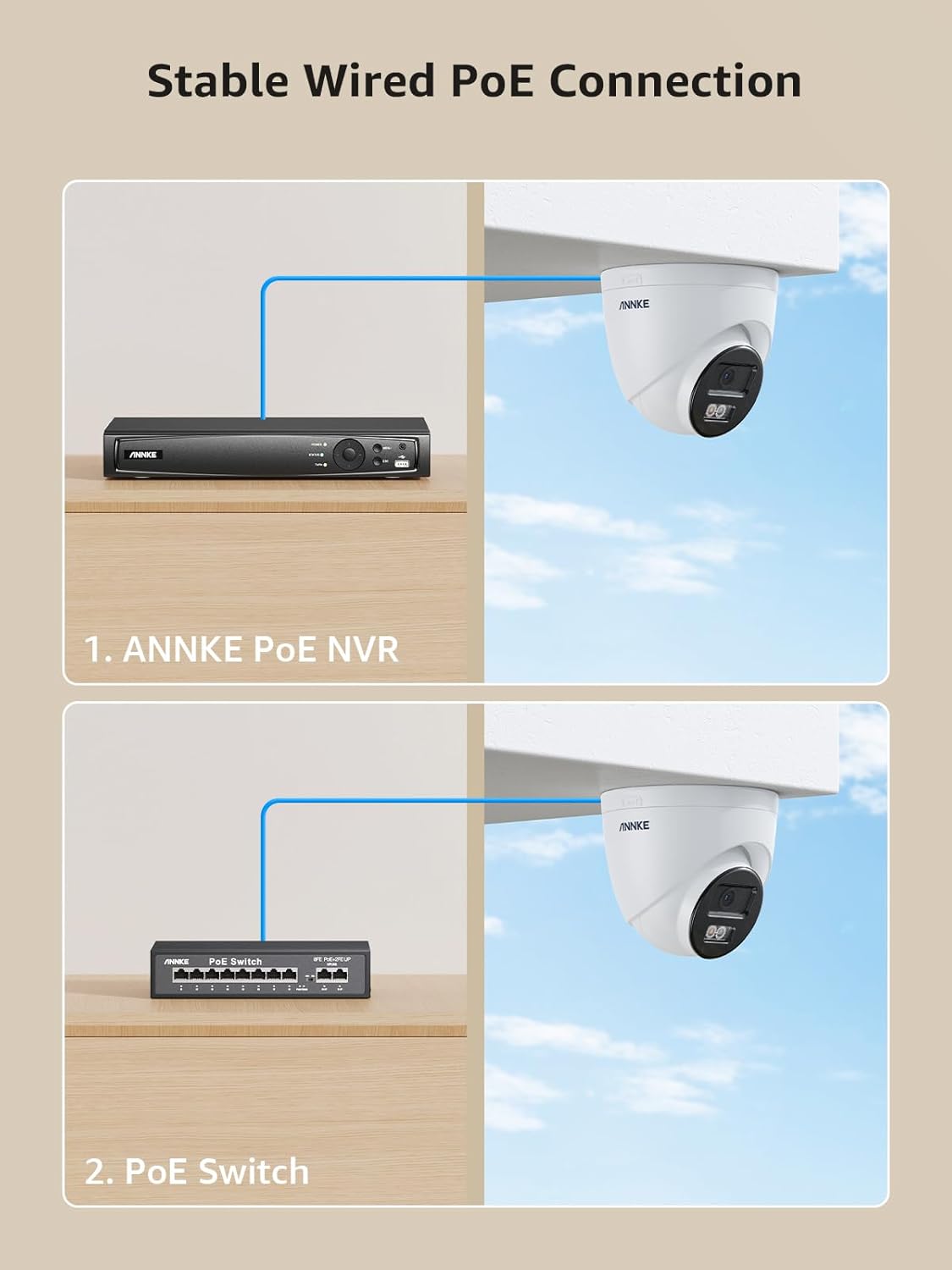
Image: Diagram illustrating stable wired PoE connection options: directly to an ANNKE PoE NVR or via a PoE Switch.
Video: Tutorial on how a PoE Camera works with an NVR, demonstrating connection steps.
4.2 Configurarea aplicației (ANNKE Vision)
- Descărcați aplicația: Caută "ANNKE Vision" on the App Store (iOS) or Google Play (Android) and install it.
- Înregistrare/Autentificare: Open the app, agree to the terms, and register a new account or log in with an existing one.
- Adăugați dispozitiv: The app should automatically detect the camera once it's powered on and connected to the network. Follow the on-screen prompts to add the device. You may need to enter a password for the device.
- Initialize Storage: If using a microSD card (not included), navigate to the camera settings in the app and initialize the storage to enable continuous recording.

Image: A hand holding a smartphone displaying the ANNKE Vision app interface for easy remote control and viewing.
Video: A step-by-step guide on setting up the ANNKE Vision App and connecting your camera.
5. Instrucțiuni de utilizare
Once your camera is set up, you can access and manage it through the ANNKE Vision app.
5.1 În direct View & Redare
- Trăi View: Deschide aplicația ANNKE Vision și selectează camera pentru a view the live feed. You can switch between different resolution modes (HD, Standard, Basic).
- Redare: Acces înregistrat footage through the playback feature. You can scroll through the timeline to find specific events or dates.
- Record & Share: Înregistrează foo livetage or save recorded clips directly to your phone for sharing.

Image: Screenshot of the ANNKE Vision app displaying a video playback timeline, allowing users to navigate through recorded footage.
5.2 Setări de detectare a mișcării
- Activați notificările: In the app settings, enable push notifications to receive alerts for motion detection events.
- Draw Motion Detection Area: Definiți zone specifice din raza de acțiune a camerei view where motion detection should be active, reducing false alarms from irrelevant zones.
- Reglați sensibilitatea: Customize the motion detection sensitivity level (Low, Medium, High) to suit your environment.

Imagine: Aeriană view of a property with a swimming pool, showing specific areas highlighted for motion detection monitoring.
6. Întreținere
Întreținerea regulată asigură performanța optimă și durata de viață a camerei de securitate.
- curatenie: Curățați periodic obiectivul camerei cu o cârpă moale și uscată pentru a îndepărta praful și petele. Evitați produsele de curățare abrazive.
- Actualizări firmware: Check the ANNKE Vision app regularly for firmware updates to ensure your camera has the latest features and security enhancements.
- Verificarea cablului: Inspect all cables and connections for any signs of wear or damage, especially for outdoor installations. Ensure waterproof lids are securely in place.
- Managementul stocării: Dacă utilizați un card microSD, reîncărcați periodicview și gestionați foo stocatetage to prevent it from filling up.

Image: The ANNKE C800 camera, emphasizing its built-in noise-cancelling microphone for audio recording and its IP67 dust and weatherproof rating.
7. Depanare
Dacă întâmpinați probleme cu camera, consultați următorii pași comuni de depanare:
- No Power/Video: Ensure the PoE cable is securely connected to both the camera and the NVR/switch. Verify the NVR/switch is powered on.
- Offline în aplicație: Check your network connection. Restart the camera and your router. Ensure the camera's firmware is up to date.
- Alarme false de mișcare: Adjust the motion detection area and sensitivity settings in the ANNKE Vision app.
- Calitate slabă a imaginii: Clean the camera lens. Ensure the camera is set to 4K resolution in the app. Check for obstructions in the camera's field of view.
- Cannot Access SD Card: Ensure the microSD card is correctly inserted and initialized through the app settings.
8. Specificații
| Caracteristică | Caietul de sarcini |
|---|---|
| Model | C800 |
| Rezoluție captură video | 4K (3840 x 2160), 5 MP |
| Obiectiv | 4mm |
| Tehnologia de conectivitate | Powerline (PoE) |
| Protocol de conectivitate | Ethernet |
| Caracteristica specială | Impermeabil (IP67) |
| Sursa de alimentare | Electricitate cu fir (prin PoE) |
| Tip de alertă | Motion Only (AI Human/Vehicle Detection) |
| Compresie video | H.265 + |
| Microfon încorporat | Da |
| Depozitare | Supports up to 512GB microSD card (not included) |
| Dimensiuni | 5 x 5 x 5 inci |
| Greutate | 1.43 lire sterline |

Image: Visual representation of H.264 versus H.265+ video compression, showing H.265+ uses significantly less storage.
9. Garanție și asistență
ANNKE products are designed for reliability. For warranty information and technical support, please refer to the official ANNKE website or contact their customer service directly. Lifetime technical support is provided.


