1. Introducere
This manual provides essential instructions for the proper use, setup, and maintenance of your Lenovo PS8 Portable SSD. Please read this manual thoroughly before using the device to ensure optimal performance and longevity.

Image 1.1: Lenovo PS8 Portable SSD, showcasindatorită designului său compact.
2. Caracteristicile produsului
- Transfer de date de mare viteză: Experience speeds up to 1050 MB/s read and 1000 MB/s write with USB 3.2 Gen 2 connectivity.
- Universal Compatibilitate: Seamlessly connect to various devices including PCs, Macs, and Android devices using the included USB-C to USB-C cable.
- Ușoare și portabile: Weighing approximately 40g, this SSD offers convenient data portability.
- Construcție durabilă: Housed in a solid aluminum casing for enhanced protection of your data.
- Capacitate de stocare: Available with 1TB of storage.

Image 2.1: The Lenovo PS8 Portable SSD connected to a laptop, illustrating its use for high-performance storage.

Image 2.2: Visual representation of the Lenovo PS8 Portable SSD's fast data transfer capabilities, showing 1050 MB/s read and 1000 MB/s write speeds.
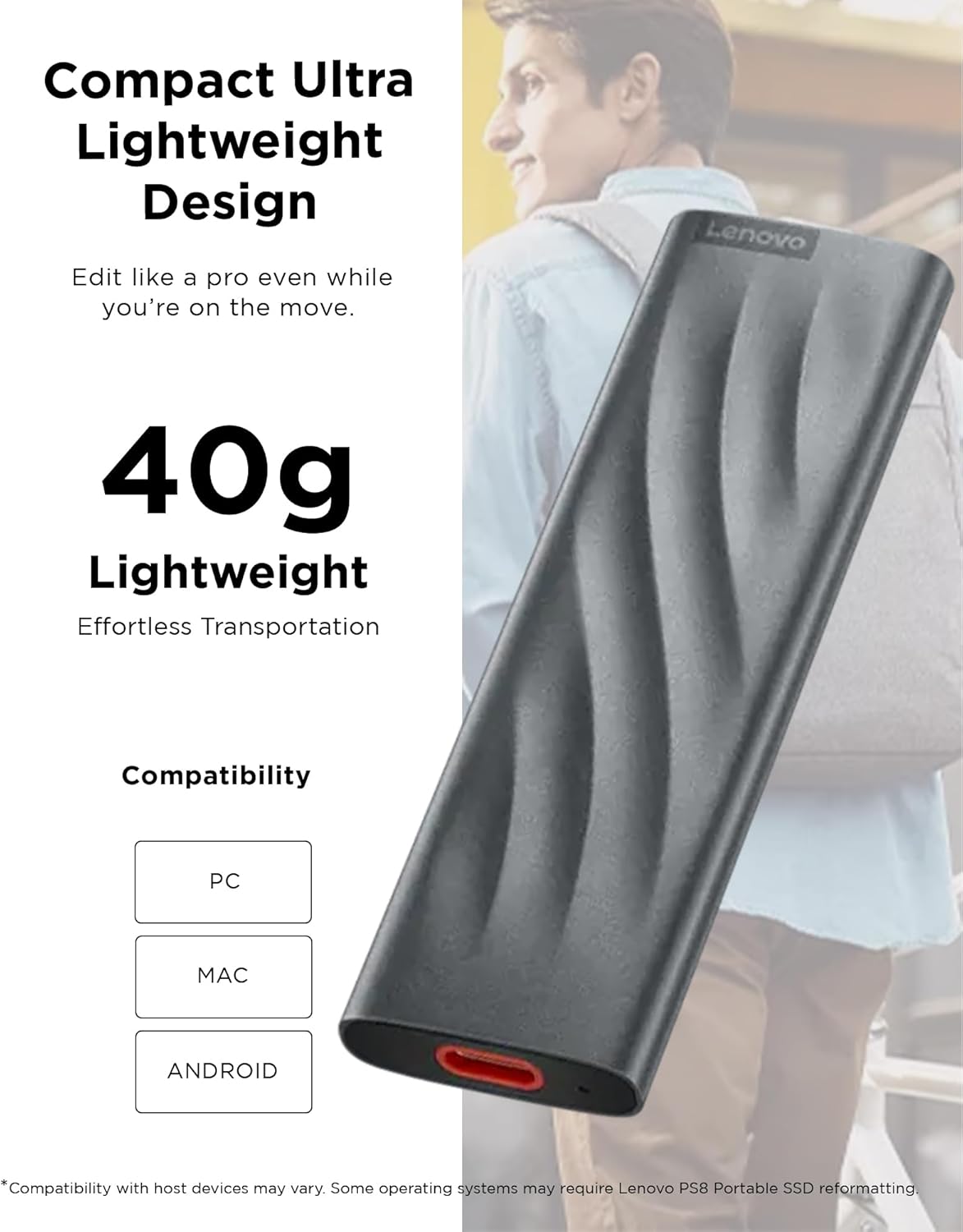
Image 2.3: The Lenovo PS8 Portable SSD emphasizing its compact and lightweight design (40g) and compatibility with PC, Mac, and Android devices.
3. Instrucțiuni de configurare
- Despachetați dispozitivul: Carefully remove the Lenovo PS8 Portable SSD and the included USB-C to USB-C cable from its packaging.
- Conectați-vă la dispozitivul dvs.: Insert one end of the USB-C cable into the USB-C port on the SSD. Connect the other end of the cable to a compatible USB 3.2 Gen 2 (or higher) port on your computer, smartphone, or tablet. For optimal speeds, ensure you are using a USB 3.2 Gen 2 port.
- Recunoaștere inițială: Your operating system should automatically detect the SSD. On Windows, it may appear under 'This PC' or 'My Computer'. On macOS, it will appear on the desktop or in Finder. For Android devices, it may appear in the file manager.
- Formatting (If Necessary): If the SSD is not recognized or you wish to change its file system, you may need to format it. Refer to your operating system's documentation for instructions on disk management and formatting. Note: Formatting will erase all data on the drive.

Image 3.1: The Lenovo PS8 Portable SSD with its included USB-C to USB-C cable, ready for connection.
4. Instrucțiuni de utilizare
4.1 Transfer de date
- Copierea Files: A transfera files, simply drag and drop them from your computer's storage to the Lenovo PS8 SSD, or vice versa.
- Speed Optimization: For maximum transfer speeds (up to 1050 MB/s), ensure the SSD is connected to a USB 3.2 Gen 2 port on your host device. Older USB ports (e.g., USB 2.0, USB 3.0/3.1 Gen 1) will result in slower transfer rates.
4.2 Îndepărtare în siguranță
To prevent data corruption or loss, always safely eject the SSD before disconnecting it from your device.
- Windows: Right-click on the SSD icon in 'This PC' or the system tray (Safely Remove Hardware icon), then select 'Eject'.
- MacOS: Drag the SSD icon from the desktop to the Trash, or click the 'Eject' icon next to the drive name in Finder.
- Android: Go to 'Settings' > 'Storage' > 'Eject' (or similar option for external storage).
5. Întreținere
- Îngrijire fizică: C-ul din aluminiuasing provides durability, but avoid dropping the SSD or subjecting it to strong impacts.
- Conditii de mediu: Keep the SSD away from extreme temperatures, direct sunlight, and high humidity.
- curatenie: Use a soft, dry cloth to clean the exterior. Do not use liquid cleaners or solvents.
- Backup de date: Regularly back up important data stored on the SSD to another location to prevent accidental loss.
6. Depanare
- SSD nedetectat:
- Ensure the USB-C cable is securely connected to both the SSD and the host device.
- Try connecting to a different USB port on your device.
- Testați cu un alt cablu USB-C, dacă este disponibil.
- Reporniți computerul sau dispozitivul.
- Viteze mici de transfer:
- Verify that the SSD is connected to a USB 3.2 Gen 2 port. Older USB ports will limit speed.
- Ensure your host device's drivers are up to date.
- Închideți alte aplicații care ar putea utiliza resurse de sistem sau efectua transferuri în fundal.
- Data Loss After Disconnection:
- Always perform a 'Safe Eject' or 'Safely Remove Hardware' procedure before disconnecting the SSD to prevent data corruption.
- If data loss occurs, reformat the drive and restore from a backup if possible.
- SSD Gets Warm During Use:
- It is normal for the SSD to become warm during intensive data transfers due to its high-speed operation. This does not indicate a malfunction.
7. Specificații

Image 7.1: Dimensions of the Lenovo PS8 Portable SSD.
| Caracteristică | Detaliu |
|---|---|
| Marca | Lenovo |
| Numărul de model | GXB1M24160 |
| Serie | P8 1TB |
| Culoare | Gri |
| Capacitate de stocare digitală | 1 TB |
| Tehnologia hard disk-ului | SSD (unitate solidă) |
| Interfață hardware | USB 3.2 Gen 2 |
| Tip conector | USB-C |
| Dispozitive compatibile | Laptop, Smartphone, Tabletă |
| Dimensiuni articol (L x l x H) | 2.8 x 11.4 x 21.5 cm (Product dimensions: 2.8 x 11.4 x 21.5 cm) |
| Greutatea articolului | 110 grams (approximately 40g for the drive itself) |
| Caracteristica specială | Portabil |
| Tip de instalare | Hard disk extern |
8. Garanție și asistență
The Lenovo PS8 Portable SSD comes with a 3-year manufacturer's warranty, providing peace of mind regarding product defects and performance issues under normal use. Please retain your proof of purchase for warranty claims.
For technical support, troubleshooting assistance beyond this manual, or warranty service, please contact Lenovo customer support through their official website-ul sau informațiile de contact furnizate împreună cu ambalajul produsului.


