1. Introducere
This manual provides detailed instructions for the Microdigit MD225WM 2.4GHz Wireless Optical Mouse. It covers setup, operation, maintenance, and troubleshooting to ensure optimal performance and a seamless user experience.
The Microdigit MD225WM mouse features 1600 DPI precision, 2.4GHz wireless connectivity with a 10-meter range, an ambidextrous ergonomic design, and an average battery life of 12 months.
2. Produs terminatview
The Microdigit MD225WM is a 3-button wireless optical mouse designed for comfort and efficiency. Familiarize yourself with its components:
- Butonul din stânga: Funcția de clic primară.
- Butonul din dreapta: Funcție de clic secundar (meniu contextual).
- Rotiță de defilare: Pentru derulare verticală și funcția de clic din mijloc.
- Senzor optic: Located on the underside, for tracking movement.
- Compartiment baterie: Located on the underside, for inserting the AA battery.
- Stocare receptor USB: Located within the battery compartment or adjacent slot, for storing the 2.4GHz USB dongle.
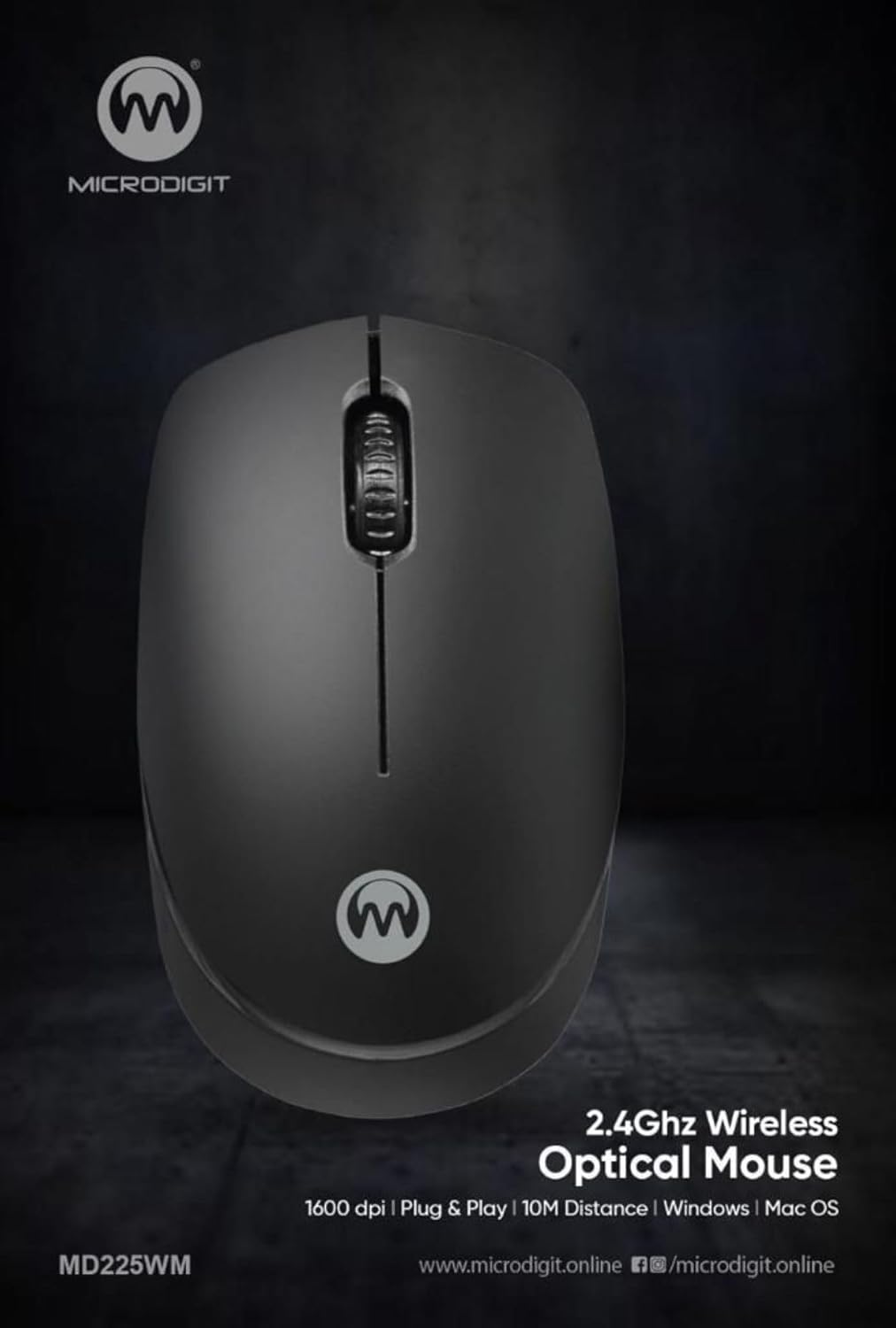
Imaginea 1: Sus view of the Microdigit MD225WM Wireless Mouse, showing the left button, right button, and scroll wheel.

Imaginea 2: Înclinată view of the Microdigit MD225WM Wireless Mouse, highlighting its ergonomic design.
3. Instrucțiuni de configurare
Follow these steps to set up your Microdigit MD225WM Wireless Mouse:
- Introduceți bateria: Locate the battery compartment on the underside of the mouse. Open the cover and insert one AA battery, ensuring correct polarity (+/-). Close the battery cover securely.
- Recuperare receptor USB: The small USB receiver (dongle) is typically stored inside the battery compartment or an adjacent slot for safekeeping. Carefully remove it.
- Conectați receptorul USB: Conectați receptorul USB la un port USB disponibil al computerului (desktop sau laptop).
- Conexiune automată: The mouse should automatically connect to your computer within a few seconds. No additional drivers are usually required for basic functionality.
- Funcționalitate de testare: Move the mouse and click the buttons to confirm it is working correctly.
4. Instrucțiuni de utilizare
The Microdigit MD225WM Wireless Mouse is designed for straightforward operation:
- Navigare de bază: Move the mouse on a flat surface to control the cursor on your screen.
- Făcând clic: Use the left button for primary actions (e.g., selecting items, opening links) and the right button for secondary actions (e.g., opening context menus).
- Derulare: Rotate the scroll wheel to move up or down through documents and web pages. The scroll wheel can also function as a middle button when pressed.
- Setare DPI: The mouse operates at a fixed 1600 DPI (Dots Per Inch) resolution, providing precise and responsive cursor control.
- Raza wireless: Maintain operation within approximately 10 meters (33 feet) of the USB receiver for optimal performance.
- Compatibilitate: Compatible with operating systems such as Linux and Windows XP, and generally with newer versions of Windows and Mac OS.
5. Întreținere
Proper maintenance ensures the longevity and optimal performance of your mouse:
- Înlocuire baterie: When the mouse performance degrades or stops responding, it is time to replace the AA battery. Open the battery compartment, remove the old battery, and insert a new AA battery with correct polarity.
- curatenie: Use a soft, dry, lint-free cloth to clean the exterior of the mouse. For the optical sensor on the underside, use a cotton swab lightly dampened with isopropyl alcohol, ensuring no liquid enters the mouse's interior.
- Depozitare: When not in use for extended periods, remove the battery to prevent leakage. Store the mouse and USB receiver in a cool, dry place.
- Îngrijirea receptorului USB: Avoid bending or damaging the USB receiver. When transporting the mouse, store the receiver in its designated slot within the mouse.
6. Depanare
If you encounter issues with your Microdigit MD225WM mouse, refer to the following common solutions:
- Mouse-ul nu răspunde:
- Verificați dacă bateria este introdusă corect și are suficientă încărcare. Înlocuiți-o dacă este necesar.
- Asigurați-vă că receptorul USB este conectat corect la un port USB funcțional al computerului.
- Încercați să conectați receptorul USB într-un alt port USB.
- Reporniți computerul.
- Mișcare neregulată a cursorului:
- Curățați senzorul optic de pe partea inferioară a mouse-ului.
- Ensure you are using the mouse on a clean, non-reflective, and uniform surface (e.g., a mouse pad). Avoid glass or highly reflective surfaces.
- Connection Issues / Lag:
- Mutați mouse-ul mai aproape de receptorul USB.
- Ensure there are no large metal objects or other wireless devices (like Wi-Fi routers, cordless phones) operating very close to the mouse or receiver that could cause interference.
- Try pairing the mouse again if your system has a re-pairing utility (though typically not needed for plug-and-play devices).
7. Specificații
| Caracteristică | Detaliu |
|---|---|
| Marca | Microdigit |
| Model | MD225WM |
| Tehnologia de conectivitate | Wireless 2.4 GHz (receptor USB) |
| Detectarea mișcării | Optic |
| Rezolutie DPI | 1600 DPI |
| Viteza de urmărire | 14 inci pe secundă |
| wireless Range | Până la 10 metri |
| Numărul de butoane | 3 (stânga, dreapta, roată de derulare) |
| Orientarea mâinii | Ambidextru |
| Tip baterie | 1 x AA (incluse) |
| Durata medie a bateriei | 12 luni |
| Dispozitive compatibile | Calculator personal, Laptop |
| Sisteme de operare compatibile | Linux, Windows XP (and newer versions) |
| Dimensiunile produsului (Lxlxh) | 10 x 6 x 4 cm |
| Greutatea articolului | 0.7 g |
8. Garanție și asistență
The Microdigit MD225WM Wireless Mouse comes with a 3 ani garanție de la data achiziției, acoperind defectele de fabricație în condiții normale de utilizare. Vă rugăm să păstrați dovada achiziției pentru reclamațiile în garanție.
For technical support, warranty claims, or further inquiries, please contact the manufacturer, ASHTEL GROUP, or your retailer. Refer to the product packaging or the manufacturer's official website pentru date de contact specifice.