Introducere
This manual provides detailed instructions for the safe and efficient operation of your YABER E1 Mini Projector. Please read this manual thoroughly before using the product and retain it for future reference.
Informații importante privind siguranța
- Nu priviți direct în lentila proiectorului atunci cândamp este pornit.
- Asigurați o ventilație adecvată în jurul proiectorului pentru a preveni supraîncălzirea.
- Folosiți doar adaptorul de alimentare furnizat împreună cu proiectorul.
- Nu lăsați proiectorul să intre în contact cu apă sau alte lichide.
- Evitați plasarea proiectorului pe suprafețe instabile.
- Nu încercați să dezasamblați sau să reparați singur proiectorul. Contactați serviciul de asistență pentru clienți pentru asistență.
Ce este în cutie
La despachetare, vă rugăm să verificați dacă sunt incluse toate următoarele articole:
- 1 E1 Projector
- Telecomanda
- Cablu de alimentare
- Cablu HDMI
- Kit de curatare
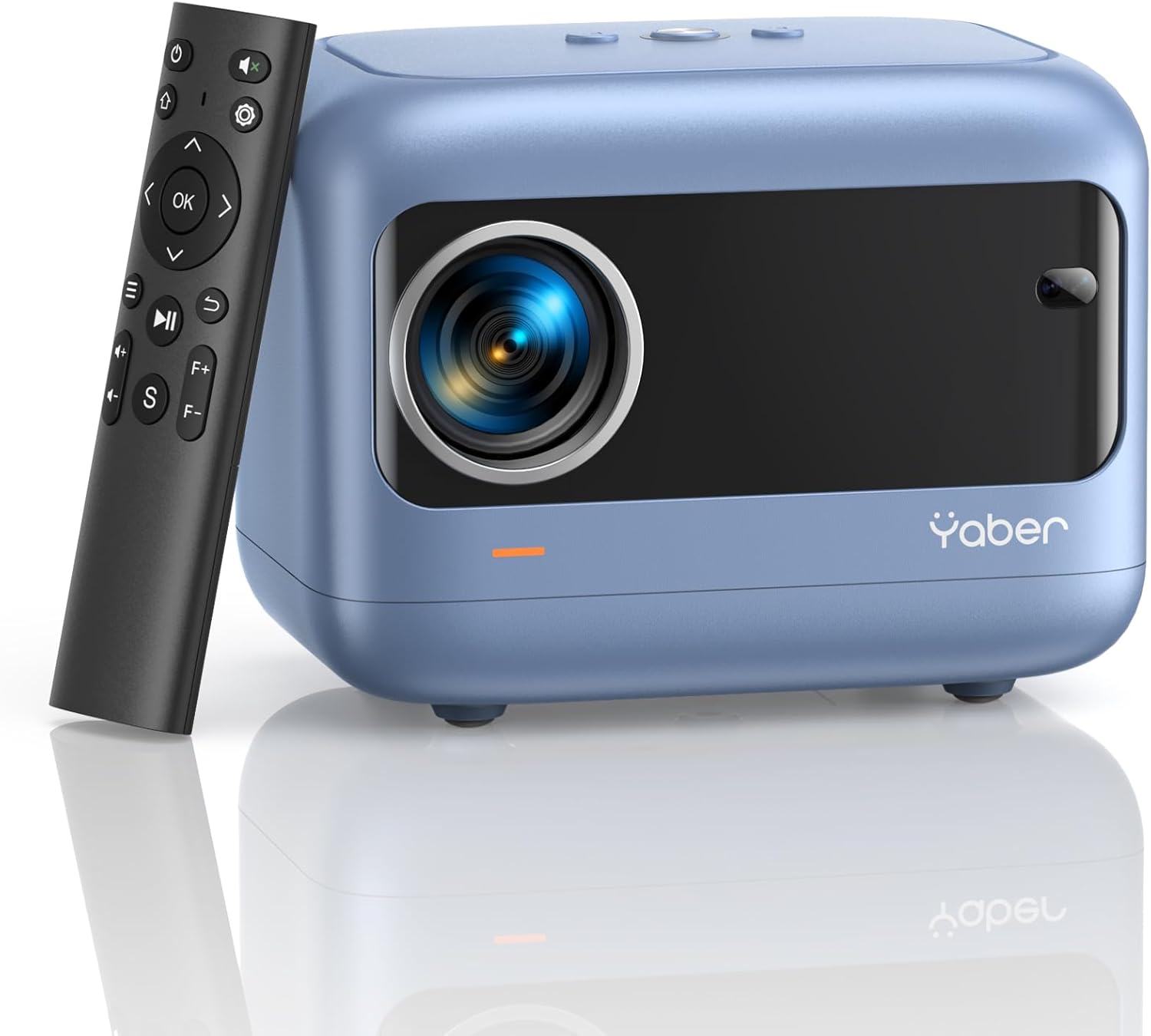
Image: YABER E1 Mini Projector with its remote control.
Ghid de instalare
1. Plasarea fizică
Place the projector on a stable, flat surface. Ensure there is adequate space around the projector for ventilation. The optimal projection distance ranges from 2.6 feet to 16.4 feet, allowing for a screen size of 50 to 200 inches.
2. Conexiune la alimentare
Conectați cablul de alimentare furnizat la intrarea de alimentare a proiectorului și apoi la o priză de curent.
3. Initial Adjustments: Electric Focus and Keystone Correction
The YABER E1 features advanced electric focus and keystone correction for optimal image clarity and shape. Use the remote control or the buttons on the projector panel to adjust these settings.
- Focalizare electrică: Automatically adjusts the lens position for precise focus.
- Corecție trapezoială: Corrects image distortion (up to ±40° vertical) when the projector is not perfectly perpendicular to the screen.

Image: Adjusting electric focus using the remote control.

Image: Illustrating vertical keystone correction.
Instrucțiuni de operare
1. Opțiuni de conectivitate
The YABER E1 offers various connectivity methods to display your content.
- Wireless Connectivity (5GHz WiFi): Supports wireless screen mirroring for iOS, Android, and Windows devices. Navigate to the WiFi settings in the projector menu to connect to your home network and enable screen mirroring from your device.
- Bluetooth 5.2: Connect external Bluetooth speakers, headphones, or other audio equipment for an enhanced sound experience. Access Bluetooth settings in the menu to pair devices.
- Conexiuni prin cablu: The projector includes multiple ports for wired connections:
- 2 x porturi USB
- 1 x port HDMI
- 1 x 3.5mm audio port
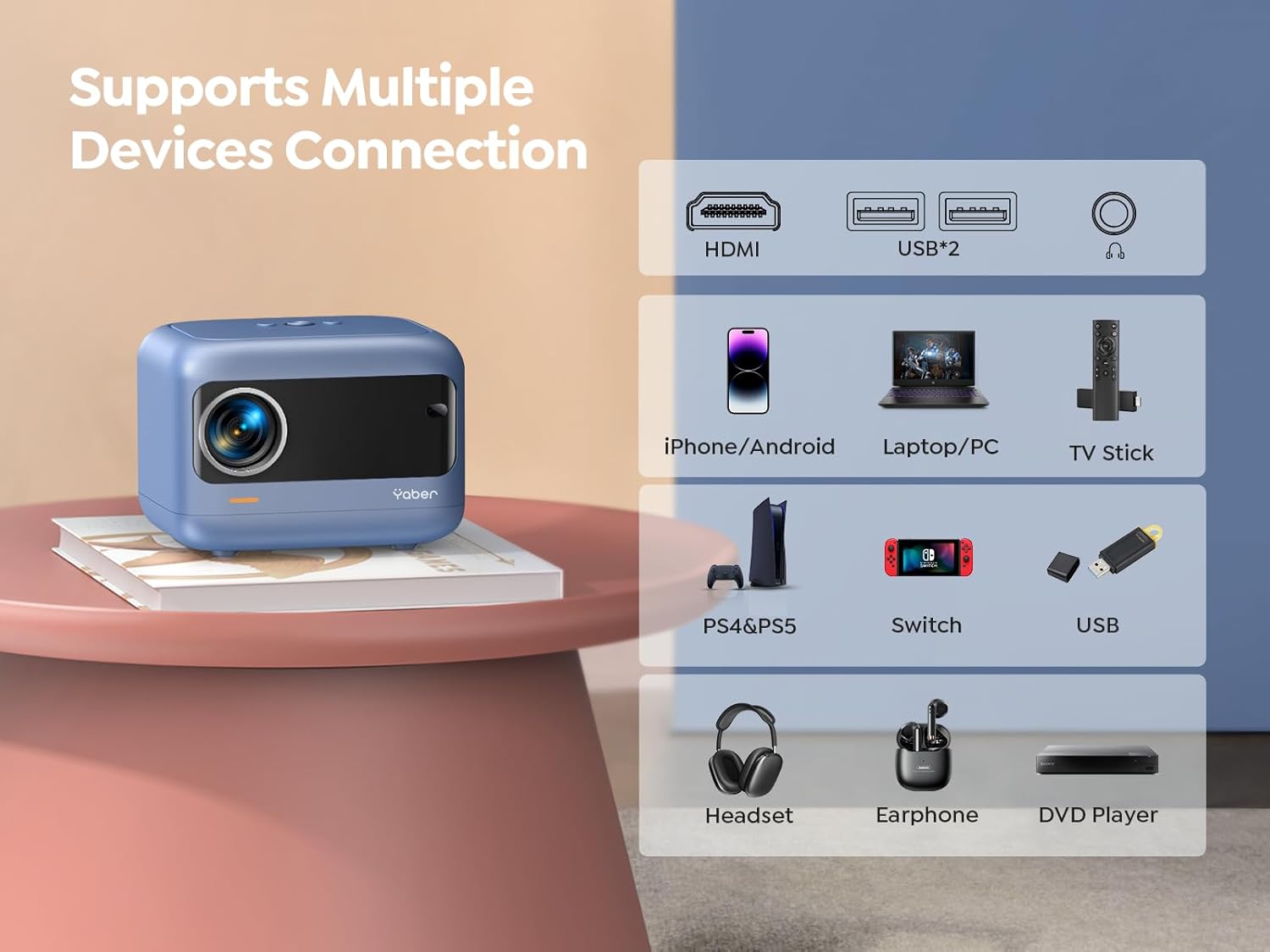
Imagine: Pesteview of available ports and compatible devices.

Image: Demonstrating 5G and 2.4G WiFi connectivity for streaming.

Image: Connecting external audio devices via Bluetooth 5.2.
2. Screen Zoom Function
The zoom function allows you to adjust the screen size without moving the projector. This is useful for fine-tuning the image to fit your projection surface.
3. Ieșire audio
The YABER E1 includes dual 6W built-in speakers. For a more immersive audio experience, connect external speakers or headphones via Bluetooth 5.2 or the 3.5mm audio jack.
Întreţinere
- Curățarea lentilelor: Use the provided cleaning kit or a soft, lint-free cloth to gently clean the projector lens. Avoid abrasive materials that could scratch the lens.
- Îndepărtarea prafului: Curățați periodic orificiile de ventilație ale proiectorului pentru a asigura un flux de aer adecvat și a preveni acumularea de praf, care poate afecta performanța și durata de viață.
- Depozitare: When not in use, store the projector in a cool, dry place, ideally with the lens cap on to protect it from dust and damage.
Depanare
For common issues such as signal loss, sound problems, or connectivity difficulties, please refer to the detailed troubleshooting guide available on the product detail page or contact YABER customer support.
- Fără imagine/semnal: Check all cable connections (HDMI, USB) and ensure the correct input source is selected on the projector. For wireless connections, verify WiFi settings and screen mirroring activation on your device.
- Imagine neclară: Use the electric focus function to sharpen the image. Ensure the projector is placed within the recommended projection distance.
- Imagine distorsionată: Utilize the keystone correction feature to adjust the image shape.
- Fără sunet: Check the volume settings on both the projector and the connected device. If using external speakers, ensure they are properly connected and powered on. Verify Bluetooth pairing if applicable.

Image: General troubleshooting tips for quick resolution.
Specificații
| Caracteristică | Detaliu |
|---|---|
| Dimensiunile produsului | 6.26 x 4.92 x 4.61 inci |
| Greutatea articolului | 2.11 lire sterline |
| Numărul de model | YABER E1 |
| Rezoluția afișajului | 1920 x 1080 (Full HD) |
| Tehnologia de conectivitate | Wireless (5G WiFi), Bluetooth 5.2, HDMI, USB |
| Caracteristici speciale | Electric Focus, ±40° Keystone Correction, Dual 6W Speakers, Wireless Screen Mirroring |
| Utilizări recomandate | Home Cinema |
Garanție și suport
YABER offers comprehensive customer support for your E1 Mini Projector.
- Serviciu: 24/7 customer service team.
- Înlocuire: 3-year free replacement policy.
- Sprijin: Suport tehnic pe viață.
- Contact: For any questions or assistance, please contact us via email at support03@yaberauto.com.

Imagine: Pesteview of YABER's customer service commitments.