Introducere
Acest manual oferă informații esențiale pentru configurarea, operarea, întreținerea și depanarea dispozitivului Blackview ZENO 1 8-inch Android 15 Tablet. Please read this guide thoroughly to ensure optimal performance and longevity of your device.
1. Configurare
1.1 Despachetarea și conținutul pachetului
Carefully open the Blackview ZENO 1 package and verify all contents. The box should contain the following items:
- 1x Negruview ZENO 1 Tablet
- 1x Detachable Stand
- Protector de ecran 1x (pre-aplicat)
- 1x Clear Case
- 1x cablu USB-C
- 1x încărcător
- 1x SIM Card Removal Tool
Video: Unboxing the Blackview ZENO 1 8-inch tablet and its included accessories.
1.2 Introducerea cartelei SIM și a cardului MicroSD
Negrulview ZENO 1 supports dual SIM cards and a MicroSD card for expanded storage up to 2TB. Use the provided SIM card removal tool to open the SIM tray located on the side of the tablet. Carefully place your SIM card(s) and/or MicroSD card into the tray according to the diagram, then reinsert the tray into the device.
Video: Demonstration of inserting a SIM card into the Blackview ZENO 1 tablet.
1.3 Pornirea inițială și configurarea de bază
Press and hold the Power button on the side of the tablet until the Blackview logo appears. Follow the on-screen prompts to select your language, connect to a Wi-Fi network, and complete the initial Android 15 setup. You may be prompted to sign in with a Google account.

Imagine: Negrulview ZENO 1 tablet displaying its key specifications on the screen.
1.4 Attaching the Detachable Stand/Case
Negrulview ZENO 1 comes with a detachable stand and a clear case. The stand can be easily attached to the back of the tablet for hands-free viewing in various orientations. The clear case provides protection while allowing the stand to be used.
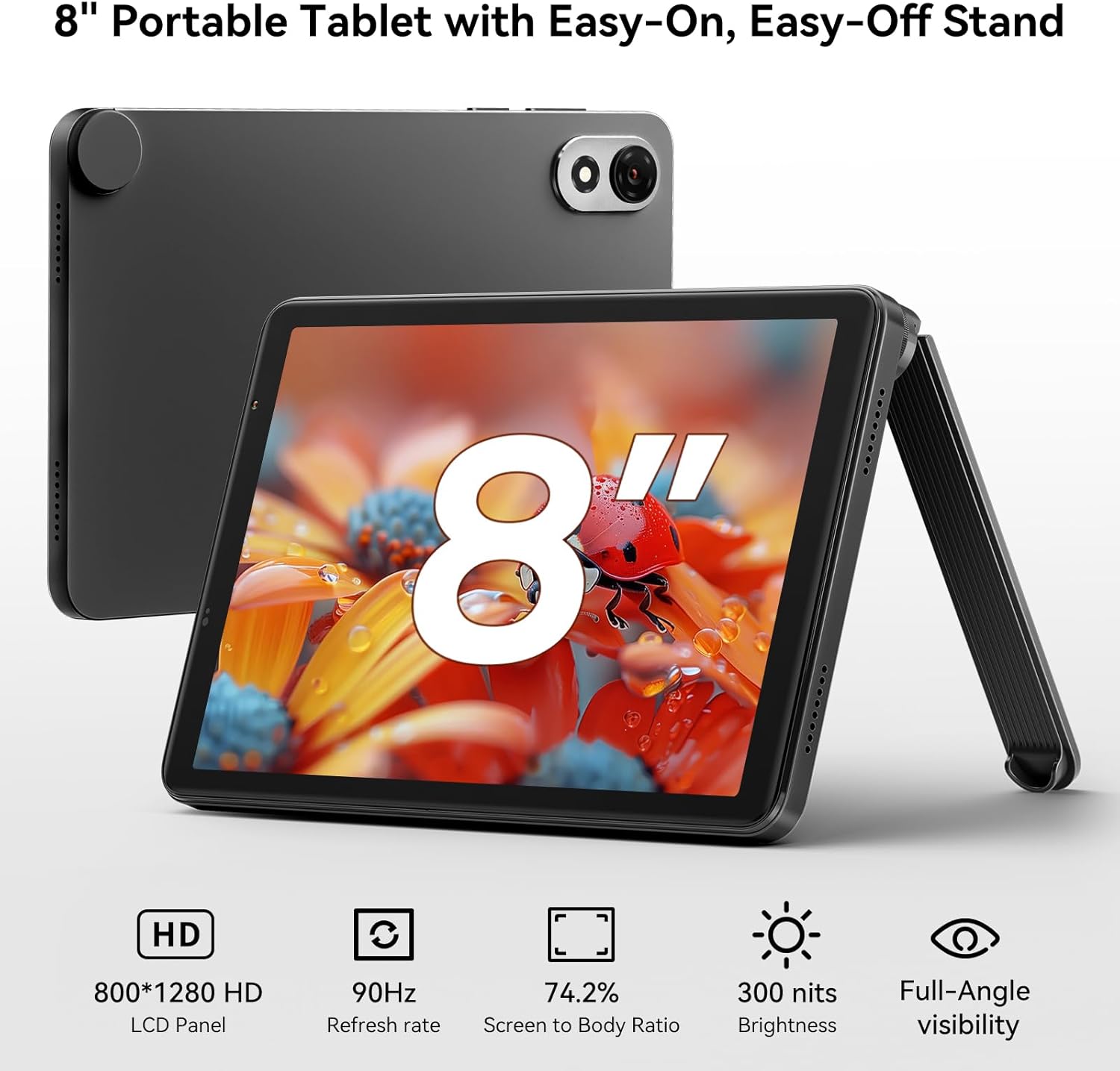
Imagine: Negrulview ZENO 1 tablet positioned with its detachable stand, highlighting the 8-inch HD display.
2. Operating the Blackview ZENO 1
2.1 Basic Navigation and Android 15
The tablet runs on Android 15, offering a user-friendly interface. Navigate using touch gestures: swipe to unlock, tap to open apps, pinch to zoom, and swipe from the top for notifications and quick settings. Android 15 includes features like AI-powered chats, instant image generation, voice-activated Q&A, intuitive controls, and voice-based unlocking.

Imagine: Negrulview ZENO 1 tablet showcasing the Android 15 operating system and its integrated Gemini AI capabilities.
2.2 Conectivitate
The ZENO 1 supports high-speed dual-band 2.4G/5G WiFi for stable internet access. It also features Bluetooth 5.2 for connecting wireless accessories and GPS for navigation.
2.3 Managementul stocării
The tablet comes with 18GB RAM (6GB + 12GB expansion) and 256GB internal storage. This can be expanded up to 2TB using a MicroSD card, providing ampspațiu liber pentru aplicații, fișiere media și documente.
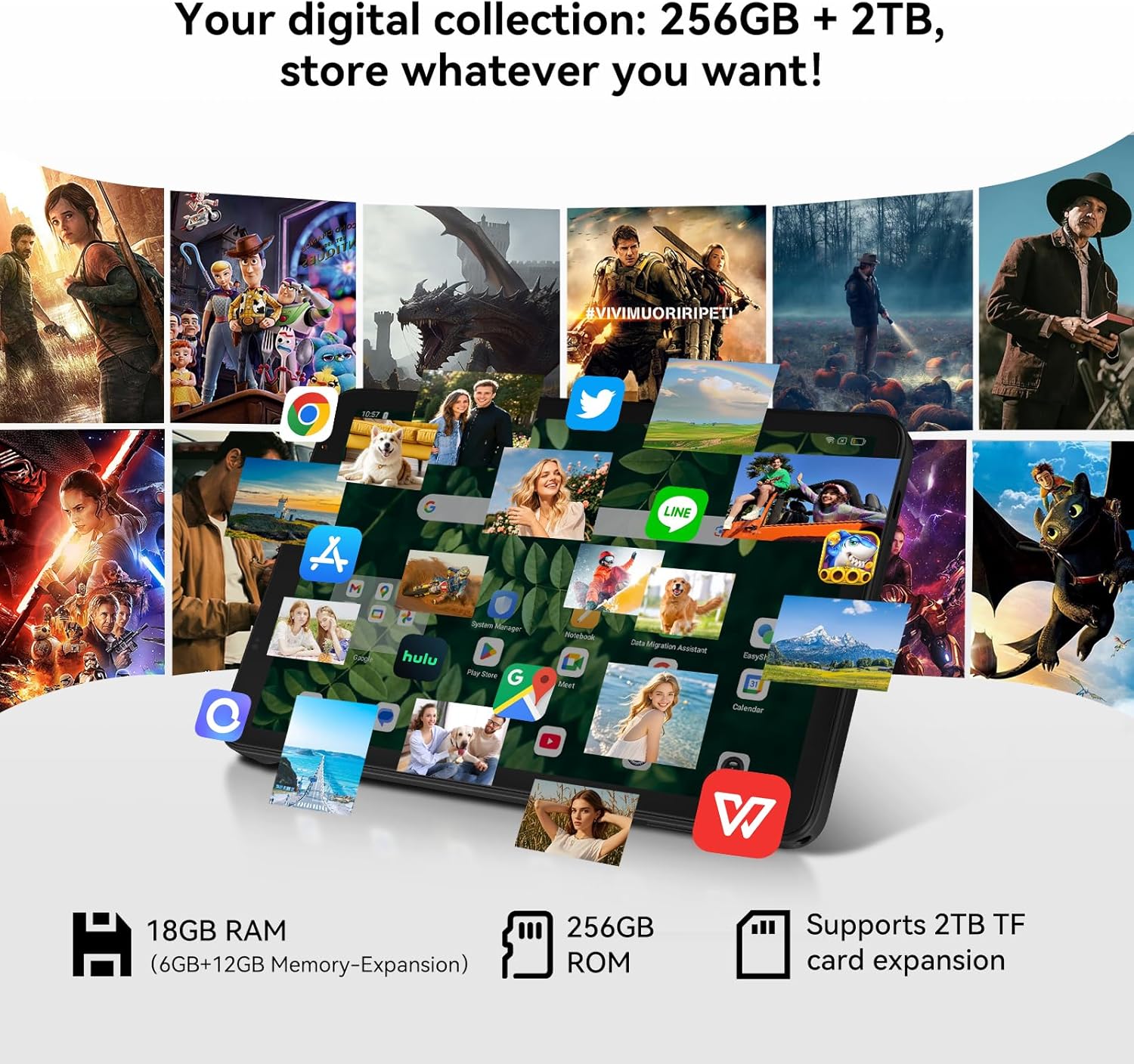
Imagine: Negrulview ZENO 1 tablet illustrating its extensive storage and RAM capabilities for various applications.
2.4 Afișaj și sunet
Experience vivid visuals on the 8-inch HD display with an 800x1280 resolution and a smooth 90Hz refresh rate. The tablet also features dual stereo speakers and Widevine L1 support for 1080P streaming from services like Netflix and Prime Video.
2.5 Utilizarea camerei
The ZENO 1 is equipped with an 8MP front camera and an 8MP rear camera, suitable for video calls and capturing everyday moments.

Imagine: Negrulview ZENO 1 tablet highlighting its camera features and face unlock functionality.
2.6 Managementul bateriei
The 6000mAh battery provides up to 11 hours of web browsing or 672 hours of standby time. Use the included USB-C cable and charger for optimal charging.

Imagine: Negrulview ZENO 1 tablet being charged, emphasizing its 6000mAh battery.
3. Întreținere
3.1 Curăţarea dispozitivului
Pentru a curăța tableta, folosiți o lavetă moale, fără scame. Pentru petele persistente, ștergeți ușor.ampCurățați laveta cu apă sau cu un produs de curățare sigur pentru ecran. Evitați substanțele chimice dure sau materialele abrazive.
3.2 Actualizări de software
Regularly check for system updates to ensure your tablet has the latest features, security patches, and performance improvements. Go to Setări> Sistem> Actualizări sistem pentru a verifica și instala actualizările disponibile.
3.3 Îngrijirea bateriei
To prolong battery life, avoid extreme temperatures. It is recommended to keep the battery charge between 20% and 80% for optimal long-term health. Use only the provided charger and cable.
4. Depanare
4.1 Probleme comune și soluții
- Tableta nu pornește: Asigurați-vă că bateria este încărcată. Conectați încărcătorul și așteptați câteva minute înainte de a încerca să porniți din nou.
- Performanță lentă: Close unnecessary background applications. Clear cache regularly. Consider a factory reset if issues persist after backing up your data.
- Probleme de conectivitate Wi-Fi: Restart your tablet and Wi-Fi router. Forget the network and reconnect. Ensure you are within range of the Wi-Fi signal.
- Aplicațiile se blochează: Ensure apps are updated to their latest versions. Clear the app's cache or data (Settings > Apps > [App Name] > Storage).
5. Specificații
| Caracteristică | Caietul de sarcini |
|---|---|
| Marca | Negruview |
| Numele modelului | ZENO 1 |
| Sistem de operare | Android 15 |
| Dimensiunea ecranului | 8 inchi |
| Rezoluția ecranului | 800x1280 pixeli |
| Procesor | Unisoc T615 Octa-Core (1.8 GHz) |
| RAM | 18 GB (6 GB + 12 GB expansiune) |
| Dimensiunea memoriei flash | 256 GB (extensibil până la 2 TB prin card TF) |
| Tip fără fir | 802.11ax (Dual-band 2.4G/5G WiFi) |
| Spate WebRezoluția camerei | 8 MP |
| Rezoluția camerei frontale | 8 MP |
| Capacitatea bateriei | 6000mAh |
| Durata medie a bateriei | Up to 24 Hours (Standby: 672 Hours) |
| Dimensiunile produsului | 7.83 x 4.96 x 0.3 inci |
| Greutate | Aproximativ 336.5 g |
6. Garanție și asistență
6.1 Garanția produsului
Negrulview ZENO 1 tablet comes with a Garanție de reparații de 2 ani. Negruview products undergo strict examination and quality testing. For detailed warranty terms and conditions, please refer to the warranty card included in your package or visit the official Blackview website-ul.
6.2 Suport tehnic
For technical assistance or inquiries, please contact Blackview customer support. Lifetime technician support is available for Blackview tablete.
- Suport online: Refer to the official Blackview website pentru întrebări frecvente și resurse de asistență.
- Informații de contact: Specific contact details (email, phone) can be found on the warranty card or the Blackview pagina de suport.


