1. Produs terminatview
The FITNATE Keypad Door Knob is an electronic keyless entry system designed to enhance security and convenience for various residential and commercial applications. It features a touchscreen keypad for easy access and offers multiple unlocking methods.

Image 1.1: The FITNATE Keypad Door Knob, showcasing the main unit and included physical keys.
Caracteristici cheie:
- Securitate îmbunătățită: Sturdy and durable design with an automatic locking function that engages 2.5 seconds after the door is opened.
- Operare ușoară: Intuitive touchscreen keypad with a backlit display for visibility in low light.
- Mai multe metode de deblocare: Unlock using a programmable passcode or a traditional spare key.
- Anti-Peep Password: Feature to deter onlookers when entering your code.
- Alertă baterie descărcată: Notifies you when batteries are running low, ensuring continuous operation.
- Alimentare de urgență: Equipped with an emergency USB port for temporary power in case of full battery depletion.
- Capacitate utilizator: Supports storage of up to 15 unique user passcodes.
- Aplicabilitate largă: Suitable for various door materials including wooden, stainless steel, and copper doors.

Imaginea 1.2: Detaliată view of the sensitive touchscreen keypad with a hand interacting, highlighting the anti-peep code feature.

Image 1.3: The emergency USB port and traditional keyhole for alternative access or power.
2. Conținutul pachetului
Vă rugăm să verificați dacă toate componentele sunt prezente înainte de a începe instalarea:
- FITNATE Keypad Door Knob Assembly (Exterior and Interior parts)
- Bolt cu zăvor
- Placă de grevă
- Șuruburi de montare
- 2 x Chei fizice
- Șablon de instalare (dacă este inclus)
- Manual de utilizare (acest document)
Notă: Sunt necesare 4 baterii AA pentru funcționare și nu sunt incluse în pachet.
3. Instalare (Configurare)
The FITNATE Keypad Door Knob is designed for easy installation, typically requiring only a screwdriver. Ensure your door meets the standard dimensions for proper fit.

Image 3.1: Dimensional specifications for standard door compatibility, including backset and bore hole measurements.
Pașii de instalare:
- Pregătiți ușa: Ensure the door has the correct bore hole (2-1/8" or 54mm) and backset (2-3/8" or 2-3/4", 60mm or 70mm).
- Instalați șurubul de blocare: Introduceți zăvorul în marginea ușii, asigurându-vă că teșitura este orientată spre cadrul ușii. Fixați-o cu șuruburi.
- Instalați ansamblul exterior: Place the exterior keypad assembly through the bore hole, aligning the spindle with the latch bolt.
- Instalați ansamblul interior: Connect the interior assembly to the exterior assembly, ensuring all wires are properly routed and not pinched. Secure with mounting screws.
- Introduceți bateriile: Deschideți capacul bateriilor de pe ansamblul interior și introduceți 4 baterii AA (nu sunt incluse), respectând polaritatea.
- Funcționare de testare: Close the door and test the knob's mechanical and electronic functions.

Image 3.2: Visual guide demonstrating the simplified installation process for the door knob components.
The lock is suitable for various door types, including wooden, stainless steel, and copper doors, making it versatile for different home and office environments.
4. Funcționare
Operating the FITNATE Keypad Door Knob is straightforward. It offers both keyless entry via a passcode and traditional key access.
Deblocare cu parolă:
- Activate Keypad: Touch the keypad to illuminate the numbers.
- Introduceți parola: Input your programmed passcode. The keypad supports an anti-peep function, allowing you to enter random digits before or after your actual code to obscure it from onlookers.
- Confirma: Press the '#' key (or designated confirmation key) to confirm the entry.
- Ușă deschisă: If the passcode is correct, the lock will disengage. Turn the knob to open the door.
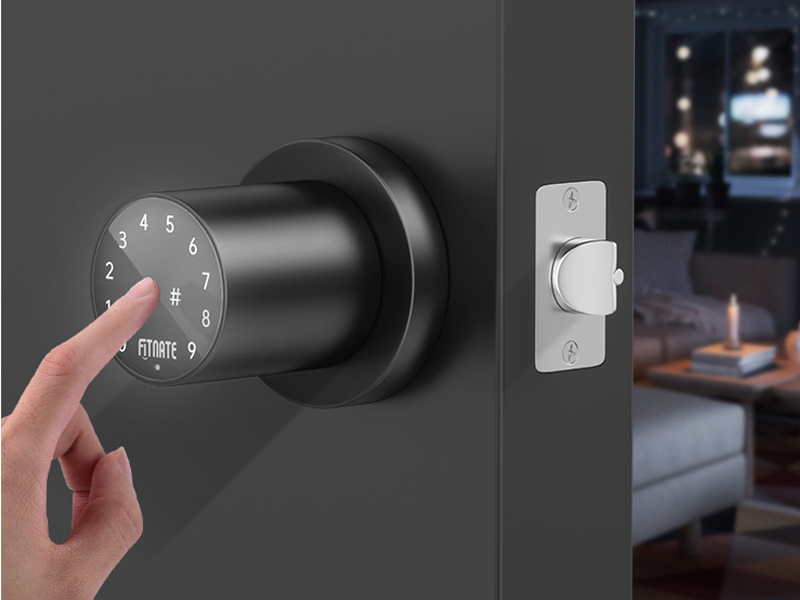
Image 4.1: A user entering a code on the illuminated touchscreen keypad.
Unlocking with Key:
- Insert the physical key into the keyhole located on the exterior knob.
- Rotiți cheia pentru a debloca mecanismul.
- Rotiți butonul pentru a deschide ușa.
Blocare automată:
The door knob features an automatic locking function. After the door is opened, the lock will automatically re-engage after 2.5 seconds, providing added security without manual intervention.

Image 4.2: Illustration of the automatic locking feature, securing the door shortly after it closes.
Programming Passcodes:
The lock can store up to 15 unique user passcodes. Refer to the detailed programming instructions provided in the separate programming guide (if applicable) or the quick start guide for specific steps on adding, modifying, or deleting user codes.
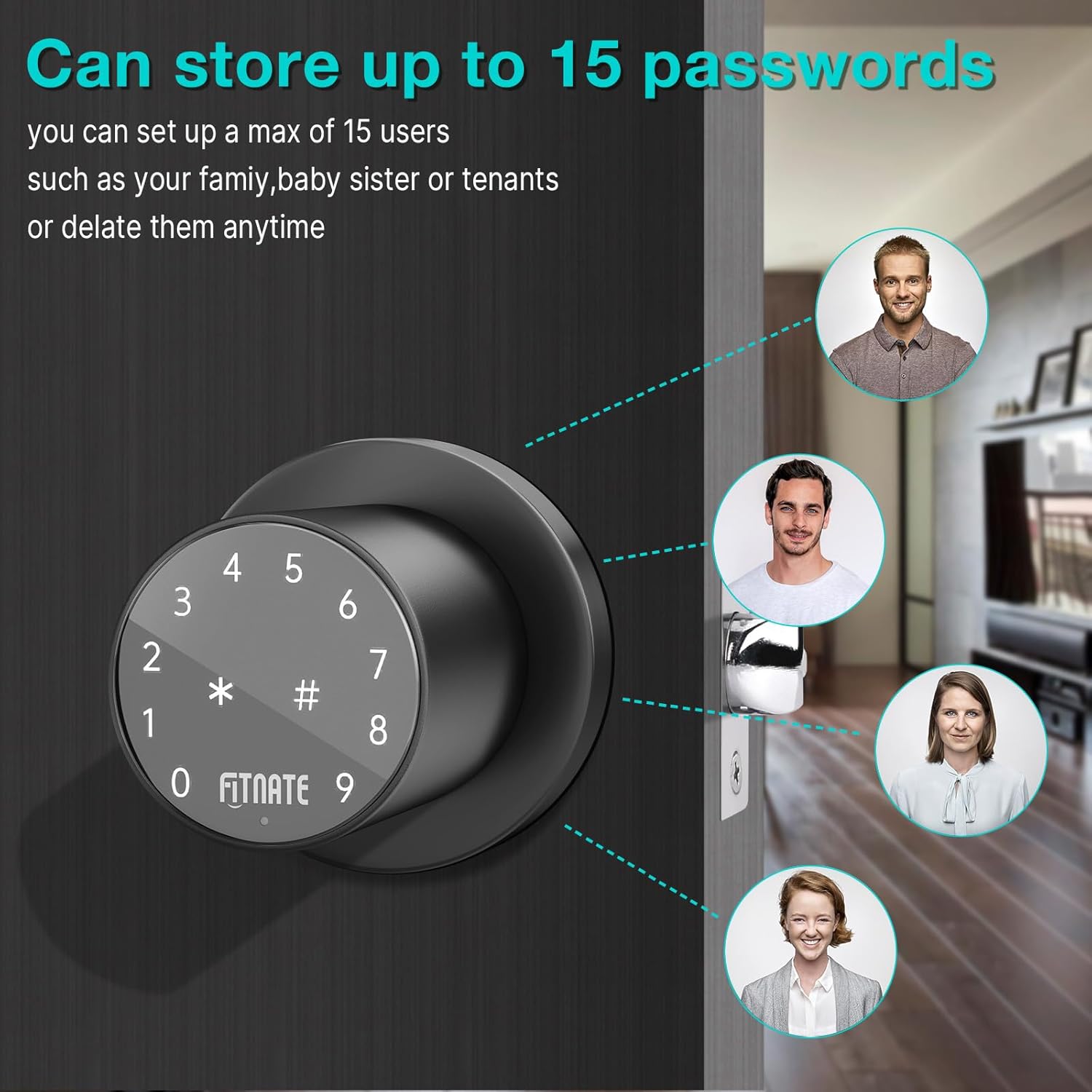
Image 4.3: Visual representation of the lock's capability to store multiple user passcodes.
5. Întreținere
Regular maintenance ensures the longevity and optimal performance of your FITNATE Keypad Door Knob.
Înlocuire baterie:
The lock will provide a low battery alert when the batteries need to be replaced. When this occurs, replace all four AA batteries with new, high-quality alkaline batteries. Ensure correct polarity during installation.

Image 5.1: The low battery indicator, signaling the need for battery replacement.
Putere de urgență:
In case the batteries completely drain before replacement, you can use the emergency USB port to temporarily power the lock with a standard USB power bank (not included) to gain access. Alternatively, use the physical spare key.
curatenie:
Clean the keypad and knob surfaces with a soft, damp Evitați utilizarea de produse de curățare abrazive, solvenți sau substanțe chimice dure, deoarece acestea pot deteriora finisajul și componentele electronice.
6. Depanare
If you encounter issues with your FITNATE Keypad Door Knob, refer to the following common troubleshooting steps:
- Încuietoarea nu răspunde la introducerea de pe tastatură:
- Check if the batteries are dead. Replace with new AA batteries.
- Ensure the keypad is activated by touching it before entering the code.
- Verify that the correct passcode is being entered.
- Lock does not engage/disengage properly:
- Check for any obstructions in the door frame or latch bolt path.
- Ensure the lock is properly aligned and installed. Re-check mounting screws for tightness.
- Verify that the door closes completely and is not warped.
- Passcode programming issues:
- Refer to the specific programming instructions for your model. Ensure you are following the sequence correctly.
- If issues persist, perform a factory reset (refer to your specific programming guide for instructions) and re-program all codes.
- Unexpected unlocking:
- Ensure your passcode is sufficiently complex and not easily guessable.
- Utilize the anti-peep function by entering random digits before and after your actual code.
- If unauthorized access is suspected, change all user passcodes immediately.
If these steps do not resolve the issue, please contact FITNATE customer support for further assistance.
7. Specificații
| Atribut | Detaliu |
|---|---|
| Marca | FITNATE |
| Numele modelului | Smart Lock (HS0395K-US) |
| Caracteristica specială | Touch screen |
| Tip blocare | Combination Lock, Keypad |
| Material | Metal |
| Culoare | Negru |
| Tip de finisare | Pulbere neagră acoperită |
| Dimensiuni articol (L x l x H) | 22 x 13.8 x 9 inci |
| Greutatea articolului | 2.09 lire sterline |
| Sursa de alimentare | 4 x baterii AA (nu sunt incluse) |
| Metoda de control | Aplicație, atingere |
| Protocol de conectivitate | Wifi |
| Utilizări recomandate | Securitate usi rezidentiale, comerciale si industriale |
| Data primului disponibil | 12 iulie 2023 |
8. Garanție și asistență
Specific warranty details for the FITNATE Keypad Door Knob are not provided in this manual. Please refer to the product packaging or the official FITNATE website-ul pentru cele mai recente informații despre garanție.
For technical support, troubleshooting assistance, or inquiries regarding your product, please contact FITNATE customer service through their official channels. Contact information can typically be found on the product packaging or the manufacturer's website-ul.
Se recomandă păstrarea bonului fiscal ca dovadă a achiziției pentru orice reclamații în garanție.


