Introducere
Thank you for choosing the AVMTON Wireless Gaming Mouse. This manual provides detailed instructions on how to set up, operate, and maintain your new mouse, ensuring optimal performance and an enhanced gaming and work experience. Designed for comfort and precision, this ergonomic wireless mouse features adjustable DPI, customizable buttons, and vibrant RGB lighting.
Produs terminatview
The AVMTON Wireless Gaming Mouse is engineered for both gaming and office use, offering a comfortable ergonomic design and responsive control. It features a honeycomb hollow design with RGB backlighting, providing both aesthetic appeal and lightweight performance.
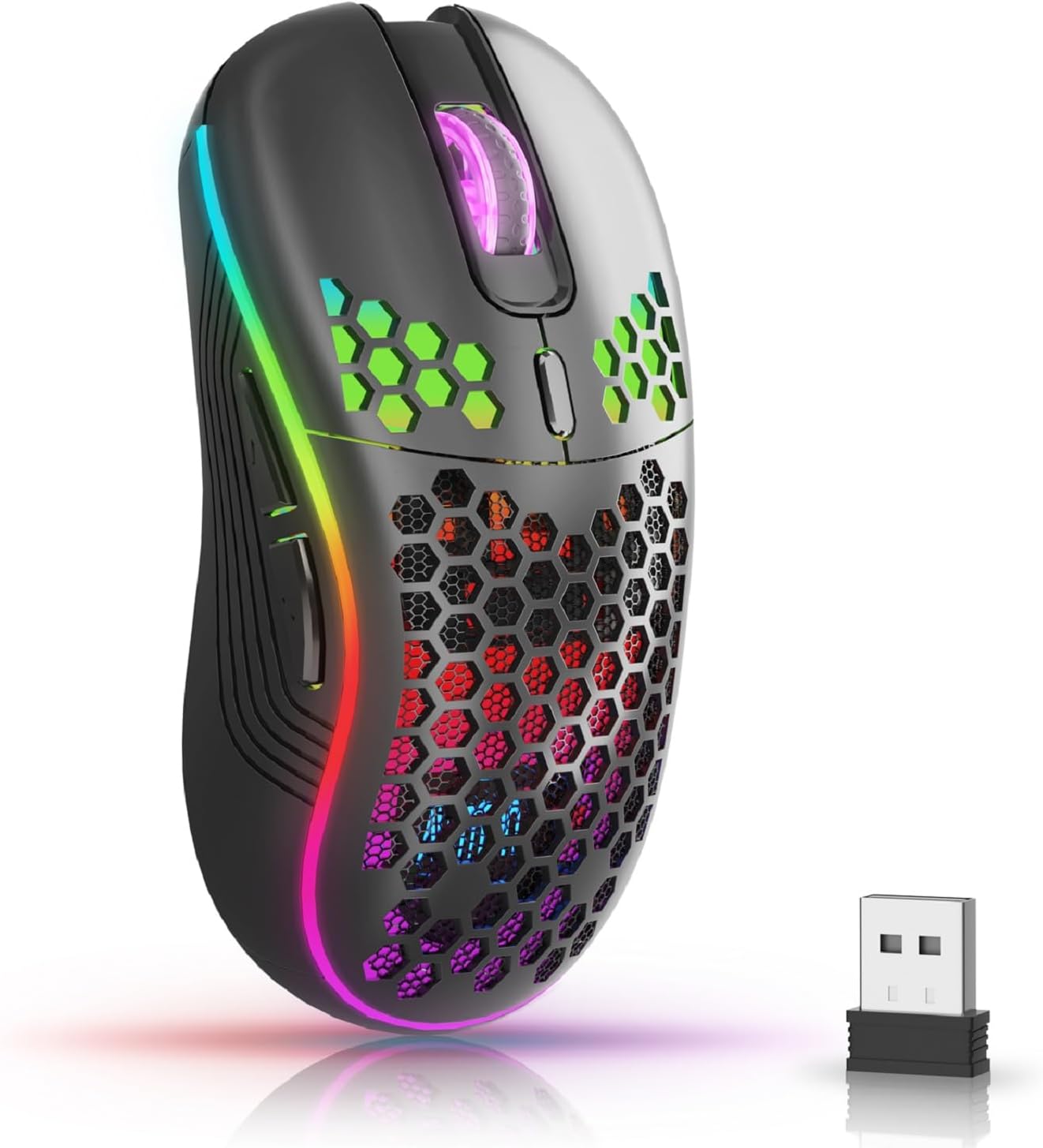
The AVMTON Wireless Gaming Mouse in black, featuring RGB lighting and a honeycomb design, shown alongside its compact USB receiver.

Illustration of the mouse's connectivity modes, including Type-C charging, 2.4G wireless receiver, and a 10m sensing range, suitable for home, gaming, and office environments.
Caracteristici cheie:
- Design ergonomic: Shaped to fit the hand comfortably, reducing strain during extended use.
- DPI reglabil: Easily switch between 800/1200/1600/2400/4800 DPI settings for precise control.
- 6 butoane programabile: Includes forward/backward, left/right click, scroll wheel, and DPI adjustment button.
- Baterie reîncărcabilă: Built-in lithium battery with USB-C charging, offering 15-20 days of use on a single charge.
- Silent Click Design: Ideal for quiet environments like libraries or offices.
- Compatibilitate largă: Supports Windows 2000/ME/XP/7/8/10/Vista/98, Mac OS, Linux, and compatible with laptops, PCs, desktops, and Macbooks.
- Construcție durabilă: Tested for over 5 million clicks, ensuring long-lasting performance.
Ghid de instalare
Follow these steps to set up your AVMTON Wireless Gaming Mouse:
- Încărcați mouse-ul: Before first use, fully charge the mouse using the provided USB-C charging cable. Connect the cable to the mouse's Type-C port and a USB power source (e.g., computer USB port, USB wall adapter). The charging indicator will show the charging status.
- Localizați receptorul USB: The compact USB 2.4G wireless receiver is typically stored in a compartment on the underside of the mouse for safe keeping during transport.
- Conectați receptorul: Insert the USB receiver into an available USB port on your computer (laptop, PC, desktop, Macbook).
- Pornire: Porniți mouse-ul folosind comutatorul de alimentare situat pe partea inferioară a mouse-ului.
- Conexiune automată: Mouse-ul ar trebui să se conecteze automat la computer. De obicei, nu sunt necesare drivere suplimentare pentru funcționalitatea de bază.
Instrucțiuni de operare
Understanding the functions of your mouse buttons and settings will enhance your experience.
Funcții butoane:
- Butonul stânga pentru clic: Funcția standard de clic principal.
- Buton clic dreapta: Funcție standard de clic secundar.
- Rotiță de defilare: Derulați în sus sau în jos prin documente și web pagini. Poate fi apăsat și pentru funcționalitatea clicului din mijloc.
- Buton de ajustare DPI: Located near the scroll wheel. Press this button to cycle through available DPI settings (800/1200/1600/2400/4800). Each press changes the cursor speed and sensitivity.
- Buton înainte: Typically located on the side of the mouse. Used for navigating forward in web browsere sau file exploratori.
- Buton înapoi: Typically located on the side of the mouse. Used for navigating backward in web browsere sau file exploratori.
Controlul iluminării de fundal RGB:
The mouse features dynamic RGB backlighting. If you prefer to turn off the backlight, refer to the specific instructions provided with your mouse or check the manufacturer's website for software utilities, if available. Some models allow toggling RGB with a combination of buttons (e.g., DPI button + another button).
Întreţinere
Proper maintenance ensures the longevity and performance of your mouse.
- Încărcare: Recharge the mouse when the battery indicator shows low power. A full charge provides approximately 15-20 days of use. It is recommended to fully charge the mouse before extensive use.
- curatenie: Use a soft, dry cloth to clean the surface of the mouse. For stubborn dirt, a slightly damp Se poate folosi o cârpă, dar asigurați-vă că nu pătrunde umezeală în componentele interne. Evitați substanțele chimice dure sau materialele abrazive.
- Depozitare: When not in use for extended periods, turn off the mouse to conserve battery life. Store it in a cool, dry place.
Depanare
If you encounter issues with your AVMTON Wireless Gaming Mouse, try the following solutions:
- Mouse-ul nu răspunde:
- Asigurați-vă că mouse-ul este pornit.
- Verificați dacă receptorul USB este conectat corect la un port USB funcțional al computerului.
- Recharge the mouse. A low battery can cause unresponsiveness.
- Încercați să conectați receptorul USB într-un alt port USB.
- Reporniți computerul.
- Conexiune cu întârziere sau intermitentă:
- Ensure the mouse is within the 10-meter sensing range of the USB receiver.
- Remove any large metallic objects or other wireless devices that might be causing interference between the mouse and the receiver.
- Try moving the USB receiver to a port closer to the mouse.
- DPI Adjustment Not Working:
- Ensure you are pressing the dedicated DPI adjustment button.
- Dacă problema persistă, încercați să reporniți mouse-ul și computerul.
- Luminile RGB nu funcționează:
- Check if the RGB backlight has been intentionally turned off (refer to "RGB Backlight Control" in Operating Instructions).
- Asigurați-vă că bateria mouse-ului este suficient încărcată.
If these steps do not resolve the issue, please contact AVMTON customer support for further assistance.
Specificații
| Caracteristică | Detaliu |
|---|---|
| Marca | AVMTON |
| Numărul de model | AV-DDMB-1 |
| Culoare | Negru |
| Tehnologia de conectivitate | Receptor USB 2.4G fără fir |
| Setări DPI | 800 / 1200 / 1600 / 2400 / 4800 |
| Numărul de butoane | 6 |
| Orientarea mâinii | Corect |
| Durata de viață a bateriei | Approx. 15-20 days (on a single charge) |
| Port de încărcare | USB tip C |
| Sisteme de operare compatibile | Windows 2000/ME/XP/7/8/10/Vista/98, Mac OS, Linux |
| Dispozitive compatibile | Calculator personal, Laptop |
| Caracteristici speciale | Portable, Ergonomic, Rechargeable, RGB Backlight, Silent Click |
Garanție și suport
AVMTON offers a 12-month worry-free after-sales service for this product. If you encounter any problems with your wireless mouse, please do not hesitate to contact us. Our customer support team is ready to assist you.
For support, please visit the official AVMTON website-ul sau contactați comerciantul dvs.


