Introducere
The Altec Lansing Kid Safe 2-in-1 Wireless Bluetooth Headphones (Model MZX4410) are designed to provide a safe and enjoyable audio experience for children. These headphones feature volume-limiting technology to protect delicate hearing, comfortable ear cushions, and versatile connectivity options. This manual provides instructions for setup, operation, and maintenance to ensure optimal performance and longevity of your headphones.
Ce este în cutie
- Altec Lansing Kid Safe 2-in-1 Wireless Bluetooth Headphones
- Cablu de încărcare USB-C
- Cablu audio de 3.5 mm
- Carcasă de protecție
- Manual de utilizare (acest document)
Caracteristicile produsului
- Sunet clar de cristal: High-quality audio with enhanced bass for an immersive listening experience.
- Safe Volume Limiting: Integrated technology limits maximum volume to 85dB to protect children's hearing.
- Conectivitate 2 în 1: Supports both wireless Bluetooth and wired 3.5mm audio connections.
- Raza wireless: Up to 30 feet of Bluetooth wireless range for unrestricted movement.
- Design confortabil: Soft ear cushions and an adjustable, cushioned headband ensure a comfortable fit for extended wear.
- Pliabil și portabil: Convenient foldable design for easy storage and transport.
- Construcție durabilă: Built to withstand active use.
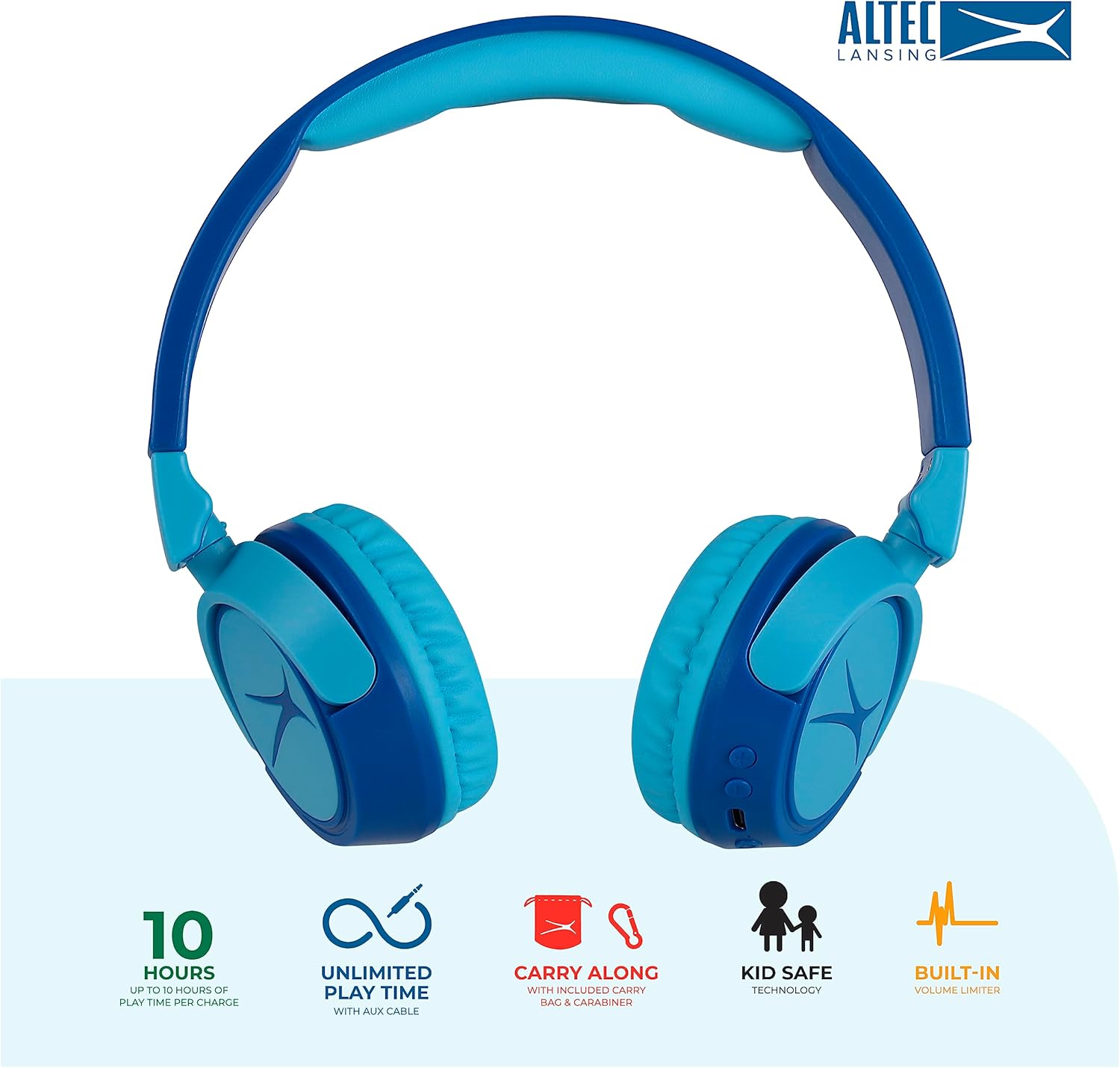
Image: Key features of the Altec Lansing Kid Safe Headphones, including battery life, wired option, portability, and safety features.

Image: Visual representation of the 85dB volume limiting technology for safe listening.
Instrucțiuni de configurare
1. Încărcarea căștilor
- Locate the USB-C charging port on the headphone earcup.
- Connect the provided USB-C charging cable to the port on the headphones.
- Conectați celălalt capăt al cablului USB-C la o sursă de alimentare USB compatibilă (de exemplu, computer, adaptor de perete).
- Indicatorul LED se va aprinde în timpul încărcării și își va schimba culoarea sau se va stinge când este complet încărcat.
- O încărcare completă oferă aproximativ 10 de ore de redare.
2. Asociere Bluetooth
- Asigurați-vă că căștile sunt încărcate.
- Press and hold the Power button on the headphone earcup until the LED indicator flashes blue and red, indicating pairing mode.
- Pe dispozitivul dvs. (smartphone, tabletă, computer), accesați setările Bluetooth și activați Bluetooth.
- Select "Altec Lansing MZX4410" from the list of available devices.
- După conectare, indicatorul LED va afișa o lumină albastră continuă.
- Căștile se vor reconecta automat la ultimul dispozitiv asociat atunci când sunt pornite, dacă se află în raza de acțiune.
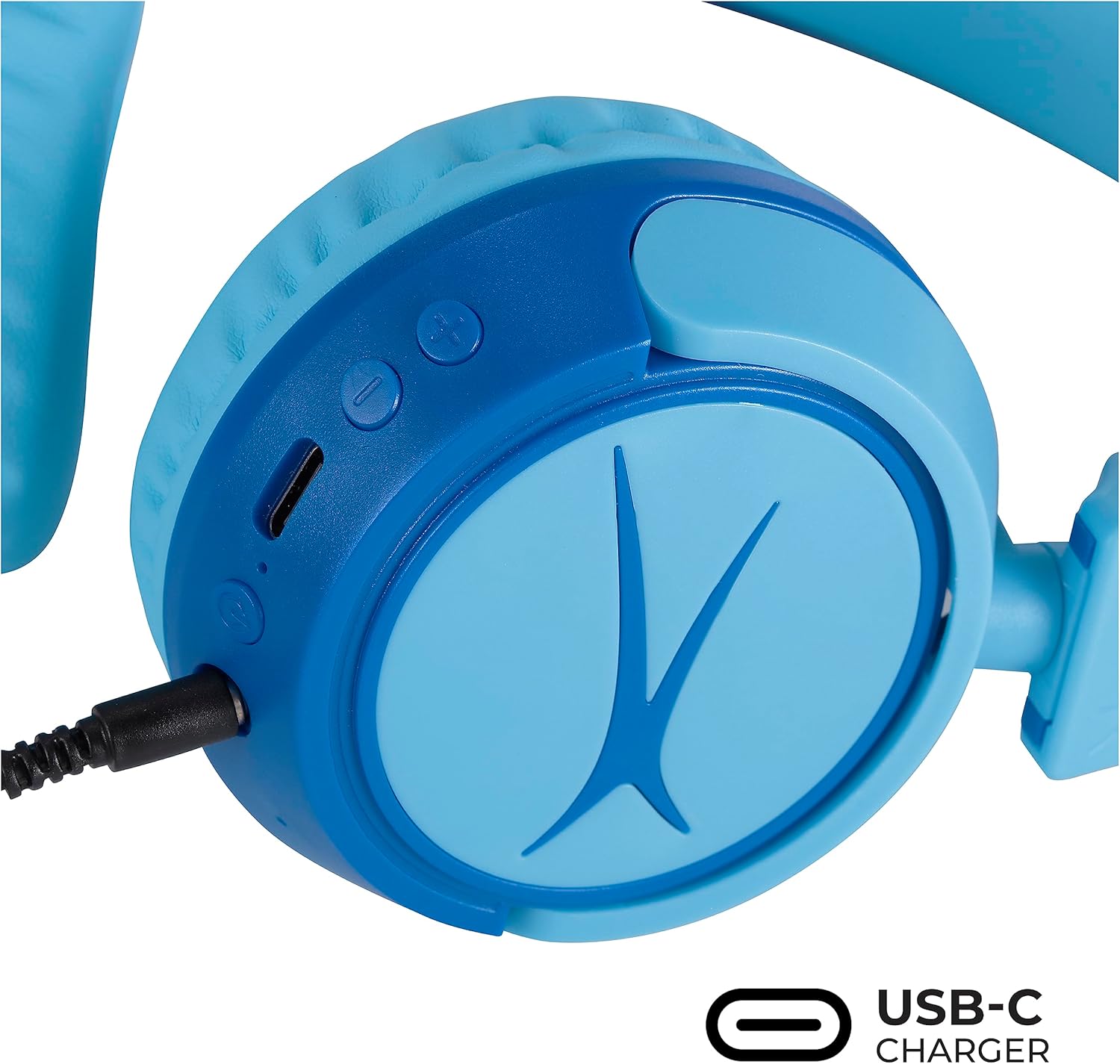
Image: Detail of the headphone controls and ports for charging and wired connection.
Instrucțiuni de operare
Pornire/Oprire
- Pentru a porni, apăsați și țineți apăsat butonul de Pornire până când indicatorul LED se aprinde.
- Pentru a opri, apăsați și țineți apăsat butonul de Pornire/Oprire până când indicatorul LED se stinge.
Controlul volumului
- Use the '+' button to increase volume.
- Use the '-' button to decrease volume.
- The volume is limited to 85dB for hearing protection.
Control media
- Apăsați butonul Redare/Pauză o dată pentru a reda sau a întrerupe sunetul.
- Apăsați și țineți apăsat butonul „+” pentru a sări la următoarea piesă.
- Apăsați și mențineți apăsat butonul „-” pentru a trece la piesa anterioară.
Wired Connection (Optional)
For unlimited playtime or when Bluetooth is not available, use the provided 3.5mm audio cable:
- Plug one end of the 3.5mm audio cable into the audio jack on the headphone earcup.
- Conectați celălalt capăt la ieșirea audio de 3.5 mm a dispozitivului.
- Căștile vor trece automat în modul cu fir.

Image: The headphones are compatible with multiple devices via Bluetooth or wired connection.
Video: An official product video demonstrating the Altec Lansing Kid Safe Bluetooth Headphones.
Întreţinere
Curatenie
- Ștergeți căștile cu o lavetă moale și uscată.
- Nu utilizați substanțe chimice dure sau materiale abrazive.
- Ensure no moisture enters the ports.
Depozitare
- Fold the headphones for compact storage.
- Store them in the provided protective case when not in use to prevent damage.
- A se păstra într-un loc răcoros, uscat, ferit de temperaturi extreme.

Image: Features highlighting the adjustable and cushioned design for comfort.
Depanare
- Fără putere: Asigurați-vă că sunt complet încărcate căștile. Conectați-le la o sursă de alimentare folosind cablul USB-C.
- Nu se poate conecta prin Bluetooth: Make sure the headphones are in pairing mode (flashing blue/red LED). Check that Bluetooth is enabled on your device and that the headphones are within the 30-foot range. Try restarting both the headphones and your device.
- Niciun sunet în modul wireless: Verify that the headphones are successfully paired and connected to your device. Check the volume levels on both the headphones and your device.
- Fără sunet în modul cu fir: Ensure the 3.5mm audio cable is securely plugged into both the headphones and your device. Check the volume levels on your device.
- Sound is Too Low: The headphones feature a built-in volume limiter at 85dB for safety. This is a design feature and not a malfunction.
Specificații
| Caracteristică | Detaliu |
|---|---|
| Numele modelului | MZX4410 |
| Tehnologia de conectivitate | Fără fir (Bluetooth), cu fir (mufă de 3.5 mm) |
| Tehnologia comunicațiilor fără fir | Bluetooth |
| Gama Bluetooth | 30 picioare |
| Durata de viață a bateriei | 10 de ore |
| Limita de volum | 85dB (Kid Safe) |
| Tip control | Control media, atingere |
| Caracteristici speciale | Adjustable Headband, Detachable Cable, Foldable, Lightweight, Wireless |
| Material | Plastic |
| Greutatea articolului | 8.8 uncii (0.25 kilograme) |
| Producător | Altec Lansing Technologies |
| UPC | 021331082107 |
Garanție și suport
For warranty information and customer support, please refer to the official Altec Lansing website or contact their customer service directly. Details can typically be found on the product packaging or the Altec Lansing support portal.


