1. Introducere și Pesteview
The Buffbee Sound Machine & Alarm Clock is a versatile 2-in-1 device designed to enhance your sleep and wake-up experience. It combines a high-quality sound machine with a precise digital alarm clock, offering a range of features to create a peaceful environment and ensure timely waking.

Image 1.1: The Buffbee device highlighting its dual functionality as a sound machine and an alarm clock.
Caracteristici cheie:
- Funcționalitate 2 în 1: Combines a sound machine and a digital alarm clock in one compact unit.
- 18 de sunete liniștitoare: Includes 5 white noises, 3 fan sounds, and 10 nature sounds (ocean, lullaby, waves, rain, thunderstorm, stream, croaks, bird chirps, summer night, campfire) to aid sleep and relaxation.
- Luminozitate reglabilă a afișajului: Clock face brightness can be dimmed from 0% to 100% to suit your preference.
- Control precis al volumului: Offers 30 levels of volume adjustment for optimal sound output.
- Temporizator de somn: Set the sound machine to automatically turn off after 15, 30, 60, 90, or 120 minutes, or allow continuous play.
- Lumină de noapte în 7 culori: Features a soothing colored light at the base with 7 color options and ON/OFF functionality.
- Difuzor de înaltă calitate: Equipped with a 5W speaker for rich, detailed sound.

Imaginea 1.2: Față view of the Buffbee Sound Machine & Alarm Clock, displaying the time and the top control panel.
2. Configurare
2.1 Despachetare și conținut
Carefully remove the Buffbee Sound Machine & Alarm Clock from its packaging. Verify that all components are present:
- Buffbee Sound Machine & Alarm Clock unit
- Power Adapter (USB cable and wall adapter)
- Manual de utilizare (acest document)
2.2 Conexiune la alimentare
The device is powered by an electrical cable.
- Insert the small end of the USB power cable into the DC IN port on the back of the Buffbee unit.
- Plug the larger end of the USB cable into the provided wall adapter.
- Conectați adaptorul de perete la o priză electrică standard.
The device will power on automatically, and the digital display will illuminate.
2.3 Setarea orei
Upon initial power-on or after a power outage, you may need to set the correct time.
- Țineți apăsat butonul Ora stabilită button (usually indicated by a clock icon) on the top panel until the hour digits begin to flash.
- Utilizați +/- buttons (or arrow buttons) to adjust the hour.
- Apăsați tasta Ora stabilită Apăsați din nou butonul pentru a comuta la reglarea minutelor.
- Utilizați +/- butoane pentru reglarea minutelor.
- Apăsați tasta Ora stabilită Apăsați butonul încă o dată pentru a confirma și a ieși din modul de setare a orei.
3. Instrucțiuni de utilizare
3.1 Sound Machine Function
The Buffbee Sound Machine offers 18 soothing sounds to help you relax and sleep.

Imaginea 3.1: Intern view illustrating the upward-firing speaker for enhanced sound quality.
Sunete de redare:
- Apăsați tasta Modul de sunet button (often a music note icon) to cycle through the available sound categories (White Noise, Fan Sounds, Nature Sounds).
- Utilizați Next/Previous Sound buttons (arrow icons) to select a specific sound within the chosen category.
- The sound will begin playing automatically.
Reglarea volumului:
The device features 30 levels of precise volume control.
- Apăsați tasta Creștere volum (+) or Volum scăzut (-) buttons to increase or decrease the sound volume.

Image 3.2: Illustration of the auto-off timer and 30-level precise volume control features.
Setarea temporizatorului de repaus:
The sleep timer allows the sound machine to turn off automatically after a set duration.
- Apăsați tasta Cronometru button (often an hourglass icon) repeatedly to cycle through the available timer options: 15 minutes, 30 minutes, 60 minutes, 90 minutes, 120 minutes, or continuous play (indicated by 'ON' or no timer display).
- The selected timer duration will be displayed briefly on the screen.
3.2 Funcția ceas cu alarmă
The Buffbee device functions as a digital alarm clock with customizable wake-up sounds.
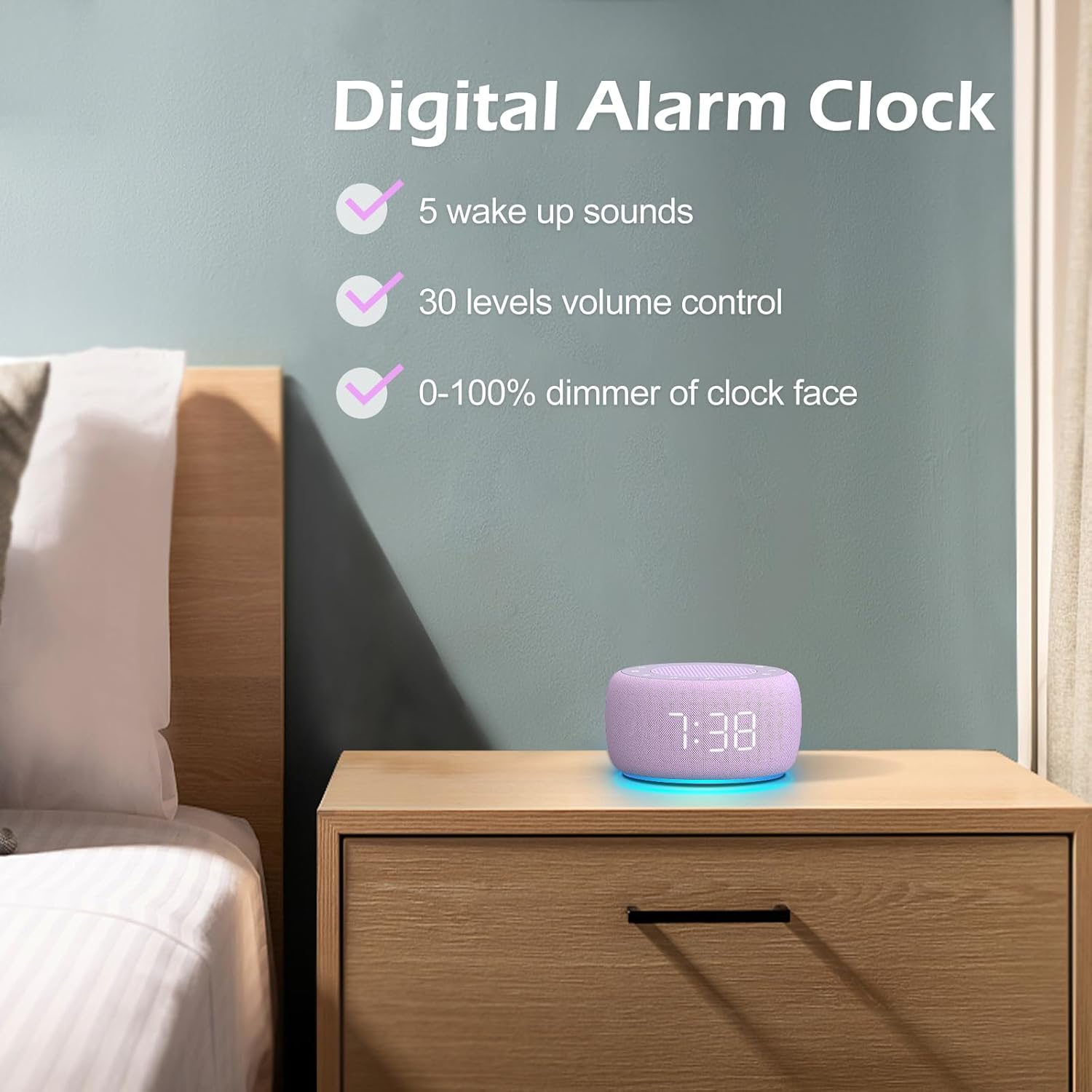
Imaginea 3.3: Pesteview of the digital alarm clock features, including wake-up sounds, volume control, and display dimmer.
Setarea unei alarme:
- Țineți apăsat butonul Set de alarma button (often an alarm clock icon) until the alarm hour digits begin to flash.
- Utilizați +/- butoane pentru a regla ora alarmei.
- Apăsați tasta Set de alarma Apăsați din nou butonul pentru a comuta la reglarea minutelor.
- Utilizați +/- butoane pentru a regla minutele alarmei.
- Apăsați tasta Set de alarma apăsați butonul încă o dată pentru a confirma ora alarmei.
- After setting the time, you can select the wake-up sound by pressing the Selectare sunet button (if available, or use +/- buttons while alarm sound is flashing). There are 5 wake-up sounds available.
- Apăsați tasta Set de alarma button again to activate the alarm. An alarm icon will appear on the display.
Funcție de amânare:
Când alarma sună, apăsați tasta Amână button (usually a large button on top or a dedicated snooze icon) to temporarily silence the alarm for a few minutes (typically 9 minutes). The alarm will sound again after the snooze period.
Oprirea alarmei:
Pentru a opri complet alarma, apăsați butonul Activare / oprire alarmă button (often the same as the Alarm Set button, or a dedicated toggle). The alarm icon will disappear from the display.
3.3 Display & Light Functions
Reglarea luminozității afișajului:
The digital display brightness can be adjusted from 0% (completely dark) to 100% (brightest).

Image 3.4: Demonstration of the 0-100% display dimmer feature, showing various brightness levels.
- Apăsați tasta Dimmer button (often a sun icon) repeatedly to cycle through different brightness levels.
- Țineți Dimmer button to smoothly adjust the brightness from 0% to 100% and vice versa. Release the button at your desired brightness.
Utilizarea luminii de noapte:
The device features a colored night light at its base with 7 color options.

Image 3.5: The Buffbee device showcasing its 7-color night light feature in a bedroom setting.
- Apăsați tasta Aprinde button (often a light bulb icon) to turn the night light ON.
- Apăsați tasta Aprinde Apăsați butonul în mod repetat pentru a parcurge cele 7 culori disponibile.
- Apăsați tasta Aprinde button one more time after cycling through all colors to turn the night light OFF.
4. Întreținere
4.1 Curățare
To maintain the appearance and functionality of your Buffbee device:
- Deconectați întotdeauna dispozitivul de la priză înainte de curățare.
- Use a soft, dry, lint-free cloth to wipe down the exterior surfaces.
- Nu folosiți produse de curățare abrazive, ceară sau solvenți, deoarece acestea pot deteriora finisajul.
- Evitați pătrunderea umezelii în orice deschidere.
4.2 Depozitare
Când nu este utilizat pentru perioade lungi de timp, depozitați dispozitivul într-un loc răcoros și uscat, ferit de lumina directă a soarelui și de temperaturi extreme.
4.3 Avertismente de siguranță
Vă rugăm să respectați următoarele măsuri de siguranță:
- Acest produs nu este o jucărie. A nu se lăsa la îndemâna copiilor.
- Handle with care to avoid electric shock. Do not expose the device to water or excessive moisture.
- Use within recommended noise exposure limits to prevent hearing damage.
- Nu încercați să dezasamblați sau să reparați dispozitivul singur. Apelați la personal calificat pentru toate lucrările de service.
5. Depanare
If you encounter issues with your Buffbee Sound Machine & Alarm Clock, please refer to the following common problems and solutions:
| Problemă | Cauza posibila | Soluţie |
|---|---|---|
| Dispozitivul nu pornește. | Fără conexiune la alimentare sau adaptor defect. | Ensure the power cable is securely plugged into the device and the wall outlet. Try a different outlet. |
| Niciun sunet din difuzor. | Volume is too low or muted. Incorrect sound selected. | Măriți volumul folosind Creștere volum (+) button. Ensure a sound is selected and not paused. |
| Alarma nu sună. | Alarm is not set or not activated. Alarm volume is too low. | Verify that the alarm time is set correctly and the alarm icon is displayed. Increase the alarm volume (if separate from main volume). |
| Afișajul este prea slab sau prea luminos. | Display dimmer setting is incorrect. | Apăsați sau țineți apăsat Dimmer button to adjust the brightness to your preference. |
| Lumina de noapte nu funcționează. | Night light is turned off. | Apăsați tasta Aprinde button to turn on and cycle through colors. |
6. Specificații
Detailed technical specifications for the Buffbee Sound Machine & Alarm Clock (Model BK11):
| Caracteristică | Caietul de sarcini |
|---|---|
| Marca | BUFFBEE |
| Numărul de model | BK11 |
| Culoare | Violet |
| Material | Plastic |
| Sursa de alimentare | Electric cu fir |
| Dimensiunile produsului | 14.3 x 11.2 x 7.7 cm (5.6 x 4.4 x 3.0 țoli) |
| Greutatea articolului | 322 grame (0.71 lire sterline) |
| Ieșire difuzor | 5W |
| Opțiuni de sunet | 18 Soothing Sounds (5 White Noise, 3 Fan, 10 Nature) |
| Niveluri de volum | 30 Precise Levels |
| Afișaj Dimmer | 0-100% Adjustable Brightness |
| Culorile luminii de noapte | 7 culori |
| Opțiuni pentru cronometrul de repaus | 15, 30, 60, 90, 120 minutes, or Continuous Play |
| Wake-up Sounds | 5 Alarm Sounds |
7. Garanție și asistență
7.1 Informații despre garanție
This product comes with a standard manufacturer's warranty. Please refer to the product packaging or the seller's webpentru termenii și condițiile specifice ale garanției, inclusiv detalii despre durată și acoperire.
7.2 Asistență pentru clienți
For any questions, technical assistance, or warranty claims, please contact Buffbee customer support through the retailer's platform or the official Buffbee website. Have your product model number (BK11) and purchase details ready when contacting support.


